Export PerplexityAI to Airtable
Batch export, sync, and download all your PerplexityAI conversations to Airtable! Perfect for building your second brain and organizing AI research archives.
 1,000+ users • 4.8/5 rating
See It in Action
Watch how easy it is to batch export your PerplexityAI conversations to Airtable
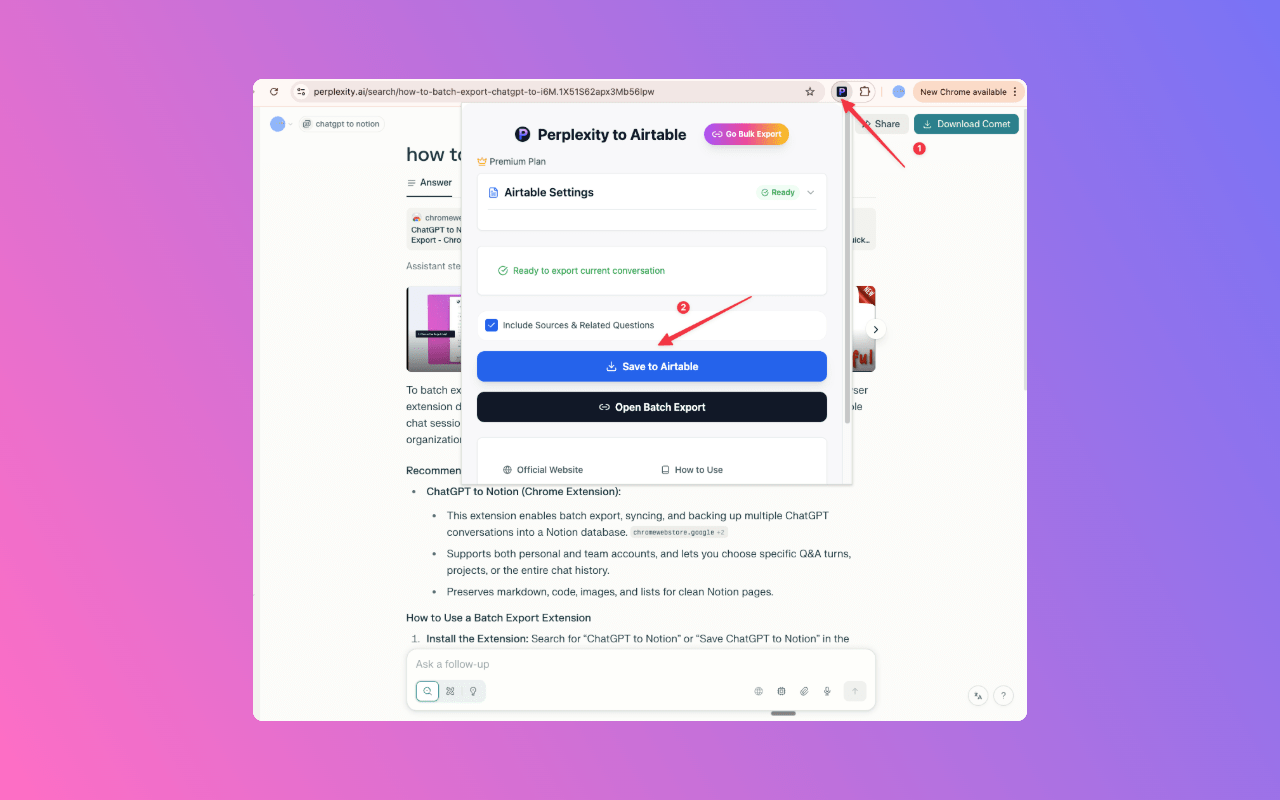
1. Start Export
Click the extension icon while on any PerplexityAI conversation page
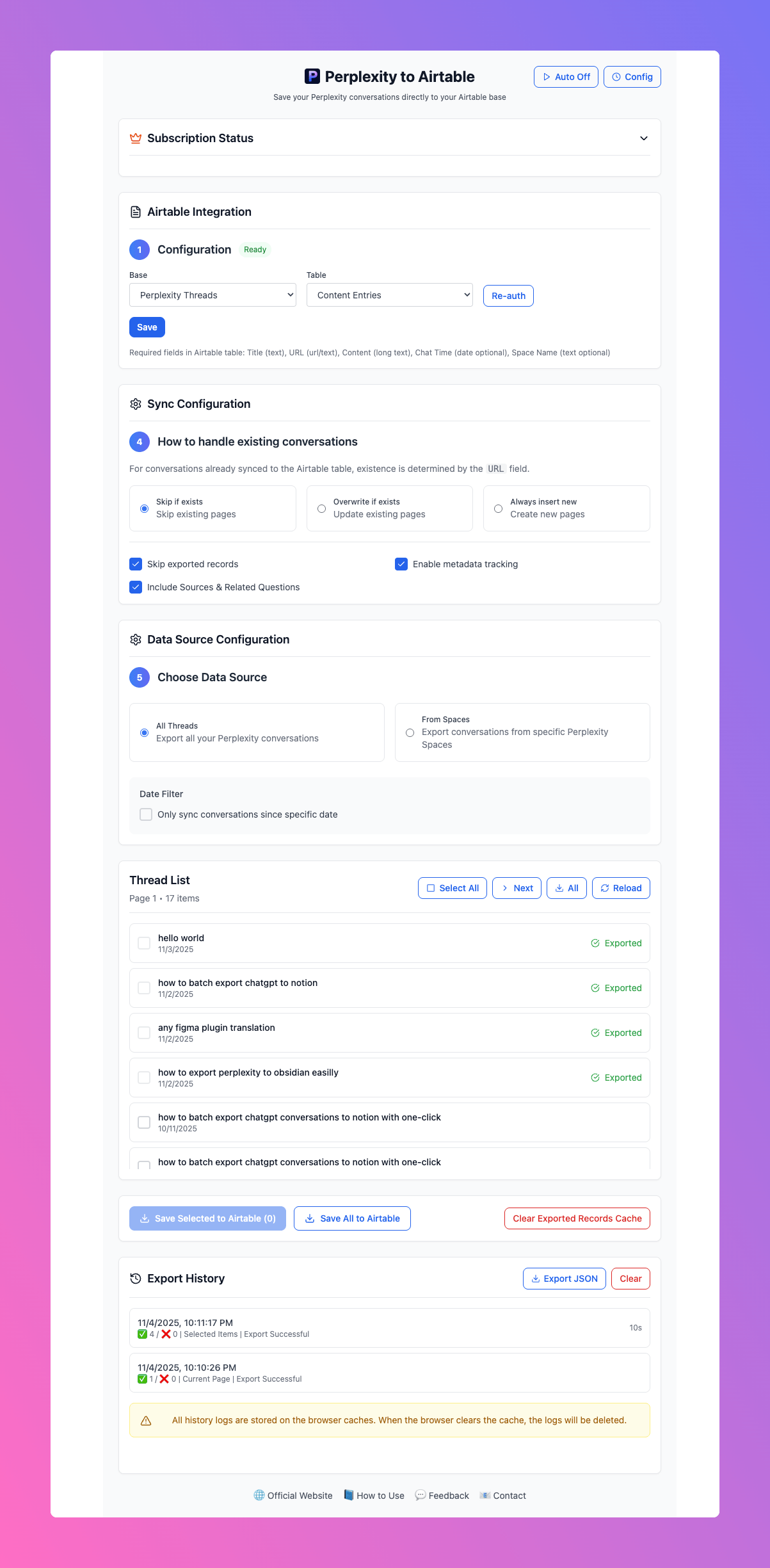
2. Batch Export
Export single conversations or batch export multiple conversations to Airtable at once
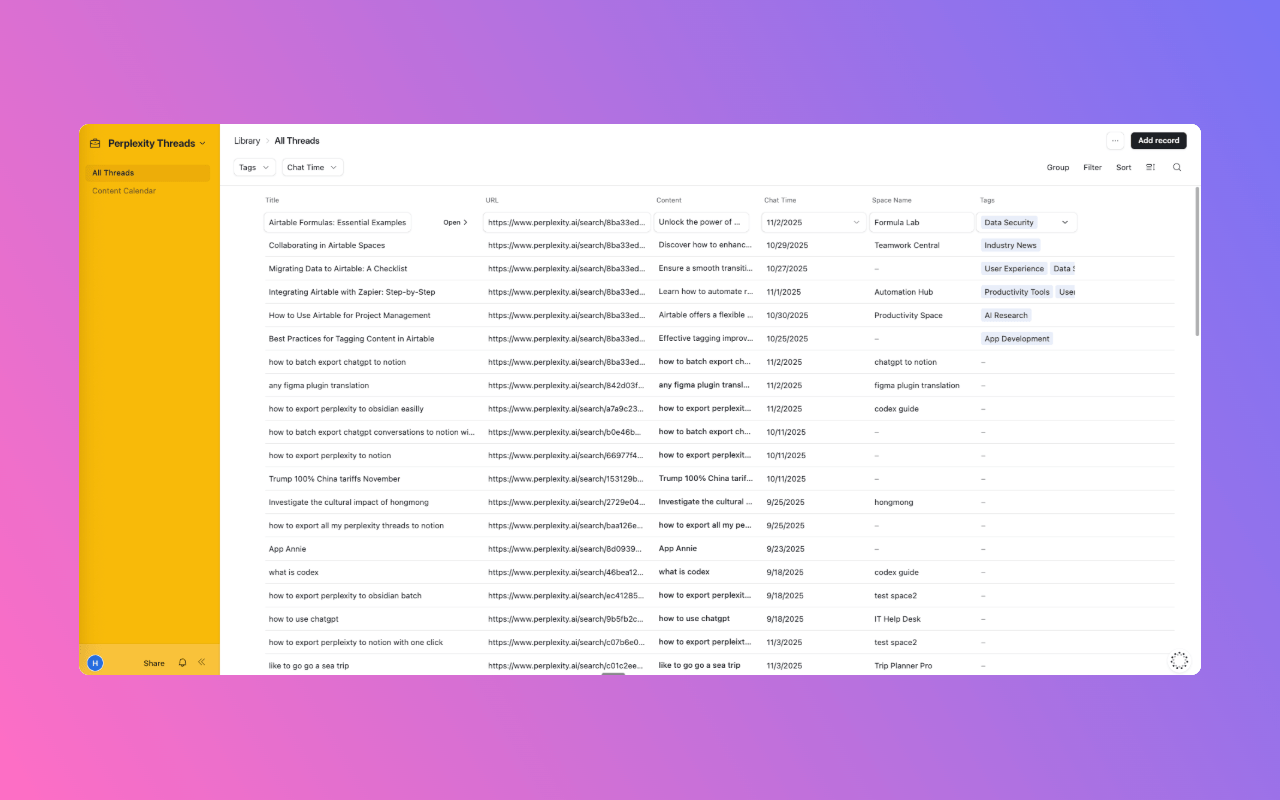
3. View in Airtable
Your conversations are synced to Airtable, ready to organize and build your second brain
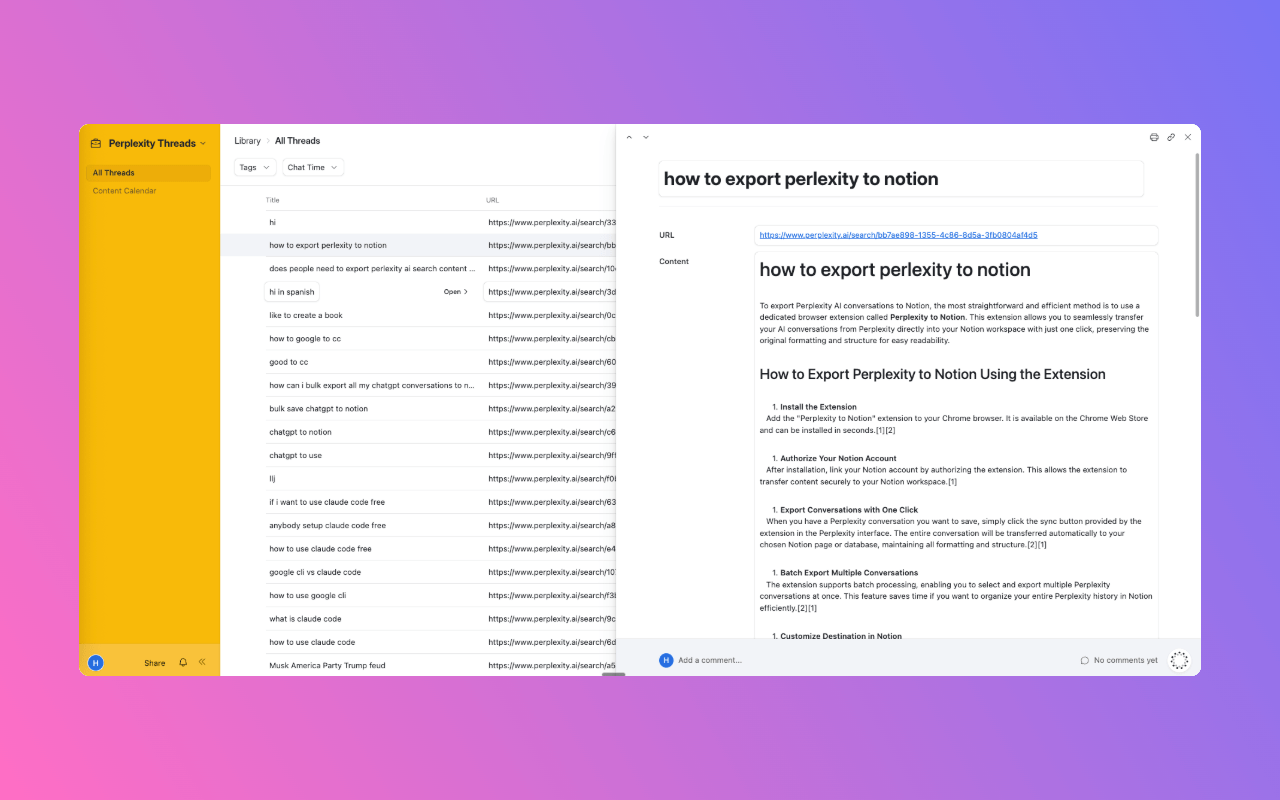
4. View in Airtable Detail
Your conversations are synced to Airtable with full formatting, ready to use in your knowledge base
Powerful Features
Everything you need to batch export and organize your PerplexityAI conversations

One-Click Export
Export any PerplexityAI conversation to Airtable with a single click. No manual copy-pasting required.

Bulk Export
Export all PerplexityAI chats in one operation—no more copy & paste. Perfect for organizing research sessions or study materials.

Download as Markdown
Keep your conversations well-formatted for Airtable, offline backup, or Obsidian import.

Privacy First
All data processing happens locally. Your conversations never leave your browser.

Spaces Support
Export entire PerplexityAI Spaces threads for research, collaboration, and team knowledge sharing.

One-Click Sync
Automatically sync PerplexityAI history into Airtable to build your second brain.
How It Works
Get started in minutes with our simple setup process
Install the Extension
Download from Chrome Web Store and add to your browser in seconds.
Configure Settings
Set your export preferences and choose file naming options to match your workflow.
Export Conversations
Visit any PerplexityAI conversation and click the export button to sync it to Airtable or download as Markdown.
Enjoy Your Knowledge Base
Access your exported conversations in Airtable with full formatting, search, and organization capabilities.
What Users Are Saying
Join thousands of users who are supercharging their knowledge workflow

"Game-changer for my research workflow. I can now easily organize all my PerplexityAI conversations in Airtable."
Sarah Chen
PhD Student
"The batch export feature is incredible. I can organize weeks of research in minutes."
Mark Thompson
Content Creator
"Privacy-focused and works perfectly. Exactly what I needed for my PKM system."
Alex Rodriguez
Software Engineer
Frequently Asked Questions
Everything you need to know about using Perplexity to Airtable
Is my data safe and private?
Yes, absolutely. All data processing happens locally in your browser. Your conversations are never sent to external servers, ensuring complete privacy and security.
Does this work with mobile devices?
The extension works on desktop Chrome browsers. Once synced to Airtable, you can access your conversations on mobile devices through the Airtable app or web interface.
Can I customize the export format?
Yes! You can customize file naming conventions, folder structure, and metadata fields to match your personal knowledge management system.
What about conversation history?
The extension can export both current conversations and your conversation history. Use the batch export feature to organize all your past research at once.
Do I need a PerplexityAI Pro account?
No, the extension works with both free and Pro PerplexityAI accounts. All conversation types are supported for export.
How do I report issues or request features?
Visit our GitHub issues page to report bugs or request new features. We actively monitor and respond to user feedback.
Ready to Transform Your Knowledge Workflow?
Join thousands of users who are building their second brain with PerplexityAI and Airtable
 Get Chrome Extension
Free • No registration required • Works instantly