
 最受歡迎
最受歡迎ChatGPT to Notion
Bulk export ChatGPT history, Projects, Group Chats, and Deep Research into a searchable Notion database. 支持繁體中文工作流。
適用情境: 适合研究者、开发者和团队的 Notion 工作流。
輸出格式: Notion database pages
ChatGPT 工具中心
按你的工作流备份和整理 ChatGPT 对话、研究和代码,构建可搜索的知识库。
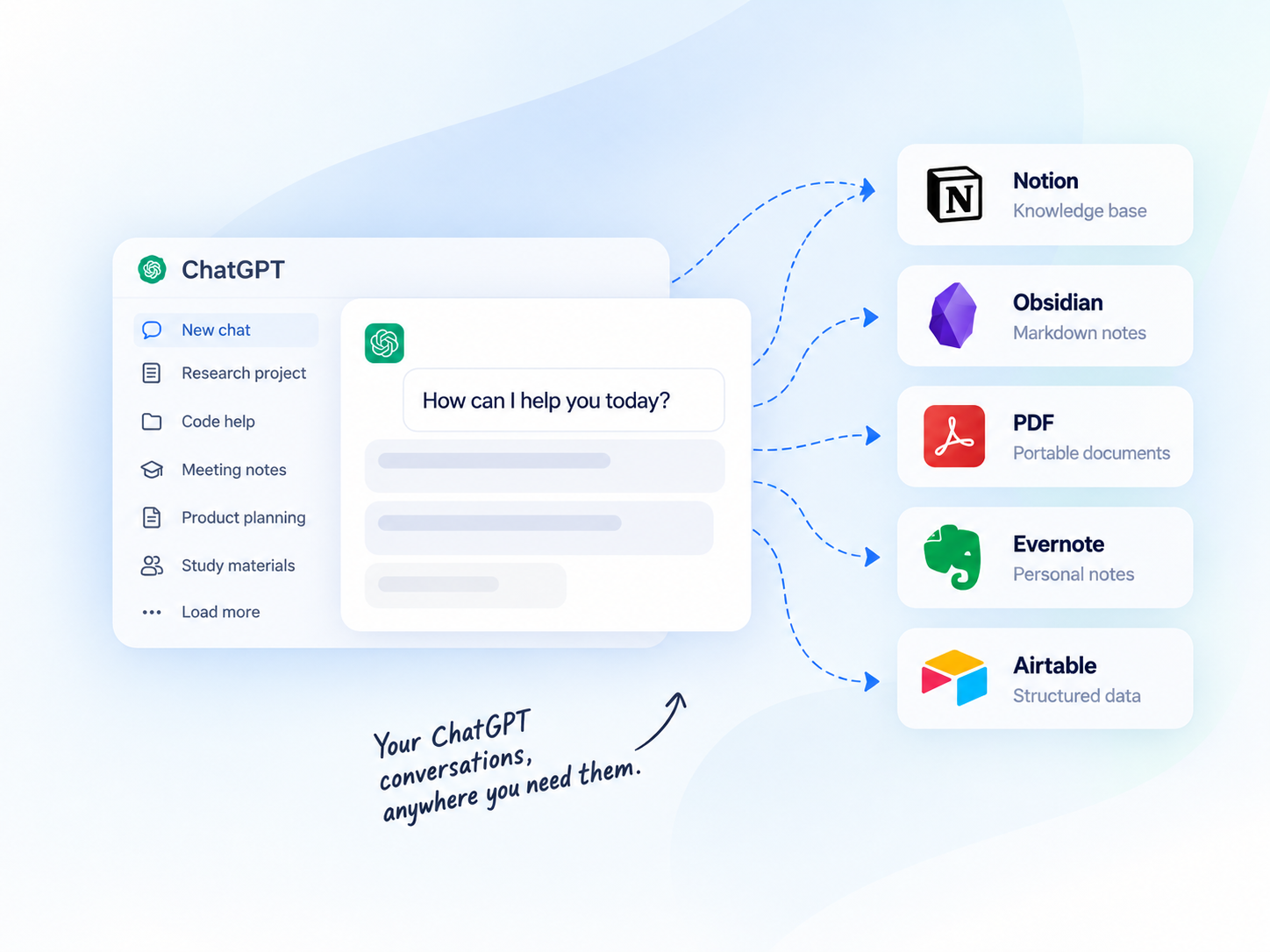
批次匯出
一次匯出多段對話
專案支援
保留專案脈絡
深度研究
完整保留內容
本機優先
匯出至 Obsidian 等
CHATGPT 匯出中心
比較目的地、輸出格式和工作流程,選擇符合你工作方式的工具。
最受歡迎Bulk export ChatGPT history, Projects, Group Chats, and Deep Research into a searchable Notion database. 支持繁體中文工作流。
適用情境: 适合研究者、开发者和团队的 Notion 工作流。
輸出格式: Notion database pages
 本機優先
本機優先Download ChatGPT conversations as clean Markdown files for Obsidian and local-first knowledge bases. 支持繁體中文工作流。
適用情境: 适合研究者、开发者和团队的 Obsidian 工作流。
輸出格式: Markdown
 適合封存
適合封存Export ChatGPT conversations as professional PDFs for offline reading, sharing, review, and archival. 支持繁體中文工作流。
適用情境: 适合研究者、开发者和团队的 PDF 工作流。
輸出格式: PDF

Save ChatGPT history to Evernote with one click for users who already organize notes there. 支持繁體中文工作流。

Transform ChatGPT conversations into structured Airtable records for lightweight databases. 支持繁體中文工作流。
其他 ChatGPT 匯出目的地
✦ChatGPT Prompt Hub查看詳情 →AI Exporter Hub 將支援的 ChatGPT、Claude、Gemini、Perplexity、Grok 與 Genspark 工作流程整合於同一擴充功能;只使用單一平台時仍可選擇專用工具。
比較匯出目的地
了解每個 ChatGPT 匯出工具適合的工作流程。
| 目的地 | 適用情境 | 輸出格式 | 典型使用者 |
|---|---|---|---|
| Notion | Structured knowledge bases | Notion database pages | Researchers, teams |
| Obsidian | Local personal knowledge | Markdown | Developers, writers |
| PDF | Offline reading and sharing | Students, clients | |
| Evernote | Personal note organization | Evernote notes | Individual users |
| Airtable | Structured data and tracking | Airtable records | Analysts, teams |
以下指南提供英文詳細操作步驟,可先了解流程再進行大量備份。
使用方式
四步匯出 ChatGPT 對話。
Add the Chrome extension
Select chats, projects, or group chats
Pick Notion, Obsidian, PDF, or more
Click export and get your archive
為什麼要匯出 ChatGPT 對話?
充分利用對話內容,讓知識始終觸手可及。
Quickly search past conversations when you need them again.
Keep code blocks, tables, images, and structure intact.
Turn insights into structured knowledge bases.
Create clean, shareable documents for teammates or clients.
Keep a long-term record of your learning and ideas.
使用情境
常見問題
Yes. The ChatGPT to Notion, Obsidian, and PDF tools are designed for batch export workflows.,详情请查看对应产品页面。
Choose Notion for structured databases, Obsidian for local Markdown, PDF for shareable archives, Evernote for existing Evernote notes, and Airtable for structured records.,详情请查看对应产品页面。
ChatGPT to Notion and ChatGPT to PDF include workflows for Projects, Group Chats, and long-form outputs. Check each product page for the exact supported content types.,详情请查看对应产品页面。
READY TO GET MORE FROM YOUR CHATGPT CONVERSATIONS?
比較工具,找到適合你的工作流程,開始建立知識庫。