
 最受歡迎
最受歡迎Grok to Notion
目前聊天、選定歷史記錄與 Project 對話匯出到 Notion。
適用情境: Notion 知識庫、專案檔案與團隊整理。
輸出格式: Notion 資料庫頁面
Grok 匯出中心
將 Grok 對話和 Project 聊天備份到 Notion,或將支援的對話儲存為本機 Markdown、PDF。
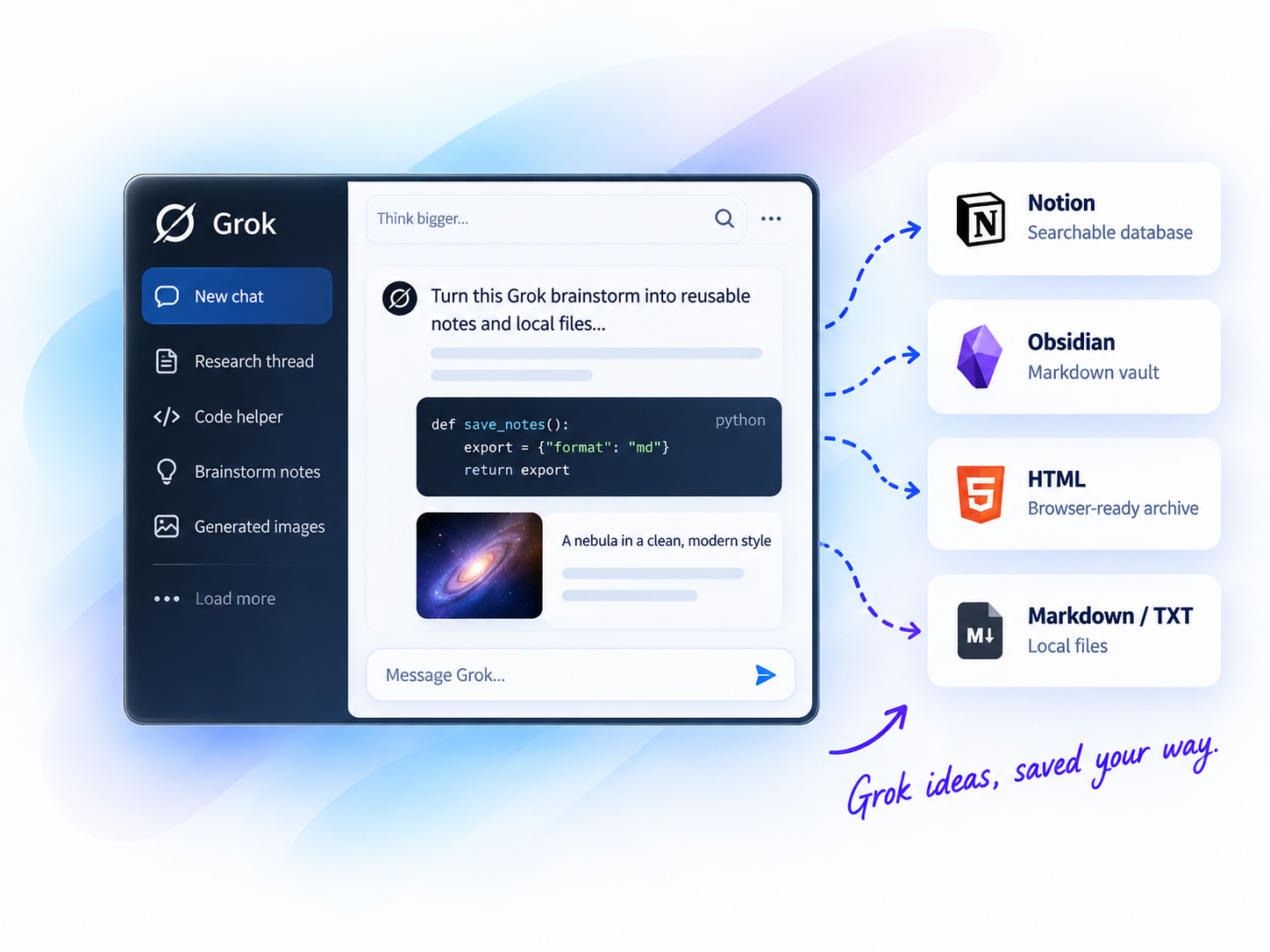
批次匯出
一次處理多段對話
Notion 同步
將對話同步至資料庫頁面
本機優先
Markdown 檔案隨時可用
圖片備份
保留 Grok 產生的圖片
GROK 匯出中心
三種儲存路徑:可搜尋的 Notion 資料庫、可自由攜帶的 Markdown 檔案,或涵蓋多個平台的合併擴充功能。
最受歡迎目前聊天、選定歷史記錄與 Project 對話匯出到 Notion。
適用情境: Notion 知識庫、專案檔案與團隊整理。
輸出格式: Notion 資料庫頁面
 本機優先
本機優先將 Grok 對話批次或選擇性匯出為本機 Markdown。
適用情境: 本機 Markdown、Obsidian 知識庫及支援的媒體備份。
輸出格式: Markdown
 一站式
一站式將 Grok 對話、選定聊天與 Project 對話匯出到 Notion、Markdown 或 PDF。
適用情境: 透過一個擴充套件管理六個 AI 平台與多個保存目標。
輸出格式: Notion、Markdown、PDF
AI Exporter Hub 將支援的 ChatGPT、Claude、Gemini、Perplexity、Grok 與 Genspark 工作流程整合於同一擴充功能;只使用單一平台時仍可選擇專用工具。
比較匯出目的地
看看每種 Grok 匯出方式適合什麼工作流程。
| 目的地 | 適用情境 | 輸出格式 | 典型使用者 |
|---|---|---|---|
| Notion | Structured knowledge bases | Notion 資料庫頁面 | Researchers, teams |
| Obsidian / Markdown | Local Markdown archives | Markdown | Creators, local-first users |
| Notion / Local Files | Notion, Markdown and PDF in one tool | Notion、Markdown、PDF | Multi-platform users |
以下指南提供英文詳細操作步驟,可先了解流程再進行大量備份。
使用方式
四步匯出 ChatGPT 對話。
Add the Chrome extension
Select chats, projects, or group chats
Pick Notion, Obsidian, PDF, or more
Click export and get your archive
為什麼要匯出 Grok 對話?
保留答案、程式碼、圖片和脈絡,讓 Grok 工作可搜尋、可重複使用。
Quickly search past conversations when you need them again.
Keep code blocks, tables, images, and structure intact.
Turn insights into structured knowledge bases.
Create clean, shareable documents for teammates or clients.
Keep a long-term record of your learning and ideas.
熱門使用情境
常見問題
可以。Grok to Notion 支援目前聊天、選定歷史記錄與 Project 對話。
可以。Grok to Obsidian and Html 儲存 Markdown;AIExportHub 也提供 PDF。
Notion 工作流程選 Grok to Notion,Markdown 選 Grok to Obsidian and Html,六平台或 PDF 選 AIExportHub。Projects 由 Grok to Notion 與 AIExportHub 支援,目前獨立 Markdown 套件不支援。
READY TO GET MORE FROM YOUR GROK CONVERSATIONS?
選擇 Notion 進行結構化整理,或使用本機檔案建立私有封存。