
 Database-ready
Grok to Notion
Export and sync Grok conversations into a searchable Notion database with flexible sync modes.
Best for: Notion knowledge bases, project archives, and team-friendly organization.
Output format: Notion database pages
Grok export hub
Back up Grok conversations into Notion databases, local Markdown files, Obsidian vaults, or HTML archives.
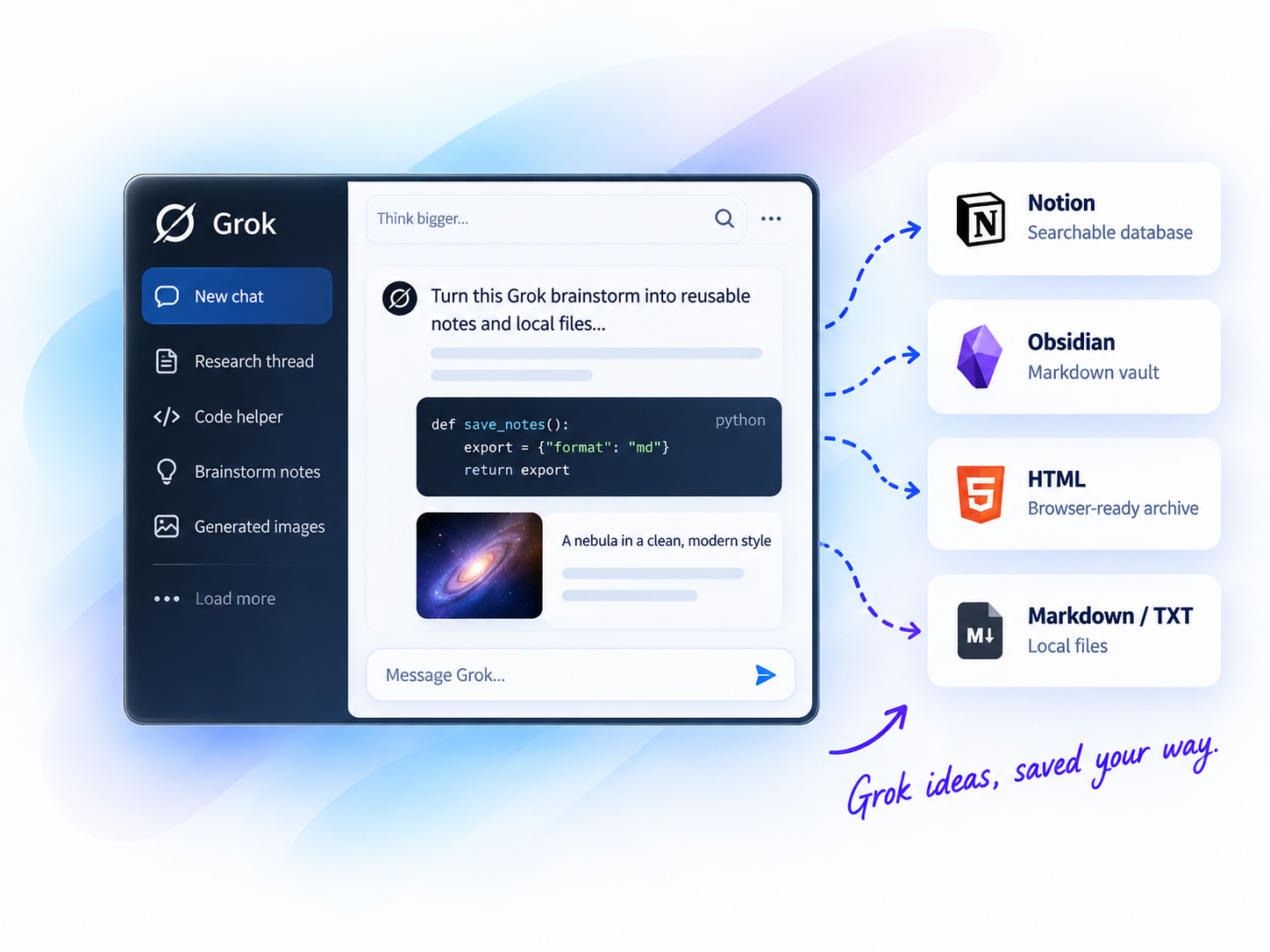
Batch export
Export multiple chats at once
Notion sync
Sync chats into database pages
Local-first
Markdown, HTML, and TXT files
Image backup
Keep generated images with exports
Selective export
Export exactly what you need
GROK EXPORT HUB
Two export paths: searchable databases or portable local archives.
Database-readyExport and sync Grok conversations into a searchable Notion database with flexible sync modes.
Best for: Notion knowledge bases, project archives, and team-friendly organization.
Output format: Notion database pages
 Local-first
Export Grok conversations to local Markdown, HTML, or text files with batch and selective export.
Best for: Local archives, Obsidian vaults, Markdown files, HTML reading, and generated image backup.
Output format: Markdown, HTML, TXT
Other Grok export tools
Get current and future Grok exporters with Universal Pass.
Compare export destinations
See how each Grok destination fits your workflow.
| Destination | Best for | Output format | Typical users |
|---|---|---|---|
| Notion | Structured knowledge bases | Notion database pages | Researchers, teams |
| Obsidian / HTML | Local files and web archives | Markdown, HTML, TXT | Creators, local-first users |
How it works
Export your ChatGPT conversations in four simple steps.
Add the Chrome extension
Select chats, projects, or group chats
Pick Notion, Obsidian, PDF, or more
Click export and get your archive
Why export Grok chats?
Keep answers, code, images, and context searchable and reusable.
Quickly search past conversations when you need them again.
Keep code blocks, tables, images, and structure intact.
Turn insights into structured knowledge bases.
Create clean, shareable documents for teammates or clients.
Keep a long-term record of your learning and ideas.
Popular use cases
Frequently asked questions
Yes. Grok to Notion exports conversations into a searchable Notion database workflow.
Yes. Grok to Obsidian and HTML exports Grok chats to local Markdown, HTML, and text files.
Choose Notion for structured databases and Grok to Obsidian and HTML for local files, Markdown, HTML, and Obsidian workflows.
READY TO GET MORE FROM YOUR GROK CONVERSATIONS?
Choose Notion for structure or local files for private archives.