
AIExportHub
Bulk export ChatGPT, Claude, Gemini, and Perplexity conversations to Notion, Markdown, Obsidian, or PDF. Select individual chats, export complete histories, preserve Projects, Gems, Spaces, images, attachments, citations, code, and generated files from one Chrome extension.
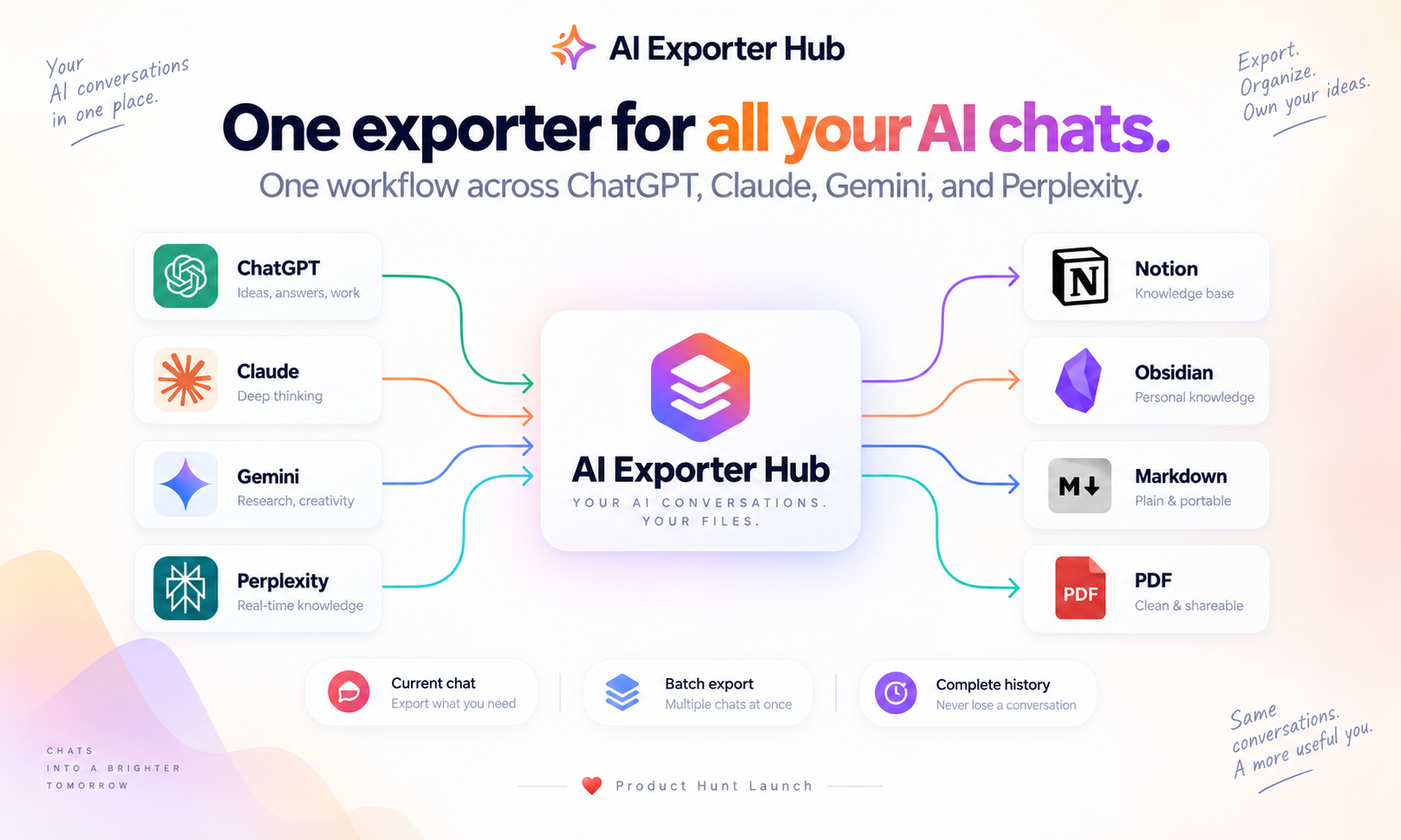
One durable export workflow for conversations, collections, media, and generated files across the AI tools you already use.
Compatibility matrix
What AIExportHub can export
A practical support table for real content types and destination behavior.
| Content type | Support | Export result | Notes |
|---|---|---|---|
| ChatGPT | Supported | Export regular chats, selected conversations, Projects, group chats, archived chats, generated sandbox files, and Library images or files. | Protected generated files are requested through the connected signed-in ChatGPT tab. |
| Claude | Supported | Export individual chats, complete history, selected conversations, complete Projects, or selected Project conversations with supported Artifacts and files. | Repeated attachment records and generated Notion child-page links are deduplicated. |
| Gemini | Supported | Export individual chats, complete history, selected conversations, Gems, or selected Gem conversations with supported media. | PDF output includes light, dark, and eye-care themes with readable message-card styles. |
| Perplexity | Supported | Export threads, selected conversations, or selected Spaces with citations, generated images, uploaded media, research documents, code, and downloadable assets. | History can be filtered by date, and long jobs stop cleanly when Perplexity rate limits requests. |
| Notion sync | Protected workflow | Writes structured conversation pages and uploads supported media only after you authorize and select your own Notion destination. | Markdown and PDF do not require an intermediate cloud workspace. |
Output proof
Real export examples
Use these examples to verify what exported files, folders, or destination pages look like before installing.
Markdown Knowledge Archive
Portable AI chat notes with local image and attachment sidecars for Obsidian, code editors, Git repositories, and long-term local storage.
Notion Research Database
Structured pages with platform, source URL, timestamps, message counts, collection metadata, uploaded media, and readable child-page assets.
PDF Review Packet
Readable conversation documents with embedded images and supported non-image files downloaded alongside the PDF.
Selective Export Picker
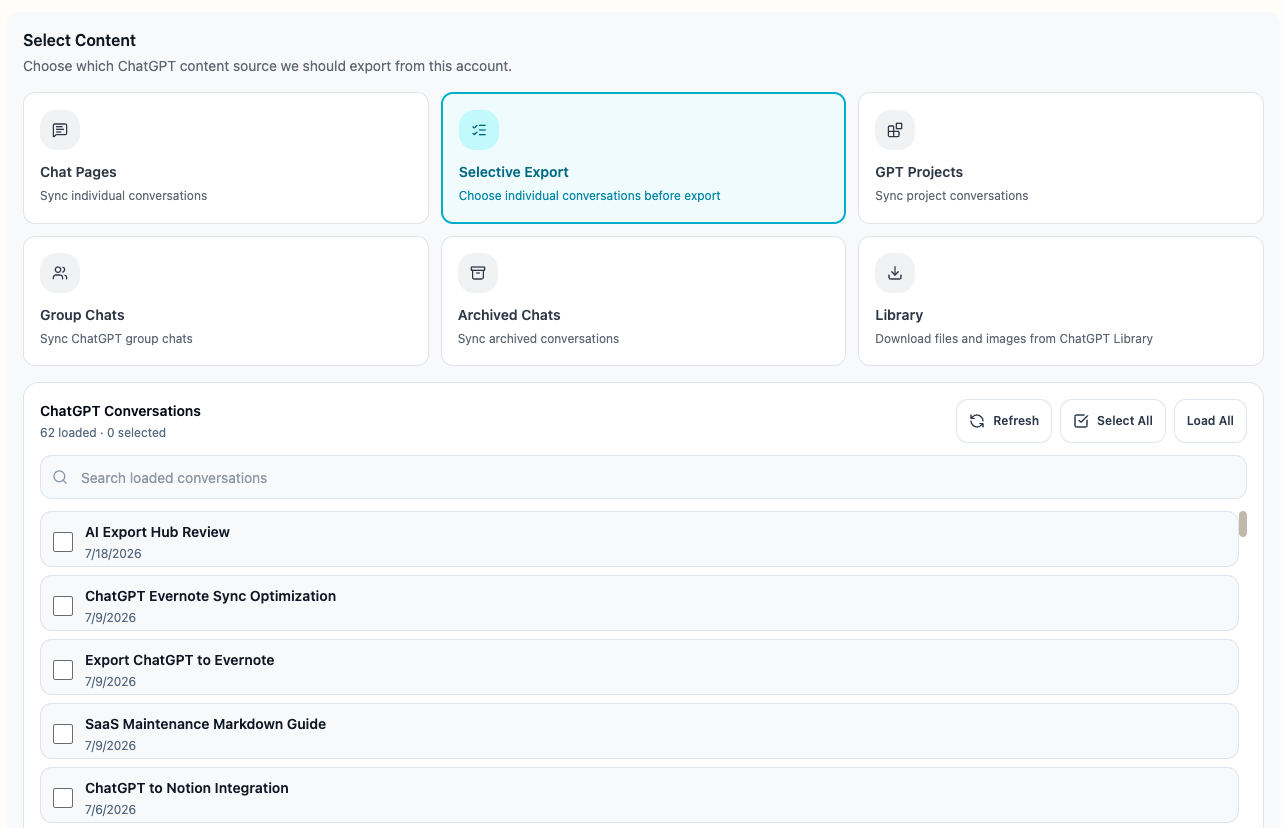
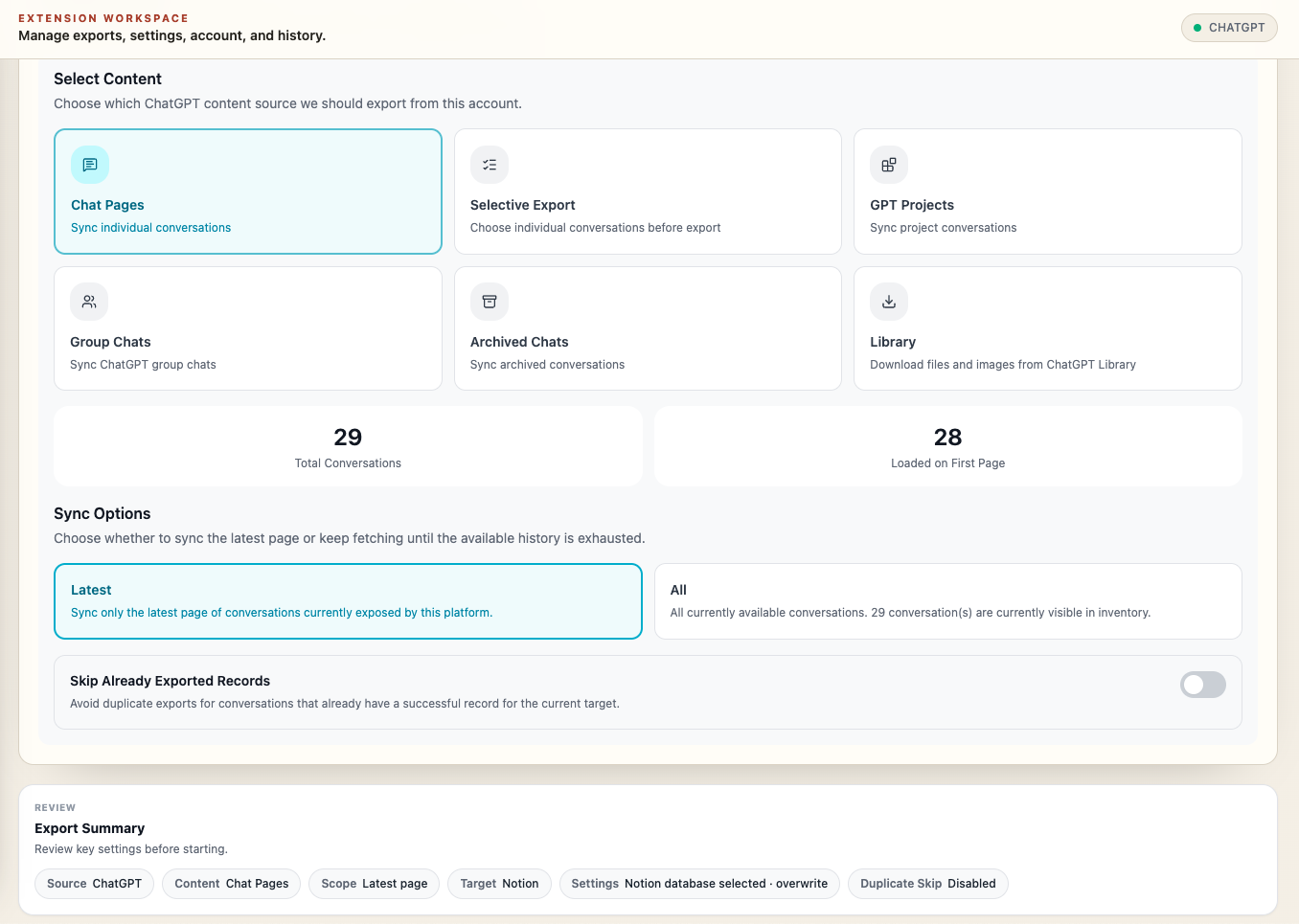
Search the loaded conversation list, keep every checkbox visible, and export only the records selected for this batch.
Media-Rich Notion Result
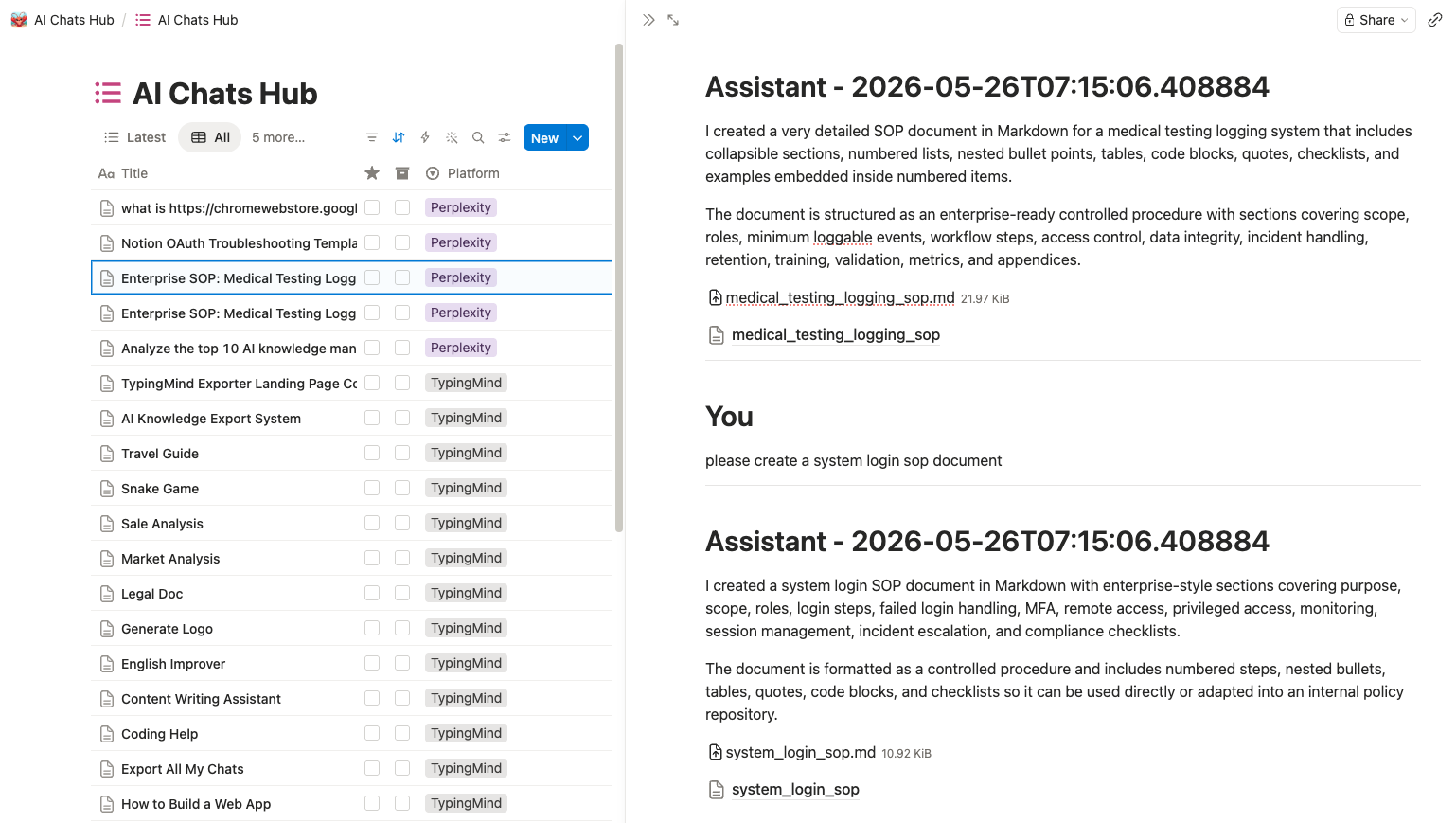
A real Notion database result containing readable conversation content and supported uploaded files beside the source messages.
Local Asset Folder
Markdown conversation files stored beside organized images, attachments, and platform-aware archive folders.
See it in Action
Key Features
Unified Bulk Export Workspace
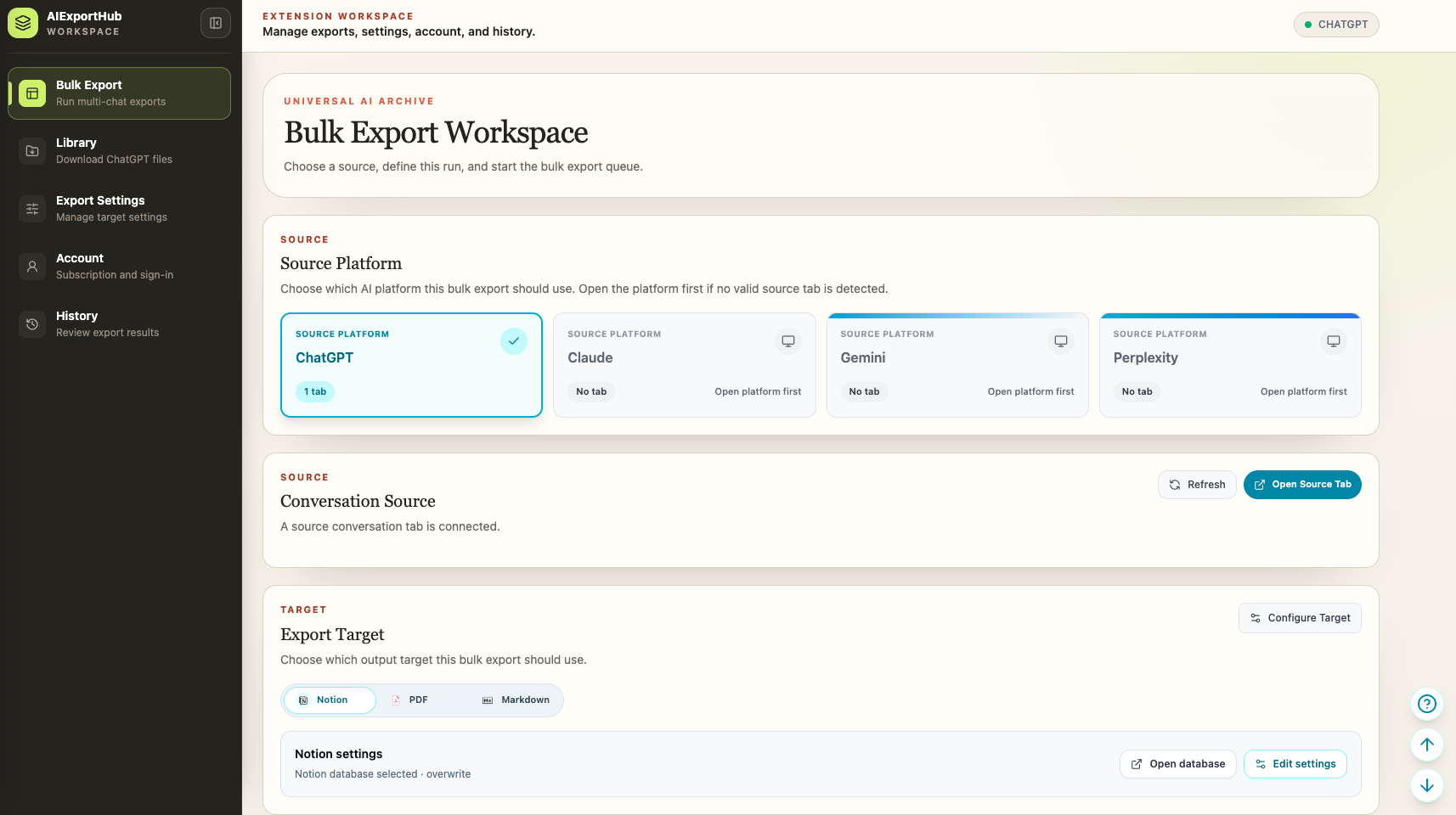
Choose ChatGPT, Claude, Gemini, or Perplexity, connect the signed-in source tab, select Notion, PDF, or Markdown, and review the destination before the job starts.
Selective and Collection Export
Search and choose individual conversations, or preserve platform context with ChatGPT Projects, Claude Projects, Gemini Gems, and Perplexity Spaces.
Media-Rich Notion Results
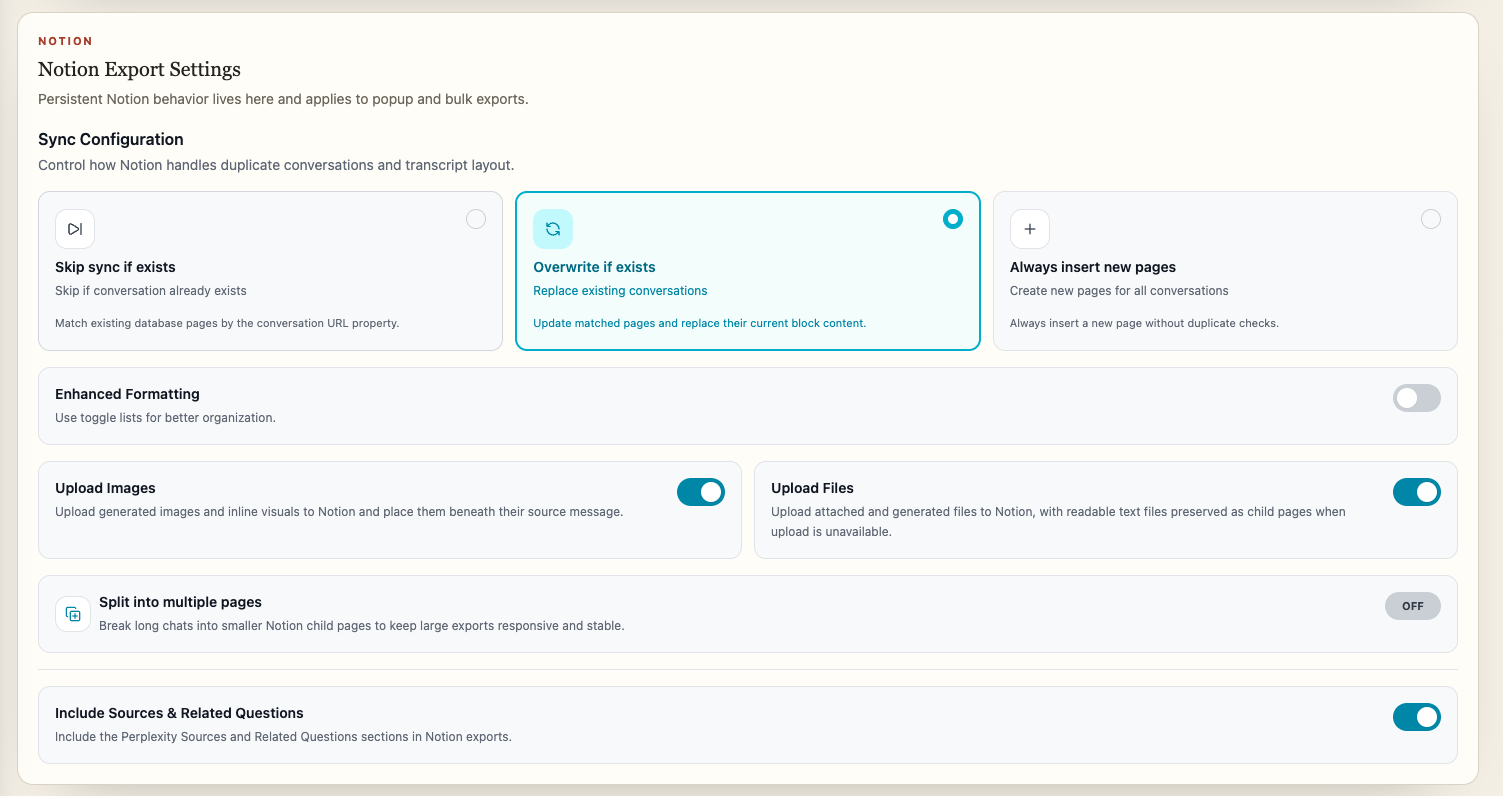
Create structured Notion pages containing the readable transcript, uploaded images and files, and generated documents kept beside the messages that produced them.
Key Features of AIExportHub
Everything you need to organize your Multi-platform conversations quickly and efficiently.
Single, Bulk, and Selective Export
Save the active conversation, export complete supported histories, or search and choose individual chats before a job starts.
Projects, Gems, and Spaces
Keep platform context by exporting ChatGPT and Claude Projects, Gemini Gems, Perplexity Spaces, group chats, and archived ChatGPT conversations where supported.
Cross-Platform Media Handling
Preserve supported images, uploaded documents, generated files, code assets, research documents, SVG visualizations, and downloadable attachments.
Notion File Uploads
Upload supported images and files into your selected Notion workspace, with readable text, Markdown, code, HTML, JSON, and SVG fallbacks as useful child pages.
Markdown and Obsidian Sidecars
Download images and attachments beside portable Markdown notes, then rewrite links so local archives remain readable outside the source platform.
Media-Aware PDF Export
Embed supported chat images in readable PDFs and download non-image attachments alongside the document for durable review packets.
Authenticated Source Downloads
Retrieve protected ChatGPT generated files and supported platform assets through the connected signed-in source tab instead of an unrelated extension page.
Perplexity Research Assets
Preserve citations, sources, generated images, uploaded media, research documents, code assets, and downloadable binary files while deduplicating repeated asset records.
ChatGPT Library Download
Bulk download Library images and files with filters, pagination, progress, cancellation, skip-downloaded support, summaries, and an offline HTML index.
Stable Long-Running Jobs
Configure delays, monitor progress, cancel active work, retry failed items, skip previous exports, and stop cleanly when a platform rate limits a job.
Flexible Organization
Use filename patterns and platform-aware folders for Projects, Gems, Spaces, archived chats, Markdown assets, PDF attachments, and Library downloads.
Local-First Privacy
Markdown and PDF exports are generated in your browser. Cloud synchronization only occurs after you authorize your own Notion workspace and choose it as the target.
Known limits
Export boundaries and fixes
Clear limits build trust. These are the cases to check before running large exports.
A connected source tab is required
Conversation details and protected assets depend on the original AI platform session being open, signed in, and readable by Chrome.
Keep the source platform tab open, refresh it after installation or an account switch, and retry the failed item from the same session.
Source platforms control asset availability
An exporter cannot download an expired, deleted, or unavailable asset that the signed-in source platform no longer returns.
Open the original conversation, confirm the image or file is still available, then retry before the source link expires.
Large archives take time
Complete histories, image-heavy conversations, generated files, and destination uploads require controlled sequential work and may encounter platform rate limits.
Test a small selection first, keep the workspace open, configure a delay, and retry failed records instead of restarting the whole archive.
Notion requires authorization
Notion export only works after you connect your own workspace and select a database that the integration can access.
Use the Open database action to verify the destination, or choose Markdown or PDF for a local-only workflow.
How it Works
Related resources AIExportHub
Use these guides and docs to solve common export, backup, and troubleshooting workflows.
Guides
How to Bulk Export ChatGPT, Claude, Gemini, and Perplexity
Choose complete history, selective export, Projects, Gems, or Spaces without flattening every platform into the same workflow.
How to Export AI Chat Images, Files, and Attachments
Understand authenticated downloads, local sidecars, Notion uploads, readable child pages, and PDF attachment behavior.
Selective Export: Choose AI Conversations Before Saving
Use search, selection, complete-history loading, and small validation batches before starting a large export.
PDF vs Markdown vs Notion for AI Chat Export
Pick the right destination for stable review documents, portable local notes, or structured team knowledge.
What's New
Added support for downloading Grok project conversations; optimized Gemini export stability; and fixed failures when exporting large PDFs.
Added ChatGPT LaTeX expression rendering for Notion, Markdown/Obsidian, and PDF exports.
Improved bulk export stability and added automatic retries when rate-limit restrictions are encountered.
Frequently Asked Questions About AIExportHub
Have another question? Contact us on Discord or by email.
What does AIExportHub export?
AIExportHub exports conversations from ChatGPT, Claude, Gemini, and Perplexity to Notion, Markdown, Obsidian-compatible Markdown, and PDF. It also preserves supported images, attachments, generated files, citations, code, and research assets when the source platform makes them available.
Can I choose individual conversations before export?
Yes. Selective Export lets you search loaded conversations, select or clear individual records, select all visible results, and load complete supported histories before starting the job.
Can I export Projects, Gems, and Spaces?
Yes. Supported collection workflows include ChatGPT Projects, Claude Projects, Gemini Gems, and Perplexity Spaces, plus ChatGPT group chats and archived conversations. Available modes depend on the source platform.
Are image and file options enabled automatically?
Yes. Download Image & Files for local exports and Upload Images or Upload Files for Notion are enabled by default. You can change these settings before export.
How are protected ChatGPT generated files downloaded?
AIExportHub resolves and downloads protected generated files through the connected ChatGPT tab that loaded the conversation, preserving the signed-in session needed by the source request.
Can Notion receive attachments and generated files?
Yes. AIExportHub uploads supported images and files to your authorized Notion workspace. Readable text, Markdown, JSON, HTML, code, and SVG assets can be preserved as child pages when that creates a more useful result.
Can I use the Markdown files with Obsidian?
Yes. Markdown exports are portable and Obsidian-compatible, with supported images and attachments downloaded into sibling folders and local links rewritten where available.
Is my data sent to an intermediate cloud workspace?
No intermediate cloud workspace is required for Markdown or PDF. Those files are generated in your browser. Notion synchronization only occurs after you authorize your own workspace and choose it as the export target.
Unlock AIExportHub Pro
Export across ChatGPT, Claude, Gemini, and Perplexity with bulk workflows, Notion sync, Markdown, PDF, and Obsidian-ready archives.
View AIExportHub Pricing