
 Most popular
ChatGPT to Notion
Bulk export ChatGPT history, Projects, Group Chats, and Deep Research into a searchable Notion database.
Best for: Structured databases, project knowledge bases, and team workflows.
Output format: Notion database pages
ChatGPT tools hub
Choose the best ChatGPT tool for your workflow. Back up conversations, save research, export local files, organize Notion databases, or manage your ChatGPT workspace.
Bulk export
Export many chats at once
Projects
Keep project context
Deep Research
Preserve full content
Local-first
Export to Obsidian & more
CHATGPT EXPORT HUB
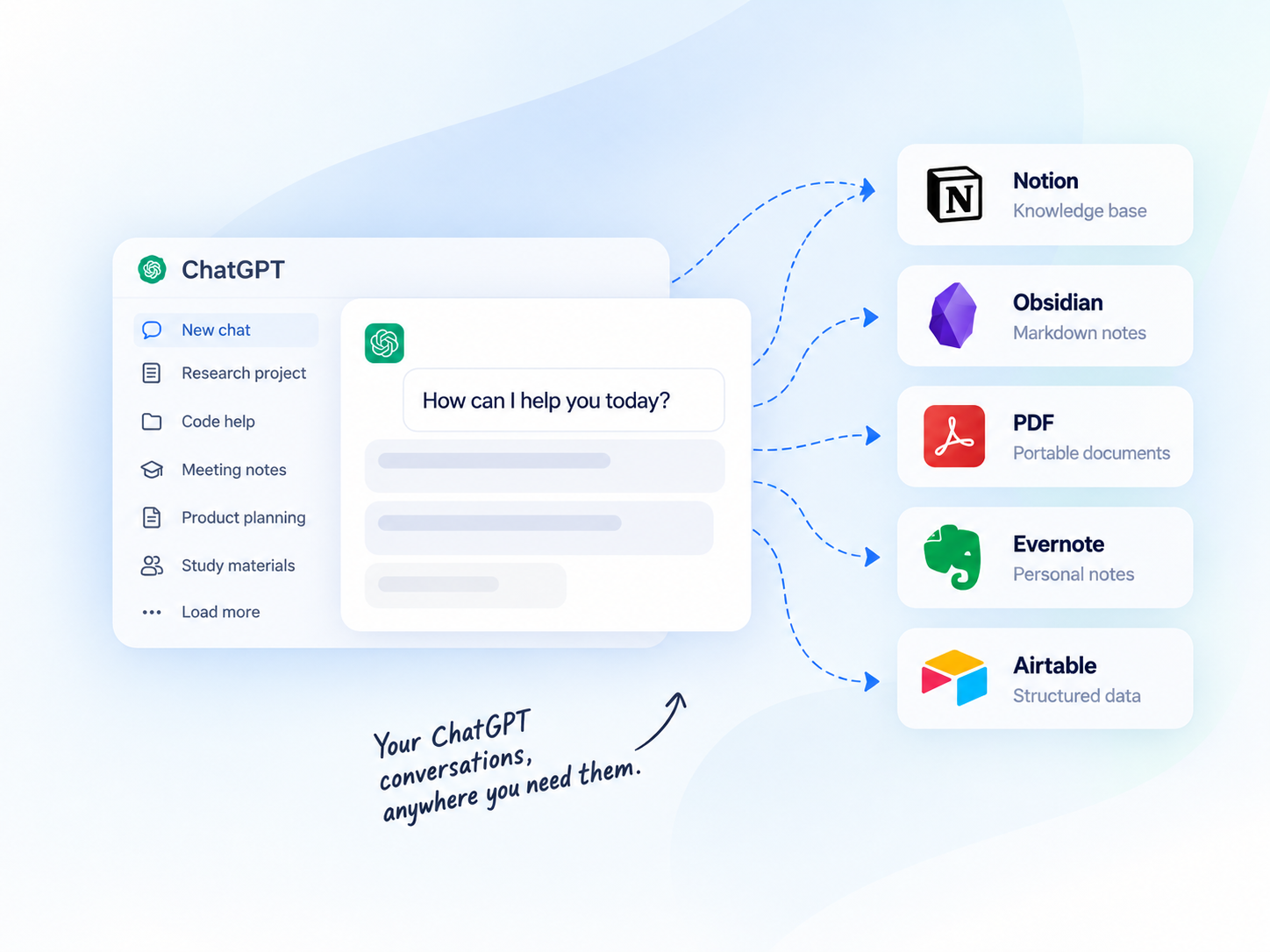
Compare destinations, output formats, and workflows — then pick the tool that fits how you work.
Most popularBulk export ChatGPT history, Projects, Group Chats, and Deep Research into a searchable Notion database.
Best for: Structured databases, project knowledge bases, and team workflows.
Output format: Notion database pages
 Local-first
Download ChatGPT conversations as clean Markdown files for Obsidian and local-first knowledge bases.
Best for: Researchers, developers, writers, and local Markdown archives.
Output format: Markdown
 Archive-ready
Export ChatGPT conversations as professional PDFs for offline reading, sharing, review, and archival.
Best for: Reports, study notes, client delivery, and printable archives.
Output format: PDF

Save ChatGPT history to Evernote with one click for users who already organize notes there.

Transform ChatGPT conversations into structured Airtable records for lightweight databases.
Other ChatGPT export destinations
✦ChatGPT Prompt HubView details →Get every ChatGPT exporter with Universal Pass. Export to Notion, Markdown, PDF, and more.
Compare export destinations
See how each ChatGPT export tool fits different workflows.
| Destination | Best for | Output format | Typical users |
|---|---|---|---|
| Notion | Structured knowledge bases | Notion database pages | Researchers, teams |
| Obsidian | Local personal knowledge | Markdown | Developers, writers |
| PDF | Offline reading and sharing | Students, clients | |
| Evernote | Personal note organization | Evernote notes | Individual users |
| Airtable | Structured data and tracking | Airtable records | Analysts, teams |
How it works
Export your ChatGPT conversations in four simple steps.
Add the Chrome extension
Select chats, projects, or group chats
Pick Notion, Obsidian, PDF, or more
Click export and get your archive
Why export ChatGPT chats?
Get more value from your conversations and keep your knowledge accessible.
Quickly search past conversations when you need them again.
Keep code blocks, tables, images, and structure intact.
Turn insights into structured knowledge bases.
Create clean, shareable documents for teammates or clients.
Keep a long-term record of your learning and ideas.
Use cases
Frequently asked questions
Yes. The ChatGPT to Notion, Obsidian, and PDF tools are designed for batch export workflows.
Choose Notion for structured databases, Obsidian for local Markdown, PDF for shareable archives, Evernote for existing Evernote notes, and Airtable for structured records.
ChatGPT to Notion and ChatGPT to PDF include workflows for Projects, Group Chats, and long-form outputs. Check each product page for the exact supported content types.
READY TO GET MORE FROM YOUR CHATGPT CONVERSATIONS?
Compare tools, find your workflow, and start building your knowledge base.