
 ✨ Structured Airtable workflows Chrome Extension
 ChatGPT to Airtable
Save ChatGPT conversations to Airtable with one click, or batch-sync your history into structured records with titles, notes, URLs, timestamps, project context, tags, and optional attachments.
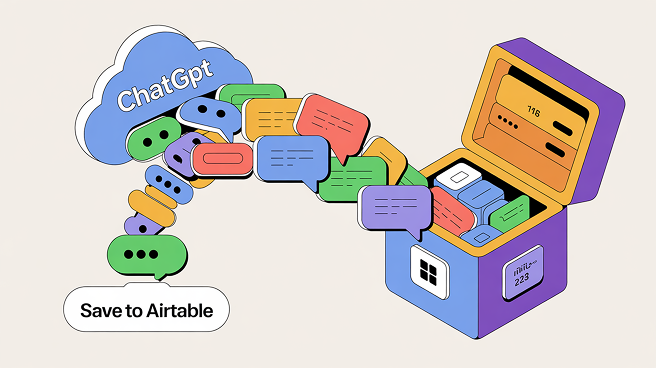
Turn scattered ChatGPT chats into structured Airtable records your team can search, filter, and reuse.
Compatibility matrix
What ChatGPT to Airtable can export
A practical support table for real content types and destination behavior.
| Content type | Support | Export result | Notes |
|---|---|---|---|
| Normal ChatGPT conversations | Supported | Saved as an Airtable record with formatted Notes and the original ChatGPT URL. | Use the floating save button or the extension popup for the current conversation. |
| ChatGPT Projects | Supported | Exported with project context so records remain connected to the work they came from. | Choose GPT Projects in the batch workflow. |
| ChatGPT Group Chats | Supported | Messages are exported with author labels and order preserved in the Notes field. | Group-chat sync is available in the batch workflow. |
| Images and files | Supported | Uploaded to an Airtable attachment field when media export is enabled and the asset is available. | Attachment uploads depend on Airtable permissions and source media availability. |
| Long conversations | Supported | Long chats can be split into multiple linked records with part metadata. | Adjust the messages-per-record setting before a large export. |
| Existing records | Supported | Choose skip, overwrite, or duplicate behavior for a conversation already in the destination table. | Use skip for safe repeat backups; overwrite for refreshes. |
Key Features
One-click save from any ChatGPT conversation
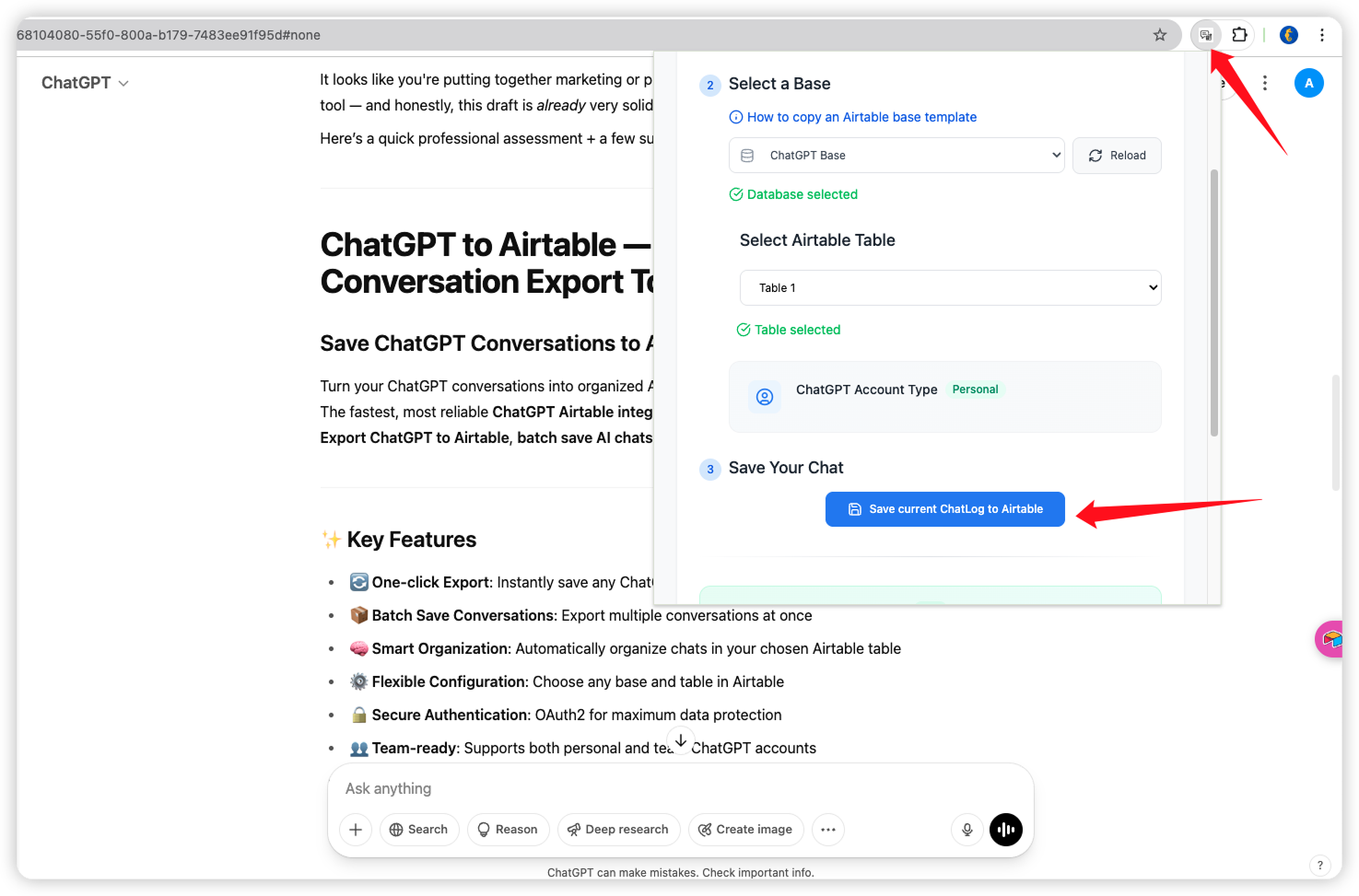
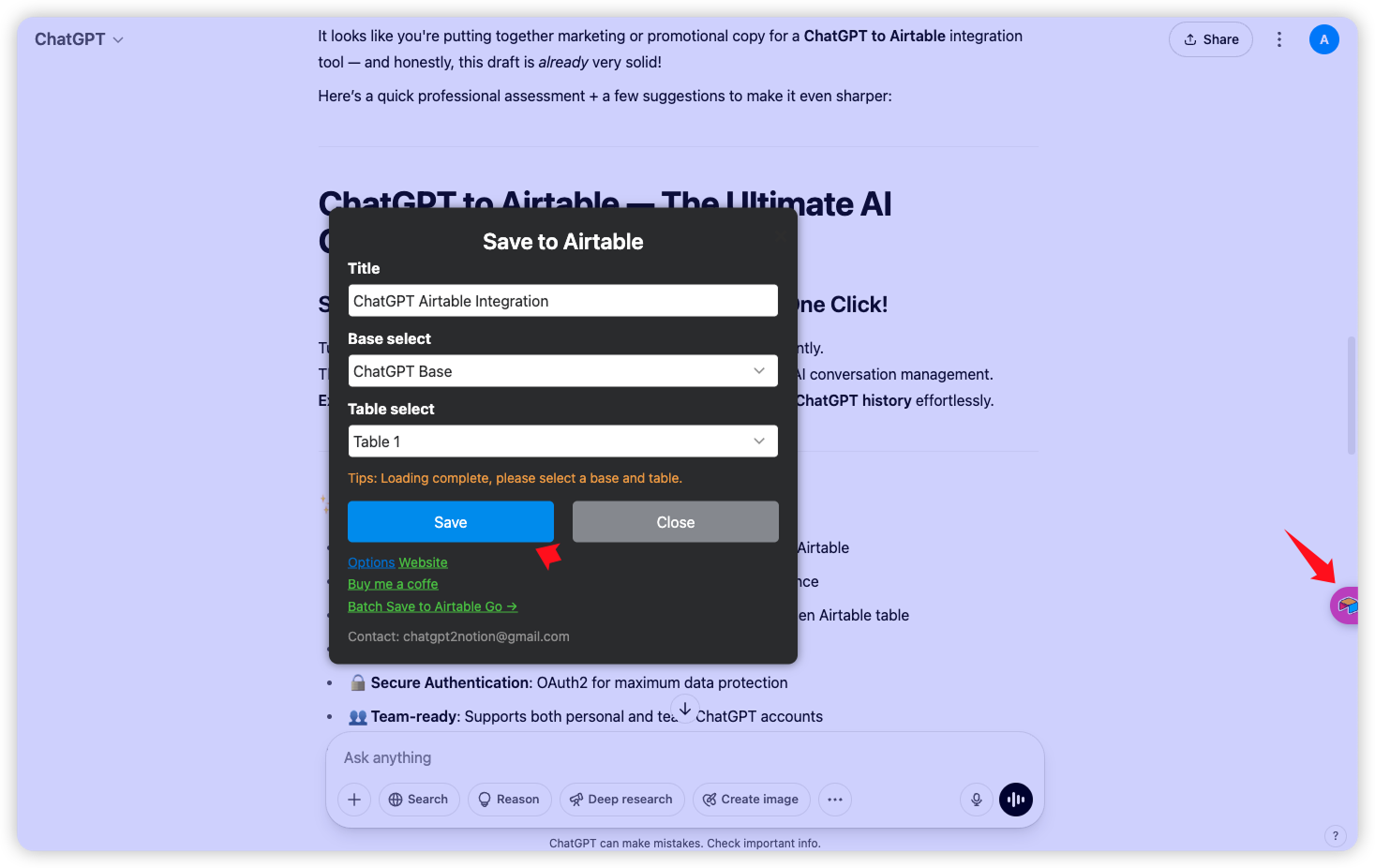
Open the save dialog on the current chat, choose a title, base, and table, then send the conversation directly to Airtable.
Batch-sync your ChatGPT history
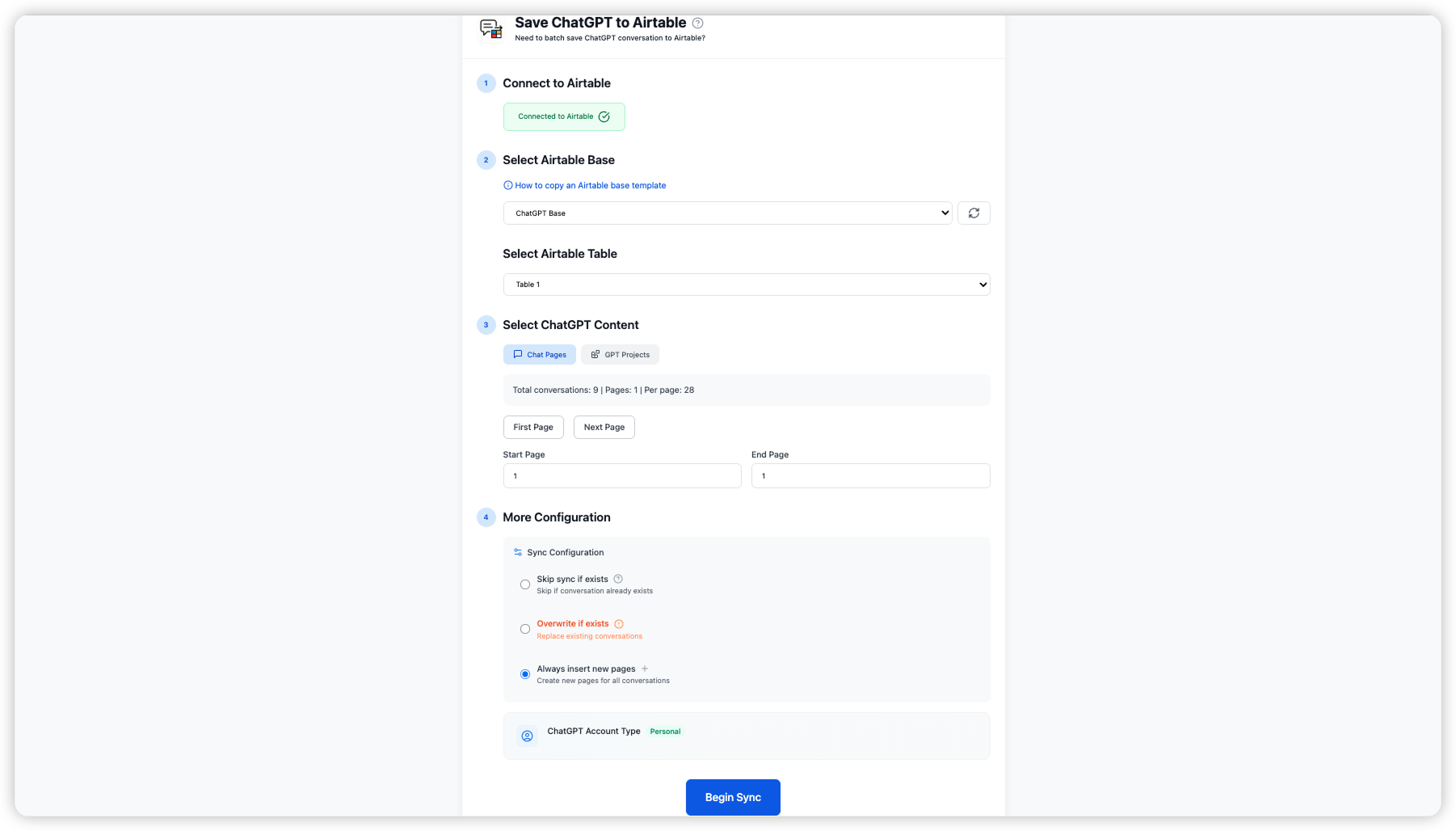
Select Chat Pages or GPT Projects, choose a page range, and sync multiple conversations in one run instead of repeating manual exports.
Choose the right Airtable destination
Connect Airtable with OAuth2, then select the base and table that should receive your ChatGPT records.
Review structured records in Airtable
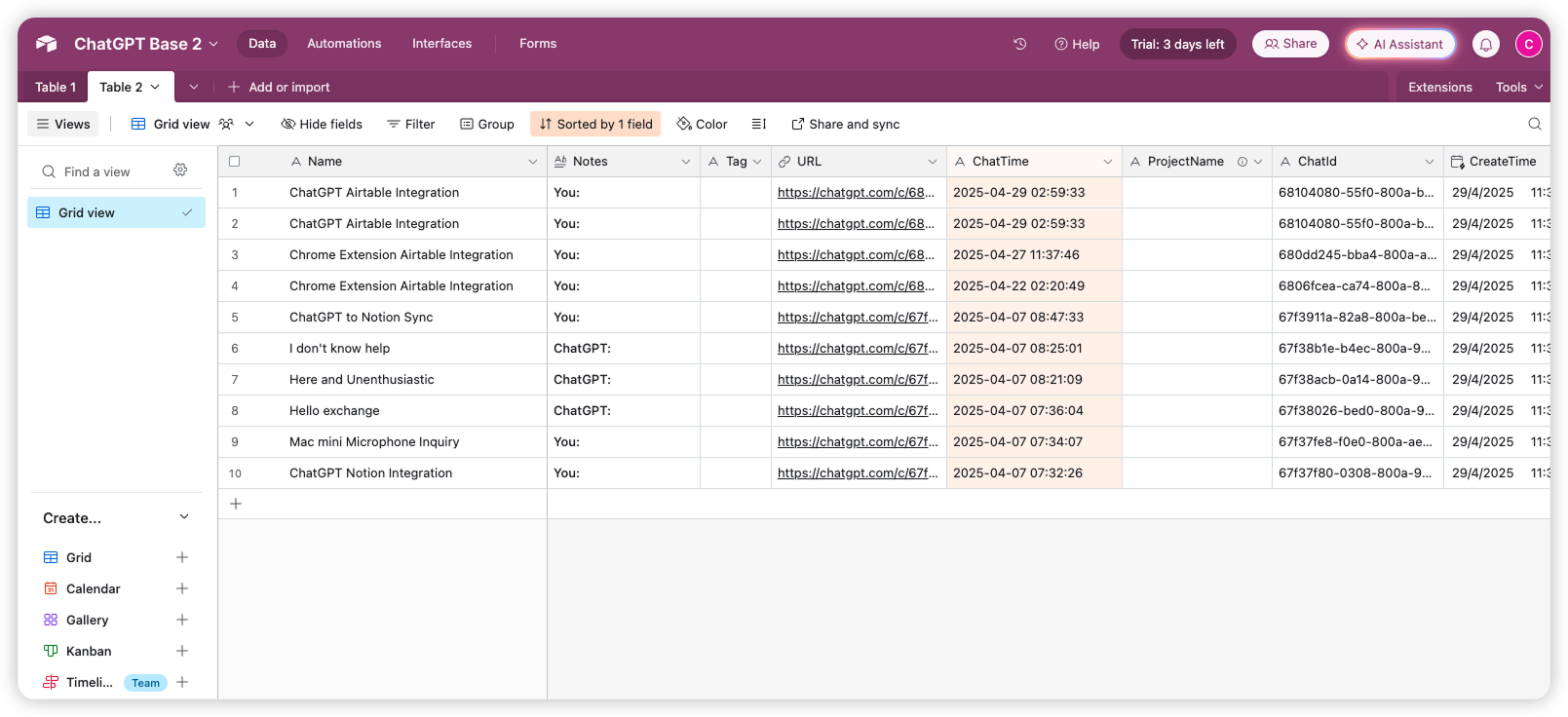
Each export maps conversation details into Airtable fields such as Name, Notes, URL, ChatTime, ProjectName, Tags, and ChatId.
Keep the full conversation context
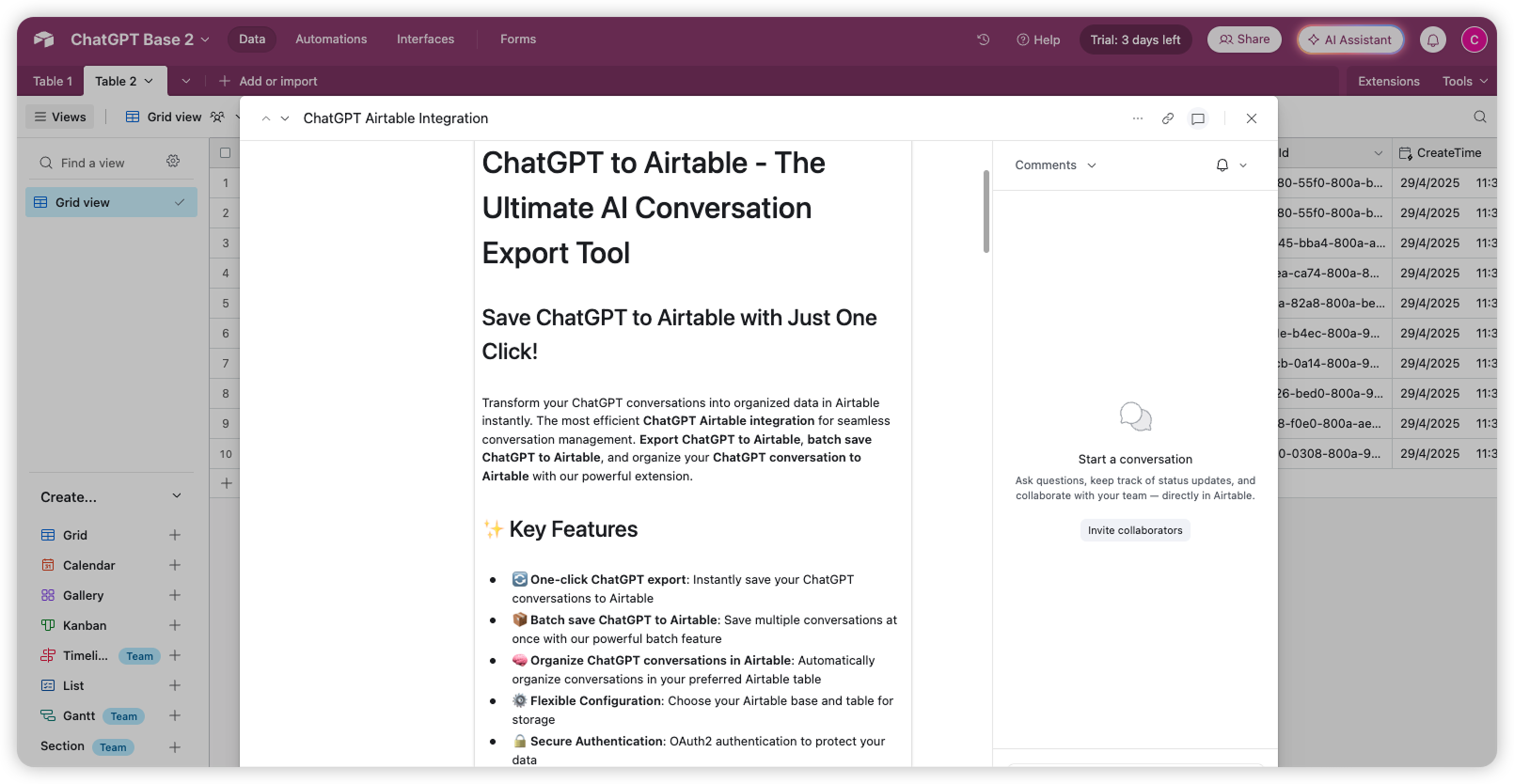
Open an exported record to review formatted message notes and the conversation context your team needs to reuse.
Key Features of ChatGPT to Airtable
Everything you need to organize your ChatGPT conversations quickly and efficiently.
One-click export
Save the current ChatGPT conversation without copy-pasting or rebuilding its structure by hand.
Batch history sync
Export multiple ChatGPT conversations at once, with page ranges and progress feedback for longer runs.
Projects and group chats
Capture project context and group-chat authors alongside normal ChatGPT conversations.
Base and table control
Pick the Airtable base and table that match your existing workflow, then refresh the available destinations when needed.
Duplicate-safe syncing
Choose skip, overwrite, or duplicate behavior when an exported conversation already exists in Airtable.
Selective export
Choose specific conversations or message selections when a full history backup would be more than you need.
Automatic backups
Schedule recurring syncs from the extension settings to keep newly created ChatGPT conversations flowing into Airtable.
Structured record fields
Keep title, rich notes, URL, ChatId, timestamps, project name, tags, and split-part metadata together.
Attachments when available
Images and files from ChatGPT can be uploaded to an Airtable attachment field when media export is enabled.
Personal and team ready
Use the same workflow with personal or team ChatGPT accounts and share the resulting Airtable records with collaborators.
Known limits
Export boundaries and fixes
Clear limits build trust. These are the cases to check before running large exports.
Airtable authorization is required
The extension needs Airtable OAuth2 access and a selected base and table before it can create records.
Connect Airtable first, then refresh bases and tables if a newly created destination is not listed.
The destination schema can vary
Existing tables may use different field names or field types than the recommended ChatGPT schema.
Use a dedicated table or allow the extension to create the missing export fields.
Media uploads depend on source access
Attachments require the source asset to be available and Airtable to accept the upload.
Keep image/file export enabled and retry the record if an attachment upload is interrupted.
How it Works
Related resources ChatGPT to Airtable
Use these guides and docs to solve common export, backup, and troubleshooting workflows.
What's New
NEW: Added the local ChatGPT to Airtable product page with batch sync, project/group-chat support, structured records, and Airtable screenshots.
Frequently Asked Questions About ChatGPT to Airtable
Have another question? Contact us on Discord or by email.
What does ChatGPT to Airtable do?
It saves ChatGPT conversations directly into a selected Airtable base and table. Records can include the title, formatted message notes, conversation URL, ChatId, timestamp, project context, tags, and optional attachments.
Can I export multiple ChatGPT conversations?
Yes. The batch workflow lets you select Chat Pages or GPT Projects, choose a page range, and sync multiple conversations in one run.
Does it support ChatGPT Projects and Group Chats?
Yes. Project context is stored with the record, and group-chat messages retain author labels and message order in the Notes field.
How do I choose where records are saved?
Authorize Airtable with OAuth2, select a base, then select the table that should receive your ChatGPT records.
What happens when a record already exists?
Choose skip to leave the existing record unchanged, overwrite to replace it, or duplicate to create a new record.
Can I export only selected conversations or messages?
Yes. The extension includes selective export controls for choosing specific conversations or message selections instead of syncing everything.
Does ChatGPT to Airtable support automatic backups?
Yes. You can configure recurring sync behavior in the extension settings when you want new ChatGPT conversations backed up on a schedule.
Can ChatGPT images and files be saved?
When media export is enabled and the source asset is available, images and files can be uploaded to an Airtable attachment field.
Is my conversation data sent to a third-party server?
The extension reads the conversation in your browser and sends the export to the Airtable destination you authorize. It does not use a separate conversation archive server for the export workflow.
Unlock Unlimited Power
Batch export 100+ chats, Auto-Sync, and priority support with Universal Pass.
Get Universal Pass