
Claude to Notion
Bulk export Claude conversations to Notion. Back up complete history, batch-select the exact chats you need, or export entire Claude Projects—with Artifacts, images, attachments, metadata, and source links preserved.
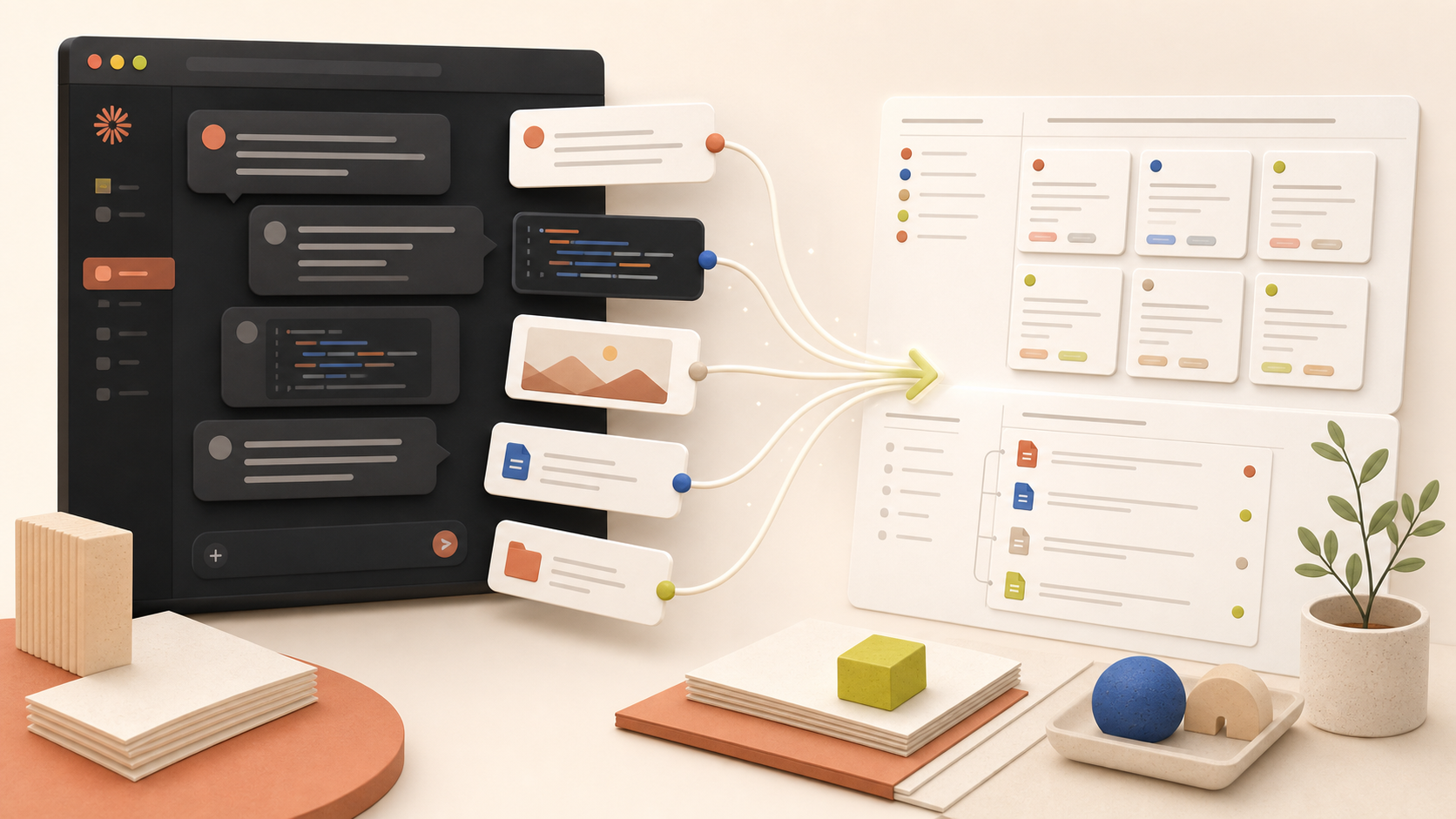
Built for exports that are bigger than one chat: complete history, selected conversation batches, and entire Claude Projects.
3-minute product walkthrough
See bulk export in action
Watch the complete workflow and verify the structured result.
Watch on YouTubeCompatibility matrix
What Claude to Notion can export
A practical support table for real content types and destination behavior.
| Content type | Support | Export result | Notes |
|---|---|---|---|
| Active Claude conversation | Supported | Exports the current chat from the extension popup. | No special setup required. |
| Selected messages | Supported | Custom Export can include individual messages, only prompts, or only responses. | No special setup required. |
| Multiple open Claude tabs | Supported | Processes valid Claude conversation tabs open in the current Chrome profile. | No special setup required. |
| Current page and complete history | Supported | Syncs the first loaded archive page or progressively collects the complete Claude archive. | No special setup required. |
| Selected history items | Supported | Searches loaded conversations and syncs only checked records. | No special setup required. |
| Claude Projects | Supported | Syncs complete Projects or selected conversations and keeps Project metadata. | No special setup required. |
| Artifacts and version history | Supported when available | Preserves Artifact data exposed by the source conversation. | A conversation without Artifacts has no Artifact history to export. |
| Images, SVG, PDFs, and files | Supported when available | Transfers supported conversation media and attachments to the authorized Notion destination. | Source availability and Notion upload limits can affect individual files. |
Output proof
Real export examples
Use these examples to verify what exported files, folders, or destination pages look like before installing.
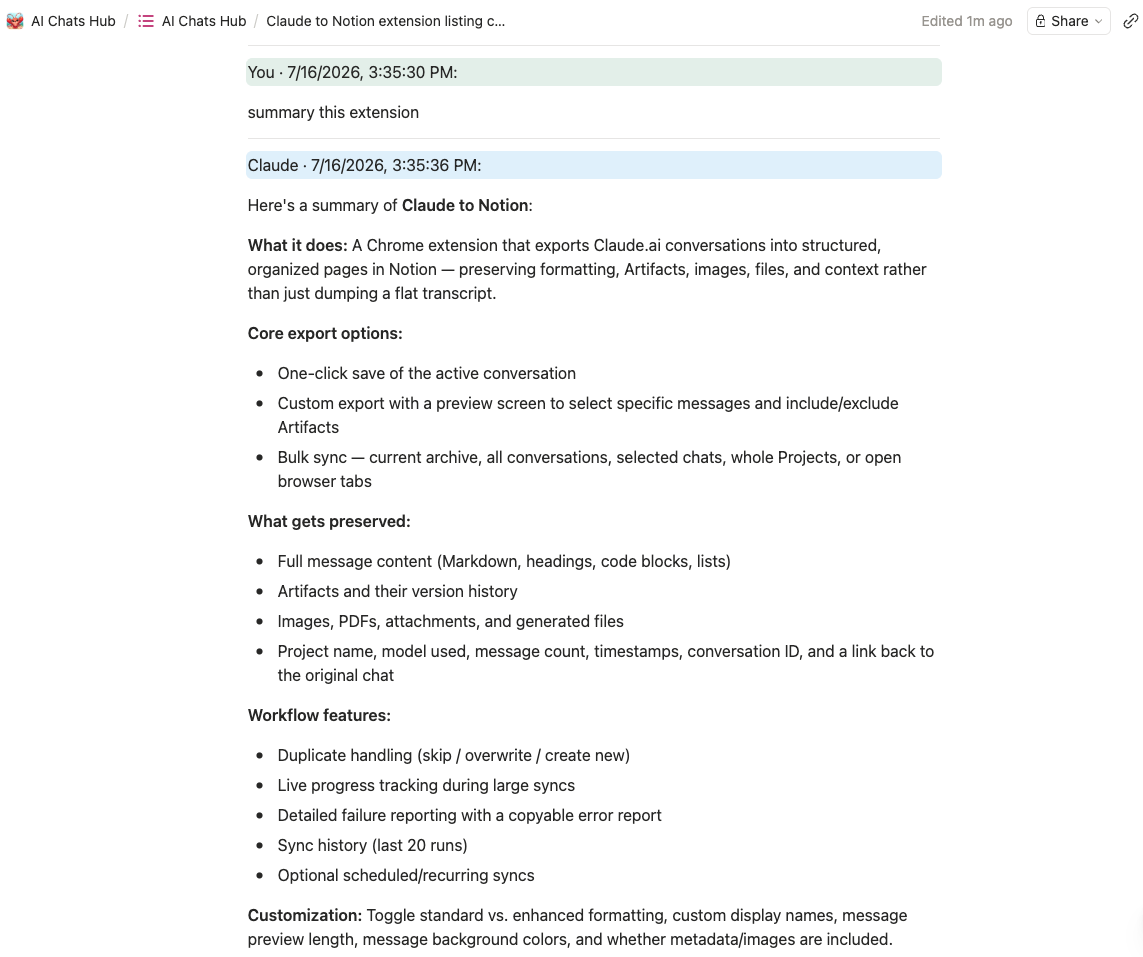
Structured conversation page
A real exported page with role-separated messages, timestamps, headings, lists, and preserved structure.
Searchable conversation database
Exported Claude conversations become database records with source links and metadata for filtering and retrieval.
Verified sync totals
The completed run reports total, saved, skipped, and failed conversations before you leave the workspace.
Key Features
Start every export from one popup
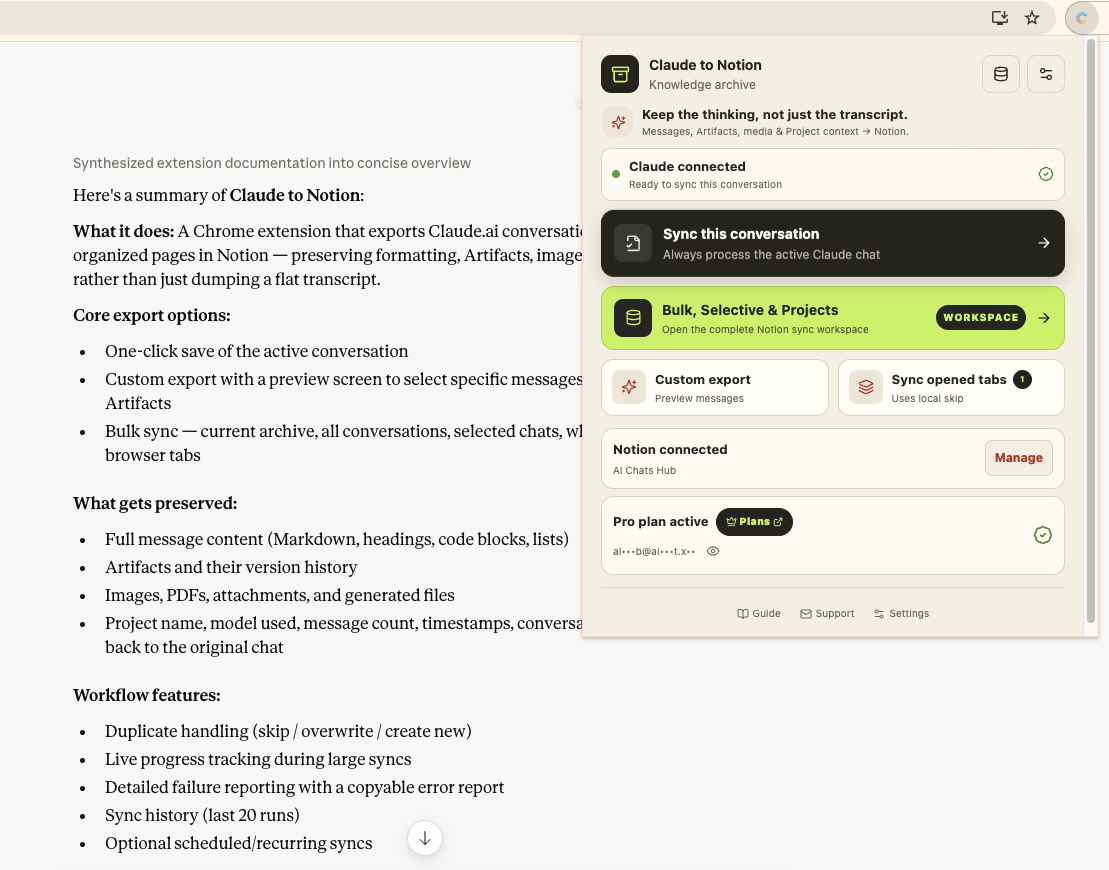
The popup is the product's main entry point and the fastest way to save the conversation currently open. From the same screen, confirm Claude and Notion connections, sync one chat, process opened tabs, launch Custom Export, or enter the Bulk, Selective & Projects workspace.
Bulk export Claude archives—not one chat at a time
The Sync Center goes beyond basic one-conversation exporters: bulk sync the current archive page or complete history, batch-select many conversations, export entire Claude Projects, or process opened tabs. Choose a Notion destination, Skip, Overwrite, or New handling, plus images, attachments, formatting, and metadata before the batch starts.
Select messages with a full-page preview
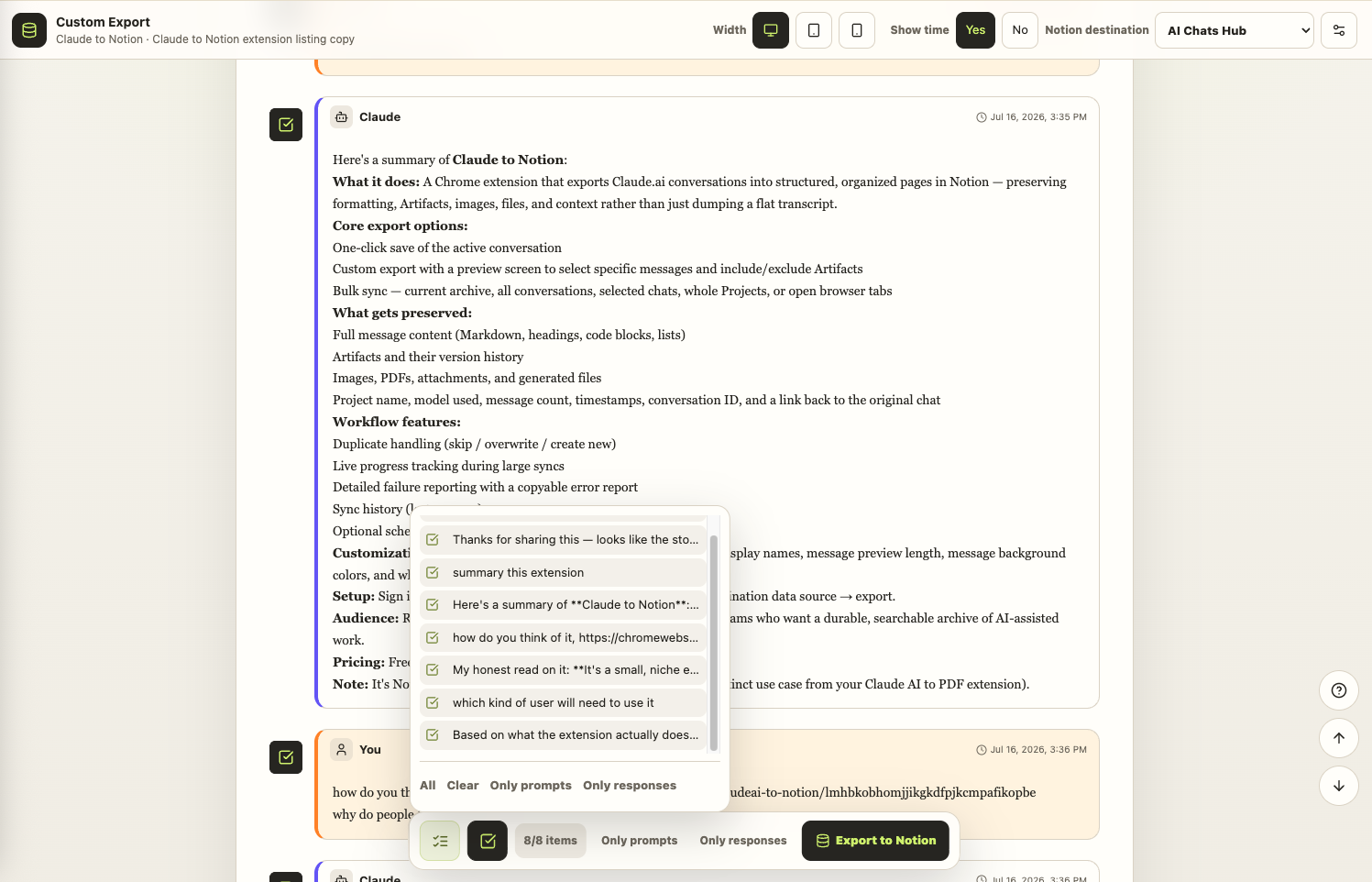
Custom Export shows the parsed conversation before anything is written to Notion. Select individual messages, keep only prompts or responses, include or exclude Artifacts, and confirm the destination from the same screen.
Batch-select many conversations in one run
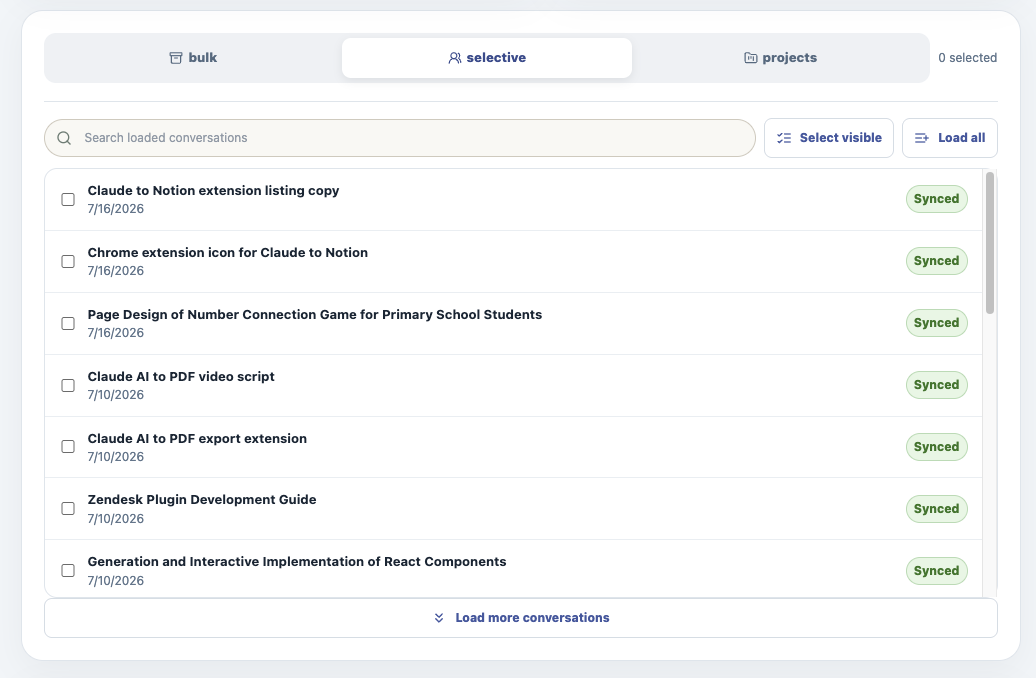
Selective Sync loads Claude history into a searchable checklist, marks conversations already synced, and lets you export a chosen batch for a project, handoff, or knowledge base instead of saving each chat separately.
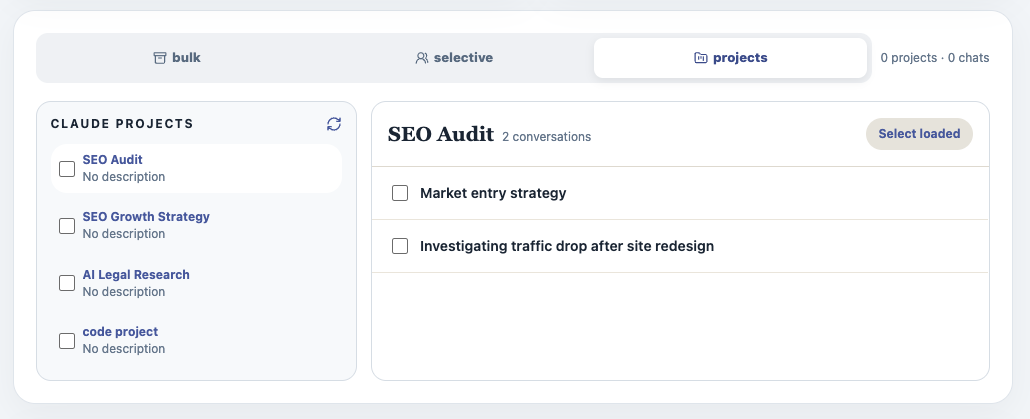
Bulk export complete Claude Projects
Load Claude Projects, inspect the conversations inside each Project, and export the entire Project or a selected batch while preserving Project membership as Notion metadata.
Structured Notion pages, not flattened transcripts
The saved page preserves role-separated messages, headings, lists, code, timestamps, source context, and supported rich content so the result remains readable and reusable in Notion.
The Claude to Notion features that matter most
Bulk export at scale, choose exactly what moves, preserve rich context, and stay in control of repeat backups.
Bulk history export
Sync the first loaded archive page for a quick batch or progressively collect and export the complete Claude history.
Batch-select conversations
Search loaded history, select many chats at once, and export only the batch needed for a topic, client, or handoff.
Bulk Project export
Choose a Claude Project and export every loaded conversation or a selected group while retaining Project context.
Choose exactly what moves
Save one complete chat, select individual messages, keep only prompts or responses, or batch-process opened Claude tabs.
Preserve the complete work
Keep structured messages, Artifact versions, images, SVG, PDFs, attachments, generated files, Project context, metadata, and source links.
Control repeat backups
Use Skip, Overwrite, or New plus local sync tracking to prevent unwanted duplicates and protect Notion pages you have already edited.
Known limits
Export boundaries and fixes
Clear limits build trust. These are the cases to check before running large exports.
A signed-in Claude tab is required
The extension reads conversations through the active claude.ai session in Chrome.
Sign in, keep a Claude tab open, and refresh it once if the extension was installed after the page loaded.
Troubleshooting guideNotion access is limited to authorized destinations
Only data sources shared during Notion OAuth can appear in the destination list.
Use Add Notion access or reconnect Notion, then refresh the destination list.
Troubleshooting guideLarge syncs require the Sync Center to remain open
Bulk, scheduled, and attachment-heavy runs operate while the extension workspace is open.
Keep the Sync Center tab open until the final saved, skipped, and failed totals appear.
Troubleshooting guideThe free plan includes five lifetime successful saves
Successful exports share the same five-save free allowance.
Use Custom Export or Selective Sync to test the exact conversations you want before upgrading.
Troubleshooting guideHow it Works
Related resources Claude to Notion
Use these guides and docs to solve common export, backup, and troubleshooting workflows.
Guides
What's New
Version 4.0.0: added full-page Custom Export; bulk, selective, Project, archive-page, and opened-tab sync; richer Artifact, media, attachment, metadata, progress, history, and failure-diagnostic support.
Added recurring Auto Sync while the Sync Center remains open, with clearer manual, automatic, and cancelled run history.
Added message display names, preview length, colors, and enhanced Notion formatting preferences.
Frequently Asked Questions About Claude to Notion
Have another question? Contact us on Discord or by email.
Can I bulk export Claude conversations to Notion?
Yes. Use Bulk to sync the current archive page or complete Claude history, Selective to batch-select specific conversations, Projects to export all or selected chats from a Claude Project, or Sync Opened Tabs for a reviewed group already open in Chrome.
How do I export the Claude conversation I am viewing?
Open the conversation on claude.ai, click the Claude to Notion extension, and choose Sync this conversation. The success screen includes a direct link to the saved Notion page.
Can I export only part of a Claude conversation?
Yes. Open Custom Export to preview the conversation, select individual messages, keep only prompts or responses, and include or exclude Artifacts before saving.
Can I sync several open Claude tabs?
Yes. Sync Opened Tabs processes valid Claude conversation tabs open in the same Chrome profile and uses local sync tracking to avoid unnecessary duplicate work.
Can I back up my complete Claude history?
Yes. In the Sync Center, choose Bulk and All History to progressively collect and sync the complete archive. Keep the Sync Center open until the run finishes.
Does it support Claude Projects?
Yes. Open the Projects tab, choose a Project, and sync every loaded conversation or a selected subset. Project membership can be included as rich metadata.
What content is preserved?
The exporter preserves structured messages, Markdown, headings, lists, code blocks, timestamps, supported images and attachments, generated files, Artifact versions, Project context, and source links when those items are available.
What happens when a conversation already exists in Notion?
Choose Skip to leave it unchanged, Overwrite to replace the exported page, or New to create another page. Local sync tracking can also skip known conversations before querying Notion.
How do I troubleshoot a failed item?
Open the run details to see the conversation, processing stage, and original API error. You can copy a sanitized developer report when contacting support.
Does Auto Sync run when the Sync Center is closed?
No. Scheduled archive runs operate while the Sync Center page remains open. The page shows the next run, last run, and recent results.
How many exports are free?
The free plan includes five lifetime successful saves so you can test the complete workflow. Pro enables continued use.
Unlock Unlimited Power
Batch export 100+ chats, Auto-Sync, and priority support with Universal Pass.
Get Universal Pass