AI Logo
AI Exporter Hub

Perplexity export hub

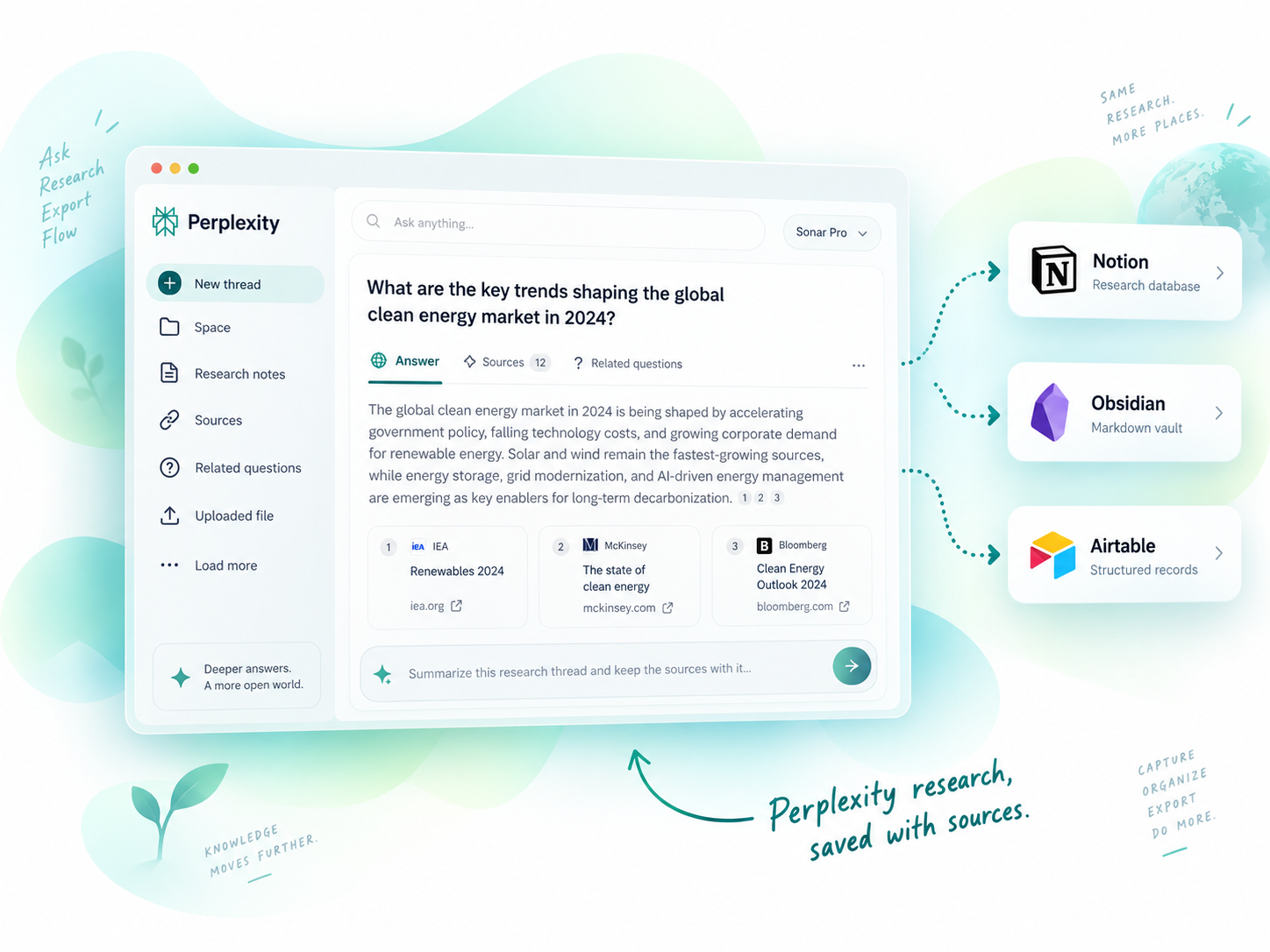
Export Perplexity Research to Notion, Obsidian, Markdown, or Airtable

Save Perplexity research threads, Spaces, sources, related questions, and attachments into a searchable research archive.

Turn Perplexity research into a durable source-backed knowledge base.

Why export Perplexity chats

Perplexity research loses value when sources and context stay trapped in chat history.

Perplexity is strongest when conversations include sources, related questions, Spaces, and research context. Exporting preserves that trail so you can cite, review, and reuse the work later.

Old research threads are hard to locate

Sources and related questions need preservation

Spaces should map cleanly to projects

Uploaded files and attachments need local backup options

Research archives need search and structure

Perplexity tool chooser

Choose the best Perplexity tool for your workflow

Compare the Perplexity tools listed on the products page and pick the destination that matches your archive, notes, or database workflow.

Research DB

Perplexity to Notion

Export Perplexity conversations, Spaces, sources, related questions, and computer tasks into Notion.

Best for: Research databases, team archives, source-backed notes, and project workspaces.

Output: Notion database pages

Markdown

Perplexity to Obsidian

Batch export Perplexity conversations as Markdown files with Spaces organization and attachment handling.

Best for: Local research vaults, Markdown archives, and Obsidian knowledge bases.

Output: Markdown

Perplexity to Airtable

Save Perplexity conversations to Airtable when research needs lightweight structured records.

Best for: Airtable research tracking, lists, and lightweight databases.

Output: Airtable records

Compare tools

Perplexity Tool Comparison

A quick scan of destinations, output formats, bulk support, and local-file behavior.

Tool Destination Output Best for Bulk Local files
Perplexity to Notion Notion Notion database pages Research databases, team archives, source-backed notes, and project workspaces. Yes No
Perplexity to Obsidian Obsidian Markdown Local research vaults, Markdown archives, and Obsidian knowledge bases. Yes Yes
Perplexity to Airtable Airtable Airtable records Airtable research tracking, lists, and lightweight databases. Varies No

3 Perplexity tools are grouped here from the products page.

Destinations covered: Notion, Obsidian, Airtable.

Start with Perplexity to Notion when you need the broadest default workflow.

Use cases

Which Perplexity workflow should you use?

Pick based on where the exported content needs to live after the conversation is done.

For researchers

Use Perplexity to Notion when sources and related questions need to stay searchable with the conversation.

For students

Use Perplexity to Obsidian when research notes should become local Markdown study material.

For analysts

Use Airtable when you need Perplexity findings as structured rows for tracking and review.

FAQ

Perplexity Tools FAQ

Can I export Perplexity Spaces?

Yes. The Perplexity Notion and Obsidian tools support Spaces-oriented export workflows.

Can sources and related questions be preserved?

Yes. Perplexity export tools are designed to preserve research context such as sources and related questions where the source page exposes them.

Which Perplexity exporter should I use?

Choose Notion for searchable research databases, Obsidian for local Markdown research vaults, and Airtable for lightweight structured records.

Build a source-backed Perplexity research archive

Export Perplexity conversations into the destination that matches your research workflow.