
 研究数据库
研究数据库Perplexity to Notion
将 Perplexity 对话、Spaces、来源、相关问题和 Computer Tasks 导出到 Notion。
适合场景: 研究数据库、团队归档、有来源依据的笔记和项目工作区。
输出格式: Notion 数据库页面
Perplexity 导出中心
将 Perplexity 研究线程、Spaces、来源、相关问题和附件保存为可搜索的研究归档。
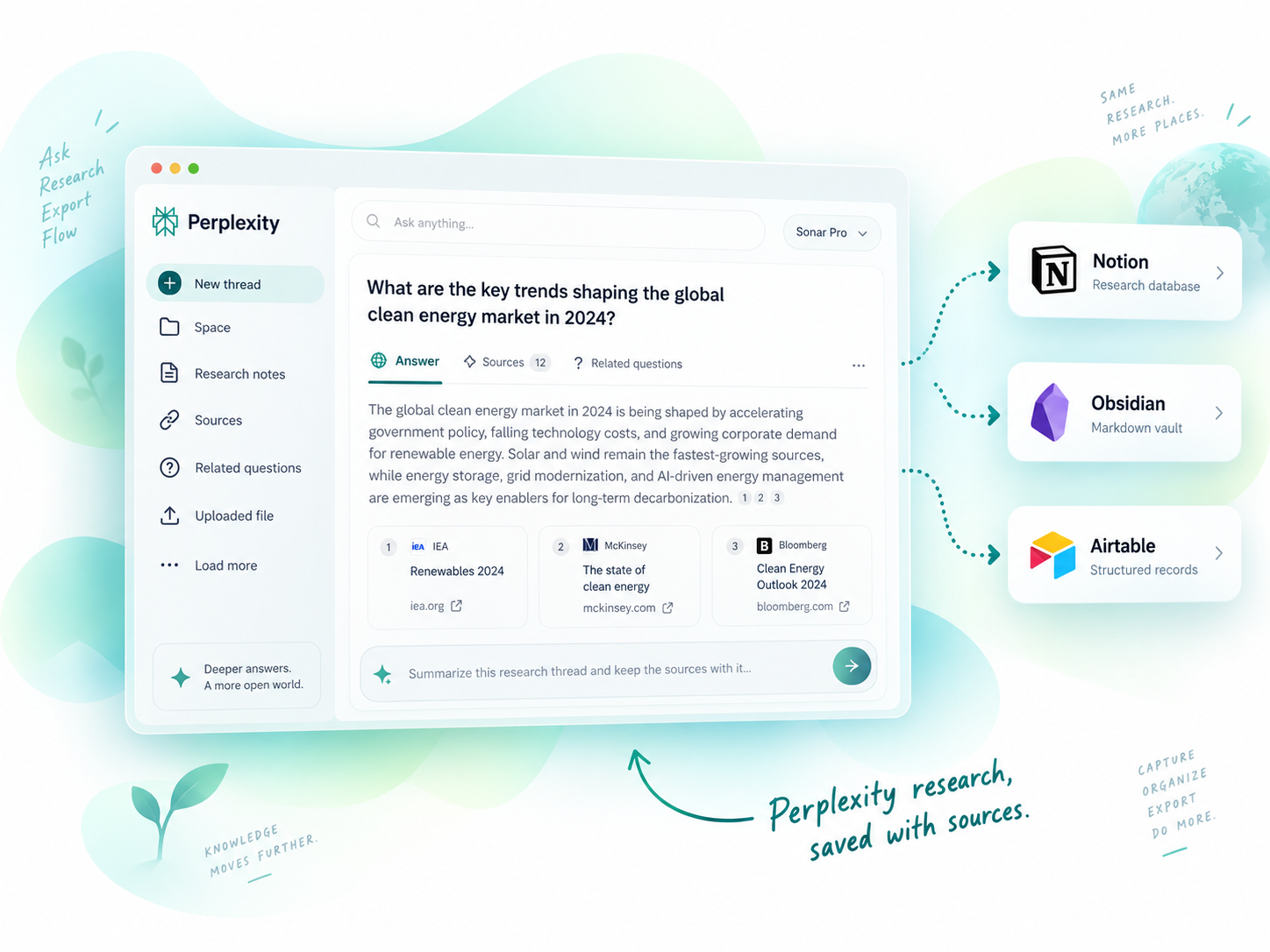
研究线程
完整导出研究上下文
来源保留
保留来源和引用信息
Spaces
导出 Spaces 和集合
附件处理
保留上传文件和图片
结构化记录
把研究变成可用数据
PERPLEXITY 导出中心
把研究导出到你喜欢的工具,每种方式都为不同工作流优化。
研究数据库将 Perplexity 对话、Spaces、来源、相关问题和 Computer Tasks 导出到 Notion。
适合场景: 研究数据库、团队归档、有来源依据的笔记和项目工作区。
输出格式: Notion 数据库页面
 本地优先
本地优先批量将 Perplexity 对话导出为 Markdown 文件,同时保留 Spaces 组织结构和附件。
适合场景: 本地研究知识库、Markdown 归档和 Obsidian 知识库。
输出格式: Markdown 文件
 结构化记录
结构化记录将 Perplexity 对话保存到 Airtable,适合需要轻量结构化记录的研究工作流。
适合场景: Airtable 研究跟踪、列表和轻量数据库。
输出格式: Airtable 记录
AI Exporter Hub 将受支持的 ChatGPT、Claude、Gemini、Perplexity、Grok 与 Genspark 工作流整合到一个插件中;如果只用一个平台,也可以继续选择独立插件。
比较导出目的地
看看每个目的地如何融入你的研究工作流。
| 目的地 | 适合场景 | 输出格式 | 典型用户 |
|---|---|---|---|
| Notion | Structured knowledge bases | Notion 数据库页面 | Researchers, teams |
| Obsidian | Local personal knowledge | Markdown 文件 | Developers, writers |
| Airtable | Structured data and tracking | Airtable 记录 | Analysts, teams |
使用方法
四步导出 ChatGPT 对话。
Add the Chrome extension
Select chats, projects, or group chats
Pick Notion, Obsidian, PDF, or more
Click export and get your archive
为什么要导出 Perplexity 研究?
保留来源、相关问题和研究上下文,随时查找并继续工作。
Quickly search past conversations when you need them again.
Keep code blocks, tables, images, and structure intact.
Turn insights into structured knowledge bases.
Create clean, shareable documents for teammates or clients.
Keep a long-term record of your learning and ideas.
热门使用场景
常见问题
可以。Perplexity to Notion 和 Perplexity to Obsidian 都支持围绕 Spaces 组织内容的导出工作流。
可以。当源页面提供这些信息时,Perplexity 导出工具会尽量保留来源、相关问题等研究上下文。
需要可搜索的研究数据库时选择 Notion;需要本地 Markdown 研究库时选择 Obsidian;需要轻量结构化记录时选择 Airtable。
READY TO GET MORE FROM YOUR PERPLEXITY CONVERSATIONS?
把研究变成持久知识,保存到你喜欢的工具中。