
 艺术品支持
艺术品支持Claude AI to Notion
将 Claude 对话、Artifacts 和画布内容导出为整理好的 Notion 页面。
适合场景: 团队知识库、写作归档、Artifacts 复查和项目数据库。
输出格式: Notion 页面
Claude 导出中心
将 Claude 对话、Artifacts、图片、代码和写作过程备份到 Notion、Obsidian、精美 PDF 归档或 Evernote。
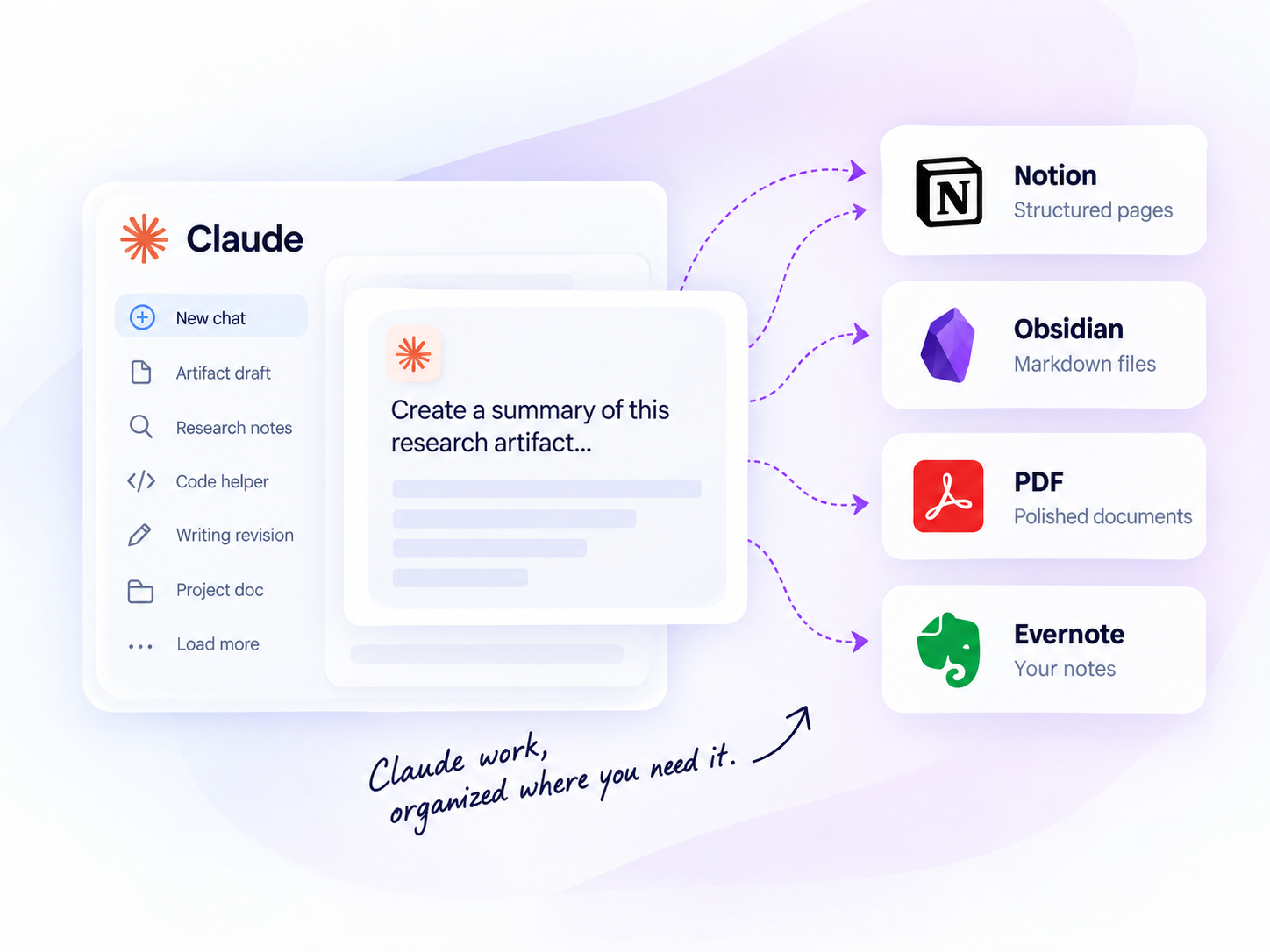
批量导出
一次导出多条对话
项目支持
保留完整项目工作
写作与研究
保留草稿和研究记录
本地优先
导出 Markdown、PDF 等
CLAUDE 导出中心
比较导出格式和目的地,选择适合你的存档、笔记或数据库工作流。
艺术品支持将 Claude 对话、Artifacts 和画布内容导出为整理好的 Notion 页面。
适合场景: 团队知识库、写作归档、Artifacts 复查和项目数据库。
输出格式: Notion 页面
 本地优先
本地优先将 Claude 聊天和 Artifacts 导出为 Markdown 文件,适用于本地 Obsidian 工作流。
适合场景: 开发者、研究人员、作者和本地优先的 Markdown 归档。
输出格式: Markdown 文件
 适合归档
适合归档将当前对话、打开的 Claude 标签页、选定历史记录、完整历史记录或 Claude Projects 导出为精美 PDF,并包含 Custom Preview 和带链接的目录。
适合场景: 离线归档、可打印报告、客户交接、学习资料和需要清晰导航的长对话。
输出格式: PDF 文件

将 Claude 对话保存到 Evernote,适合已经在那里维护笔记和参考资料的用户。
AI Exporter Hub 将受支持的 ChatGPT、Claude、Gemini、Perplexity、Grok 与 Genspark 工作流整合到一个插件中;如果只用一个平台,也可以继续选择独立插件。
比较导出目的地
了解每个 Claude 导出工具适合的工作流。
| 目的地 | 适合场景 | 输出格式 | 典型用户 |
|---|---|---|---|
| Notion | Structured knowledge bases | Notion 页面 | Researchers, teams |
| Obsidian | Local personal knowledge | Markdown 文件 | Developers, writers |
| PDF | Offline reading and sharing | PDF 文件 | Students, clients |
| Evernote | Personal note organization | Evernote 笔记 | Individual users |
以下指南提供英文详细操作步骤,适合批量备份前参考。
Choose between the official archive, browser print, free tools, PDF and Markdown workflows.
Read guide →Compare PDF, Markdown, Obsidian, and Notion archives.
Read guide →Choose between individual, selected, and project exports.
Read guide →使用方法
四步导出 Claude 对话。
Add the Chrome extension
Select chats, projects, or group chats
Pick Notion, Obsidian, PDF, or more
Click export and get your archive
为什么要导出 Claude 对话?
保留 artifacts、草稿和研究成果,让 Claude 工作始终可搜索、可复用。
Quickly search past conversations when you need them again.
Keep code blocks, tables, images, and structure intact.
Turn insights into structured knowledge bases.
Create clean, shareable documents for teammates or clients.
Keep a long-term record of your learning and ideas.
使用场景
常见问题
可以。Claude to Notion 和 Claude to Obsidian 适合以 Artifacts 为核心的工作流;当源对话提供这些内容时,Claude to PDF 还可以包含 Artifact 版本历史、图片和附件引用。
需要可搜索的项目数据库时选择 Notion;需要本地 Markdown 时选择 Obsidian;需要可分享或打印的归档时选择 PDF;笔记已经在 Evernote 中时选择 Evernote。
可以。主要的 Claude 导出工具支持批量工作流。具体限制和设置方式请查看各产品页面。
READY TO GET MORE FROM YOUR CLAUDE CONVERSATIONS?
比较工具,找到你的工作流,开始整理 Claude 知识库。