
Claude Projects Backup Guide: How to Preserve Chats, Files, Artifacts, and Project Context
Compare PDF, Markdown, Obsidian, and Notion workflows for keeping your Claude work searchable, portable, and reusable.
A message from a Claude user recently described a problem that is becoming more common. Two accounts were showing different Projects layouts. One account had the newer project structure, while the other still had the older chat-based view. A browser exporter could find the Project in the old layout, but it could not see the same project in the new one.
That kind of change creates an uncomfortable question.
If Claude changed the Projects interface again tomorrow, could you still open your project instructions, knowledge files, important chats, and Artifacts? If you changed accounts or wanted to hand the research to a colleague, would you have a copy that you could actually use?
That is the real Claude Project backup problem.

A Claude Project is more than a chat folder
A Project can contain a goal, custom instructions, long-term context, uploaded knowledge files, many conversations, code, links, images, attachments, Artifacts, and the reasoning that led to a decision.
The final answer is often the least important part to preserve. The sources you checked, the alternatives you rejected, and the changes you made during the work may be what you need six months later.
That is why copying one conversation is not the same as backing up the Project. A useful archive should account for:
| What to preserve | Why it matters later |
|---|---|
| Project instructions and goals | Rebuild the workspace or continue with another AI system |
| Knowledge files and attachments | Review sources and extend the research |
| Conversation history | Recover decisions, revisions, and reasoning |
| Artifacts and code | Continue editing, running, or handing off the work |
| Images, citations, and links | Reproduce the research and verify sources |
| Project name, dates, and source URLs | Search, version, and understand the archive |
The backup unit is the working context, not a single chat.
The official export is valuable, but it is not always a working copy
Claude provides an account-level data export. Individual Free, Pro, and Max users can request it from Settings → Privacy on the web or in Claude Desktop. The export contains conversation data and account information. When it is ready, Claude sends a download link by email. The link expires after 24 hours, and you must be signed in to download it. See the Claude Help Center.
Keep this export.
It is the first-party archive to retain for account issues, device changes, and long-term safekeeping. It also shows how Anthropic chooses to package account data.
There is an important boundary, though. Anthropic says that exported data cannot be imported into another personal Claude account, and personal accounts cannot be migrated between one another. For Team and Enterprise members, an individual export does not include the contents of uploaded files. The same official export documentation explains those limits.
I think of the official export as a safety archive rather than a working copy. It is there for the worst day. You still want a version that you can open, search, edit, link, and share.
That is what people usually mean when they search for Claude Project export. They are not only asking where the download button is. They want to know whether they can read the material after a layout change, place it in Obsidian, organize it in Notion, or turn a finished research thread into a stable PDF.
PDF, Markdown, Obsidian, and Notion have different jobs
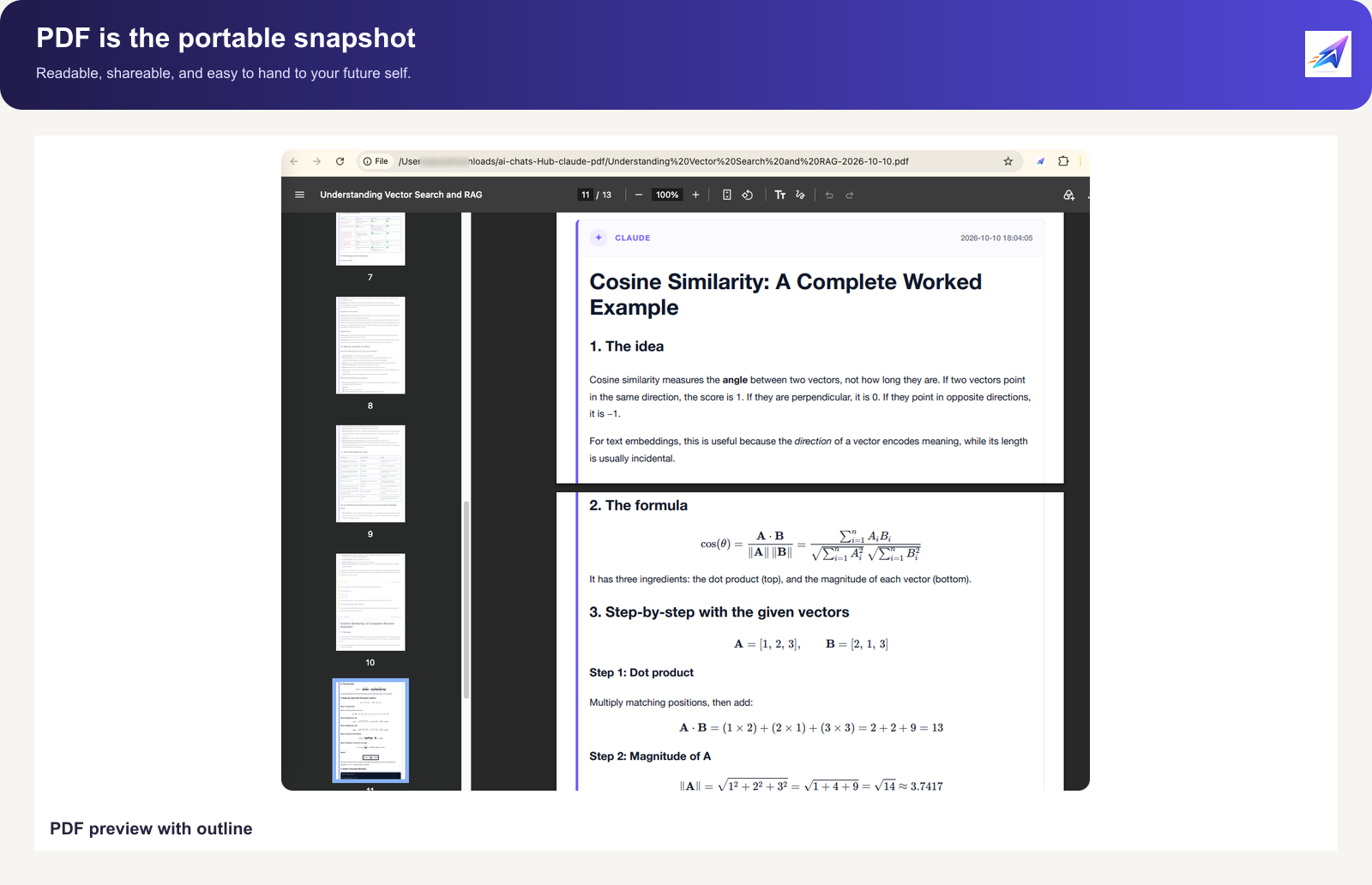
PDF is a finished, fixed version. It works well for offline reading, printing, a client handoff, or freezing a research result in a stable layout. A long conversation is much easier to revisit when it has a linked outline, clear message roles, and readable formatting.
Markdown is the portable source file. It does not depend on one application, and it can live on a local drive, in Git, in Obsidian, or in an ordinary editor. Headings, lists, code blocks, tables, links, and YAML metadata remain editable.
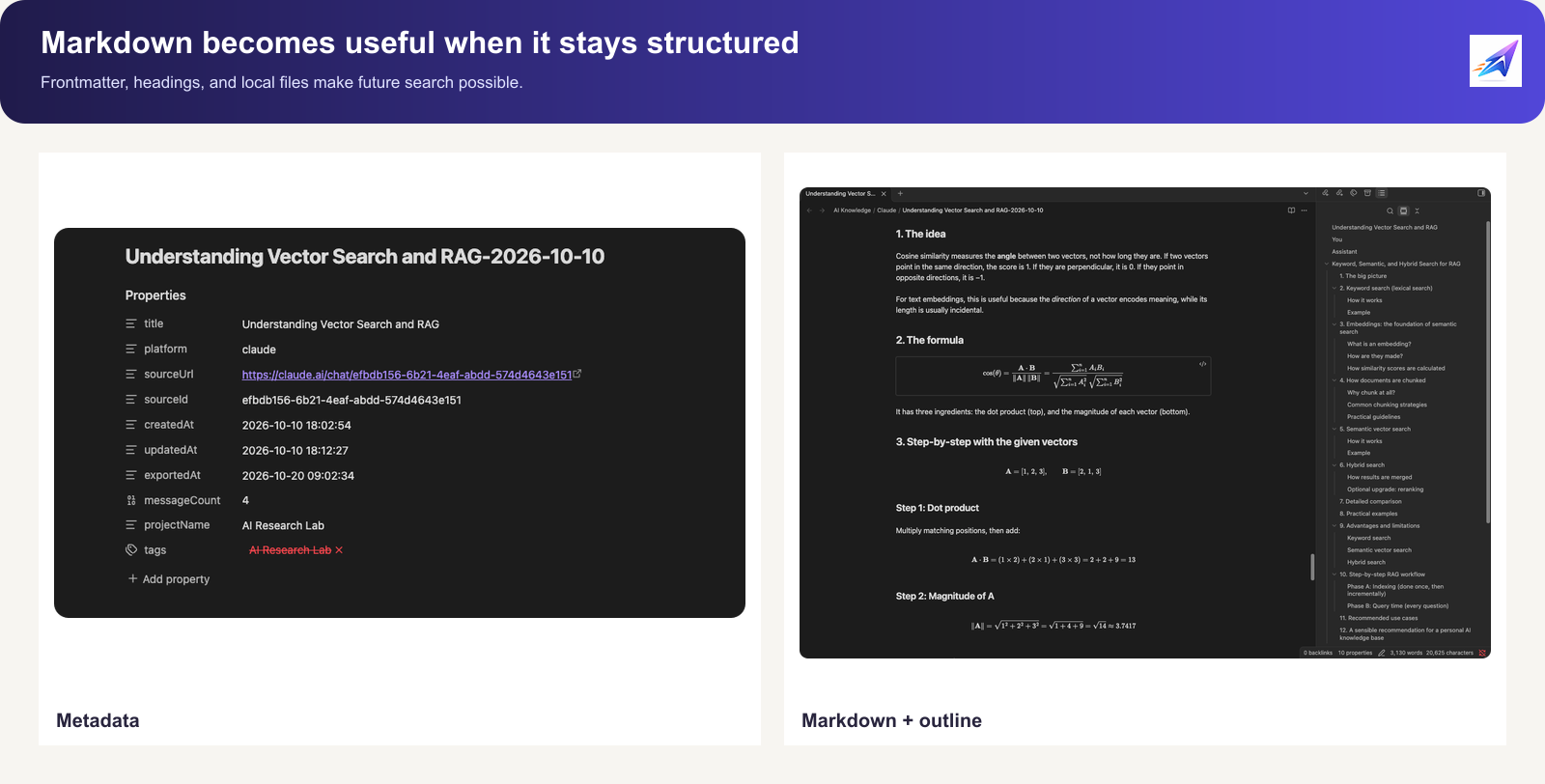
Obsidian is a good home for a personal AI knowledge base. You can organize notes by Project, topic, date, or source, and link related conversations together. The advantage is not just the interface. The files remain local, so search and reuse do not depend on signing back into Claude.
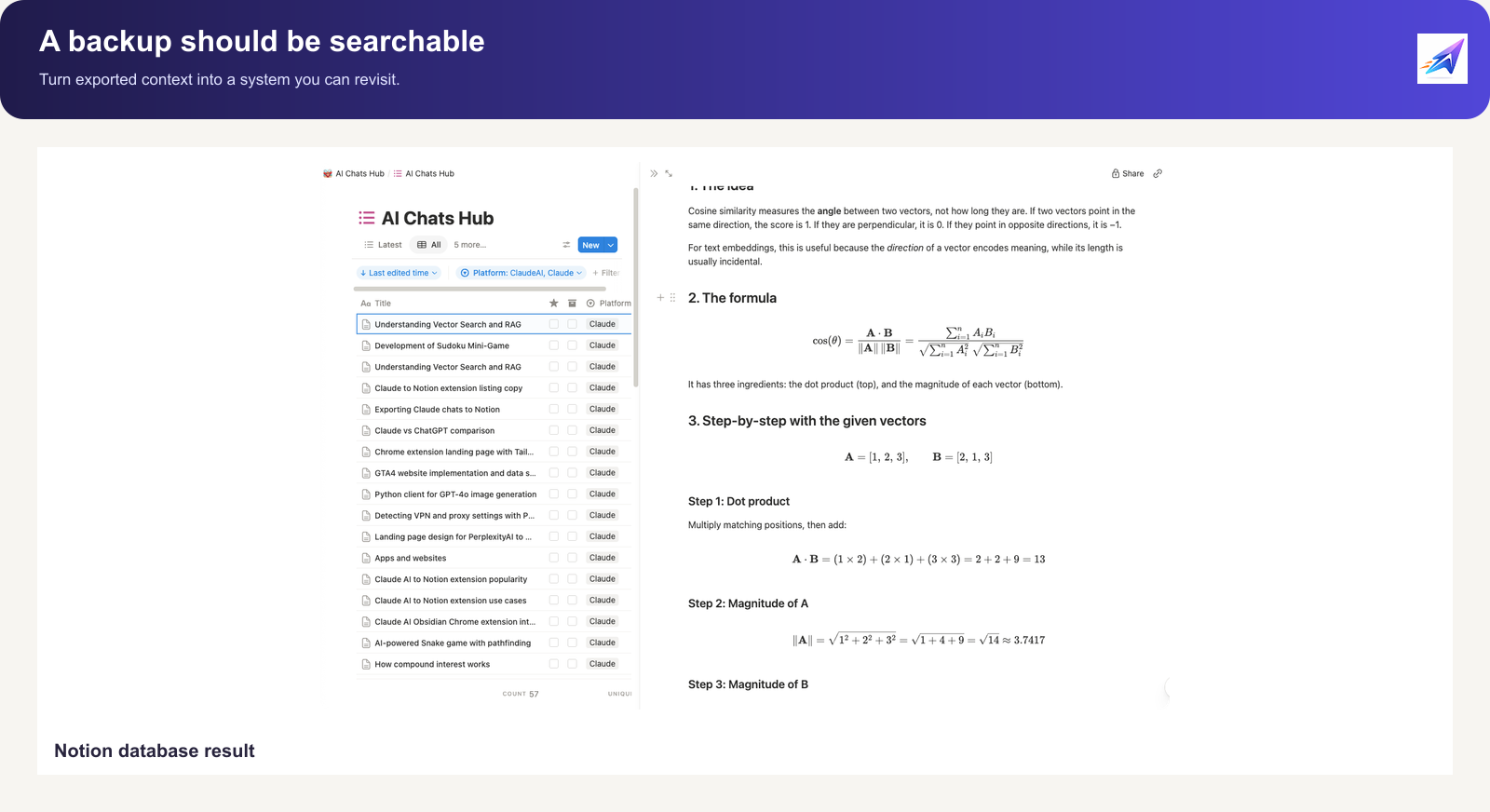
Notion is useful for collaboration and structured project management. Research notes, client work, content ideas, and meeting records can live in databases with fields for project, status, and owner. Notion also documents its own export limits, including the fact that an exported workspace cannot be instantly recreated by uploading the files again. See Notion’s backup guide.
A simple way to remember the difference is:
PDF is for archiving, Markdown is for portability, Obsidian is for local ownership, and Notion is for collaboration.

The Project list is not the same thing as a Project export
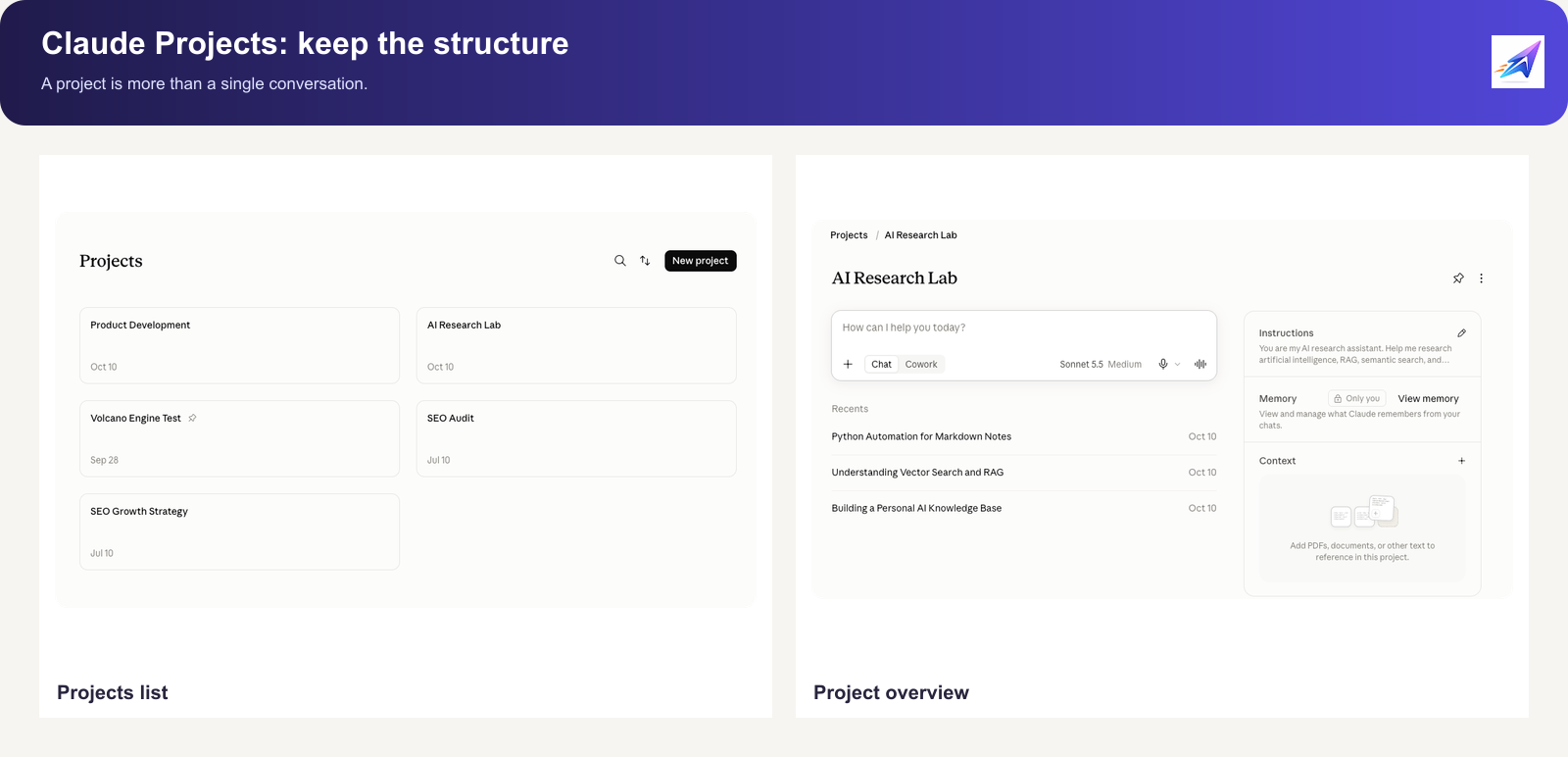
When people first run into this problem, they often look for an Export Project button in the Claude Projects list.
In practice, the visible Project structure can depend on which rollout an account has received. Some users may see threads and coordinators, while others still see a familiar list of chats. Even when the Project still exists, an exporter may temporarily fail to recognize it because the page structure changed.
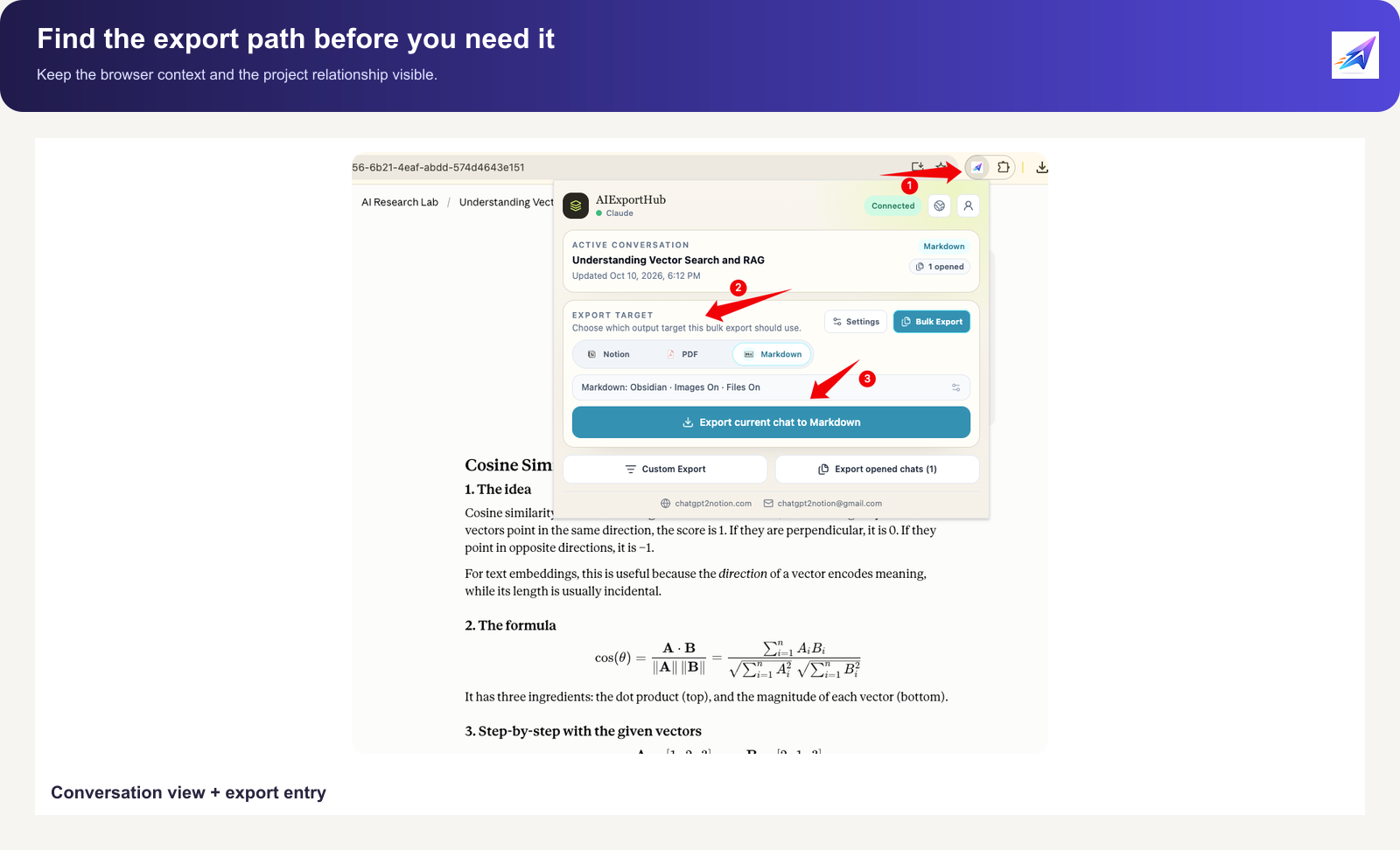
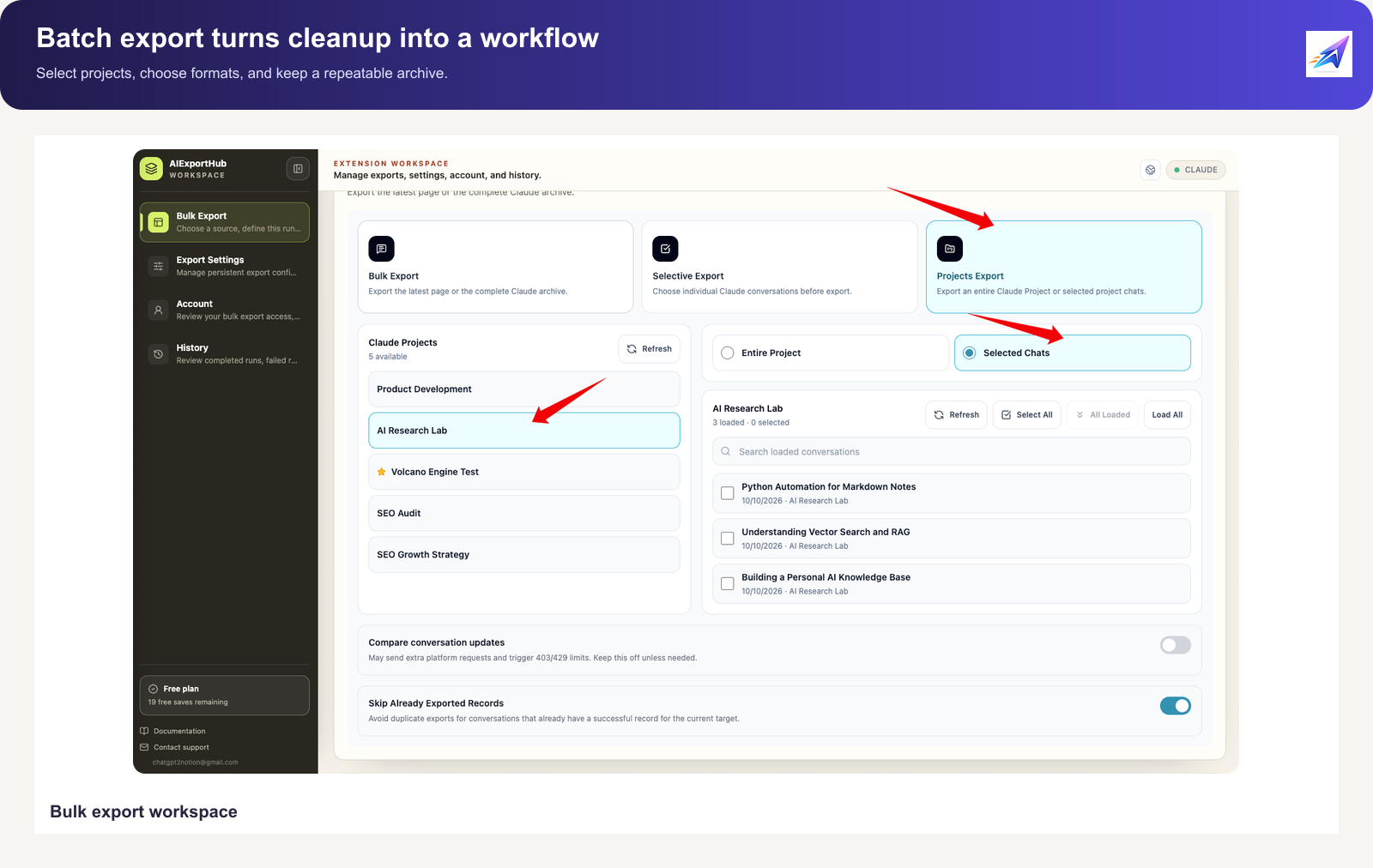
The more dependable route is often to export a conversation from its details view or select visible conversations in a bulk export page. That is different from exporting an entire Project directly from the Projects list.
An exporter can only process what the authorized session can see and read. It cannot unlock a feature that has not reached the account, bypass permissions, or recover material from an account that is no longer accessible.
That is why screenshots and a short screen recording help. The difference between an account rollout, a migration state, a changed route, and a missing button is difficult to diagnose from a sentence like “my Project will not export.”
Questions users actually ask
Will Project instructions and memory be exported with the chat?
Do not assume that they will. Conversation text, Project settings, knowledge files, and memory are different layers. Whether a tool can retrieve them depends on the page, the account, and the export path. A safer practice is to save the most important instructions, goals, and memory as a separate Markdown note instead of relying on the transcript alone.
Will Artifacts be preserved?
Do not decide from the presence of a preview panel. An Artifact may be updated several times, and the last message may not contain every version. If an Artifact is the deliverable, open the exported result and check the code, document, images, and attachments separately.
Can an official export be imported into another personal Claude account?
No. Anthropic currently says that personal account-to-account import and migration are not supported. Keep the official export as raw source material, then turn the work you need to continue into Markdown, Obsidian notes, or Notion pages.
Does a Max subscription guarantee the new Projects layout?
It should not be treated as a guarantee. Plan eligibility may matter, but rollout batches, existing projects, account history, and migration state can also affect the interface. Upgrading is not a backup plan, and deleting an old Project is not a rollout strategy.
A two-layer backup is easier to maintain
The first layer is the official account export. It may be difficult to read, but keep it unchanged in a separate archive and record the request date. Think of it as a negative or a master copy. You may not use it every week, but it matters when something goes wrong.
The second layer is a readable working copy. Save the instructions, goals, a knowledge-file index, and the important conversations as Markdown. Keep the local copy in Obsidian or another folder. Sync the material that a team needs into Notion. Turn finished research into PDF when it needs to be delivered or printed.
This does not mean exporting every chat every day. That quickly creates another unreadable pile.
A weekly review of conversations you will genuinely reuse is easier to keep. Research findings, code decisions, client requirements, long drafts, and problems that took real effort to understand deserve priority.
Open the exported files and inspect them. Check the title, jump into the middle, verify code blocks, tables, images, and attachments, and test a few links. Many backups fail because a file was generated but nobody would ever want to read it.
For Obsidian, add metadata such as Project name, platform, source URL, dates, and message count. That gives a folder of Markdown files a chance to become a knowledge base instead of a larger Downloads folder.
For Notion, avoid putting every conversation into one undifferentiated database. Use Project or topic fields, retain source URLs, and separate final conclusions from raw conversation history.
The question underneath all of this
Are you saving chats, or are you saving your work?
If you only need a short-term copy of a chat, screenshots and copy-paste may be enough.
If you are preserving research, code, writing, and decisions, treat the Project as a small archive. Keep one raw copy and one copy that you can read, search, and reuse.
Claude’s interface will keep changing. Threads, coordinators, Folders, pinned projects, and colored icons may become official features or may remain account-level experiments. You cannot control that rollout.
You can control where the important work lives.
Keep the official export as the safety layer, Markdown as the source, Obsidian as the local knowledge base, Notion as the collaboration space, and PDF as the stable reading or handoff version. They do not have to compete. Each one can carry a different responsibility.
If you are organizing Claude chats, Artifacts, or Projects, start with the ten conversations that matter most and try Markdown and Obsidian, Notion, or PDF. To compare destinations, see the Claude Export Hub.
Do it before the next layout change gives you a reason to wonder whether you still own a usable copy.
Sources and further reading
- Claude Help Center, Export your Claude data
- Anthropic, Collaborate with Claude on Projects
- Notion Help, Back up your data
- Claude to Obsidian, Markdown export workflow
- Claude to Notion, Project and conversation export
- Claude to PDF, Project archive workflow
AI Exporter Hub is an independent third-party collection of tools and is not affiliated with Anthropic or Claude. Confirm that you have permission to access and save the material, and inspect exported files before publishing or sharing them.