
Markdown, PDF, and File Settings
Configure AIExportHub folders, filename patterns, Markdown flavor, PDF themes, Notion behavior, media defaults, and stable bulk-export delays.
Use Export Settings to make local files and Notion results predictable before starting a large job.
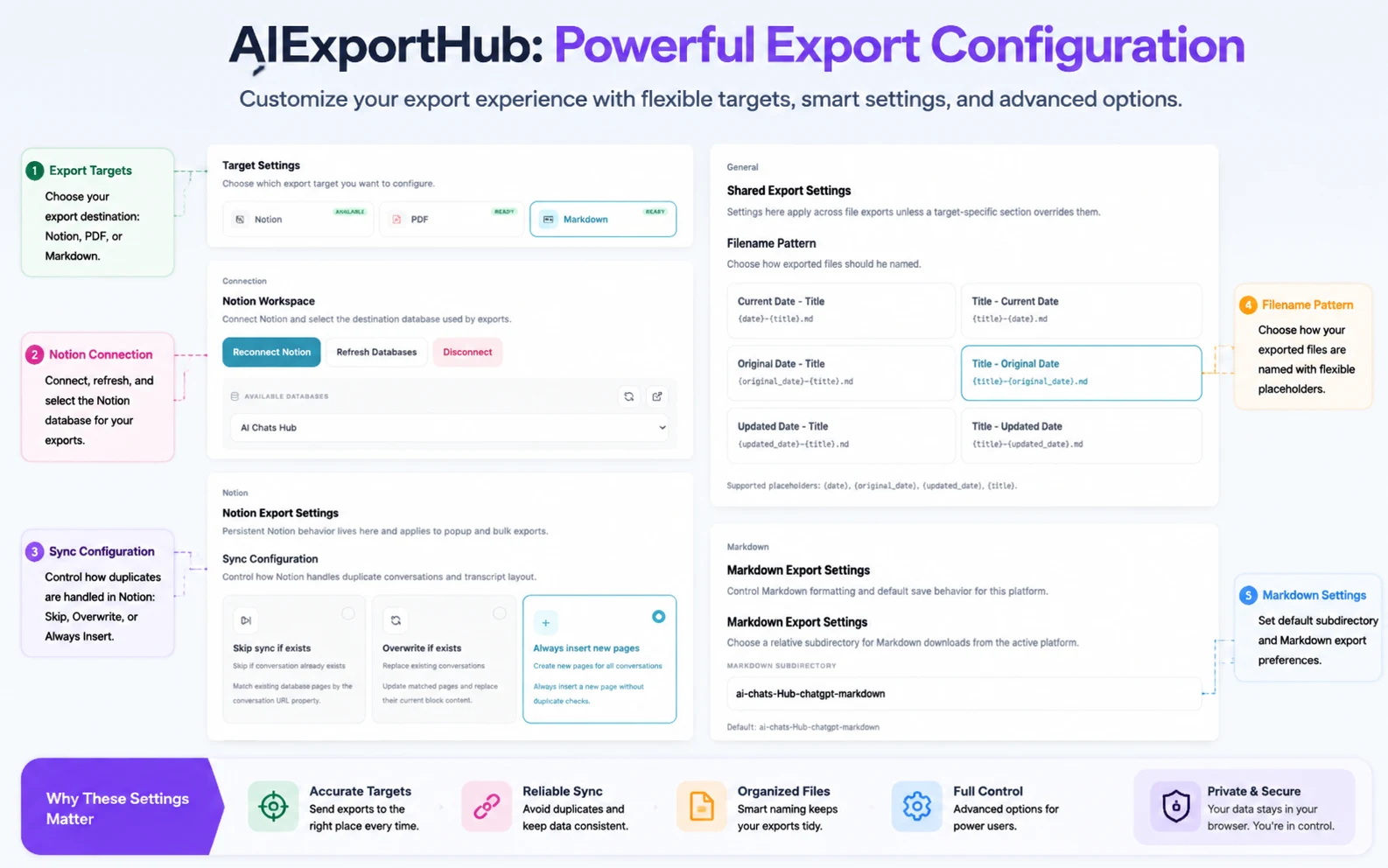
Media defaults
The current defaults are designed to preserve complete conversation records:
- Download Image & Files is enabled for Markdown.
- Image and file handling is enabled for PDF.
- Upload Images is enabled for Notion.
- Upload Files is enabled for Notion.
Disable an option only when you intentionally want a text-only export or need to reduce download and upload time.
Filename patterns
AIExportHub supports date-first and title-first presets:
- Current Date - Title:
{date}-{title} - Title - Current Date:
{title}-{date} - Original Date - Title:
{original_date}-{title} - Title - Original Date:
{title}-{original_date} - Updated Date - Title:
{updated_date}-{title} - Title - Updated Date:
{title}-{updated_date}
Use a date-first pattern for chronological archives. Use title-first when you browse by topic. Updated-date patterns are useful for active conversations that change after the first export.
Markdown and Obsidian settings
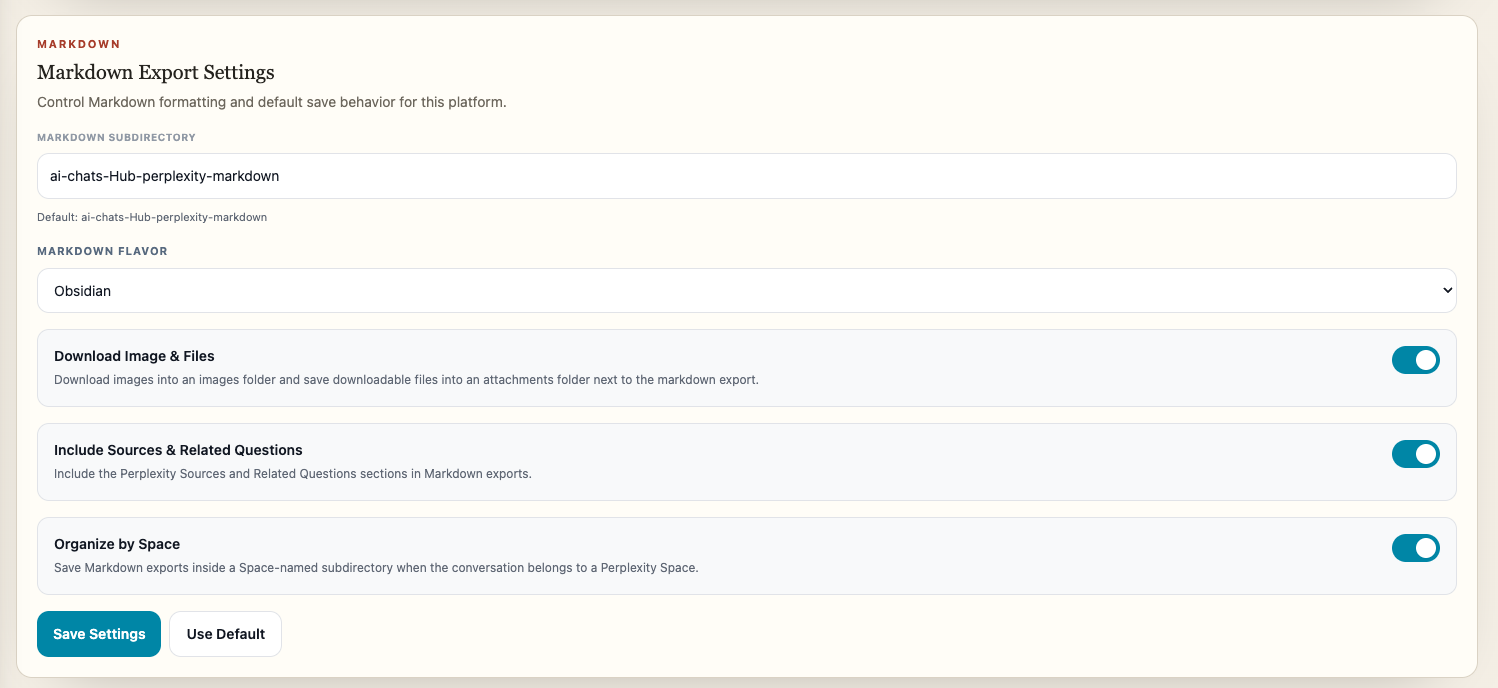
Configure:
- Download subdirectory
- Standard or Obsidian-compatible Markdown
- Image and file downloads
- Filename pattern
- Available metadata or frontmatter options
When media handling is enabled, AIExportHub saves supported images and attachments in sibling folders and rewrites available links in the note.
Default folders follow this pattern:
ai-chats-Hub-{platform}-markdownPlatform-aware subfolders can keep Projects, Gems, Spaces, archived chats, and supported collections organized.
PDF settings
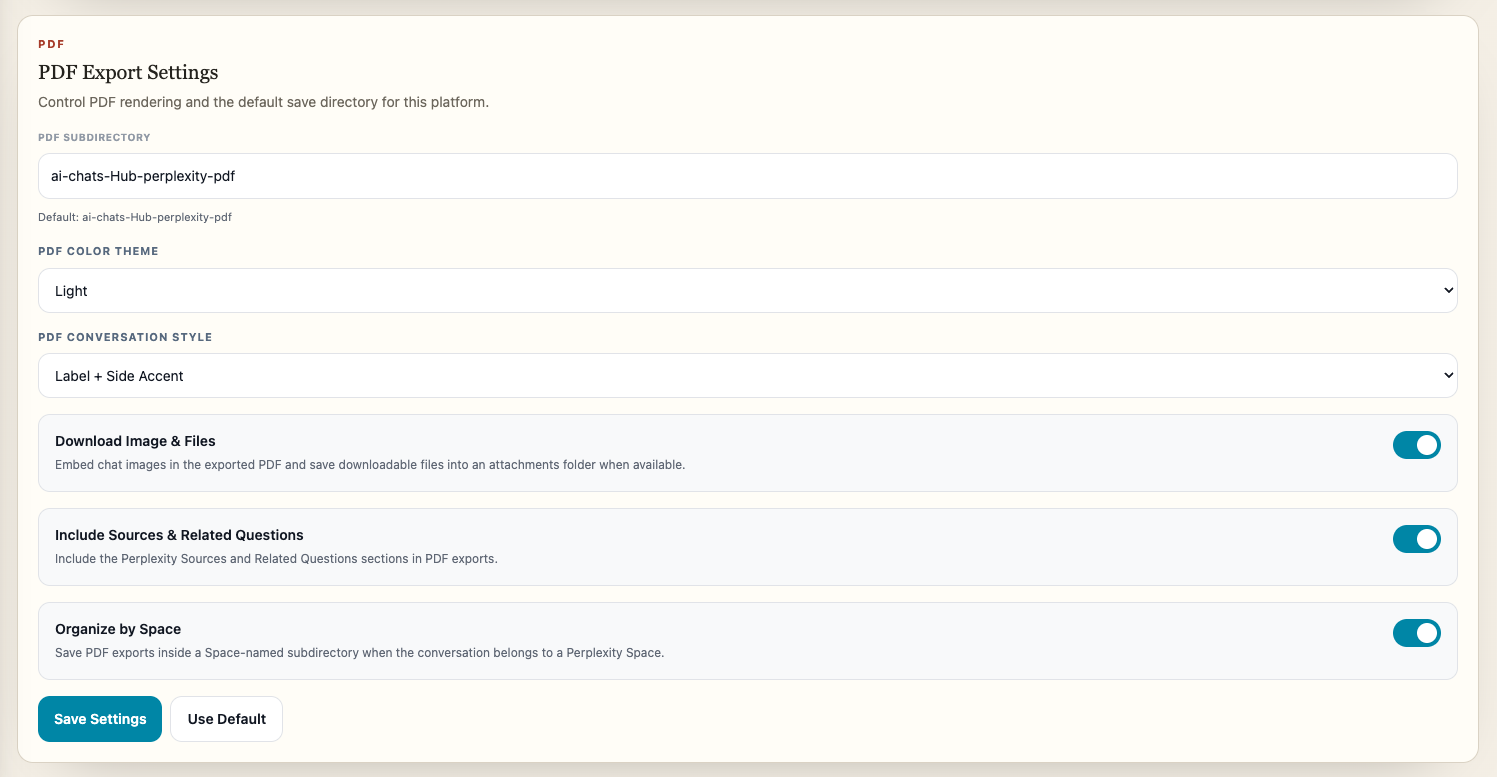
Configure:
- PDF download subdirectory
- Available theme and message style
- Image and file handling
- Filename pattern
Supported images are embedded in the document. Supported non-image files are downloaded alongside the PDF rather than hidden inside an unreadable placeholder.
Gemini PDF exports include light, dark, and eye-care themes with readable message-card styling. Other platform presentation options depend on the shared PDF renderer and available source content.
Default folders follow this pattern:
ai-chats-Hub-{platform}-pdfNotion settings
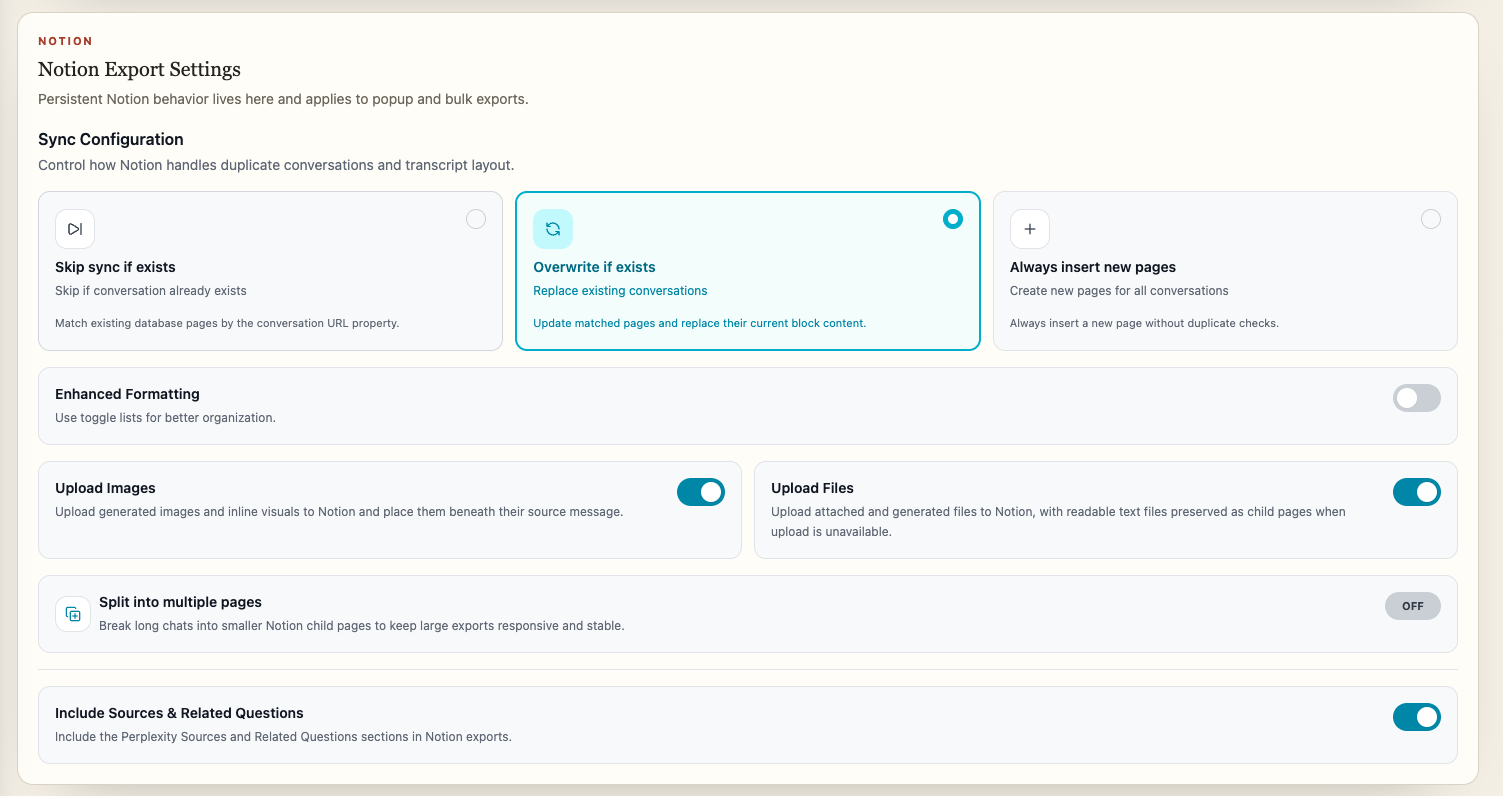
Notion settings control:
- Workspace authorization
- Database selection
- Skip, overwrite, or always-new behavior
- Standard or enhanced formatting
- Long-conversation splitting
- Image uploads
- File uploads
Use Open database from the Bulk Export target summary to verify the selected destination. See Connect Notion for the complete workflow.
Bulk export delay
Configure a delay between conversation jobs when complete histories or media-heavy exports need additional stability.
A longer delay can reduce avoidable source-platform pressure. It does not bypass a platform limit; if Perplexity explicitly rate limits the job, AIExportHub stops cleanly and asks you to retry later.
Directory rules
AIExportHub uses Chrome downloads. Directory settings must be relative folder names rather than absolute operating-system paths.
Good examples:
AI-Exports/chatgpt-markdown
AI-Exports/client-research/pdf
AI-Exports/perplexity/attachments
Avoid:
/Users/name/Documents/exports
C:\Users\name\Downloads\exports
Chrome download prompts
Large jobs work best when Chrome does not ask for a location before every file.
Open Chrome Settings, go to Downloads, and turn off Ask where to save each file before downloading before a large Markdown, PDF, or Library run.
Recommended validation
After changing settings:
- Export one conversation containing an image and a file.
- Confirm the main document path.
- Confirm the images and attachments folders.
- Open the result offline.
- Check that local links still work.
- Start a small selective batch before complete history.
For detailed asset behavior, read Images, Files, and Generated Assets.
Ready to try Aiexporthub Hero?
Open the product page for feature details, screenshots, pricing, and the Chrome Web Store install link.