
Selective and Collection Export
Choose individual chats or export conversations from ChatGPT, Claude, and Grok Projects, Gemini Gems and Spark, Genspark Hubs, and Perplexity Spaces and Computer Tasks.
Selective Export is the safest way to move a meaningful group of conversations without exporting an entire account.
Collection modes preserve context that would be lost if Project, Gem, or Space conversations were treated as unrelated files.
When to use Selective Export
Choose Selective Export when you need:
- One client or project
- A research topic
- A course or study unit
- Conversations from a specific period
- A smaller validation batch before complete history
- A clean migration without low-value chats
Load conversations
- Open Bulk Export and connect the source platform tab.
- Choose Selective Export.
- Load the initial conversation page.
- Use Load complete history when the required record is not yet available.
Loading complete history can take time because AIExportHub follows the platform pagination instead of assuming every conversation is already visible.
Search and select
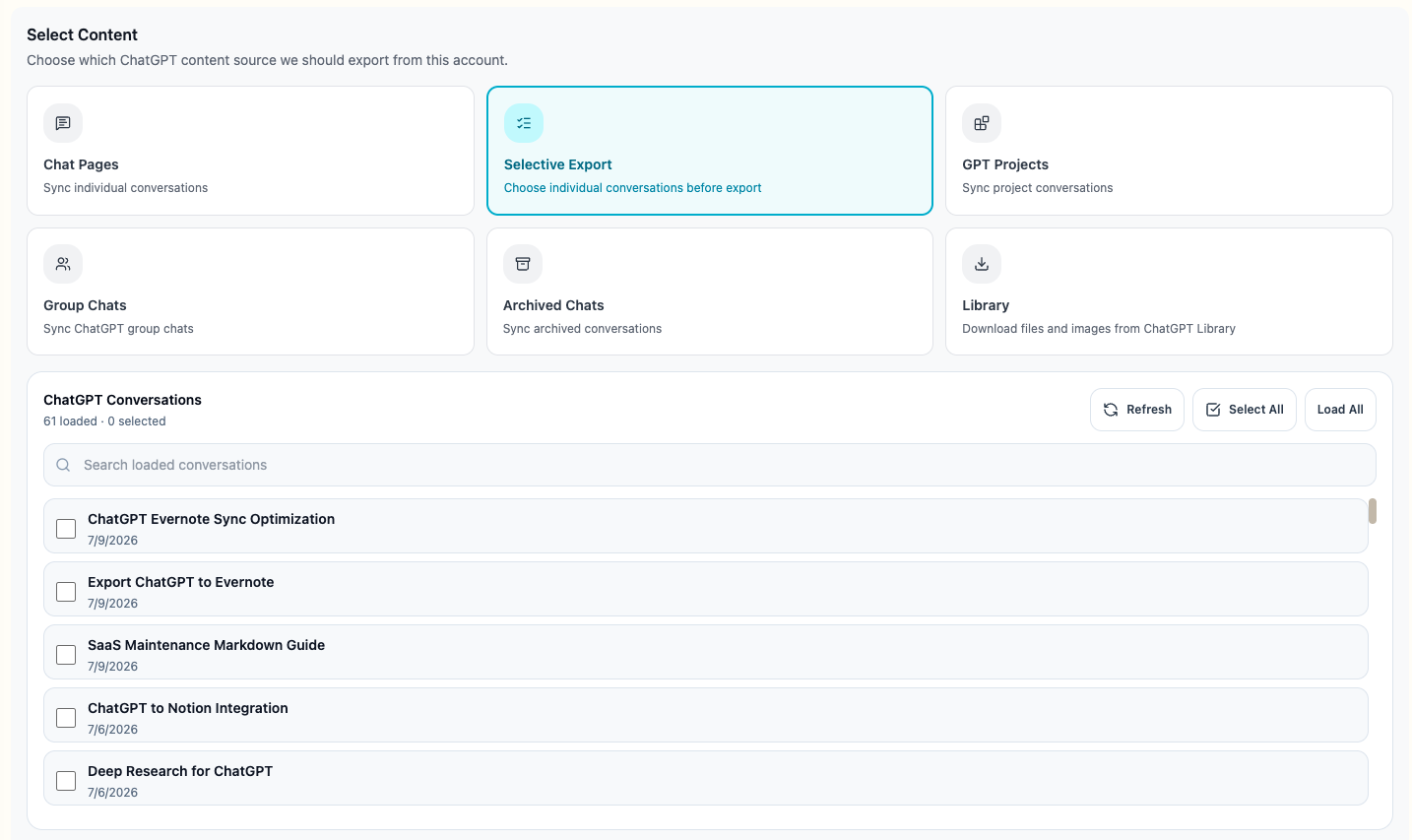
The shared conversation picker supports:
- Search by loaded conversation title
- Select or clear individual records
- Select all visible results
- Deselect all records
- Load complete supported history
- Keep selection order stable
- Skip duplicate conversation IDs
Checkboxes stay in a fixed leading column. Long titles are truncated so the selection control remains visible, while the complete title is available on hover.
Review before export
Before starting, verify:
- Selected item count
- Export target
- Notion database or local folder
- Duplicate behavior
- Image and file settings
- Collection metadata when applicable
The queue contains only the conversations you explicitly selected.
ChatGPT collection modes
Projects
Choose a ChatGPT Project when you want conversations grouped by ongoing work. AIExportHub keeps available Project metadata and uses project-aware local folders where supported.
Group chats
Group Chats have a separate source mode so collaborative conversations do not disappear inside the normal history list.
Archived chats
Use Archived Chats when older conversations were intentionally removed from the main sidebar but still need to be backed up.
Library
ChatGPT Library is an asset workflow rather than a conversation workflow. Use the dedicated ChatGPT Library downloader for images and files.
Claude Project modes
Claude supports:
- Export the complete selected Project
- Choose individual conversations inside a Project
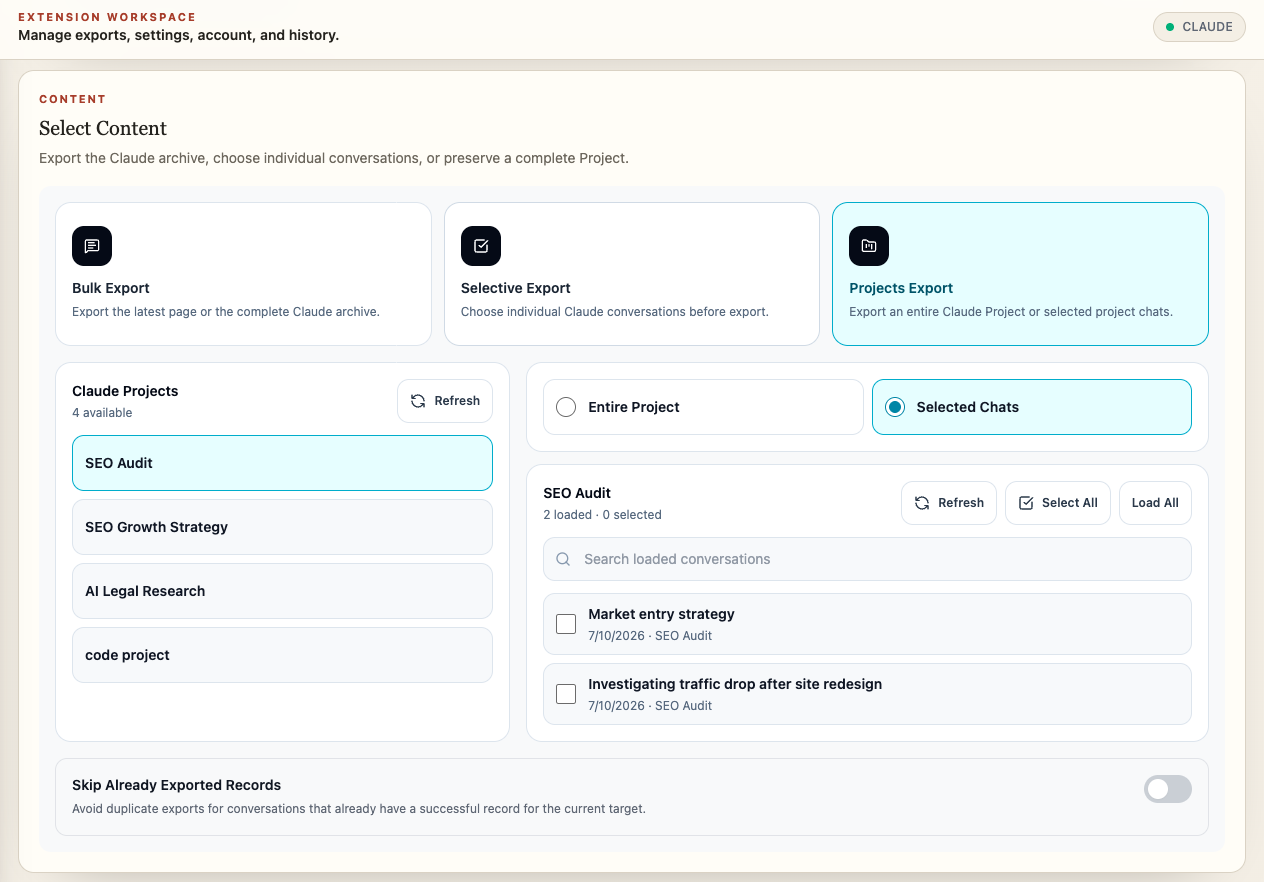
Project metadata can be carried into Notion or local organization. Supported attachments, generated files, images, SVG visualizations, and readable Artifacts remain connected to their source conversations.
Gemini Gem modes
Gemini supports:
- Export available Gems
- Choose conversations from a selected Gem
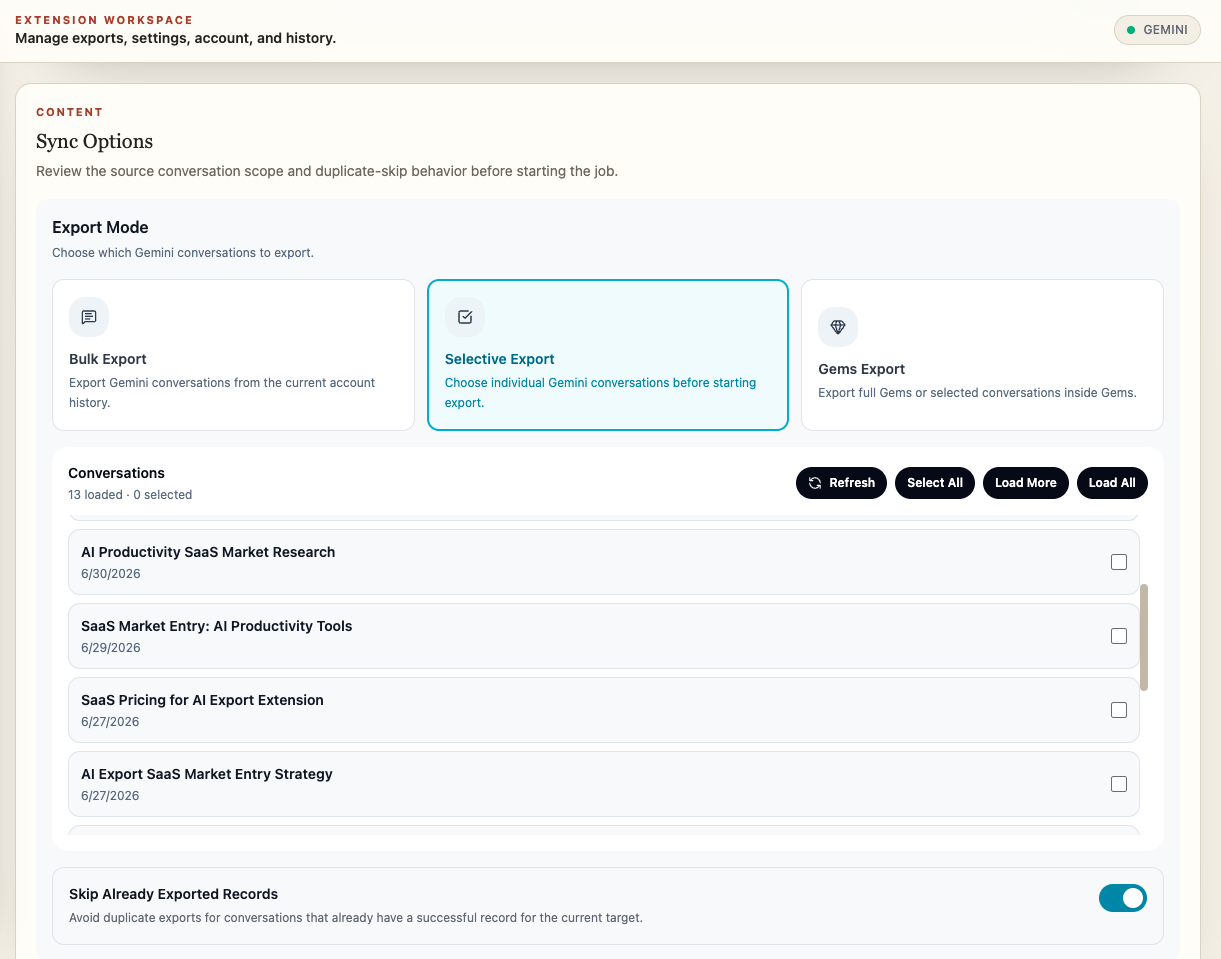
Use Gem selection when custom assistants produce work that should remain grouped by the instruction set or purpose behind it.
Gemini Spark
Choose Spark to export the available Spark conversations. Keep the signed-in Gemini source tab connected throughout the run.
Genspark Hubs
Choose Hubs to export their available conversations. Supported generated images, files, and presentation assets follow the selected output target. Do not treat slide content or HTML assets as native PPTX files.
Grok Projects
Choose Projects to export Project conversations using the connected Grok tab. Review the selected scope before starting. This is conversation archiving, not a complete backup of Project settings or source files.
Perplexity Space modes
Perplexity supports:
- Choose one or more Spaces
- Select all or deselect all available Spaces
- Export conversations from the selected Spaces
- Apply a date range before queue creation
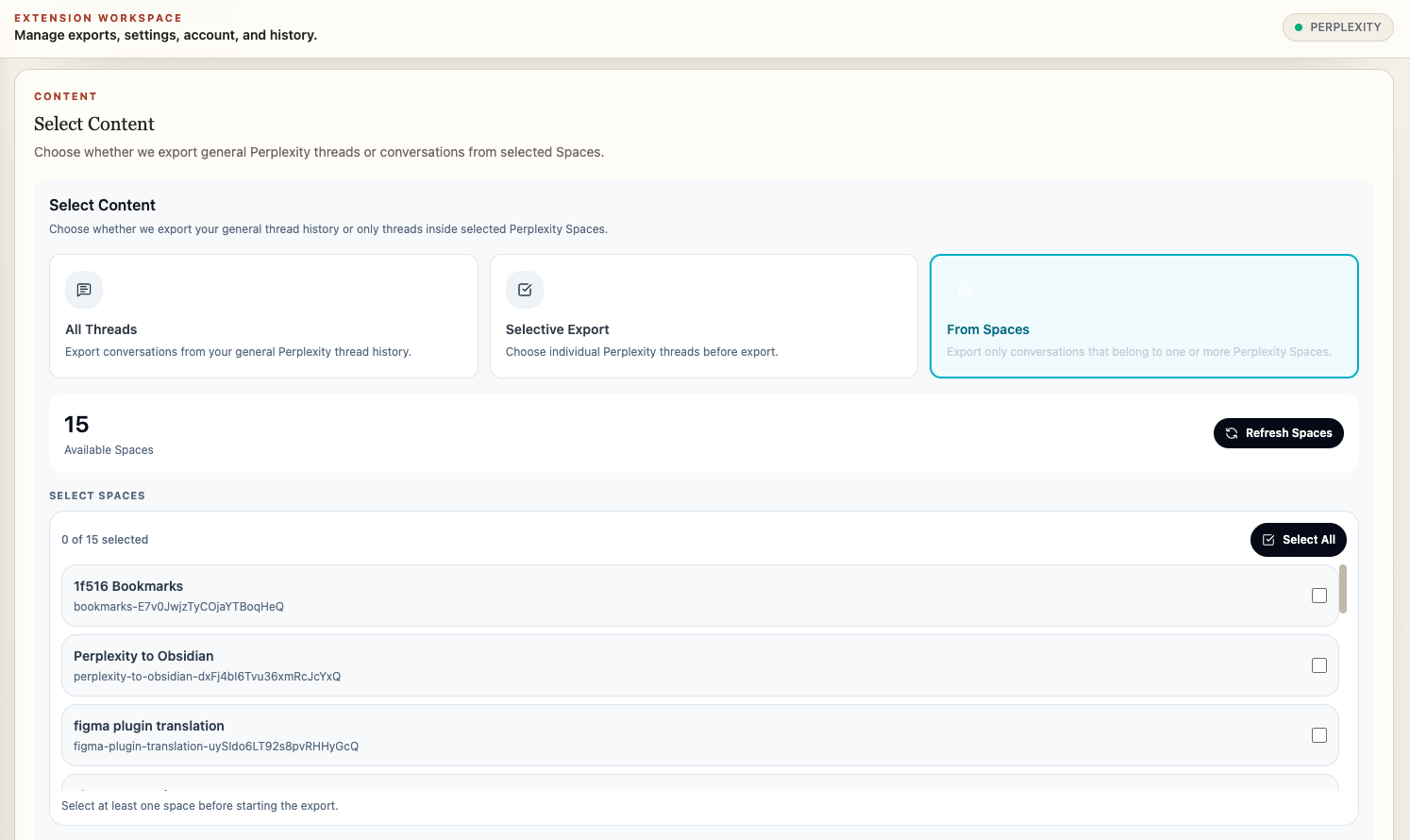
Use Spaces for team research, topic collections, or source-backed investigations that should retain their Space context.
Computer Tasks also have a dedicated export mode. Check the selected task records and supported assets rather than assuming a complete executable environment backup.
Notion organization
When available, AIExportHub stores Projects, Gems, Spaces, source URL, platform, timestamps, message count, and tags with the destination record.
After selecting the Notion target, use Open database to verify the destination before the job begins.
Local folder organization
Markdown and PDF exports can use platform-aware subfolders for supported collections, including Projects, Gems, Spaces, and archived chats.
Use a predictable filename pattern so repeated exports remain understandable after they leave the source platform.
Avoid accidental over-export
- Start with search and a small selection.
- Check the selected count before running.
- Use Skip Already Exported Records for recurring backups.
- Use collection modes instead of exporting complete history and sorting afterward.
- Retry failed records rather than recreating the entire queue.
Next steps
Ready to try Aiexporthub Hero?
Open the product page for feature details, screenshots, pricing, and the Chrome Web Store install link.