
Release Date: January 30, 2026
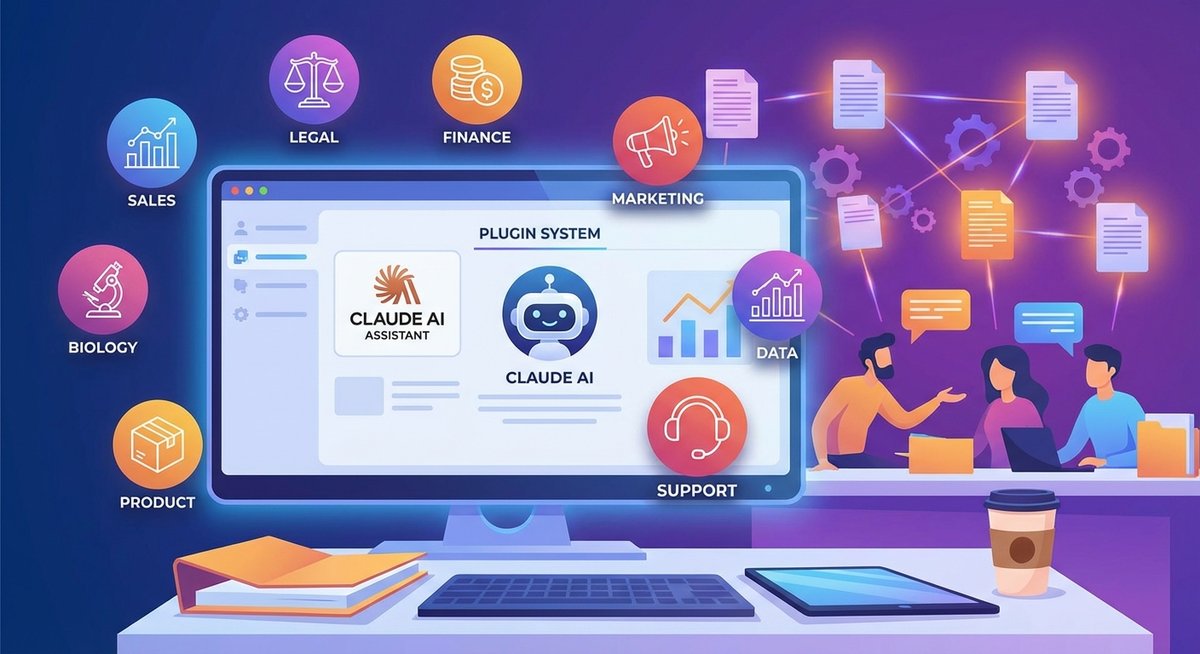
Anthropic has announced the launch of “plugins” (Skills) for its Cowork tool, further advancing into the realm of agentic AI. These plugins enable Claude to act as a “domain expert” across various fields, from sales and legal to biology research, covering 9 professional domains. The feature is now available in research preview to all paid subscription tiers.
🎯 What is Cowork?
From Claude Code to Cowork
When Anthropic released Claude Code, they expected developers to use it for coding. They did—and then quickly began using it for almost everything else. This prompted Anthropic to build Cowork: a simpler way for anyone—not just developers—to work with Claude in the very same way.
Core Capabilities of Cowork
In Cowork, you give Claude access to a folder of your choosing on your computer. Claude can:
- Read files - Understand file content and structure
- Edit files - Modify existing documents
- Create files - Generate new documents, spreadsheets, presentations
Typical Use Cases:
- Reorganize your downloads by sorting and renaming each file
- Create a new spreadsheet with a list of expenses from a pile of screenshots
- Produce a first draft of a report from your scattered notes
🔌 New Plugin System
9 Professional Domain Plugins
Anthropic has added an initial set of “Skills” (plugins) to Cowork, enabling Claude to act as an expert in the following domains:
1️⃣ Sales
- Customer relationship management
- Sales data analysis
- Proposal and presentation creation
2️⃣ Legal
- Contract review and drafting
- Legal document organization
- Compliance checking
3️⃣ Finance
- Financial statement analysis
- Budget planning
- Expense tracking and reporting
4️⃣ Marketing
- Marketing content creation
- Campaign planning
- Market analysis reports
5️⃣ Data Analysis
- Data cleaning and organization
- Visualization chart generation
- Trend analysis and insights
6️⃣ Customer Support
- Customer issue categorization
- Response template creation
- Knowledge base management
7️⃣ Product Management
- Product requirement documents (PRDs)
- User story writing
- Product roadmap planning
8️⃣ Biology Research
- Literature review
- Experimental data analysis
- Research report writing
9️⃣ More Domains
- Continuously expanding
🚀 Unique Advantages of Cowork
1️⃣ Greater Autonomy
Unlike regular conversations, Claude in Cowork has much more agency:
- Make Plans - Automatically plan steps after understanding tasks
- Steady Execution - Complete tasks steadily without frequent intervention
- Real-time Feedback - Keep you informed of progress
2️⃣ Parallel Task Processing
- Queue up multiple tasks
- Claude processes them in parallel
- No need to wait
- Feels like leaving messages for a coworker
3️⃣ Seamless Integration
- Connectors - Link to external information sources
- Claude in Chrome - Handle tasks requiring browser access
- Local File System - Directly operate on computer files
4️⃣ Simplified Workflow
- No need to manually provide context
- No need to convert output formats
- Reduced back-and-forth communication
🔒 Safety and Control
User Control
- Explicit Authorization - Can only access folders and connectors you authorize
- Action Confirmation - Will ask before taking significant actions
- Adjust Anytime - Can steer or course-correct Claude’s behavior at any time
Safety Considerations
Potential Risks:
- File Deletion - Claude can take potentially destructive actions like deleting local files
- Prompt Injections - Attackers might alter Claude’s plans through internet content
Protective Measures:
- Anthropic has built sophisticated prompt injection defenses
- Provides detailed safety guidelines
- Recommends taking precautions during the learning phase
🔗 Perfect Integration with Knowledge Management Tools
Cowork’s powerful features combined with the ChatGPT2Notion ecosystem can build more efficient workflows:
📝 Recommended Workflow:
1. Use Cowork to Complete Work Tasks
- Launch Cowork in the macOS app
- Authorize access to work folders
- Use professional domain plugins to complete tasks
2. Export Important Conversations and Results While Cowork primarily operates on local files, you can still use export tools to save key conversations:
- Claude Users → Claude to Notion or Claude to Obsidian
3. Cross-Platform Knowledge Management If you use multiple AI tools:
- ChatGPT Users → ChatGPT to Notion or ChatGPT to Obsidian
- Gemini Users → Bulk Export AI Chats from Gemini to Notion or Bulk Export AI Chats from Gemini to Obsidian
- Perplexity Users → Perplexity to Notion or Perplexity to Obsidian
4. Build Work Knowledge Base
- Record Cowork usage tips in Notion or Obsidian
- Organize best practices for different domains
- Build task template library
- Share experiences with team
💡 Practical Scenario Examples:
Scenario 1: Sales Team Document Management
- Use Cowork’s Sales plugin to organize customer materials
- Generate sales reports and proposals
- Export key insights with Claude to Notion
- Build customer knowledge base in Notion
Scenario 2: Product Manager Workflow
- Use Product Management plugin to write PRDs
- Extract key requirements from user feedback
- Export to Notion’s product management database
- Track feature development progress
Scenario 3: Researcher Literature Management
- Use Biology Research plugin to analyze papers
- Generate literature reviews and research notes
- Export to Obsidian’s research knowledge base
- Build citation and relationship networks
📊 Cowork vs Traditional Conversation
| Feature | Traditional Conversation | Cowork |
|---|---|---|
| File Access | Manual upload required | Direct access to local folders |
| Task Execution | Step-by-step guidance needed | Autonomous planning and execution |
| Parallel Processing | One task at a time | Queue and process in parallel |
| Context Management | Manual provision required | Automatic file context reading |
| Output Format | Manual conversion needed | Direct generation in desired format |
| Professional Capability | General AI assistant | Domain expert (via plugins) |
🎁 How to Use Cowork?
Availability
- Currently Available: Claude Max, Pro, Team, and Enterprise subscribers
- Platform: macOS app (Windows version in development)
- Status: Research preview
Getting Started
- Download the macOS app
- Click “Cowork” in the sidebar
- Authorize access to work folders
- Select needed professional domain plugins
- Start assigning tasks
Other Users
If you’re on another plan, you can join the waitlist for future access.
🔮 Future Development
Upcoming Features
- Cross-device Sync - Sync work across multiple devices
- Windows Support - Expand to Windows platform
- More Plugins - Continuously add new professional domains
- Safety Enhancements - Further improve agent safety
Significance of Research Preview
Anthropic is releasing Cowork early to:
- Learn about actual user scenarios
- Collect improvement suggestions
- Iterate and optimize rapidly
- Explore unexpected applications
💼 Value for Different Roles
For Sales Teams:
- Automate customer material organization
- Quickly generate sales reports
- Improve proposal creation efficiency
For Product Managers:
- Simplify PRD writing process
- Quickly analyze user feedback
- Efficiently manage product documentation
For Researchers:
- Accelerate literature review
- Automate data analysis
- Simplify report writing
For Enterprise Users:
- Improve team collaboration efficiency
- Standardize workflows
- Reduce repetitive work burden
📚 Related Reading
- OpenAI Launches Prompt Packs: Professional Prompt Libraries for 9 Career Roles
- Generative AI and Wikipedia Editing: Lessons Learned in 2025
Summary: Anthropic’s Cowork plugin system marks an important shift from general AI tools to specialized applications. By providing domain-specific “skills,” Claude can better understand and complete professional tasks. Combined with knowledge management tools, users can build powerful AI-assisted workflows that truly integrate AI capabilities into daily work.
Follow more AI tool updates at ChatGPT2Notion Blog