
Release Date: January 2026
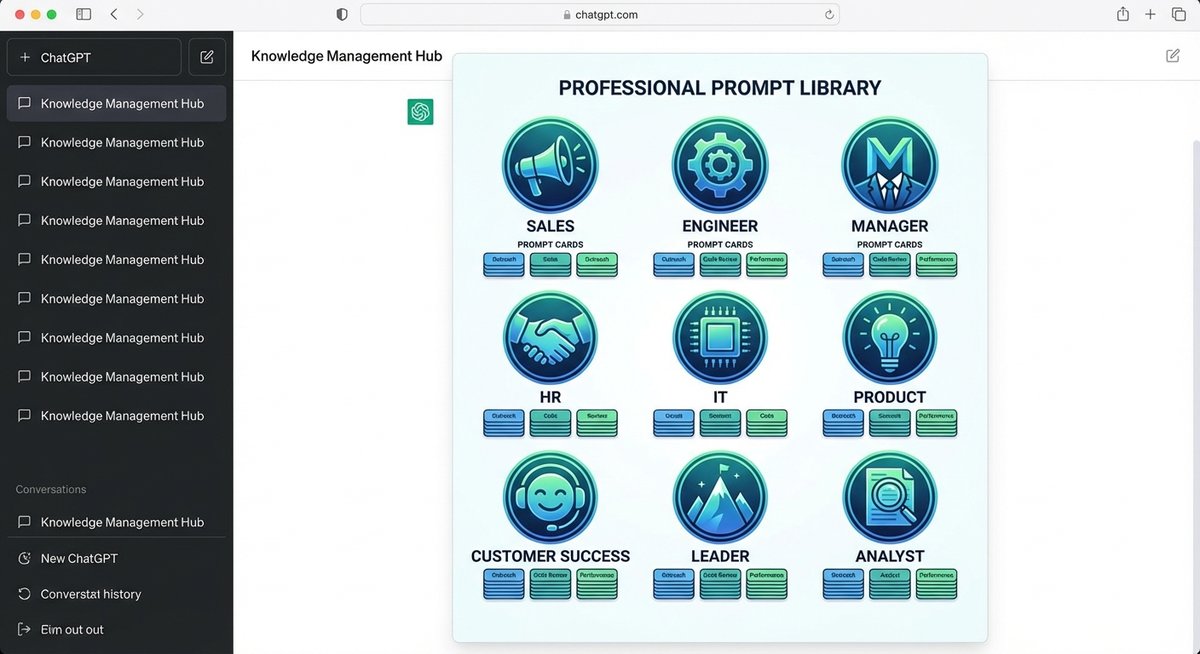
OpenAI Academy has recently launched a major feature—Prompt Packs—offering carefully designed and optimized prompt collections for different professional roles. These prompt packs are completely free and aim to help professionals across industries use ChatGPT more efficiently.
🎯 What are Prompt Packs?
Prompt Packs are ready-to-use prompt libraries launched by OpenAI Academy, providing optimized prompt templates tailored to specific work scenarios for different professional roles. Users don’t need to write prompts from scratch—they can directly use these professional-grade prompts to complete daily work tasks.
Official Link: https://academy.openai.com/public/tags/prompt-packs-6849a0f98c613939acef841c
📦 9 Career Role Prompt Packs Explained
1️⃣ ChatGPT for Any Role
Target Audience: All ChatGPT users
This is a universal prompt pack covering prompts and use cases for various common work scenarios. No matter what profession you’re in, you can find suitable prompt starting points here.
Typical Scenarios:
- Brainstorming and idea generation
- Document summarization and key point extraction
- Email writing and polishing
- Meeting notes organization
- Task planning and time management
2️⃣ ChatGPT for Sales
Target Audience: Sales representatives, sales managers, business development professionals
Designed specifically for sales teams, this prompt pack helps streamline customer outreach, develop sales strategies, conduct competitive intelligence analysis, data analysis, and visual presentations.
Typical Scenarios:
- Customer Outreach: Write personalized sales emails and follow-up messages
- Sales Strategy: Develop sales plans for different customers
- Competitive Analysis: Research competitors’ products and pricing strategies
- Data Analysis: Analyze sales data, identify trends and opportunities
- Proposal Creation: Generate sales presentations and visual charts
Example Prompt:
“Write a personalized sales email for a mid-sized SaaS company, emphasizing how our product can help them reduce operational costs by 30%.“
3️⃣ ChatGPT for Customer Success
Target Audience: Customer success managers, customer support teams, customer relationship managers
Covers customer onboarding strategy, competitive research, account planning, data analytics, and visual communication to optimize customer lifecycle management and improve retention rates.
Typical Scenarios:
- Customer Onboarding: Create customer onboarding processes and training materials
- Customer Health Analysis: Assess customer usage and satisfaction
- Renewal Strategy: Develop customer renewal and upgrade plans
- Problem Resolution: Quickly respond to customer issues and complaints
- Success Stories: Write customer success stories and case studies
Example Prompt:
“Design a 30-day onboarding plan for new customers, including key milestones, training content, and success metrics.”
4️⃣ ChatGPT for Product
Target Audience: Product managers, product owners, UX designers
Provides high-impact product management prompts covering competitive research, product strategy, UX design, content creation, and data analysis, supporting every stage of the product lifecycle.
Typical Scenarios:
- Competitive Analysis: Research competitors’ product features and user feedback
- Product Roadmap: Develop product development plans and priorities
- User Research: Design user interview questions and survey questionnaires
- Feature Design: Write product requirement documents (PRDs)
- Data-Driven Decisions: Analyze user behavior data and product metrics
Example Prompt:
“Analyze our mobile app’s feature comparison with three major competitors, identifying our strengths and gaps.”
5️⃣ ChatGPT for Engineers
Target Audience: Software engineers, system architects, DevOps engineers
A curated engineering prompt library helping with system architecture visualization, technical research, documentation, code debugging, and data analysis.
Typical Scenarios:
- Architecture Design: Generate system architecture diagrams and technical solutions
- Code Review: Review code quality and security
- Technical Documentation: Write API documentation and technical specifications
- Troubleshooting: Diagnose system issues and performance bottlenecks
- Technology Selection: Compare different tech stacks and tools
Example Prompt:
“Design a database solution for a microservices architecture that needs to support high concurrency and data consistency.”
6️⃣ ChatGPT for HR
Target Audience: HR managers, recruiters, talent development specialists
Provides ready-to-use HR and people operations prompts to streamline recruiting, employee engagement, policy development, compliance research, and employee communications.
Typical Scenarios:
- Recruitment Process: Write job descriptions and interview questions
- Employee Onboarding: Create onboarding training plans and welcome materials
- Performance Management: Design performance evaluation forms and feedback templates
- Policy Development: Draft company policies and employee handbooks
- Employee Communications: Write internal announcements and notices
Example Prompt:
“Write an attractive job description for a senior software engineer position, emphasizing remote work and growth opportunities.”
7️⃣ ChatGPT for IT
Target Audience: IT support staff, system administrators, network engineers
Designed specifically for IT teams, covering script generation, code troubleshooting, documentation writing, and support ticket responses.
Typical Scenarios:
- Script Automation: Generate Shell, Python, and other automation scripts
- Troubleshooting: Diagnose network and system issues
- Technical Documentation: Write IT operation manuals and knowledge bases
- Security Audits: Check system security configurations and vulnerabilities
- User Support: Quickly respond to technical support requests
Example Prompt:
“Write a Python script that automatically backs up server logs and sends daily report emails.”
8️⃣ ChatGPT for Managers
Target Audience: Team managers, department heads, project managers
A prompt collection designed for managers, helping set strategic goals, analyze team health, foster team culture, and improve communication efficiency.
Typical Scenarios:
- Goal Setting: Develop team OKRs and KPIs
- Team Building: Design team activities and culture-building initiatives
- Performance Feedback: Write constructive performance feedback
- Meeting Management: Prepare meeting agendas and summaries
- Conflict Resolution: Handle team conflicts and issues
Example Prompt:
“Develop next quarter’s OKRs for my 10-person development team, focusing on product quality and team collaboration.”
9️⃣ ChatGPT for Leaders
Target Audience: Executives, directors, business leaders
Provides ready-to-use prompts for leaders for research, analysis, communication, and strategic visualization to drive informed decision-making and organizational alignment.
Typical Scenarios:
- Strategic Planning: Develop company strategy and development roadmap
- Market Analysis: Research industry trends and market opportunities
- Executive Communications: Write all-hands emails and speeches
- Decision Support: Analyze complex problems and develop solutions
- Change Management: Plan and drive organizational change
Example Prompt:
“Analyze the opportunities and challenges of entering the Southeast Asian market for our company, providing strategic recommendations.”
🔗 Perfect Integration with ChatGPT2Notion
When using Prompt Packs, combining them with export tools from the ChatGPT2Notion ecosystem allows you to build a powerful knowledge management workflow:
📝 Recommended Workflow:
1. Use Prompt Packs in ChatGPT
- Select the appropriate Prompt Pack for your profession from OpenAI Academy
- Use these optimized prompts in ChatGPT
- Adjust and optimize prompts based on actual needs
2. Export to Knowledge Base Use the corresponding export tools to save your conversations and results:
- ChatGPT Users → ChatGPT to Notion or ChatGPT to Obsidian
- Gemini Users → Bulk Export AI Chats from Gemini to Notion or Bulk Export AI Chats from Gemini to Obsidian
- Claude Users → Claude to Notion or Claude to Obsidian
- Perplexity Users → Perplexity to Notion or Perplexity to Obsidian
3. Build Prompt Library in Notion/Obsidian
- Organize prompts by professional role
- Record the effectiveness of each prompt
- Continuously optimize and iterate your personal prompt library
- Share best practices with your team
4. Establish Reusable Workflows
- Save frequently used prompts as templates
- Create prompt combinations for different scenarios
- Build a team-shared prompt knowledge base
💡 Practical Scenario Examples:
Scenario 1: Sales Team Knowledge Base
- Use “ChatGPT for Sales” Prompt Pack to generate customer emails
- Export successful email templates with ChatGPT to Notion
- Organize by customer type in Notion
- Team members can quickly find and reuse
Scenario 2: Product Manager Documentation Center
- Use “ChatGPT for Product” Prompt Pack for competitive analysis
- Export analysis reports with ChatGPT to Notion
- Build a product research database in Notion
- Track competitor dynamics and market trends
Scenario 3: Engineer Technical Documentation Library
- Use “ChatGPT for Engineers” Prompt Pack to generate technical documentation
- Export to local knowledge base with ChatGPT to Obsidian
- Use Markdown format for easy version control
- Integrate with code repositories for management
🎁 How to Get Prompt Packs?
-
Visit OpenAI Academy
-
Free Registration
- Registration is completely free and open to everyone
- No ChatGPT Plus subscription required
-
Choose the Right Prompt Pack
- Select the corresponding prompt pack based on your professional role
- Browse multiple packs to find the most suitable prompts
-
Start Using
- Copy prompts directly to ChatGPT
- Adjust parameters and details based on actual situations
- Save effective prompts to your knowledge base
💼 Advantages of Prompt Packs
✅ Time-Saving
- No need to write prompts from scratch
- Optimized professional-grade prompts
- Quick start, immediate efficiency boost
✅ Professional
- Designed for specific professional roles
- Covers real work scenarios
- Created by OpenAI expert team
✅ Continuous Learning
- Learn how to write high-quality prompts
- Learn prompt engineering best practices
- Improve AI tool usage skills
✅ Completely Free
- No paid subscription required
- All prompt packs are freely available
- Continuously updated and expanded
🔮 Future Outlook
OpenAI Academy’s Prompt Packs represent an important trend in AI tool usage: from general tools to specialized applications. As more professional role prompt packs are released, we can expect:
- More vertical industry professional prompt packs
- Deep integration with enterprise workflows
- Continuous optimization based on usage data
- Community contribution and sharing mechanisms
📚 Best Practice Recommendations
For Individual Users:
- Start with the Prompt Pack corresponding to your professional role
- Test different prompts to find the most suitable ones
- Use export tools to build a personal knowledge base
- Continuously optimize and iterate your prompts
For Teams:
- Provide relevant Prompt Packs training for team members
- Build a team-shared prompt library
- Regularly share best practices and success stories
- Use tools like Notion for collaborative prompt management
For Enterprises:
- Assess Prompt Packs needs for different departments
- Develop AI tool usage standards and guidelines
- Build enterprise-level prompt management systems
- Track efficiency improvements from AI tools
Summary: OpenAI Academy’s Prompt Packs provide a powerful starting point for professionals across industries. Combined with export tools like ChatGPT2Notion, you can build an efficient AI-assisted workflow that truly integrates AI capabilities into daily work.
Follow more AI tool updates at ChatGPT2Notion Blog