
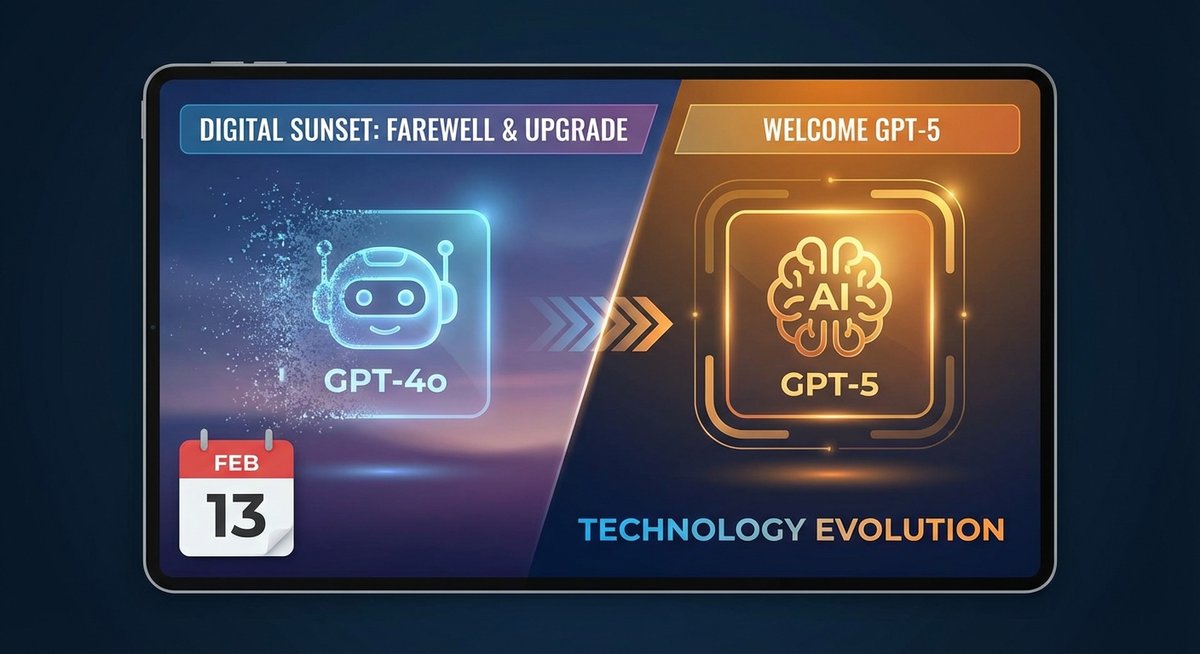
⏰ Time-Sensitive Alert: GPT-4o retires in less than 24 hours.
If you’re reading this on February 13, 2026, you have one final day to take action before OpenAI officially retires GPT-4o. While your conversation history won’t disappear, this is your last chance to ensure you have proper backups and understand what’s changing.
What’s Happening Tomorrow?
On February 13, 2026, OpenAI will retire four models:
- GPT-4o (the main one)
- GPT-4.1
- GPT-4.1 mini
- OpenAI o4-mini
After tomorrow, you won’t be able to select these models in ChatGPT or call them via API. The system will automatically redirect you to GPT-5 or other available models.
Why the Rush to Retire GPT-4o?
OpenAI revealed a striking statistic: only 0.1% of users still choose GPT-4o daily. That’s essentially nobody. Once GPT-5 launched with its superior performance, users abandoned GPT-4o en masse.
The model that once powered millions of conversations is now a ghost town.
What You Need to Do Today
For Regular ChatGPT Users
Good news: You don’t technically need to do anything. Your conversations will remain accessible, and ChatGPT will automatically switch you to GPT-5.
But here’s why you should act anyway:
-
Preserve Your Knowledge Base
- Your GPT-4o conversations contain valuable insights, research, and ideas
- Backing them up to a personal knowledge management system gives you better control
- You can organize, search, and reference them more effectively
-
Avoid Future Regrets
- What if OpenAI changes their data retention policy?
- What if you want to switch to a different AI platform?
- Having local backups means you’re never locked in
-
Build Long-Term Assets
- AI conversations are temporary by nature
- Your personal knowledge base is permanent
- Transform ephemeral chats into lasting reference material
For API Users and Developers
This is urgent. If you have applications calling GPT-4o via API, they will break tomorrow.
Action checklist:
- Audit all API calls in your codebase
- Update model references from
gpt-4otogpt-5(or another model) - Test the new model’s output format and behavior
- Update environment variables and configuration files
- Deploy changes before midnight tonight
- Monitor for errors after the cutover
Code example:
# ❌ This will fail after Feb 13
response = openai.ChatCompletion.create(
    model="gpt-4o",
    messages=[{"role": "user", "content": "Hello"}]
)

# ✅ Update to this
response = openai.ChatCompletion.create(
    model="gpt-5",  # or "gpt-5-turbo" for faster responses
    messages=[{"role": "user", "content": "Hello"}]
)
For Enterprise Teams
You need a migration plan, not just a code change.
Critical steps:
-
Assess Impact
- Which business processes depend on GPT-4o?
- How many team members use it daily?
- What workflows will be affected?
-
Communicate Changes
- Notify all team members today
- Explain what’s changing and why
- Provide training on GPT-5 if needed
-
Update Documentation
- Internal wikis and guides
- Training materials
- Standard operating procedures
-
Test Business-Critical Workflows
- Run through key use cases with GPT-5
- Verify output quality meets requirements
- Identify any edge cases that need attention
How to Backup Your GPT-4o Conversations (Fast)
You have three options, depending on how much time you have.
Option 1: Quick Batch Export (5 minutes)
The fastest way to backup all your conversations at once.
Using ChatGPT to Notion:
- Install the ChatGPT to Notion browser extension
- Connect your Notion workspace
- Click “Batch Export” in the extension
- Select date range (filter for GPT-4o conversations if needed)
- Click “Export All”
- Done! All conversations are now in your Notion database
Using ChatGPT to Obsidian:
- Install the ChatGPT to Obsidian browser extension
- Configure your Obsidian vault path
- Click “Batch Export”
- Select conversations to export
- All conversations are saved as Markdown files in Obsidian
Why this works:
- Exports everything in minutes
- Preserves formatting and structure
- Creates searchable, organized records
- Works even if you have hundreds of conversations
Option 2: Selective Export (15 minutes)
If you only want to save important conversations.
Steps:
- Browse your ChatGPT conversation history
- Identify conversations with GPT-4o (check the model indicator)
- For each important conversation:
- Click the export button in the extension
- Choose destination (Notion or Obsidian)
- Add tags or categories
- Repeat for all critical conversations
Best for:
- Users with a manageable number of important chats
- Those who want to curate their knowledge base
- People who prefer manual organization
Option 3: Manual Copy-Paste (30+ minutes)
The slowest method, but works without any tools.
Steps:
- Open each conversation
- Select all text (Cmd/Ctrl + A)
- Copy (Cmd/Ctrl + C)
- Paste into a document, note, or text file
- Save with a descriptive filename
- Repeat for each conversation
Downsides:
- Time-consuming
- Loses formatting
- No automatic organization
- Easy to miss conversations
Recommendation: Only use this if you have very few conversations or can’t install browser extensions.
What Changes After Tomorrow?
1. Model Availability
What stops working:
- Selecting GPT-4o in the model dropdown
- API calls to
gpt-4o - Custom GPTs configured to use GPT-4o
What keeps working:
- All your conversation history (read-only)
- ChatGPT with GPT-5 or other models
- Your account and subscription
2. Performance Differences
GPT-5 improvements over GPT-4o:
- ⚡ 30% faster response times
- 🧠 Better reasoning on complex problems
- 📝 More accurate code generation
- 🌐 Improved multilingual support
- 📊 Longer context window
Potential adjustments needed:
- GPT-5 may be more verbose (you might need to ask for concise answers)
- Slightly different “personality” in responses
- Some edge cases may behave differently
3. Cost Changes
Pricing comparison:
| Model | Input | Output | Use Case |
|---|---|---|---|
| GPT-4o | $5/1M tokens | $15/1M tokens | ❌ Retiring |
| GPT-5 | $10/1M tokens | $30/1M tokens | ✅ Flagship |
| GPT-5 Turbo | $5/1M tokens | $15/1M tokens | ✅ Fast & affordable |
Note: GPT-5 is more expensive, but the performance gains often justify the cost. For budget-conscious users, GPT-5 Turbo offers similar pricing to GPT-4o with better performance.
Common Questions
”Will my old conversations disappear?”
No. Your conversation history will remain accessible in ChatGPT. You can still read, search, and reference old GPT-4o conversations.
However, you won’t be able to continue those conversations with GPT-4o—any new messages will use GPT-5 or another available model.
”Can I still use GPT-4o after tomorrow?”
No. Once retired, the model is completely unavailable. There’s no “legacy access” or special exception.
”What if I don’t do anything?”
For most users: Nothing bad happens. ChatGPT automatically switches you to GPT-5, and you keep using the service as normal.
For API users: Your applications will break. You’ll get error messages saying the model doesn’t exist.
For everyone: You miss the opportunity to proactively backup and organize your knowledge before the transition.
”Should I switch to GPT-5 now or wait?”
Switch now. There’s no benefit to waiting. GPT-5 is better in almost every way, and you’ll want to get familiar with it before GPT-4o disappears.
”What about my Custom GPTs?”
If you created Custom GPTs configured to use GPT-4o, they’ll automatically switch to the default model (likely GPT-5). You may want to test them after the transition to ensure they still work as expected.
The Bigger Picture: AI Model Lifecycles Are Shrinking
GPT-4o’s retirement highlights a trend: AI models have increasingly short lifespans.
Historical context:
- GPT-3 (2020-2023): ~3 years
- GPT-4 (2023-2025): ~2 years
- GPT-4o (2024-2026): ~18 months
What this means for users:
-
Don’t get too attached to specific models
- They’ll be replaced faster than you think
- Focus on the capabilities, not the model name
-
Build flexible workflows
- Don’t hardcode model names
- Use configuration files or environment variables
- Design systems that can swap models easily
-
Invest in knowledge management
- Your conversations are valuable, but temporary
- Export important insights to a permanent knowledge base
- Don’t rely solely on ChatGPT’s history
-
Stay informed
- Follow OpenAI’s announcements
- Join developer communities
- Keep up with model updates and deprecations
Your Action Plan for Today
Here’s what to do in the next few hours:
⏰ If you have 5 minutes:
- Install ChatGPT to Notion or ChatGPT to Obsidian
- Run a batch export of all conversations
- Done! You’re backed up.
⏰ If you have 15 minutes:
- Do the 5-minute backup above
- Browse your conversation history
- Tag or categorize important conversations
- Test GPT-5 with a few prompts to get familiar
⏰ If you have 30 minutes:
- Do everything above
- If you’re a developer, audit your codebase for GPT-4o references
- Update API calls to use GPT-5
- Test your applications
- Deploy changes
⏰ If you have 1 hour:
- Do everything above
- Organize your exported conversations in Notion or Obsidian
- Create a migration plan for your team (if applicable)
- Document any GPT-4o-specific workflows that need updating
- Set up automatic backups for future conversations
After Tomorrow: Living in a GPT-5 World
Once GPT-4o is gone, here’s how to make the most of GPT-5:
1. Explore New Capabilities
GPT-5 can do things GPT-4o couldn’t:
- Handle longer documents (larger context window)
- Generate more complex code
- Reason through multi-step problems more effectively
- Understand nuanced instructions better
2. Adjust Your Prompting Style
GPT-5 responds differently to prompts:
- You can be more direct and concise
- It handles ambiguity better
- It’s less likely to refuse reasonable requests
- It can follow more complex instructions
3. Set Up Automatic Backups
Don’t wait for the next model retirement. Start backing up conversations regularly:
- Use ChatGPT to Notion’s auto-sync feature
- Export weekly or monthly
- Build a personal AI knowledge base over time
4. Stay Flexible
The next model retirement is probably 12-18 months away. Be ready:
- Keep your knowledge base up to date
- Don’t hardcode model names in applications
- Follow OpenAI’s announcements
- Maintain a migration-ready architecture
Final Thoughts
GPT-4o’s retirement isn’t a crisis—it’s a transition. For most users, it’s seamless. But it’s also a reminder that AI tools are evolving rapidly, and the conversations you have today might not be easily accessible tomorrow.
The best time to backup your conversations was when you first started using ChatGPT. The second-best time is today.
Don’t let tomorrow’s deadline catch you off guard. Take 5 minutes now to secure your AI knowledge, and you’ll thank yourself later.
Quick Links:
- ChatGPT to Notion - Backup to Notion database
- ChatGPT to Obsidian - Backup to local Markdown files
- Batch Export Guide - Step-by-step tutorial
Related Articles:
- OpenAI Announces Retirement of GPT-4o: Official Shutdown on February 13
- Can You Recover Deleted ChatGPT Conversations?
- How to Build a Second Brain with ChatGPT and Obsidian
Stay updated with the latest AI news at ChatGPT2Notion Blog