
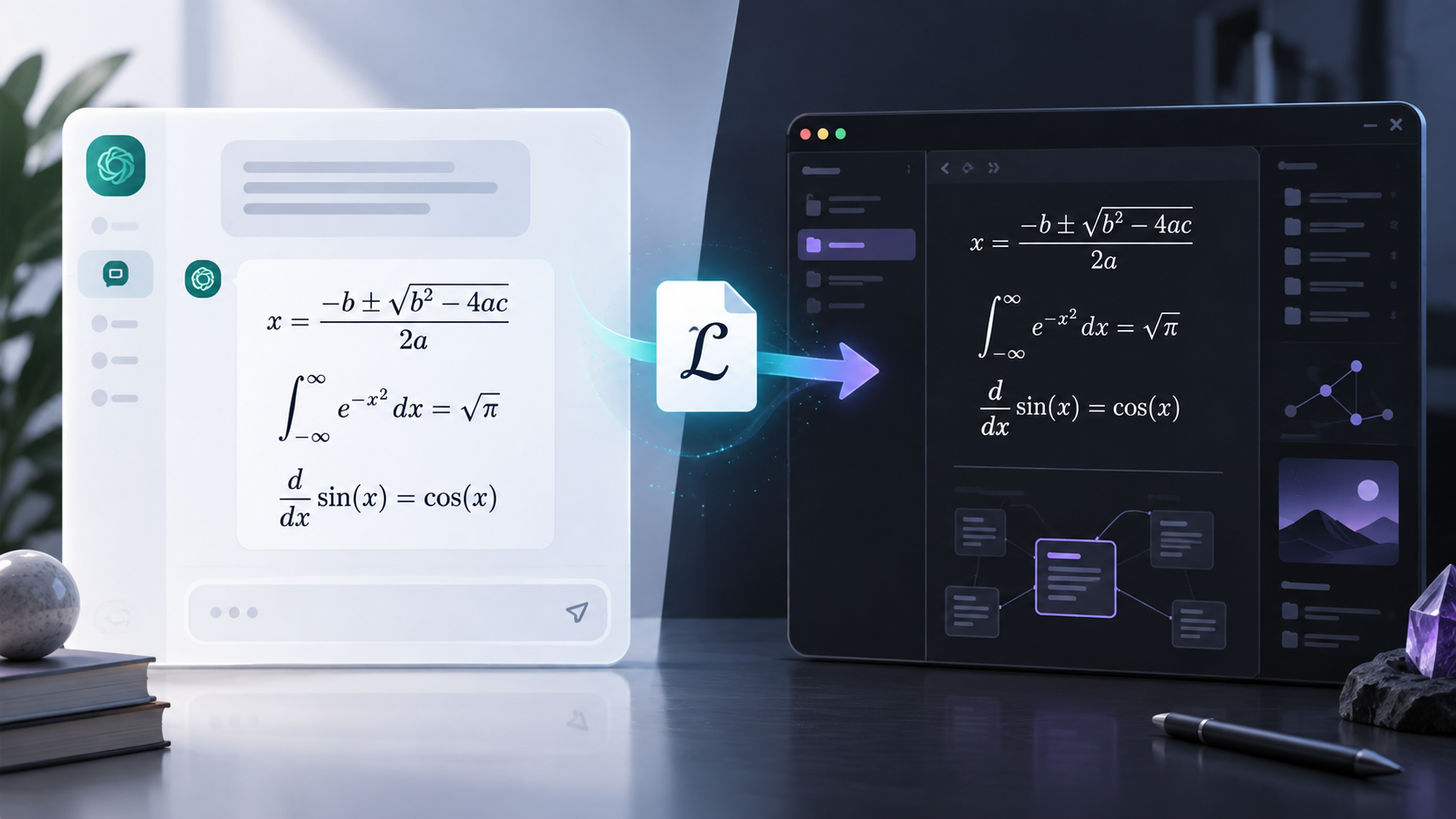
ChatGPTのLaTeX・数式を崩さずObsidianへ保存する方法
数学、機械学習、統計、物理、工学の学習や技術調査にChatGPTを使っていると、解説文と同じくらい数式が重要になります。
ところが、ChatGPTの会話をMarkdownへ書き出すと、数式だけが崩れることがあります。
ChatGPT上では正しく表示されていたのに、エクスポートしたファイルではLaTeXコマンドが壊れている、バックスラッシュが消えている、あるいはObsidianが数式の区切り記号を認識しない、といった問題です。
今回のChatGPT to Obsidianのアップデートでは、この問題へ重点的に対応しました。
エクスポート時にLaTeXと数式表現を保持し、Obsidianで扱いやすいMarkdownへ変換します。ダウンロードしたノートをObsidianで開くと、数式を正しくレンダリングできます。
なぜChatGPTの数式はエクスポート時に崩れるのか
ChatGPTの回答には、次のような損失関数が含まれることがあります。
L(w,b)=\frac{1}{n}\sum_{i=1}^{n}\left(y_i-(wx_i+b)\right)^2あるいは、勾配降下法の更新式です。
\theta_{t+1}
=
\theta_t
-
\eta\nabla_{\theta}L(\theta_t)
ChatGPTの画面内では、これらは整形された数式として表示されます。
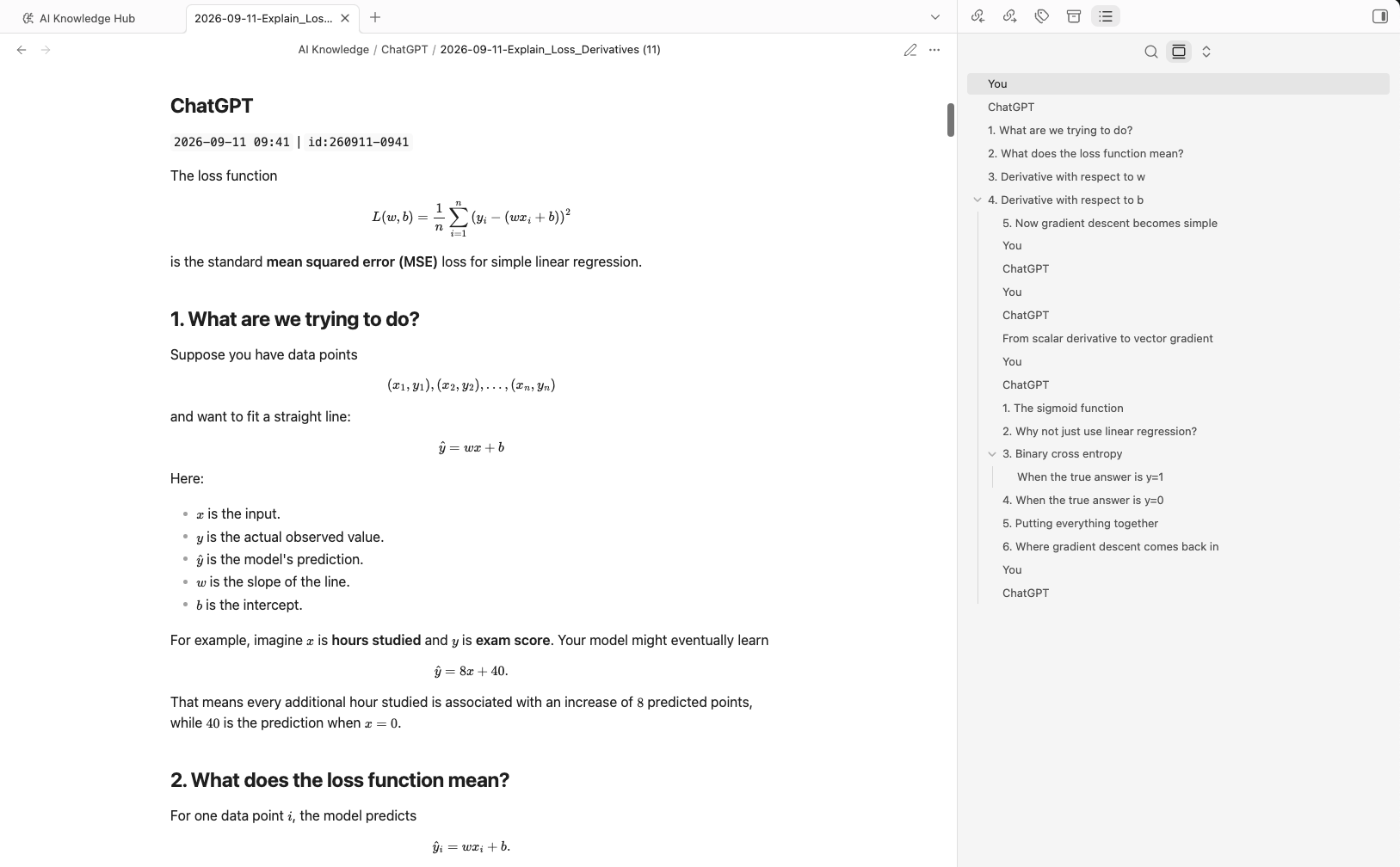
問題は、元の会話データを書き出す処理で起こります。
LaTeXでは、次のようにバックスラッシュを多用します。
\theta
\nabla
\beta
\rho
\frac
\mathbf
\top
一方、プログラミングでは次の文字列がエスケープシーケンスとして扱われます。
\n
\t
\r
\b
JSONレスポンスがすでに解析済みなのに、エクスポート処理でもう一度文字列をデコードすると、正しいLaTeXコマンドまで壊れることがあります。
たとえば、
\nablaはLaTeXの \nabla として、そのまま残す必要があります。
改行を表す \n と、その後ろに続く abla として解釈してはいけません。
ChatGPTで技術的な会話を保存するとき、この違いがとても重要です。
ChatGPT to Obsidianの新しいLaTeX対応
ChatGPT to Obsidianでは、Markdownへのエクスポート時に数式をより安全に扱えるようになりました。
LaTeXコマンドを文字列として保持しながら、ChatGPT独自の数式区切りをObsidianで自然に扱える形式へ変換します。
ChatGPTでは一般に、インライン数式が次の形式で表されます。
\( ... \)独立した行に表示する数式は、次の形式です。
\[ ... \]エクスポート時には、それぞれ次の形へ正規化します。
$ ... $$$
...
$$これは、Obsidianが標準のMathJax機能でレンダリングできるMarkdownの数式記法です。
ChatGPTからObsidianへ数式付き会話を保存
次の画像は、ChatGPT上で表示している技術的な会話です。
ChatGPT to Obsidianでエクスポートすると、ダウンロードしたMarkdownをObsidianで開いたときにも、同じ数式を正しく表示できます。
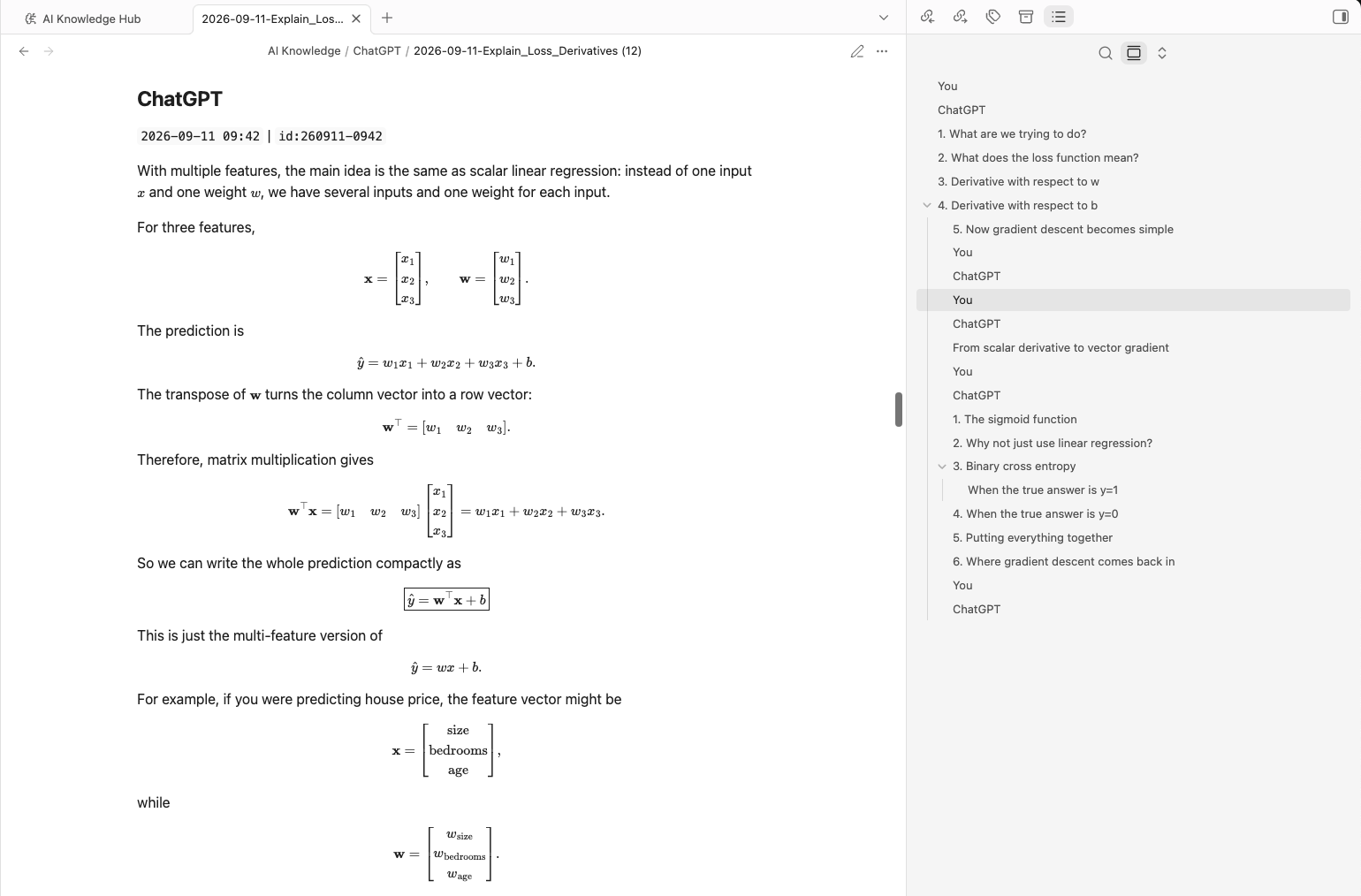
数式をスクリーンショットへ変換しているわけではありません。
数式はMarkdownファイル内にテキストとして残るため、あとから編集でき、検索でき、別の環境へ移動でき、再利用もできます。
簡単な式だけでなく、行列やベクトルにも対応
今回のアップデートは、次のような単純な式だけを対象にしたものではありません。
\hat{y}=wx+bより複雑な技術表記にも対応します。
たとえば、ChatGPTとの会話には特徴ベクトルが含まれることがあります。
\mathbf{x}
=
\begin{bmatrix}
x_1 \\
x_2 \\
x_3
\end{bmatrix}重みベクトルも同様です。
\mathbf{w}
=
\begin{bmatrix}
w_1 \\
w_2 \\
w_3
\end{bmatrix}行列積も保持できます。
\mathbf{w}^{\top}\mathbf{x}
=
[w_1\quad w_2\quad w_3]
\begin{bmatrix}
x_1 \\
x_2 \\
x_3
\end{bmatrix}こちらが元のChatGPTの回答です。
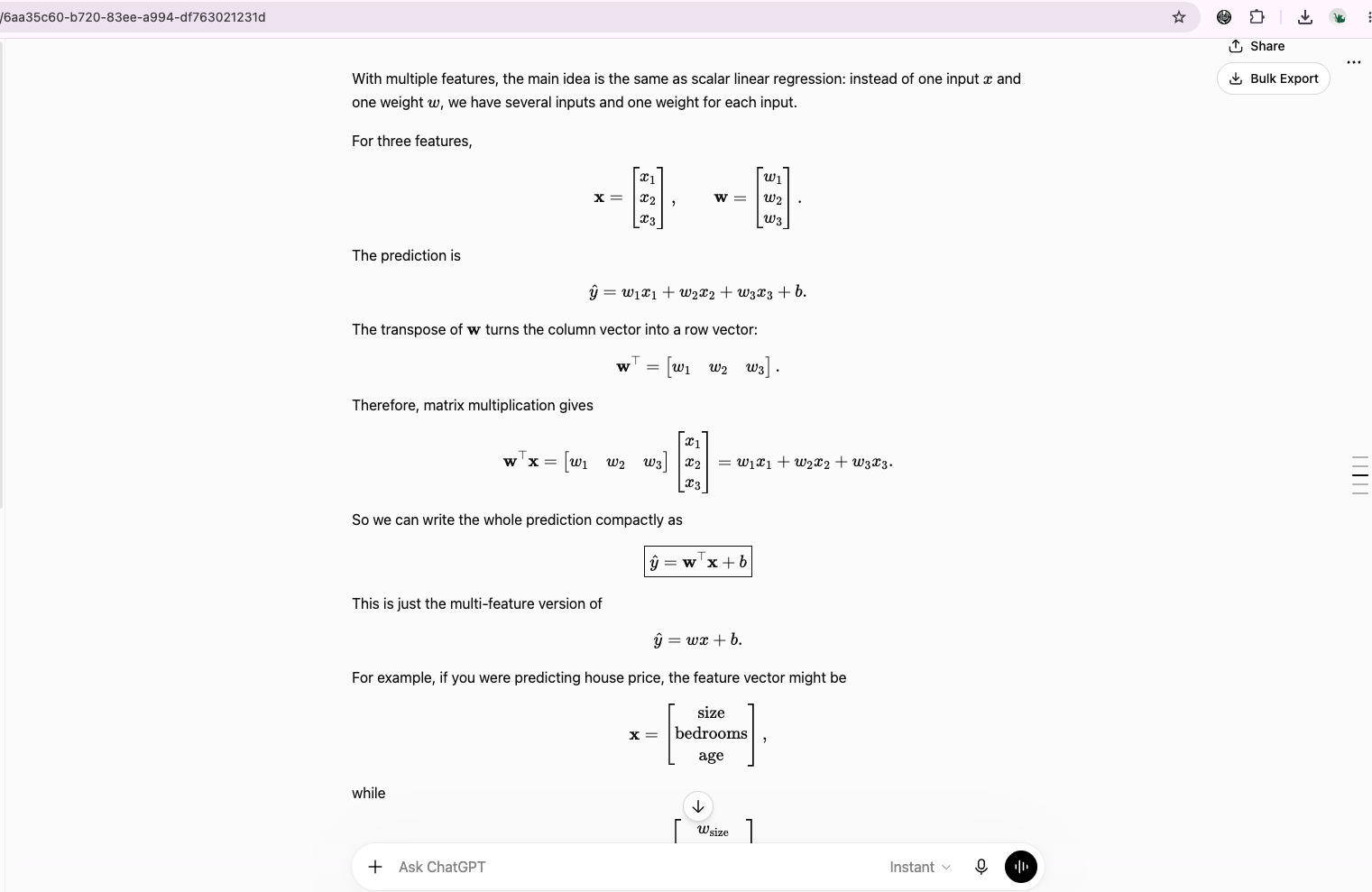
次が、エクスポートした会話をObsidianで開いた状態です。
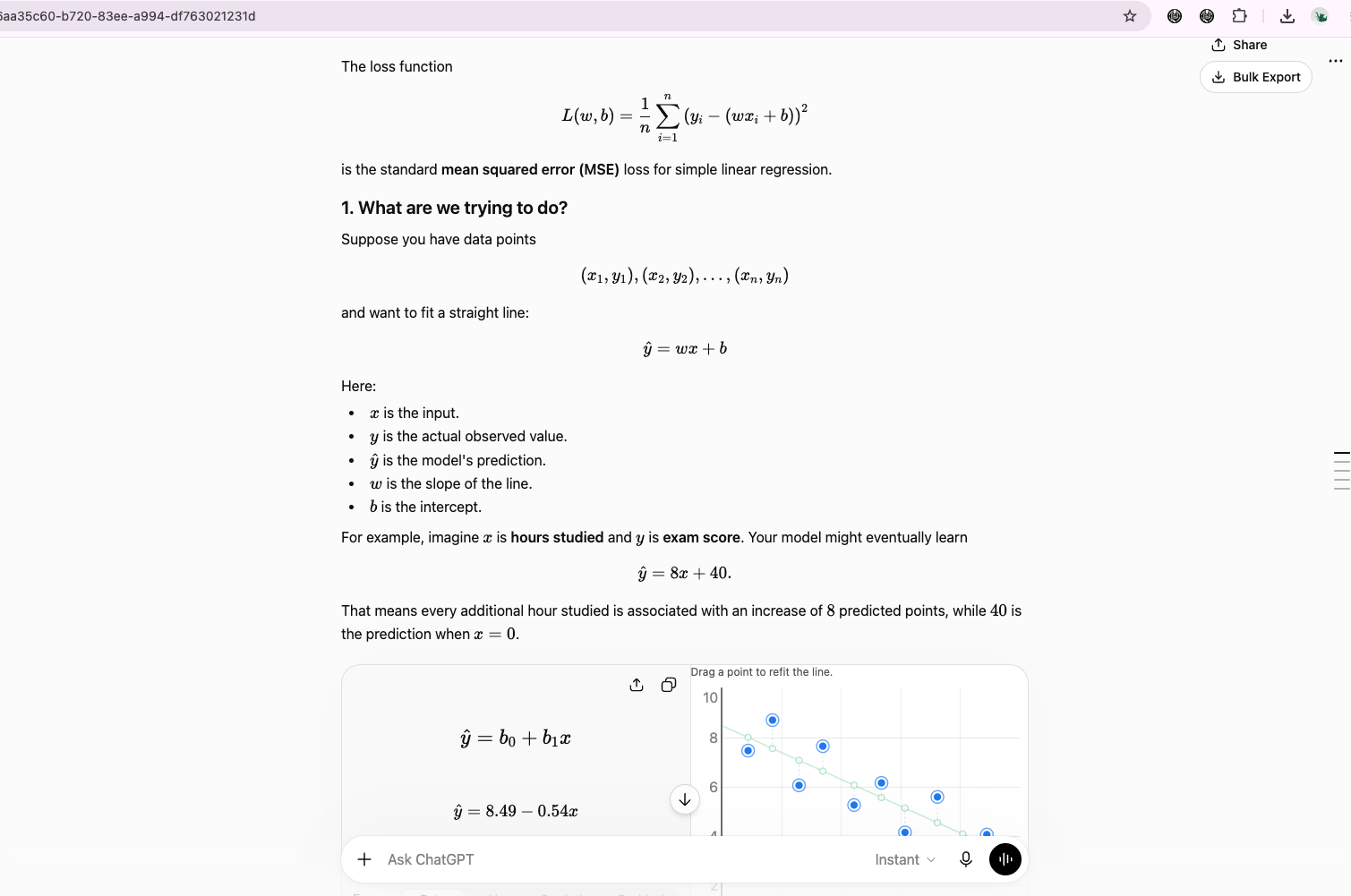
機械学習、線形代数、統計、データサイエンス、工学分野の会話を保存するときに特に役立ちます。
保持できる代表的なLaTeX表現
新しいエクスポート処理では、次のような一般的な数式表現を保持できます。
ギリシャ文字
\alpha
\beta
\theta
\rho
\tau
\lambda
\nu
\epsilon分数
\frac{a}{b}勾配
\nabla_{\theta}L(\theta)ベクトル表記
\mathbf{w}^{\top}\mathbf{x}行列
\begin{bmatrix}
x_1 \\
x_2 \\
x_3
\end{bmatrix}勾配降下法
\theta_{t+1}
=
\theta_t
-
\eta\nabla_{\theta}L(\theta_t)Softmax
P(y=i\mid\mathbf{x})
=
\frac{\exp(\mathbf{w}_i^\top\mathbf{x})}
{\sum_{j=1}^{K}\exp(\mathbf{w}_j^\top\mathbf{x})}これらはテキスト処理の途中で壊れることなく、エクスポート後のMarkdownにも有効なLaTeXとして残ります。
プログラムコード内のバックスラッシュも壊さない
今回のアップデートには、もう1つ重要な点があります。
技術的なChatGPTの会話では、数式とプログラムコードが同じ回答に含まれることがよくあります。
たとえば、次のPythonコードです。
newline_example = "hello\nworld"
tab_example = "column1\tcolumn2"
windows_path = r"C:\temp\new\beta\data.txt"
word_regex = r"\b[A-Za-z]+\b"同じ会話にLaTeXが含まれているからといって、これらのバックスラッシュを変更してはいけません。
そこで新しい処理では、エクスポートする会話本文に対して一律のバックスラッシュ変換を行わないようにしています。
これにより、次の内容を同時に保持できます。
- Pythonのエスケープシーケンス
- 正規表現
- Windowsのファイルパス
- Markdown記法
- コード例
- LaTeXコマンド
実際の技術会話は、「数式だけ」「コードだけ」ときれいに分かれていません。両方が混ざることを前提にする必要があります。
見た目以上に難しかった理由
LaTeXの保持は、一見すると単純な文字列置換で対応できそうに見えます。
実際には、そう簡単ではありません。
たとえば、このコマンドは、
\nabla\n から始まります。
次のコマンドは、
\top\t から始まります。
そして、
\betaは \b から始まります。
どれも、プログラミング言語やシリアライズされた文字列で使われる代表的なエスケープシーケンスと同じ接頭辞です。
そのため、安全なのは文字列を何度も「アンエスケープ」することではありません。
ChatGPTのJSONレスポンスを一度解析したあとは、その文字列を実際の本文として扱うのが基本です。
Obsidian向けに変換する必要があるのは、ChatGPT固有の数式区切りだけです。
今回のアップデートでは、この方法を採用しています。
修正前と修正後
以前のエクスポート処理では、正しく表示されるはずの数式が、生の文字列や一部が欠けた表記になることがありました。
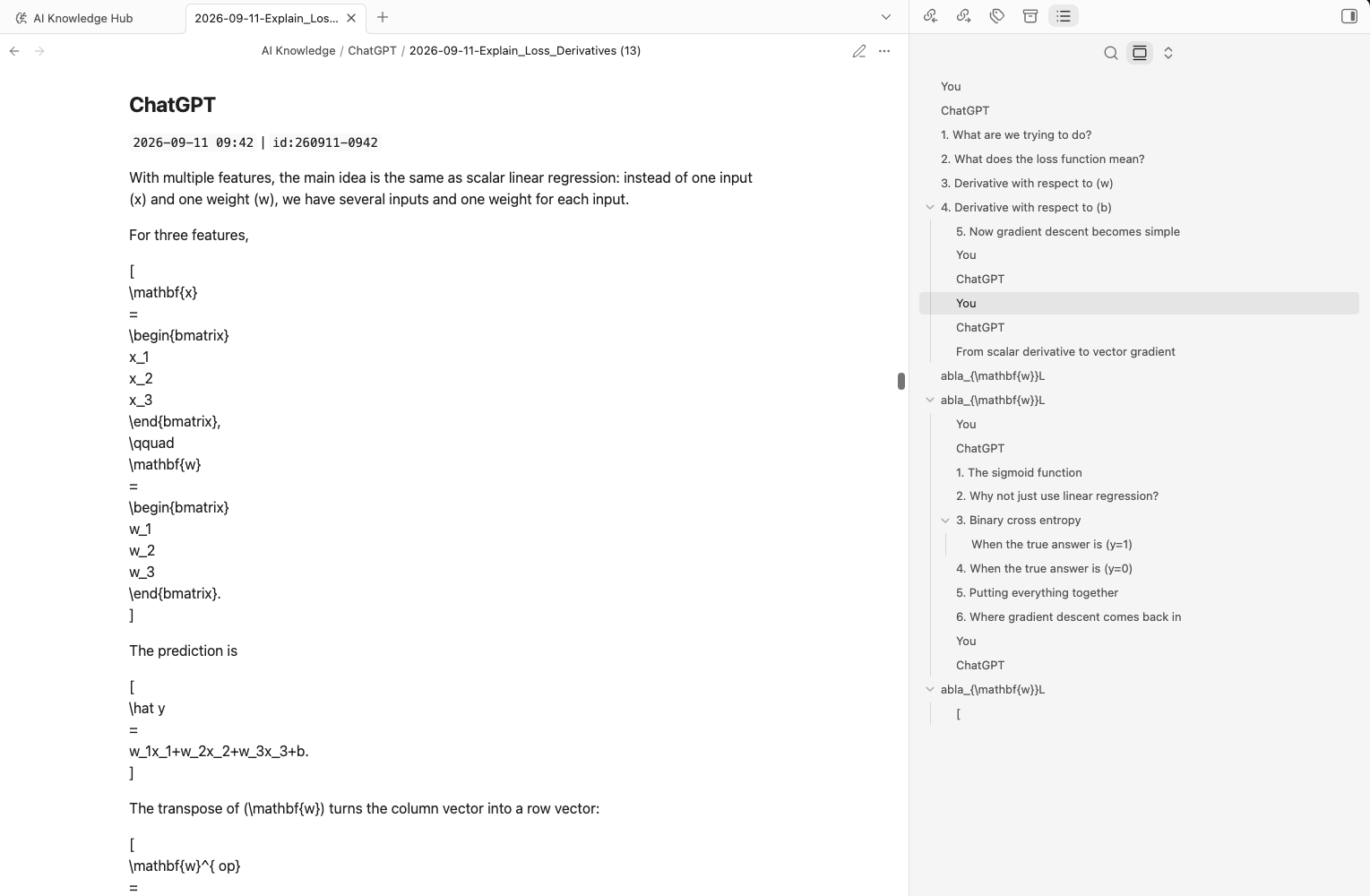
更新後は、ダウンロードしたMarkdown内に数式の構造が保たれ、Obsidianで正しくレンダリングされます。
特に差が出やすいのは、次のような表記です。
- 行列
- 勾配
- 複数行の数式
- ギリシャ文字
- ベクトルの転置
- 機械学習の長い導出過程
エクスポート手順を動画で確認
次の短い動画では、ChatGPTの会話からMarkdownを書き出し、Obsidianで開くまでの流れを確認できます。数式表現が保持されている様子も含まれています。
ChatGPTの数式をObsidianへエクスポートする手順
特別なLaTeXモードを有効にする必要はありません。
通常のエクスポート手順と同じです。
- 数式を含むChatGPTの会話を開きます。
- ChatGPT to Obsidianで会話をエクスポートします。
- Markdown形式でダウンロードします。
- MarkdownファイルをObsidian Vaultへ移動、または直接保存します。
- Obsidianでノートを開きます。
- Obsidian標準の数式機能によって、数式がレンダリングされます。
今回の改善は、拡張機能の通常のMarkdownエクスポートで扱う対応済みコンテンツにも適用されます。
Custom Previewで数式がコードのまま見える場合
拡張機能には、エクスポートするメッセージを選択できるCustom Previewページもあります。
このプレビューの主な目的は、出力対象を選ぶことです。
そのため、画面上ではすべての数式をレンダリングせず、次のようなMarkdownの区切り記号がそのまま表示される場合があります。
$$
...
$$これは想定どおりの動作です。
重要なのは、ダウンロードされるMarkdownファイルです。
そのファイルをObsidianで開けば、対応している数式は通常どおり表示されます。
プレビュー専用の数式ライブラリを追加しないことで、拡張機能自体も軽量に保てます。
どのような人に役立つか
今回のアップデートは、ChatGPTを技術分野で使う方に特に適しています。
学生
数学、物理、統計、経済、工学などの学習記録を、数式を失わずに保存できます。
研究者
数式の導出、モデルの説明、技術的な議論をローカルのMarkdownノートとして残せます。
機械学習・データサイエンスに携わる方
勾配、ベクトル、行列、確率分布、損失関数、Softmax、ロジスティック回帰などを含む会話を保持できます。
開発者
ソースコード、正規表現、パス、数式が混在する会話でも、一方の形式がもう一方を壊すことなく保存できます。
Obsidianで知識管理をしている方
ChatGPTで作った技術的な会話を、長期的に読めて再利用できるローカルノートへ変えられます。
Markdownで残すメリット
ChatGPTの会話をObsidianへ書き出す大きな理由は、結果がオープンで持ち運びやすい形式になることです。
Markdownノートなら、次のことができます。
- 全文検索する
- ノート同士をリンクする
- タグを付ける
- インデックス化する
- Gitなどでバージョン管理する
- バックアップする
- 手作業で編集する
- スクリプトで処理する
- Obsidian Propertiesを使う
- Dataviewで抽出する
- Obsidian Basesで整理する
数式表現まで保持できれば、技術的な知識管理でMarkdownを使う価値がさらに高まります。
数式のスクリーンショットではなく、その元になった式そのものを残せるからです。
LaTeX以外にも対応
ChatGPT to Obsidianは、数式のエクスポート以外にも次のワークフローへ対応しています。
- 現在開いているChatGPT会話のエクスポート
- メッセージ単位の選択
- 選択式の一括エクスポート
- 会話履歴のまとめてバックアップ
- ChatGPT Projects
- Group Chats
- Deep Researchの会話
- ChatGPTが生成した画像
- 会話の添付ファイルと生成ファイル
- ChatGPT Libraryのファイル
- ChatGPT Images
- Archived Chats
- Obsidian向けYAML frontmatter
- ローカルのMarkdown保存
LaTeX対応も、基本となる考え方は同じです。
ChatGPTの会話を自分のナレッジベースへ移すとき、役に立つ構造をできる限り保つ。
ChatGPT to Obsidianを試す
ChatGPTを技術メモ、数学、研究、プログラミング、学習に使っている場合、数式の構造を保ったまま会話をエクスポートできるようになりました。
詳しくは、次のページをご覧ください。
目標はシンプルです。
ChatGPTから取り出したあとも、ノートの意味が失われないこと。
技術的な会話なら、当然そこには数式も含まれます。