
Installation
Install Midjourney to Google Sheets and confirm that the extension recognizes a signed-in Midjourney account before Google authorization.
Install from the Chrome Web Store
- Open Midjourney to Google Sheets in the Chrome Web Store.
- Click Add to Chrome.
- Review the
storage,identity, Google, and Midjourney permissions. - Pin the extension.
Recognize Midjourney
- Open Midjourney Organize.
- Sign in.
- Refresh the page once after installation.
- Open the extension popup.
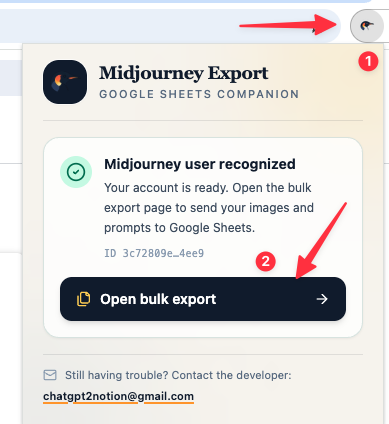
When the account is ready, the popup shows a masked ID and enables Open bulk export.
If the account is not recognized:
- Confirm the Organize page is signed in.
- Refresh the Midjourney tab.
- Use Check again in the popup.
Next step
Need more help? Contact Support