
Account, Subscription, and Activation
Verify premium access by signing in with AIExportHub or using the purchase email in ChatGPT to Obsidian v8.4
ChatGPT to Obsidian 8.4.0 supports two premium-verification paths:
- Sign in with an AIExportHub account
- Verify the email used for an existing purchase
You can use either method from the popup or the Bulk Download page.
Free Plan Status
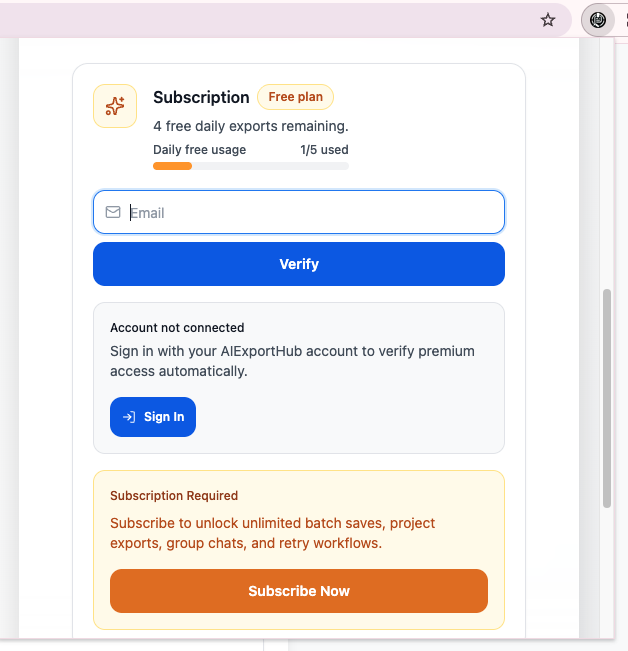
Without premium access, the subscription card shows Free plan and the remaining daily allowance. Gated conversation workflows show usage as N/5 used. Inline copy and inline selective export are not counted by that card in the current implementation.
Method 1: Sign In with AIExportHub
This method lets the extension check account access automatically.
- Open the popup or Bulk Download page.
- Find Account & Subscription.
- Click Sign In under Account not connected.
- Complete sign-in on the website.
- Return to the extension.
The extension refreshes account status when the page regains focus or its local account state changes.
Possible states:
- Account not connected
- Account signed in but no active premium access
- Account premium active
If the signed-in account has an active paid plan, the subscription status changes to Premium active.
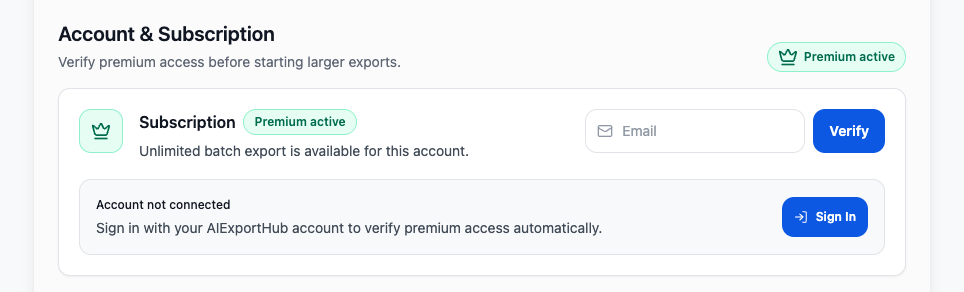
In the connected state, this section displays Account premium active, the account email, and Disconnect. Use Disconnect only when you want to remove the AIExportHub connection from this Chrome profile.
Method 2: Verify a Purchase Email
Use this fallback for an existing purchase associated with an email address.
- Open the popup or Bulk Download page.
- Enter the exact purchase email.
- Click Verify.
- Wait while the status shows Checking subscription.
- Confirm that it changes to Premium active.
During verification, the card temporarily displays Checking subscription and disables the action as Checking…. Wait for the request to finish before closing the popup.
Premium Active State
When access is active:
- The popup can collapse the card into a compact Premium active / Subscribed state
- Bulk Download is unlocked without free-plan item limits
- The account or verified email is stored for subsequent checks

Open the Panel on Bulk Download
The Bulk Download header contains an account/plan control. Click it to expand Account & Subscription above the export configuration.
What Premium Unlocks
Premium removes the current free limits for:
- General conversation exports
- Opened-tabs export
- Custom Preview saves
- Chat Pages
- Selective Export
- Projects
- Group Chats
- Archived Chats
- Library Files
- ChatGPT Images
- Retry workflows
Disconnecting an Account
Click Disconnect to remove the AIExportHub account connection from the extension. This does not cancel the subscription itself.
If an email-based purchase was also verified, the extension may still detect premium through the stored verification email.
Troubleshooting
Signed In but No Premium Access Found
- Confirm that the signed-in account owns the subscription
- Use Subscribe if the account is free
- Try the purchase-email verification method
Purchase Email Does Not Verify
- Check spelling and capitalization
- Use the exact email from checkout
- Wait a few minutes after purchase
- Reopen the popup and click Verify again
Status Remains on Checking
- Check the internet connection
- Close and reopen the popup
- Refresh the Bulk Download page
- Try the other verification method
Premium Was Active but Now Shows Free Plan
- Sign in again or re-enter the purchase email
- Confirm that the subscription is still active
- Make sure you are using the same Chrome profile
For unresolved purchase issues, contact [email protected] with the purchase email and order details.
Need more help? Contact Support