
Changelog
Latest updates and improvements to ChatGPT to Obsidian extension
Track the evolution of ChatGPT to Obsidian with our complete changelog. See what’s new, what’s fixed, and what’s improved.
Current source baseline — v10.0.0
- LaTeX and math export: Preserve LaTeX commands and inline/display mathematical expressions in Obsidian-friendly Markdown so equations render correctly after download
- Export stability: Improved the stability of ChatGPT conversation export and backup
- Interface languages: Added English, Chinese, Japanese, Korean, and French interface options
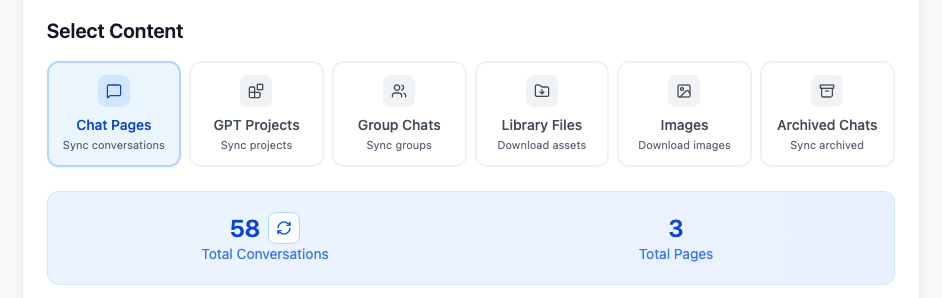
- Selective batch export: Load conversation history pages, search loaded titles, select specific conversations, and export only those complete chats
- Optional conversation files: The Download Files toggle saves supported uploaded and generated non-image files under
files/and links them from the Markdown; it is off by default - Redesigned popup workflow: The popup validates the Download Folder, exposes six filename presets plus Download Images and Download Files, and groups four export actions: current chat, Custom Preview, opened tabs, and Bulk Page
- AIExportHub account access: Users can sign in to verify premium access automatically, disconnect the account, subscribe from the extension, or continue using purchase-email verification
- Custom Export Preview: Preview the complete conversation, select individual messages, keep only prompts or responses, show or hide chat time, and save the selection as Markdown
- Opened-tabs export: Export unique regular and Group Chat conversations opened in the current Chrome window, with progress shown in the popup
- Conversation-count optimization: Bulk Download estimates totals from the first three history pages for speed and provides a refresh action to load the exact total
- Dedicated Library and Images workflows: Filter by filename/date, select visible items, download individual files or ZIP archives, skip downloaded IDs, and generate Markdown/HTML indexes
- Account-aware free limits: The UI reports remaining daily exports and provides direct Sign In, Subscribe, and Activate actions when a limit is reached
2026-09-11
- LaTeX and mathematical expressions: Added support for preserving and exporting LaTeX and mathematical expressions in an Obsidian-friendly format so they render correctly after download
2026-09-06
- Export stability: Optimized the stability of ChatGPT conversation export and backup
2026-09-01
- Interface languages: Added support for switching the extension interface between English, Chinese, Japanese, Korean, and French
2026-08-18 — v8.4.0
- Selective Export content mode: Bulk Download now provides a seventh mode for choosing complete conversations individually
- Conversation list controls: Refresh one page, load the next page, load all pages, search loaded titles, and select or clear all conversations
- Exported status: Conversations found in local success history display an Exported badge during selection
- Download Files control: Choose whether uploaded and generated non-image conversation files are downloaded; the setting is off by default
- Local file organization: Supported conversation files are saved under
files/, with Markdown references updated to the downloaded filenames - Live result counts: Bulk sync updates successful, failed, and skipped totals while processing
2026-08-11 — v8.3.0
- Conversation attachments: Added support for detecting files uploaded by the user and files generated by ChatGPT
- Generated-file downloads: Added handling for sandbox file links returned by ChatGPT tools and code execution
- Group Chat reliability: Updated Group Chat message requests for the current ChatGPT routing behavior
- Safer attachment names: Sanitized downloaded filenames and added duplicate-name handling within an export
2026-07-06
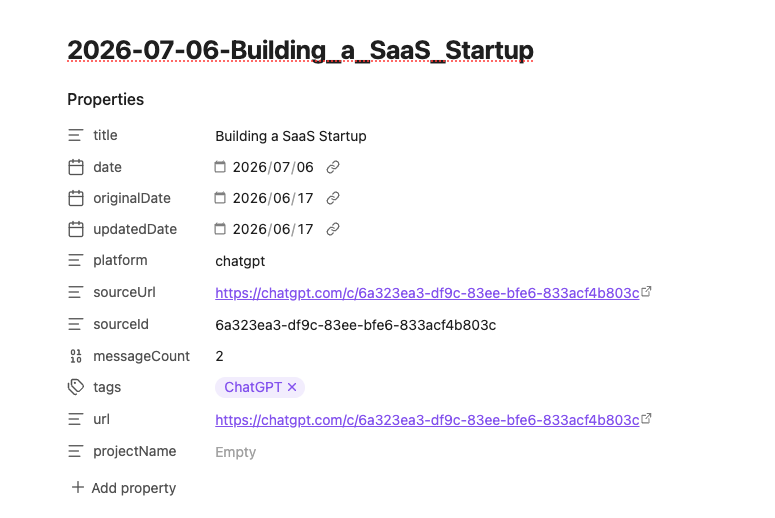
- Obsidian YAML metadata: Exported Markdown now includes cleaner Obsidian properties for search, filtering, Dataview, Obsidian Bases, and long-term organization
- ChatGPT canvas and text document artifacts: ChatGPT text documents, canvas-style documents, and code artifacts can be exported with the related conversation when available
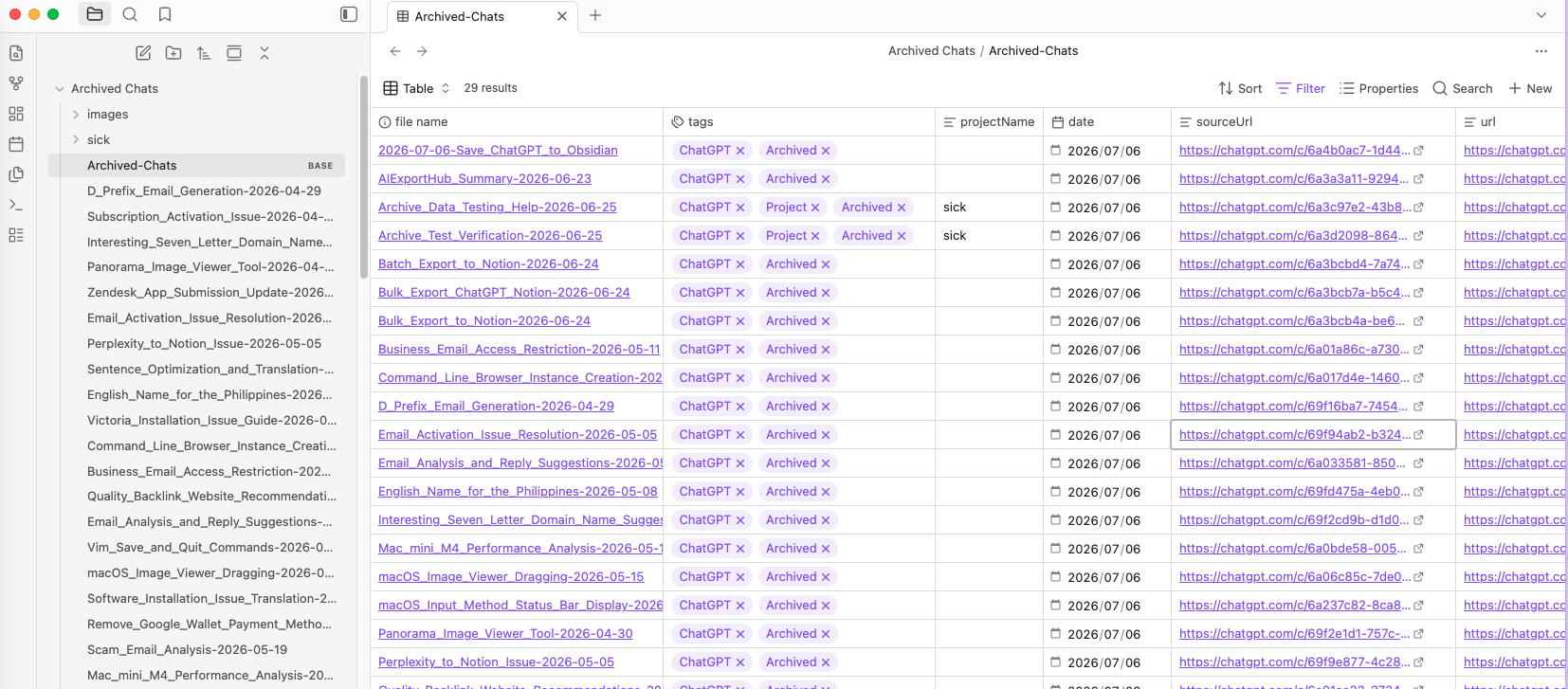
- Archived Chats folder organization: Archived Chat exports are saved into a dedicated
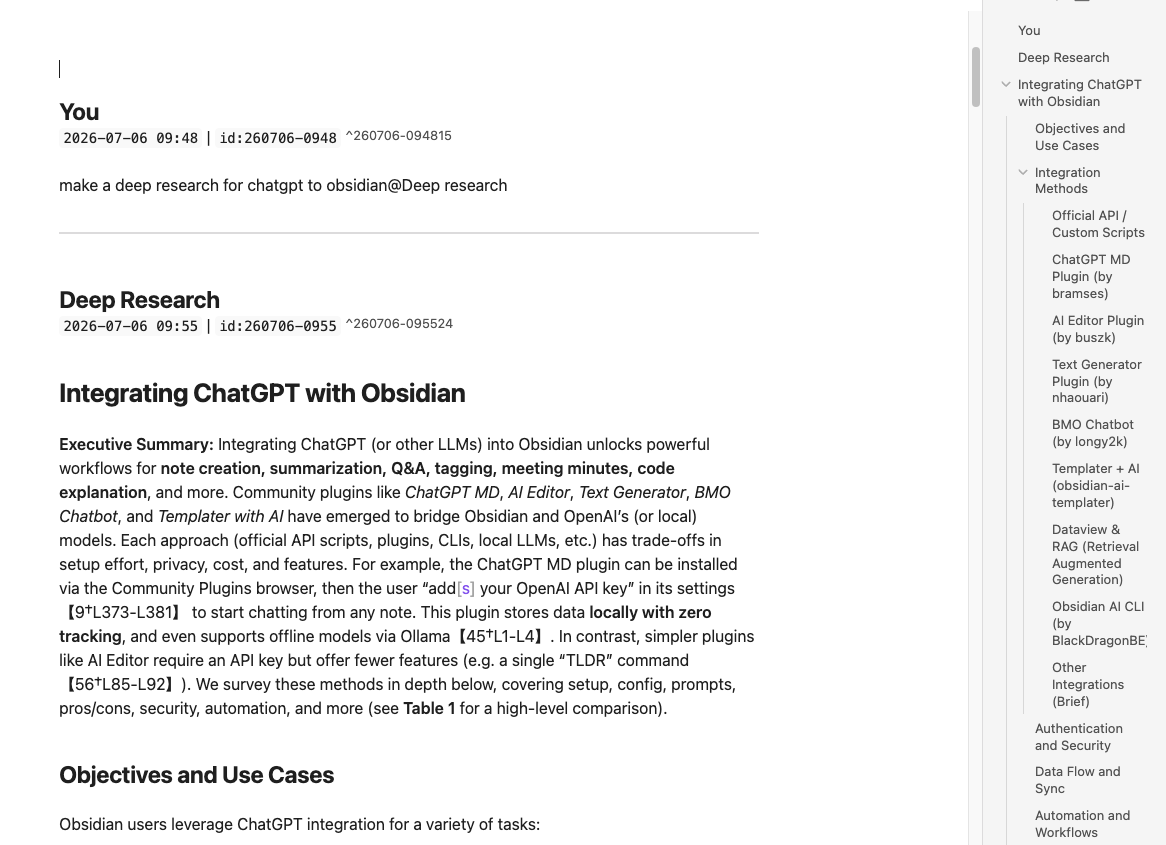
Archived Chats/folder, with project folders preserved when available - Better Deep Research Markdown: Deep Research and technical conversations handle nested Markdown/code fences more safely
- Smarter re-sync behavior: Batch sync checks the conversation updated time so changed conversations can be exported again instead of being skipped as already synced
- Correct image reply order: ChatGPT-generated image replies are exported after the user prompt instead of being attached to the previous answer
2026-06-26
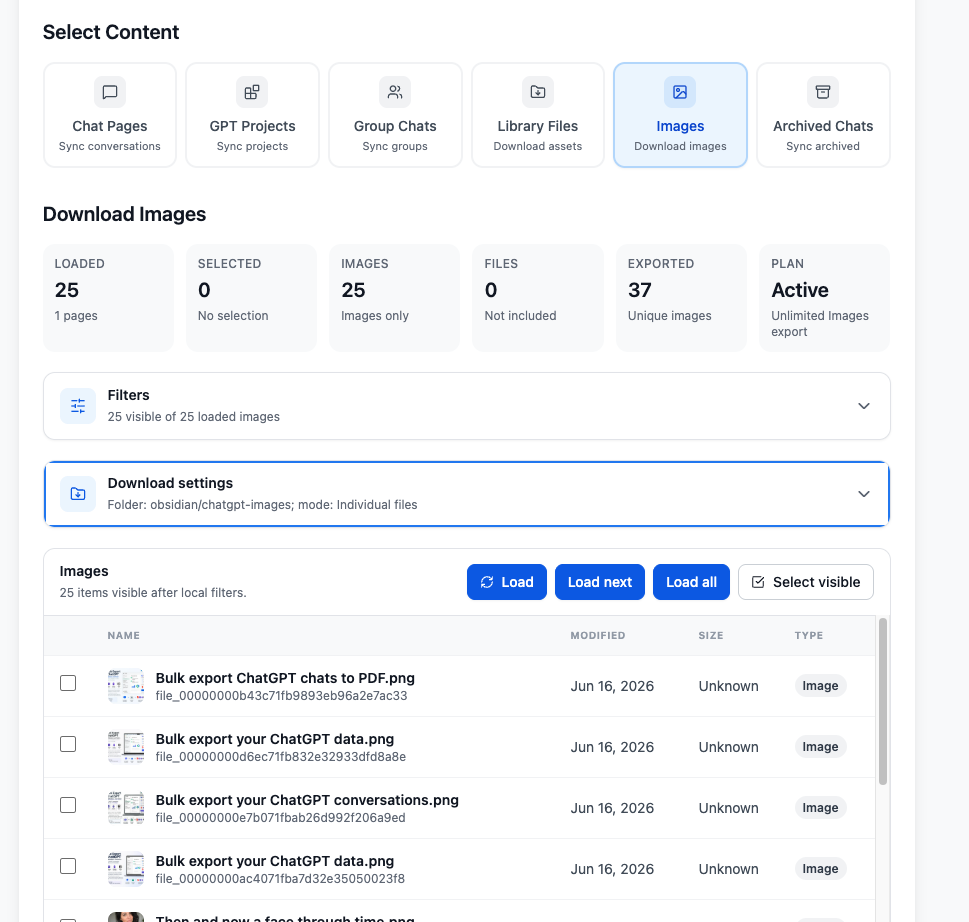
- ChatGPT Images batch export: Added support for downloading images from
https://chatgpt.com/images/ - Images content mode: Export ChatGPT Images as a ZIP archive or as individual image downloads
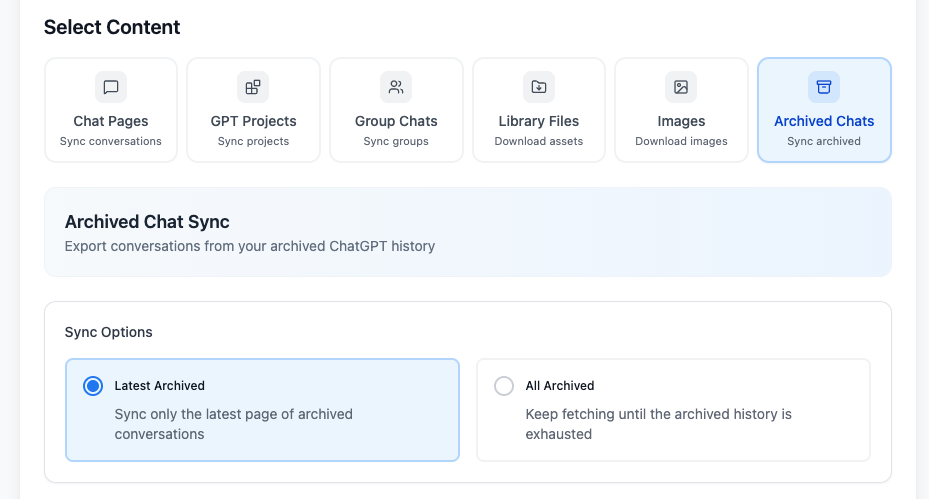
- Archived Chats batch export: Sync archived ChatGPT conversations to Obsidian so older or hidden chats can still be backed up
- Archived Chats content mode: Select archived conversations separately during bulk export
- Expanded bulk export coverage: Bulk export now covers active chats, projects, group chats, Library files, Images, and archived chats from one workspace
2026-06-17
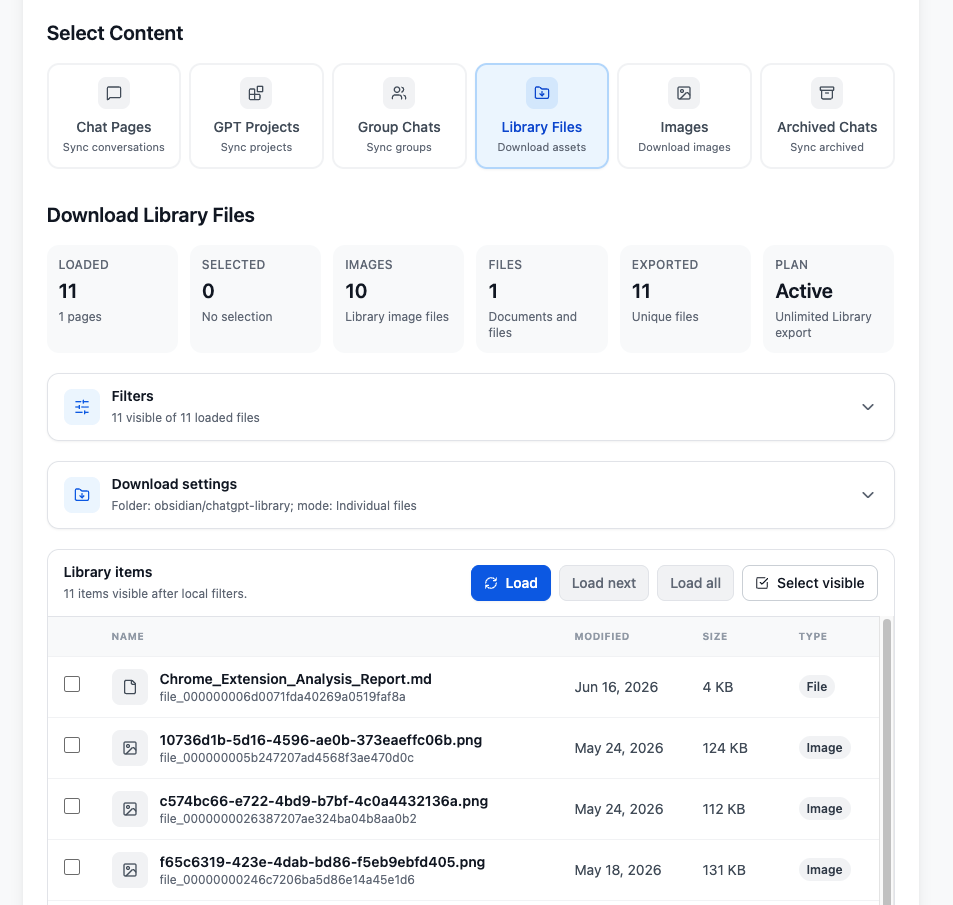
- ChatGPT Library batch export: Added support for exporting ChatGPT Library images and document files
- Flexible Library downloads: Download Library assets as individual files or as a ZIP archive
- Sync History tracking: ChatGPT Library exports are now recorded in Sync History for easier review
2026-06-02
- Deep Research export compatibility: Added support for exporting ChatGPT Deep Research conversations with final report content preserved as readable Markdown
- Cleaner Deep Research exports: Deep Research reports now export as clean Markdown instead of raw tool payloads
- Removed export artifacts: Cleaned Deep Research citation artifacts and hidden widget noise from exported files
2026-05-18
- Added a custom export preview page and selective export; optimized export formats.
2026-04-07
- Configurable request delay: Added rate limiting controls to help prevent 429 errors
- Random delay between requests: Added adjustable random delay between API requests with a default range of 1.0-1.5 seconds
- Automatic stop on rate limit: Export stops automatically when a 429 rate limit error is detected
- Improved error handling: Added clearer 429 warning messages and recovery guidance
2026-03-26
- Timestamp indexing: Added an option to include timestamp-based indexing in exported chats
- Fixed an issue with project sync export
- Fixed an issue with single-record selective export
2026-03-15
- Fixed the export time field issue
- Added
originalDateandupdatedDatefrontmatter fields for easier viewing, browsing, and differentiation in Obsidian Base
2026-02-02
- Fixed minor issues reported by users
2026-01-19
- Batch export opened tabs: Export all ChatGPT conversations from currently opened tabs with one click, including regular chats, GPT chats, and group chats
- Smart tab detection: Added automatic deduplication for opened tab export
- Real-time progress indicator: Shows export progress as X/Y completed
2025-12-23
- Image download and embed: Download and save ChatGPT-generated images to
images/and automatically embed them in the exported Markdown
2025-12-19
- ChatGPT Group Chats export: Export
/gg/group chats to Obsidian Markdown - Selective export on chat pages: Export selected turns or messages as a single Markdown file
- Batch export Group Chats: Export the latest 5 group chats or all group chats with a cap
- Copy to clipboard: Copy selected content and group chat messages with one click
2025-09-27
- Fixed an issue where some content was not fully saved in certain cases
- Added support for customizing file name format during export
2025-09-03
- Fixed an issue where exported files appeared empty for some users
2025-08-26
- Projects support: Added support for exporting Projects-type conversations
2024-04-07
- Custom download subdirectory: Added support for saving files into custom subdirectories for better organization
- Fixed blank export and formatting issues in certain cases
2024-03-26
- Batch export: Save multiple conversations at once
- Improved UI design for a smoother experience
- Optimized performance for large conversation exports
- Selective batch export: Load conversation history pages, search loaded titles, select specific conversations, and export only those complete chats
- Optional conversation files: The Download Files toggle saves supported uploaded and generated non-image files under
files/and links them from the Markdown; it is off by default - Redesigned popup workflow: The popup validates the Download Folder, exposes six filename presets plus Download Images and Download Files, and groups four export actions: current chat, Custom Preview, opened tabs, and Bulk Page
- AIExportHub account access: Users can sign in to verify premium access automatically, disconnect the account, subscribe from the extension, or continue using purchase-email verification
- Custom Export Preview: Preview the complete conversation, select individual messages, keep only prompts or responses, show or hide chat time, and save the selection as Markdown
- Opened-tabs export: Export unique regular and Group Chat conversations opened in the current Chrome window, with progress shown in the popup
- Conversation-count optimization: Bulk Download estimates totals from the first three history pages for speed and provides a refresh action to load the exact total
- Dedicated Library and Images workflows: Filter by filename/date, select visible items, download individual files or ZIP archives, skip downloaded IDs, and generate Markdown/HTML indexes
- Account-aware free limits: The UI reports remaining daily exports and provides direct Sign In, Subscribe, and Activate actions when a limit is reached
2026-09-11
- LaTeX and mathematical expressions: Added support for preserving and exporting LaTeX and mathematical expressions in an Obsidian-friendly format so they render correctly after download
2026-09-06
- Export stability: Optimized the stability of ChatGPT conversation export and backup
2026-09-01
- Interface languages: Added support for switching the extension interface between English, Chinese, Japanese, Korean, and French
2026-08-18 — v8.4.0
- Selective Export content mode: Bulk Download now provides a seventh mode for choosing complete conversations individually
- Conversation list controls: Refresh one page, load the next page, load all pages, search loaded titles, and select or clear all conversations
- Exported status: Conversations found in local success history display an Exported badge during selection
- Download Files control: Choose whether uploaded and generated non-image conversation files are downloaded; the setting is off by default
- Local file organization: Supported conversation files are saved under
files/, with Markdown references updated to the downloaded filenames - Live result counts: Bulk sync updates successful, failed, and skipped totals while processing
2026-08-11 — v8.3.0
- Conversation attachments: Added support for detecting files uploaded by the user and files generated by ChatGPT
- Generated-file downloads: Added handling for sandbox file links returned by ChatGPT tools and code execution
- Group Chat reliability: Updated Group Chat message requests for the current ChatGPT routing behavior
- Safer attachment names: Sanitized downloaded filenames and added duplicate-name handling within an export
2026-07-06
- Obsidian YAML metadata: Exported Markdown now includes cleaner Obsidian properties for search, filtering, Dataview, Obsidian Bases, and long-term organization
- ChatGPT canvas and text document artifacts: ChatGPT text documents, canvas-style documents, and code artifacts can be exported with the related conversation when available
- Archived Chats folder organization: Archived Chat exports are saved into a dedicated
Archived Chats/folder, with project folders preserved when available - Better Deep Research Markdown: Deep Research and technical conversations handle nested Markdown/code fences more safely
- Smarter re-sync behavior: Batch sync checks the conversation updated time so changed conversations can be exported again instead of being skipped as already synced
- Correct image reply order: ChatGPT-generated image replies are exported after the user prompt instead of being attached to the previous answer
2026-06-26
- ChatGPT Images batch export: Added support for downloading images from
https://chatgpt.com/images/ - Images content mode: Export ChatGPT Images as a ZIP archive or as individual image downloads
- Archived Chats batch export: Sync archived ChatGPT conversations to Obsidian so older or hidden chats can still be backed up
- Archived Chats content mode: Select archived conversations separately during bulk export
- Expanded bulk export coverage: Bulk export now covers active chats, projects, group chats, Library files, Images, and archived chats from one workspace
2026-06-17
- ChatGPT Library batch export: Added support for exporting ChatGPT Library images and document files
- Flexible Library downloads: Download Library assets as individual files or as a ZIP archive
- Sync History tracking: ChatGPT Library exports are now recorded in Sync History for easier review
2026-06-02
- Deep Research export compatibility: Added support for exporting ChatGPT Deep Research conversations with final report content preserved as readable Markdown
- Cleaner Deep Research exports: Deep Research reports now export as clean Markdown instead of raw tool payloads
- Removed export artifacts: Cleaned Deep Research citation artifacts and hidden widget noise from exported files
2026-05-18
- Added a custom export preview page and selective export; optimized export formats.
2026-04-07
- Configurable request delay: Added rate limiting controls to help prevent 429 errors
- Random delay between requests: Added adjustable random delay between API requests with a default range of 1.0-1.5 seconds
- Automatic stop on rate limit: Export stops automatically when a 429 rate limit error is detected
- Improved error handling: Added clearer 429 warning messages and recovery guidance
2026-03-26
- Timestamp indexing: Added an option to include timestamp-based indexing in exported chats
- Fixed an issue with project sync export
- Fixed an issue with single-record selective export
2026-03-15
- Fixed the export time field issue
- Added
originalDateandupdatedDatefrontmatter fields for easier viewing, browsing, and differentiation in Obsidian Base
2026-02-02
- Fixed minor issues reported by users
2026-01-19
- Batch export opened tabs: Export all ChatGPT conversations from currently opened tabs with one click, including regular chats, GPT chats, and group chats
- Smart tab detection: Added automatic deduplication for opened tab export
- Real-time progress indicator: Shows export progress as X/Y completed
2025-12-23
- Image download and embed: Download and save ChatGPT-generated images to
images/and automatically embed them in the exported Markdown
2025-12-19
- ChatGPT Group Chats export: Export
/gg/group chats to Obsidian Markdown - Selective export on chat pages: Export selected turns or messages as a single Markdown file
- Batch export Group Chats: Export the latest 5 group chats or all group chats with a cap
- Copy to clipboard: Copy selected content and group chat messages with one click
2025-09-27
- Fixed an issue where some content was not fully saved in certain cases
- Added support for customizing file name format during export
2025-09-03
- Fixed an issue where exported files appeared empty for some users
2025-08-26
- Projects support: Added support for exporting Projects-type conversations
2024-04-07
- Custom download subdirectory: Added support for saving files into custom subdirectories for better organization
- Fixed blank export and formatting issues in certain cases
2024-03-26
- Batch export: Save multiple conversations at once
- Improved UI design for a smoother experience
- Optimized performance for large conversation exports
Need more help? Contact Support