
Overview & Getting Started
Transform your Google Gemini conversations into an organized, searchable knowledge base with one-click export to Markdown
Transform your Google Gemini conversations into an organized, searchable knowledge base. Export your AI interactions directly to Markdown files compatible with Obsidian, Notion, and any Markdown editor.
Why Gemini to Obsidian?
Your Gemini conversations contain valuable insights, research findings, and creative ideas. But they’re scattered across chat history, difficult to organize, and at risk of being lost. Gemini to Obsidian solves this by exporting your conversations as clean Markdown files that integrate seamlessly with your knowledge management workflow.
Key Features
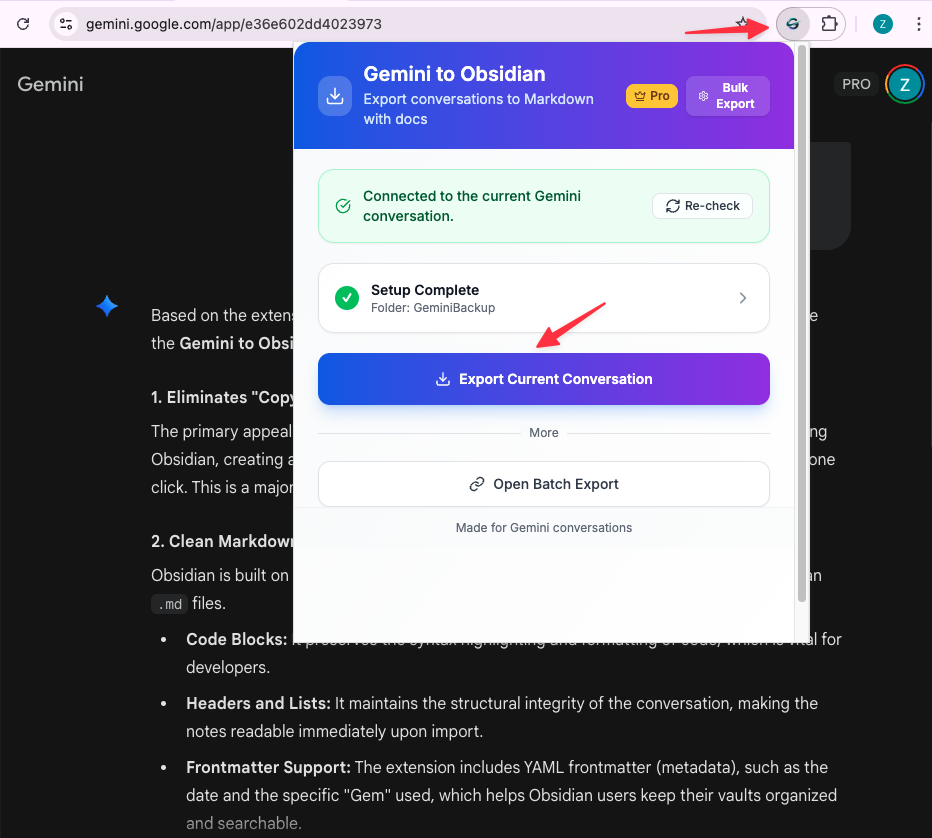
One-Click Export
Save any Gemini conversation to a Markdown file with a single click. No manual copying, no formatting issues—just clean, organized content ready for your Obsidian vault.
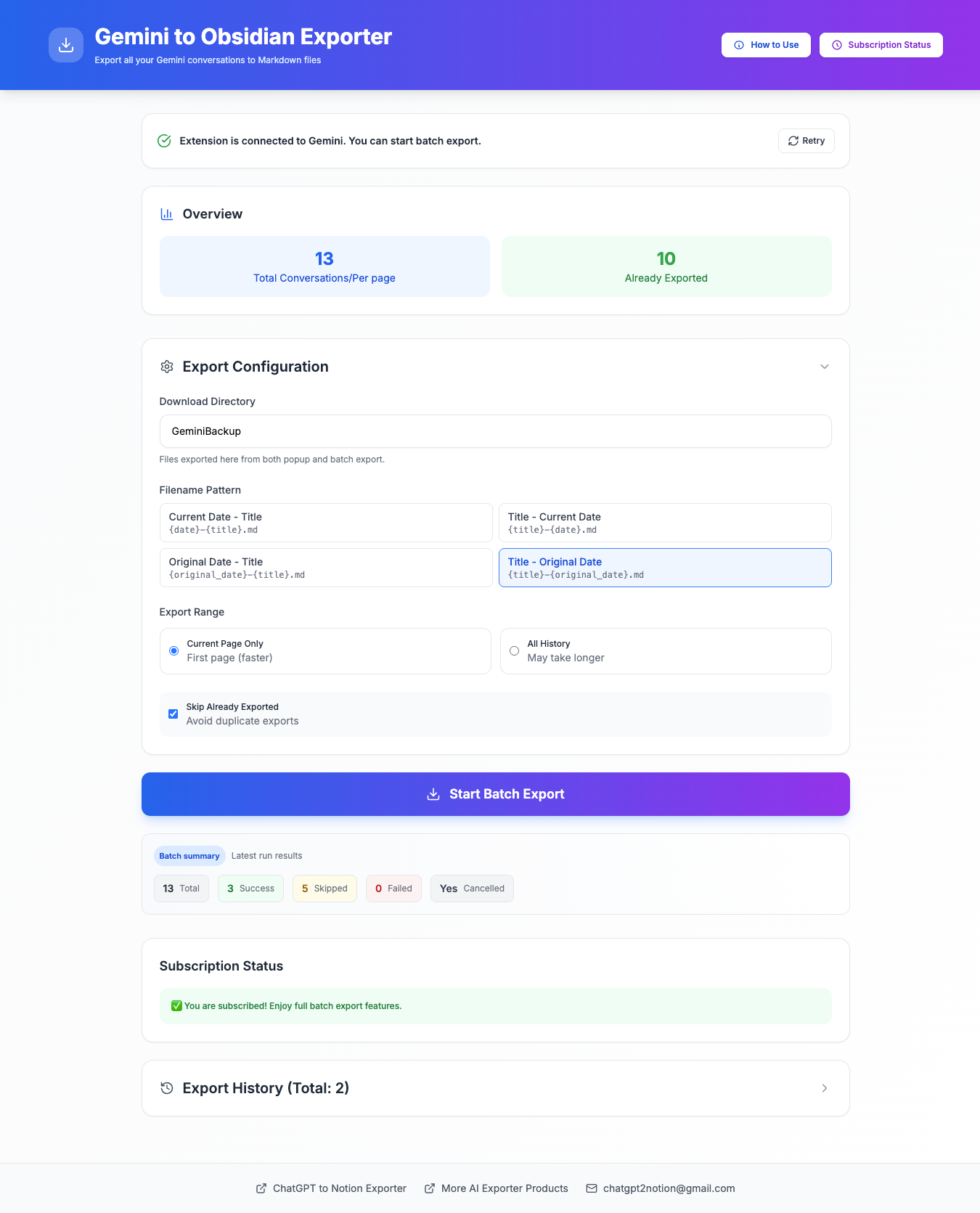
Batch Export with Smart Deduplication
Build a complete backup of your Gemini knowledge:
- Export multiple conversations in bulk
- Fetch entire chat history across multiple pages
- Smart deduplication prevents re-exporting conversations you’ve already saved
- Real-time progress tracking during batch operations
Custom Download Directory
Point exports directly to your Obsidian vault folder. No manual file moving required—everything goes exactly where you need it.
Clean Markdown Format
Preserves your content structure:
- Code blocks with proper formatting
- Conversation structure and flow
- Timestamps and metadata
- Compatible with Obsidian, Notion, and all Markdown editors
Export History Tracking
Keep track of what you’ve exported:
- Detailed export history with timestamps
- Success, failure, and skip counts
- Links to exported files
- Persistent tracking across sessions
Who Is This For?
Researchers: Collect and organize AI-generated insights for your projects in your Obsidian vault.
Students: Build a searchable study knowledge base from Gemini tutoring sessions.
Developers: Archive technical discussions and code examples for future reference.
Knowledge Workers: Create a reliable, searchable archive of your AI interactions.
Writers: Preserve brainstorming sessions and creative ideas in your writing vault.
How It Works
- Install: Add the extension to Chrome from the Web Store
- Configure: Optionally set your Obsidian vault as the download directory
- Export: Save individual chats or batch export your entire history
- Organize: Use Obsidian’s powerful tools to link, tag, and search your AI knowledge
What You Get
Each exported conversation is saved as a Markdown file with:
- Timestamped filename: ISO format timestamp + conversation title (e.g.,
2026-01-18T14-30-00-My-Conversation.md) - Clean formatting: Properly formatted Markdown with preserved code blocks
- Full conversation: Complete chat history with user prompts and AI responses
- Metadata: Conversation structure and context preserved
Privacy & Security
Your data stays 100% private:
- All processing happens locally in your browser
- No data sent to external servers
- Direct export from Gemini to your local filesystem
- No middleman, no cloud storage
Recent Updates
December 2025: Improved error messaging and Gemini sub-document retrieval.
November 2025: Batch export with smart deduplication and export history tracking.
October 2025: Custom download directory support for Obsidian vault integration.
Next Steps
Ready to get started? Follow our Installation Guide to set up the extension.
Need more help? Contact Support