
How to Export ChatGPT Deep Research
Preserve ChatGPT Deep Research reports in Notion or PDF, then turn selected findings into Markdown notes when you need a local research archive.
Guide summary
- Search intent
- Commercial guide intent: users want a reliable way to export ChatGPT Deep Research output.
- Best next step
- Export Deep Research to Notion
- Topics
- ChatGPTDeep ResearchExportNotionObsidianPDF
To export ChatGPT Deep Research well, save both the final report and enough surrounding context to understand how the answer was built. Notion is best when the report should become part of a research database, PDF is best when you need a stable review copy, and Obsidian or Markdown is useful when selected findings should become local research notes. The main goal is not just preservation. It is making long research output searchable, reviewable, and reusable later.
Table of contents
- Why Deep Research output should be exported
- Best formats for Deep Research
- Step-by-step export workflow
- How to organize exported research
- Troubleshooting
- FAQ
Why Deep Research output should be exported
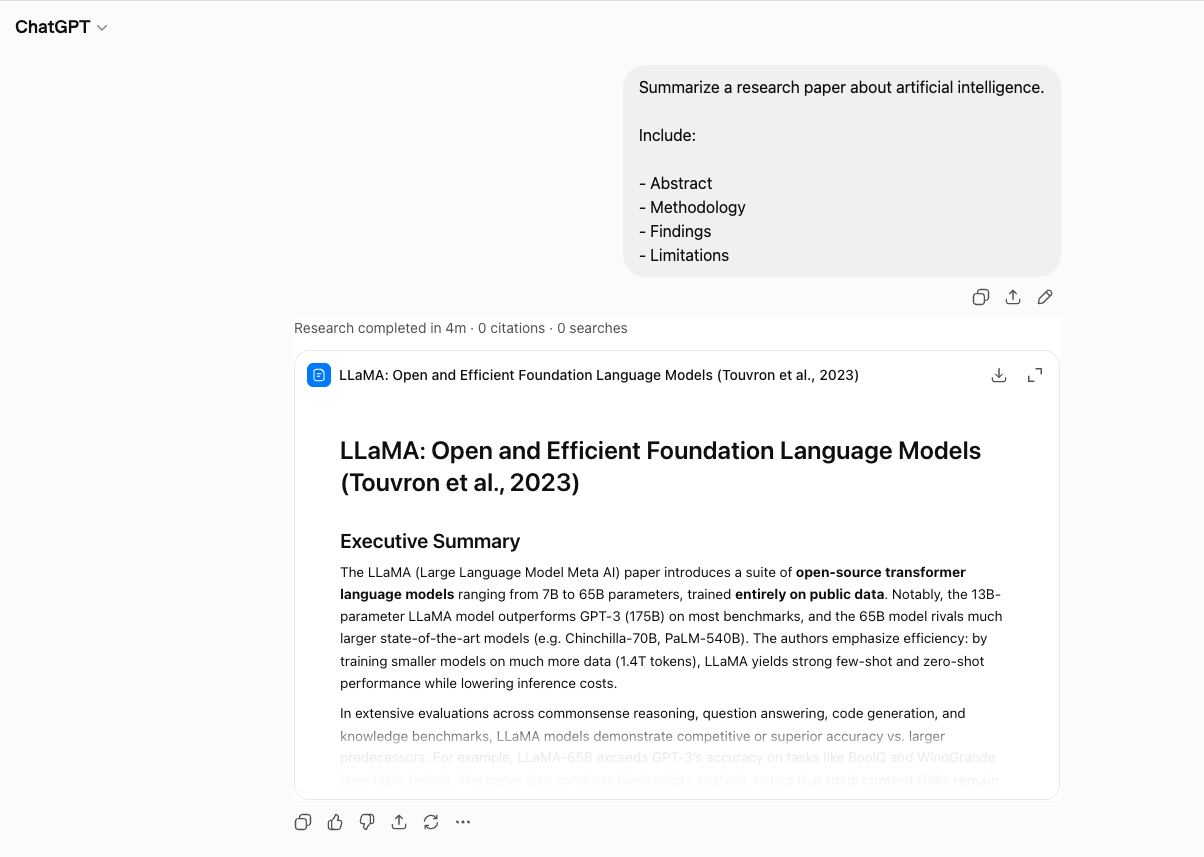
Deep Research conversations are different from ordinary chats. They often contain long-form synthesis, citation-heavy reasoning, multi-step comparisons, and final report-style output that can take a lot of time to recreate. If you leave that work in a single browser session, several problems show up fast:
- the final answer is hard to reuse in another workspace
- source-heavy reasoning is hard to compare across projects
- long reports become buried under new conversations
- review and sharing become more manual than they should be
That is why export matters. A good Deep Research export turns one long answer into something that can live inside a team research database, local knowledge vault, or document archive.
AI Export Hub’s ChatGPT to Notion and ChatGPT to PDF products document Deep Research export support, so the practical question is not only whether you can preserve it. The better question is how to preserve it in the format that fits your next step, then whether selected findings should also become local Markdown notes.
Best formats for ChatGPT Deep Research
| Format | Best for | Why it fits Deep Research | Main limitation |
|---|---|---|---|
| Notion | Research databases, client workspaces, internal knowledge hubs | Easy to tag by theme, source type, status, and owner | Review very long page structure after export |
| Obsidian / Markdown | Personal research notes, local archives, linked notes | Strong for local ownership and note-to-note linking after the main report is captured | Needs folder and filename discipline |
| Review packets, stakeholder sharing, offline reading | Stable and easy to distribute | Less editable and less dynamic for ongoing note work |
If the research will keep evolving inside a workspace, start with ChatGPT to Notion. If you need a fixed deliverable or meeting pack, use ChatGPT to PDF. If you keep a local research vault, use ChatGPT to Obsidian for Markdown notes derived from the exported report.
Step-by-step workflow
1. Separate the final report from the surrounding conversation
Some Deep Research sessions produce two valuable layers:
- the final answer or report
- the surrounding process, including clarifications, pivots, and intermediate checks
For many workflows, you should keep both. The final report is what people cite. The surrounding discussion explains caveats and decision logic.
2. Choose the destination based on how the research will be used
Use Notion when the research needs:
- status tracking
- database filtering
- collaboration
- links to other project pages
Use Obsidian or Markdown when selected research notes need:
- local storage
- backlinks to related notes
- integration with a second-brain workflow after the main export is captured
Use PDF when the research needs:
- a clean review file
- a meeting attachment
- an offline archive
3. Export one sample report before doing more
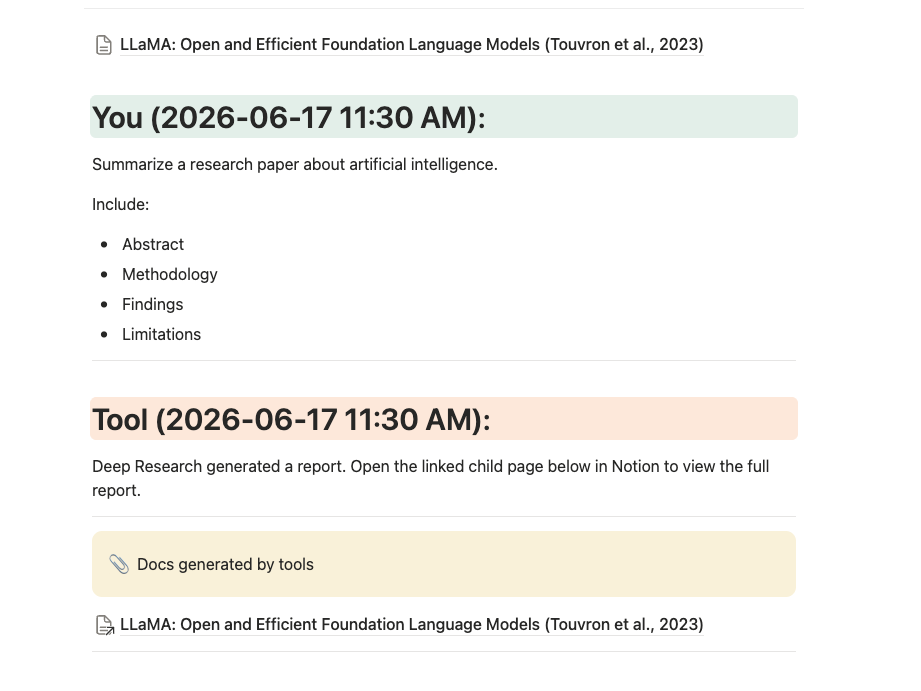
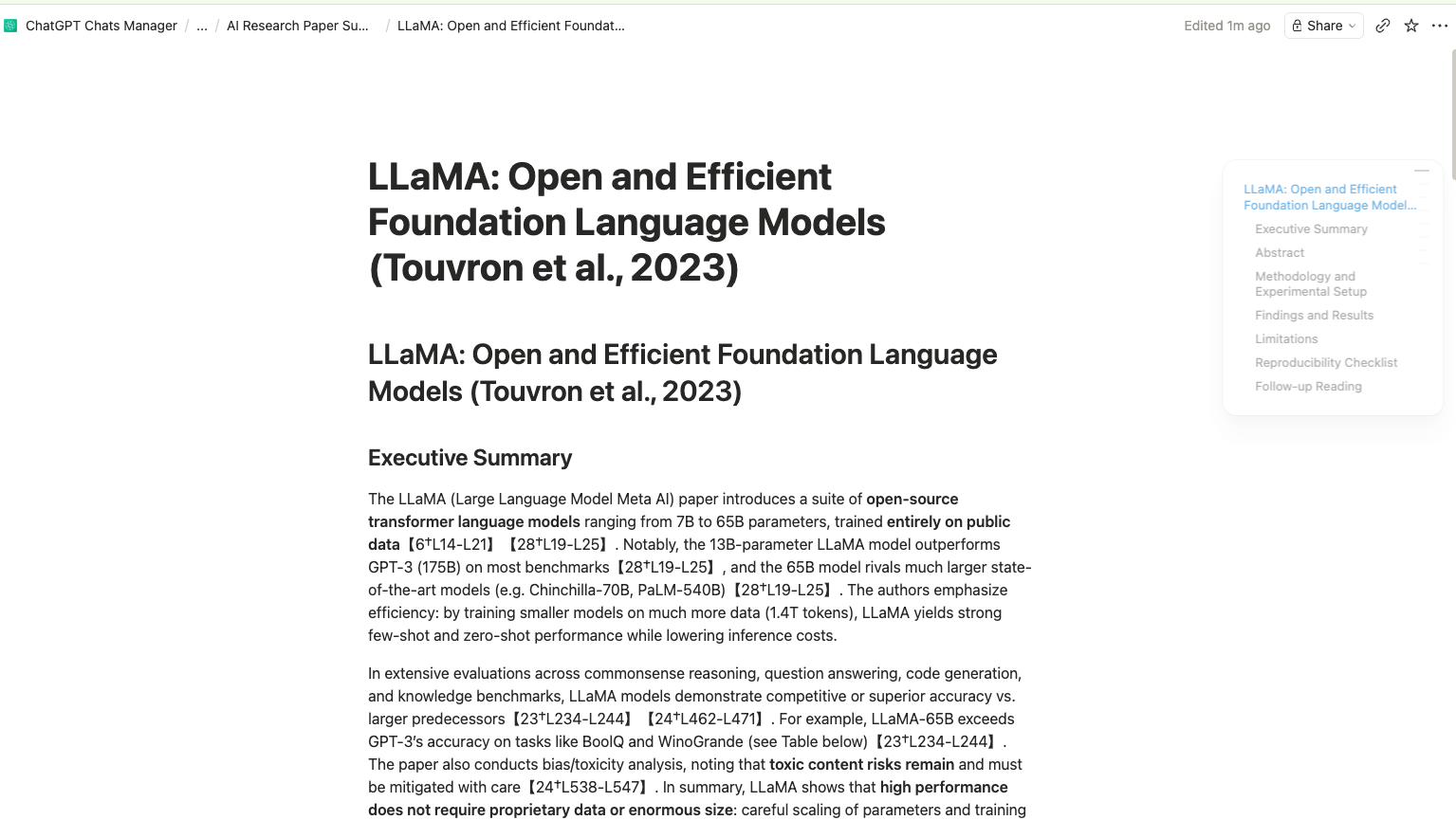
Deep Research content is usually longer and more structured than normal chats. Export one representative report first and inspect:
- heading hierarchy
- links and citations
- tables
- lists
- long paragraphs
- any embedded report sections
This is the fastest way to confirm the destination is the right one.
4. Preserve topic and project metadata
Once a Deep Research export leaves ChatGPT, it should still be identifiable. Keep metadata such as:
- project name
- research topic
- export date
- original chat URL
- final or draft status
Without metadata, one long research export looks too much like every other long research export.
5. Add a short abstract at the top
This is one of the highest-leverage habits for research retrieval. Add 3-5 lines that say:
- what question the report answered
- what the main conclusion was
- what still needs verification
That summary helps future-you decide whether to open the full report.
6. Save the research into a repeatable review system
Good destinations:
- a Notion research database
- an Obsidian topic folder for distilled notes
- a PDF project archive
Even better, link the exported report to adjacent material like project notes, decisions, or published outputs. The export becomes more useful when it sits inside a broader research workflow.
How to organize exported Deep Research
Notion structure
Suggested properties:
- Title
- Topic
- Project
- Status
- Export date
- Source tool
- Original chat URL
- Next action
Suggested views:
- New research to review
- By project
- By topic
- Final reports
- Needs follow-up
Obsidian or Markdown structure
Suggested folder pattern:
deep-research/market/deep-research/product/deep-research/content/deep-research/clients/
Use frontmatter or tags for topic, project, and confidence level. That makes later search much easier.
PDF structure
Group by project or month:
deep-research/2026-06/deep-research/client-acme/deep-research/pricing-analysis/
PDF is especially good when a report needs to be reviewed by people outside your note system.
Common mistakes to avoid
Exporting only the final report when context matters
If the reasoning path matters for future decisions, keep the conversation context too.
Keeping no short summary
Long research without a short abstract is much slower to revisit.
Mixing draft and final research together
Add a status property or tag. Draft and final outputs should be easy to tell apart.
Assuming every destination handles the same way
Deep Research output can be long and structurally rich. Always verify one sample after export.
Troubleshooting
The exported report feels too long to navigate
Add a short abstract and, if your destination supports it, use headings or collapsible sections for easier scanning.
The citations or links look noisy
Review a sample export first. AI Export Hub’s newer Deep Research support focuses on cleaner exported output, but it is still worth checking formatting on a real report.
Should I choose Notion or PDF?
Choose Notion if the report will keep living inside a knowledge system. Choose PDF if the main need is a stable review or delivery file.
I want to reuse this research in a second brain
Choose Obsidian or Markdown for distilled local notes with backlinks and long-term personal ownership. For the full Deep Research report, first use a workflow that explicitly supports Deep Research export, such as Notion or PDF.
FAQ
Can I export ChatGPT Deep Research to Notion?
Yes. ChatGPT to Notion supports Deep Research-oriented export workflows and is a strong fit for searchable research databases.
Can I export Deep Research to PDF?
Yes. ChatGPT to PDF is useful when you need a stable, readable copy for review or sharing.
Is Markdown a good format for Deep Research?
Yes, especially for local knowledge systems and note linking after the full report is captured. ChatGPT to Obsidian is the natural fit when you want Markdown notes in an Obsidian vault.
Should I export only the final answer?
Not always. Keep the surrounding conversation too when the process, caveats, or intermediate reasoning matter.
How should I label exported research?
Use topic, project, export date, and status at minimum. That gives you enough structure to find the report later.
Keep Deep Research usable after the session ends
A strong Deep Research export turns a long answer into something your team or future self can actually find and use again. Save the full report into ChatGPT to Notion or ChatGPT to PDF, then turn the most useful findings into local Markdown notes with ChatGPT to Obsidian if that fits your research system.