
ChatGPT Export to PDF
Export ChatGPT conversations to PDF for offline reading, client records, research archives, and stable shareable documents while preserving the important context.
Guide summary
- Search intent
- High commercial intent: users need portable, shareable ChatGPT conversation archives.
- Best next step
- Try ChatGPT to PDF
- Topics
- ChatGPTPDFArchiveDownload
Export ChatGPT to PDF when you need a stable, portable, offline-readable copy of a conversation. PDF is the right destination for client records, study notes, research snapshots, legal or compliance review, and final deliverables. It is not the most editable format, but it is easy to store, attach, print, and share. For reusable knowledge, pair PDF with Notion or Markdown; for final records, PDF is often the cleanest option.
Table of contents
- When PDF is the right format
- PDF vs Notion vs Markdown
- Step-by-step workflow
- File naming and folder structure
- Troubleshooting
- FAQ
When to export ChatGPT as PDF
PDF is best when the conversation should behave like a document. Use it when you need:
- A record of a final answer
- A file to send to a client or teammate
- Offline reading on a tablet or phone
- A research conversation attached to a project folder
- A stable snapshot before editing or summarizing
- A printable version of a long explanation
- A durable archive of a ChatGPT Project, Group Chat, or Deep Research output
Use ChatGPT to PDF when the goal is a clean PDF archive. Use ChatGPT to Notion when you need a searchable workspace, and ChatGPT to Obsidian when you need local Markdown files.
PDF vs other export formats
| Format | Best for | Tradeoff |
|---|---|---|
| Stable sharing, offline reading, records | Less editable | |
| Notion | Searchable databases and team workflows | Depends on workspace structure |
| Markdown | Local editable notes and PKM | Requires folder discipline |
| HTML | Browser-readable archive | Can be harder to organize |
PDF should not be your only knowledge workflow if you often rewrite or remix ChatGPT output. But it is excellent when you want the conversation to remain intact.
Step-by-step workflow
1. Prepare the conversation
Rename the ChatGPT conversation before exporting. The title usually becomes part of the PDF filename or metadata, so make it specific.
Good examples:
Client A - Landing Page Messaging ReviewPython Debugging - OAuth Token RefreshResearch - ChatGPT Export Workflow ComparisonStudy Notes - Transformer Attention Explanation
2. Decide whether to export one chat or a batch
Export one conversation when you need a specific record. Use batch export when you are building an archive across many conversations or projects.
For a first test, export one short conversation and one long conversation. This helps you verify page breaks, code blocks, tables, and images before running a large batch.
3. Export to PDF
Open the conversation, use the PDF export workflow, and save the file to the correct folder. ChatGPT to PDF is the relevant product when you want PDF output.
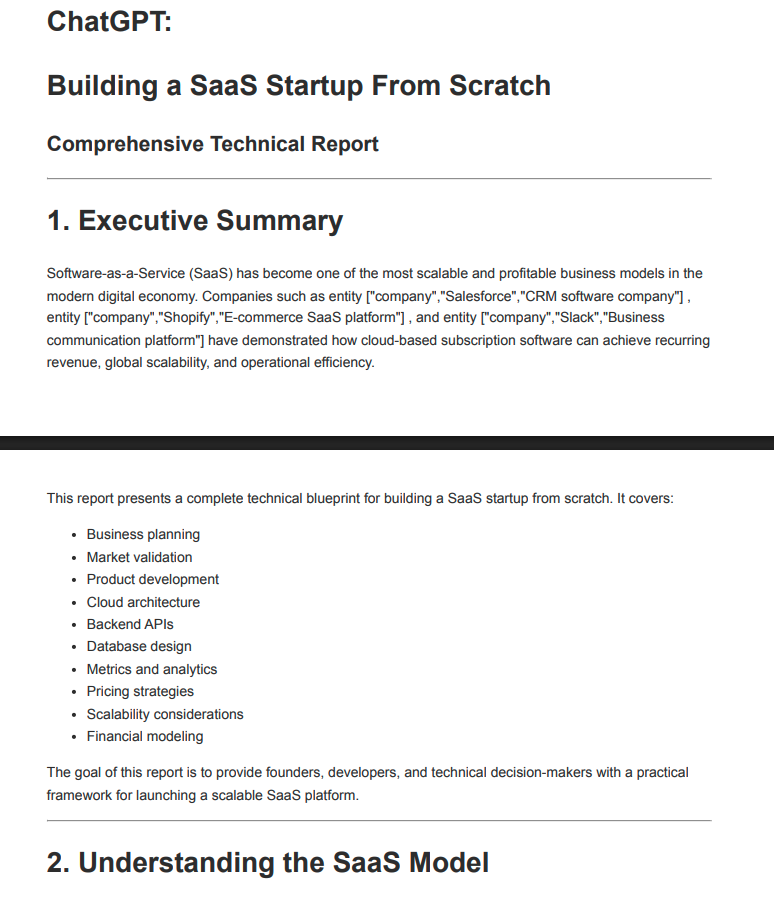
After export, open the PDF immediately. Do not assume the file is correct until you inspect it.
4. Verify the PDF
Check:
- Title and date
- Full conversation content
- Code block readability
- Table layout
- Page breaks
- Images or visual content if relevant
- File size
- Download location
If the conversation is long, scan the beginning, middle, and end.
5. Store it in a reliable folder
Use a structure that matches how you retrieve documents:
AI Archives/2026/ChatGPT/Clients/Client A/AI Conversations/Research/ChatGPT/PDF/Projects/Product Launch/ChatGPT/
PDF exports become much more useful when they live next to related project files.
Recommended file naming
Use filenames that sort cleanly:
2026-06-16 - Client A - Messaging Review.pdf2026-06-16 - ChatGPT - OAuth Debugging.pdf2026-06-16 - Research - Export Workflow Comparison.pdf
Avoid:
download.pdfchatgpt.pdfnew file.pdfconversation final final.pdf
The filename is part of the archive. Treat it as metadata.
Best for section
PDF is best for conversations that should be read as records, not continuously rewritten. It works well for client-facing material, final research snapshots, classroom notes, legal or compliance review, project handoff packets, and conversations that include important visual structure.
PDF is not the best format for every ChatGPT export. If the next step is editing, use Markdown or Notion. If the next step is building a knowledge base, use a database or vault. If the next step is sending a reliable record to another person, PDF is usually the simplest and least confusing choice.
For important projects, a two-layer system is often strongest: export a PDF for the stable record, then save a Notion or Markdown version for searchable working knowledge. The PDF answers “what exactly did this conversation say?” The editable version answers “how do I use this material next?”
Quality checklist before sharing
Before you send or archive a ChatGPT PDF, check:
- The file opens on another device.
- The filename includes date and topic.
- The first page identifies the conversation clearly.
- Page breaks do not split critical tables in confusing places.
- Code blocks are readable enough for the recipient.
- Sensitive prompts or personal data are removed if the PDF is external.
This review takes less than a minute and prevents most PDF archive problems.
Troubleshooting
The PDF misses the end of a long conversation
Try exporting the long chat by itself. If batch export fails, reduce batch size and verify each file. Long conversations can stress browser rendering and download workflows.
Code blocks are hard to read
Use landscape orientation or a Markdown/Obsidian export if you need editable code. PDF is good for visual records, but wide code can be better in Markdown.
Images do not appear as expected
PDF is usually the best export target when visual preservation matters, but image behavior still depends on the source content and browser rendering. Always inspect the exported file.
Downloads go to the wrong folder
Check browser download settings before batch exporting. If your browser always asks for a folder, choose a stable archive location.
FAQ
Can I export ChatGPT conversations to PDF?
Yes. ChatGPT to PDF is designed to export ChatGPT conversations as PDF files for local storage and sharing.
Is PDF good for backing up ChatGPT history?
PDF is good for stable records and offline reading. For editable long-term knowledge, also consider Notion or Markdown.
Can I batch export ChatGPT conversations to PDF?
Batch export is useful for larger archives. Start with a small batch and verify the output before exporting a large history.
Should I use PDF or Notion?
Use PDF when the conversation should be a document. Use Notion when it should become part of a searchable database.
How should I organize ChatGPT PDFs?
Use year, project, and topic folders. Add dates to filenames so they sort correctly.
Create a stable ChatGPT archive
PDF is the simplest way to turn a useful ChatGPT conversation into a durable document. Export one important conversation with ChatGPT to PDF, verify the output, and store it next to the project or research files where you will actually look for it.