
ChatGPT to PDF
Export, archive, and download your ChatGPT conversations as professional PDF documents. The ultimate Chrome Extension to bulk export your entire library—including Group Chats, Projects, and Deep Research—in a single click.
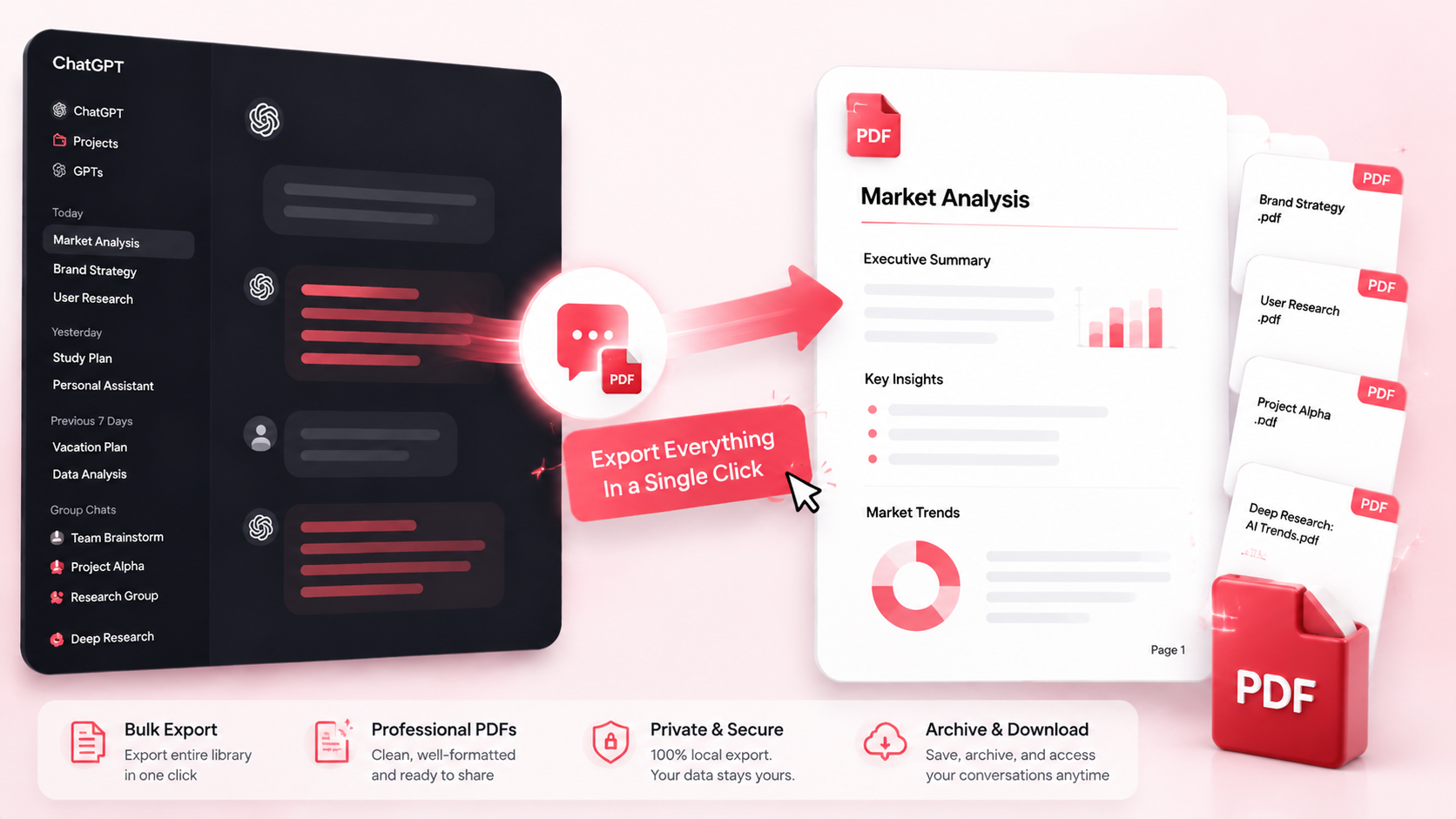
People Love ChatGPT to PDF because it's fast, private, and creates professional-quality documents.
Key Features
One-Click PDF Export
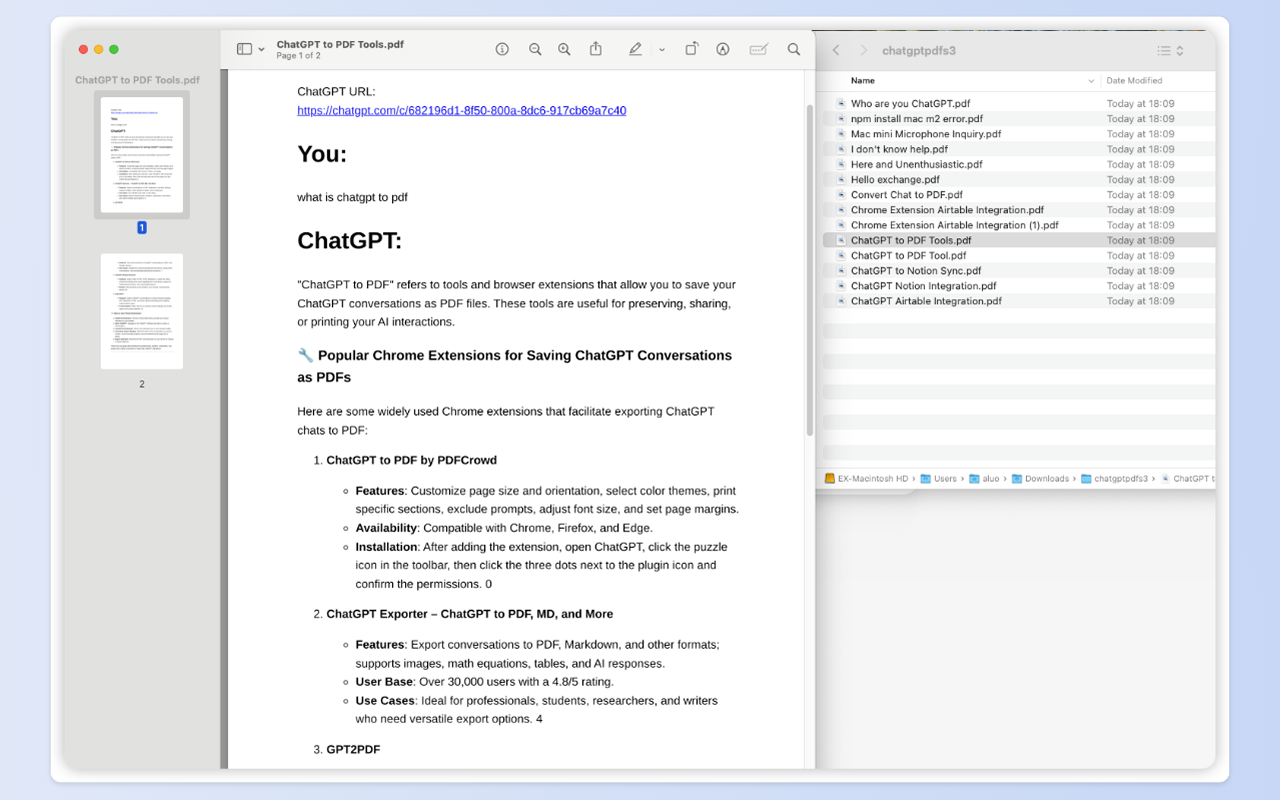
Save any ChatGPT conversation as a professional PDF with a single click. Preserves formatting, code blocks, images, and structure. Perfect for offline reference and archiving.
Batch Export & Backup
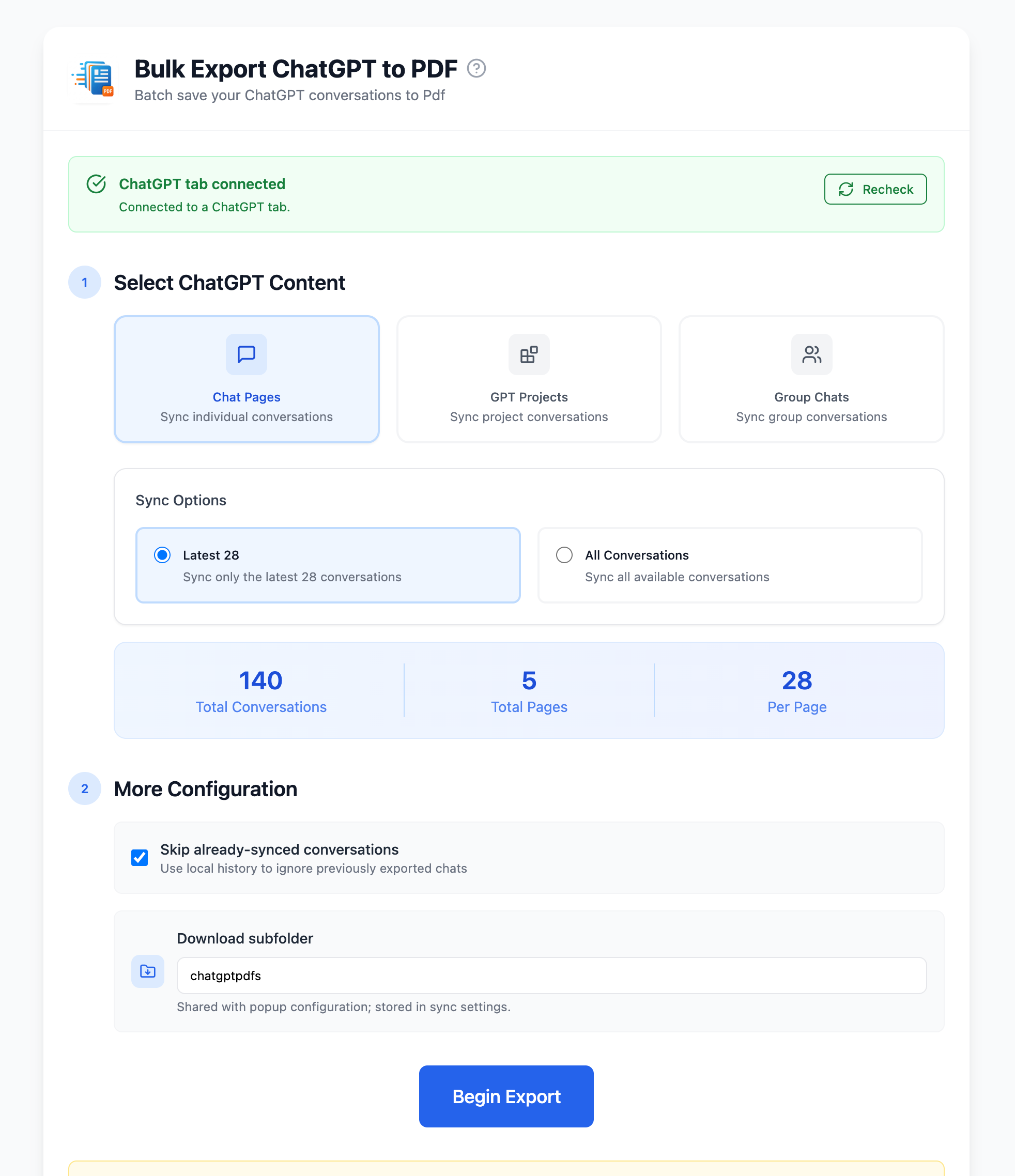
Build a complete PDF archive of your ChatGPT knowledge. Bulk export multiple conversations, entire Projects, or Group Chats in one operation. Create a durable offline backup hands-free.
Local & Private Processing
All PDF generation happens locally in your browser using Chrome's built-in PDF engine. No data sent to external servers. Your conversations stay private and secure.
Key Features of ChatGPT to PDF
Everything you need to organize your ChatGPT conversations quickly and efficiently.
Smart Formatting
Preserves Markdown, Code Blocks, Images, Tables, and Lists exactly as they appear in ChatGPT.
Batch Export
Export multiple conversations, entire Projects, or Group Chats in bulk. Build a complete PDF archive effortlessly.
Custom File Naming
Rename PDFs with custom filenames and organize them into subfolders for better file management.
Project Support
Export entire ChatGPT Projects as organized PDFs, preserving project structure and context.
Group Chats Export
Batch export ChatGPT group conversations with author names and message order preserved.
TextDocs Integration
Export TextDocs tool documents as separate PDFs for organized documentation.
Metadata Headers
Each PDF includes Title, Date, URL, and optional Project Name at the top for easy reference.
Local & Private
All processing happens in your browser. No external servers. No data collection. Complete privacy.
How it Works
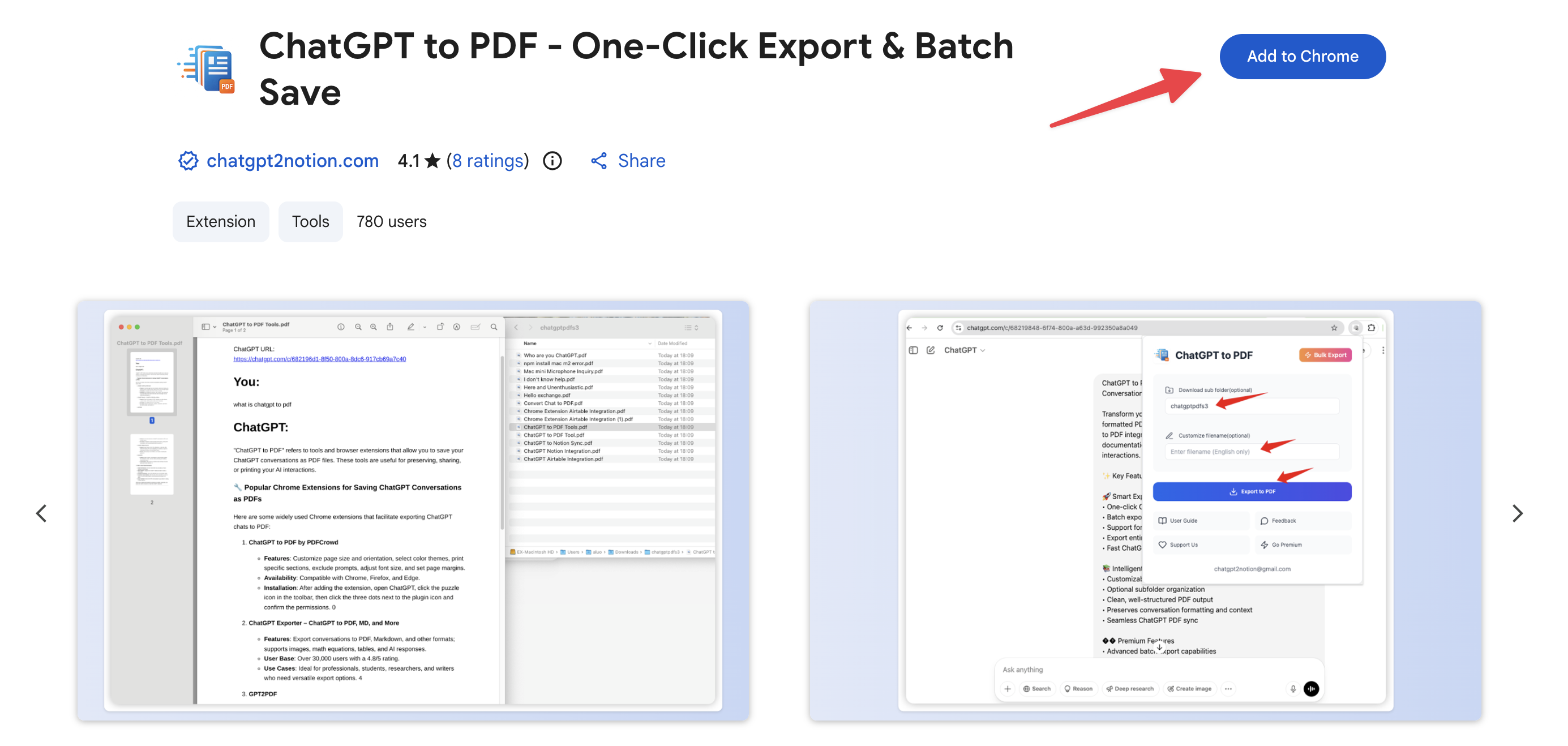
What Users Say About ChatGPT to PDF
Real workflows, backed up to PDF.
"Perfect for archiving research conversations. PDFs are clean, formatted, and ready to share with my team."
"I export all my study sessions to PDF. Having offline access to my ChatGPT notes is a game-changer."
"Code blocks export beautifully. I use this to document technical discussions and keep them organized."
"Batch export saves me hours. I can archive my entire creative brainstorming library in minutes."
"Local processing means my client conversations stay private. No data leaves my browser."
"Exporting Projects to PDF helps me create documentation packages for stakeholders. Super professional."
What's New
🚀 NEW: Local browser-based PDF generation for improved privacy. Added metadata headers (Title, Date, URL, ProjectName).
🚀 NEW: Group Chats batch export with 'Latest 5' or 'All' options.
🐛 Fixed: Improved PDF export reliability and formatting.
Frequently Asked Questions About ChatGPT to PDF
Have another question? Contact us on Discord or by email.
How do I export a ChatGPT conversation to PDF?
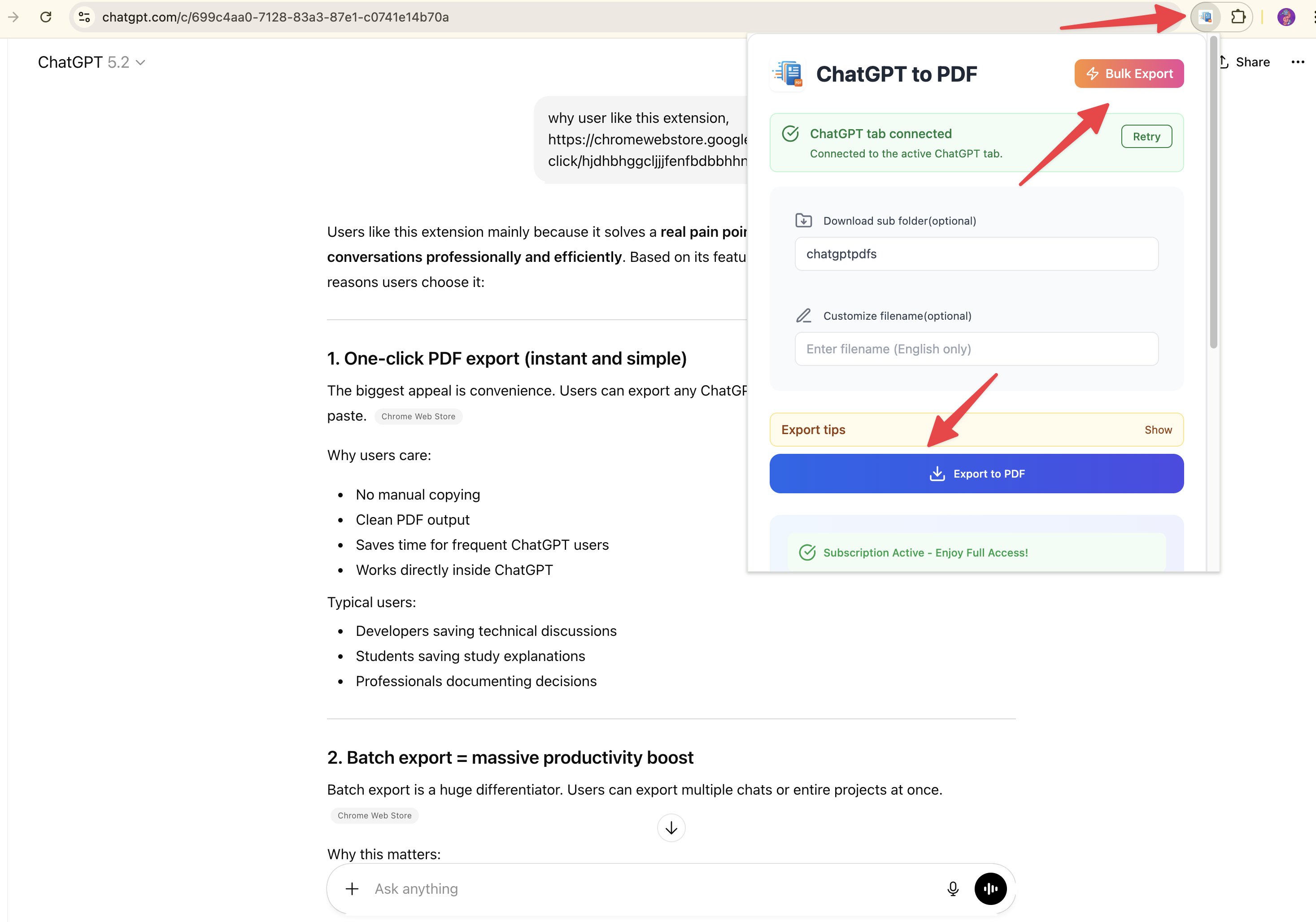
Simply open any ChatGPT conversation, click the extension icon in your browser toolbar, and click 'Export to PDF'. The PDF will be saved to your Downloads folder automatically.
Can I batch export multiple conversations?
Yes. Click the extension icon and select 'Bulk Export'. You can export multiple conversations, entire Projects, or Group Chats in one operation.
Is my data sent to external servers?
No. All PDF generation happens locally in your browser using Chrome's built-in PDF engine. No data is sent to external servers. Your conversations remain completely private.
Why does Chrome show a 'controlled by automated test software' banner?
This is normal. The extension uses Chrome's debugger permission to generate PDFs locally. The banner appears during export and disappears automatically when complete. This ensures complete privacy. Learn more about debugger permission
Why does Chrome ask where to save each file when batch downloading?
This is a Chrome browser setting, not an extension issue. Chrome's 'Ask where to save each file before downloading' option interrupts batch downloads. You can disable this in Chrome settings to enable seamless batch exports. See step-by-step guide
Can I customize the PDF filename?
Yes. In the extension popup, enable 'Rename Filename' and enter your custom filename. You can also specify a subfolder for better organization.
Does it support ChatGPT Projects?
Yes. You can export entire ChatGPT Projects as organized PDFs, preserving project structure and all conversations.
Can I export Group Chats?
Yes. The extension supports batch export of ChatGPT Group Chats, preserving author names and message order.
What's included in the PDF?
Each PDF includes: conversation title, source URL, timestamp, full conversation content, code blocks with syntax highlighting, embedded images, and optional project name.
Are there any export limits?
Free users can export up to 10 conversations per day. Subscribed users get unlimited exports.
What format are code blocks in?
Code blocks are preserved with proper formatting and syntax highlighting, making them easy to read and copy.
Unlock Unlimited Power
Batch export 100+ chats, Auto-Sync, and priority support with Universal Pass.
Get Universal Pass