
Can You Recover a Deleted Claude Project?
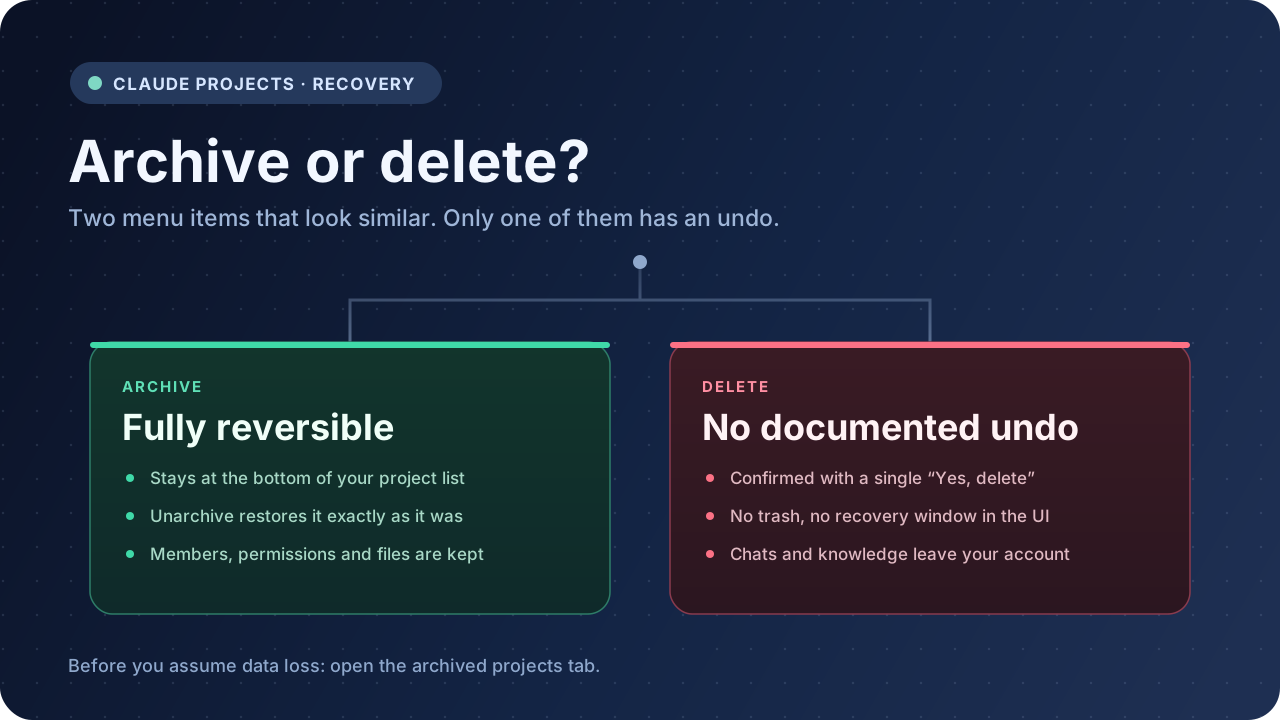
Short answer: if you truly deleted a Claude Project, Anthropic’s documentation offers no restore path. There is no trash folder and no recovery window described in the interface. But before you accept that, check one thing — most people who think they deleted a project actually archived it, and archiving is fully reversible.
That distinction is the whole article. Everything else is what to do after you know which one happened.
Check the archived projects tab first
Open claude.ai/projects and look for the archived projects tab. Archived projects also stay visible at the bottom of your main project list, which is why they sometimes look “missing” without being gone.
If the project is there, open its three-dot menu and choose Unarchive. That is the entire recovery procedure.
Nothing is degraded by the round trip. Anthropic’s help center states that archiving does not reset sharing permissions or remove members, that project knowledge is preserved, and that everything is restored exactly as it was when you unarchive. Conversations inside an archived project remain accessible the whole time.
If the project is not in that tab, it was deleted rather than archived. Continue below.
Archive and delete are not two versions of the same action
This is the part that causes the loss. In the Claude interface both options sit in the same three-dot menu, one line apart.
| Archive | Delete | |
|---|---|---|
| Where it goes | Archived tab, bottom of project list | Removed from your account |
| Reversible | Yes, via Unarchive | No documented path |
| Members and permissions | Preserved | Not preserved |
| Project knowledge | Preserved | Not preserved |
| Can you undo it later | Yes, indefinitely | No |
Two quirks make this more confusing than it needs to be:
- You cannot delete an archived project. You have to unarchive it first, then delete it. If you are hunting for a Delete option on an archived project and cannot find one, that is expected behaviour rather than a bug.
- Archive sounds more permanent than it is. People avoid archiving because it feels like filing something away forever, then choose Delete because it reads like ordinary cleanup. The risk profile is the exact opposite.
If you are decluttering a project list, archive. Archive is the safe default and it costs you nothing.
If the project was actually deleted
Here is what the situation really is, without the hopeful parts.
There is no trash, no recently deleted folder, and no undo. The confirmation dialog asks you to click Yes, delete, and after that the project stops appearing anywhere in your account. Anthropic’s help center documents the delete steps and the confirmation, and describes no retention period or restore mechanism.
That means the remaining options are not recovery in the strict sense. They are ways of finding a copy that already exists somewhere else.
1. Ask teammates who had access
On Team and Enterprise plans, projects can be shared with Can view or Can edit permissions. If the project was shared, other members may still hold access, or may have exported parts of it earlier.
Anthropic does not document what happens to a shared project when its creator deletes it, so treat this as something to verify rather than assume. It is still the first message worth sending, because it costs nothing and occasionally works.
2. Check whether you exported your account before the deletion
Claude’s Settings → Privacy → Export data produces an account-level data archive delivered by email. If you ran that export at any point while the project still existed, the archive may contain the relevant conversations.
Two limits matter. First, this export reflects the account at the time it was generated — it is a snapshot, not a live mirror, so running it after the deletion will not bring the project back. Second, an account export is not the same as a readable, well-structured copy of a project; it is data, not a document.
3. Look at what you saved outside Claude
Chats you printed to PDF, pasted into Notion, or saved as Markdown are unaffected by anything happening inside Claude. If the project mattered enough to work in for months, there is a reasonable chance some of it was copied somewhere for a specific task — a shared draft, a client handoff, a code snippet in an editor.
Search your own tools before searching for a recovery tool.
4. Contact Anthropic support
It is reasonable to ask. It is not reasonable to plan around it. Support may be able to tell you whether any backend retention exists for your plan, but no such capability is documented publicly, so treat a positive outcome as a bonus rather than an expectation.
What will not work
No third-party extension, recovery service, or browser tool can restore a deleted Claude Project. Those tools read what your account can currently see. Once the project is gone from the account, there is nothing for them to read.
Be sceptical of any page promising otherwise. The mechanism does not exist.
Why this keeps happening
Three patterns account for most of these posts.
Cleanup mode. A project list with twenty entries feels untidy. Archive and Delete sit next to each other, and Delete reads like the tidier choice.
Interface changes. Anthropic is rolling out a new version of Projects in stages, starting with Claude Code, and has begun moving existing projects for some Pro and Max users. Anthropic states that nothing is lost or deleted in that move, and that instructions, files, chat history and scheduled tasks all come along. But when your sidebar changes shape between sessions, it is easy to conclude something vanished. Check the archived tab before concluding anything.
Free plan limits. Free accounts can create a maximum of five projects. Hitting that ceiling pushes people to delete something to make room. Archiving does not free a slot the same way, which makes deletion feel necessary — and that is precisely when the irreversible option gets used casually.
The only real fix is a copy that lives outside Claude
You cannot recover what you deleted. You can make the next deletion irrelevant.
A useful Claude Project backup is not one long PDF. It has four parts, and most people only keep the first:
- Project instructions — the text you wrote to shape every response. Short, and almost never copied anywhere else.
- Knowledge files — the documents you uploaded. These are often the hardest to replace, because you may not still have the originals.
- The conversations — especially the ones where a decision was made or a draft was finished.
- Artifacts — the code, documents and pages Claude produced, which are frequently the actual deliverable.
For the full workflow, see the Claude Projects backup guide, which compares PDF, Markdown, Obsidian and Notion for this exact job. If you want the shorter strategic version first, read how to back up Claude chats, projects and artifacts.
Practical options depending on what you need:
- Claude to PDF for a readable archive you can hand to someone else.
- Claude to Obsidian for local Markdown files that stay searchable without a browser.
- Claude to Notion for a project workspace you can reorganise and share.
- Claude Export to compare the destinations before committing.
- AI Exporter Hub if you also work across ChatGPT, Gemini and other platforms and want one archive instead of four.
For a straight comparison of the export methods themselves, including what each one preserves and what it drops, see how to export Claude chats to PDF or Markdown.
How to delete or archive a Claude Project properly
Since the mechanics are where people go wrong, here they are explicitly.
To archive a project:
- Open the project.
- Click the three-dot menu in the upper right.
- Confirm that you want to archive it.
To unarchive a project: open the archived projects tab, find the project, open its three-dot menu, and select Unarchive. The same option is available from inside the archived project.
To delete a project:
- Open the project, or find it on the Projects page.
- Click the three-dot menu.
- Select Delete.
- Confirm by clicking Yes, delete.
If the project is archived, unarchive it first — Delete will not appear until you do.
FAQ
Can I recover a deleted Claude Project?
Not through any documented mechanism. Archiving is reversible; deleting is not. Check the archived projects tab first, because that resolves most cases.
Does Claude have a trash or recently deleted folder?
Anthropic’s help center does not describe one. Archived projects are not a trash equivalent — they are a deliberate, fully restorable state.
What happens to the chats inside a deleted project?
They leave your account along with the project. Anthropic does not document a retention period, so do not assume a window exists.
Can I delete an archived project?
Not directly. You have to unarchive it first, then delete it.
Will the new Projects beta delete my old projects?
Anthropic states that existing projects move to the new version with instructions, files, chat history and scheduled tasks intact, and that nothing is lost or deleted in the move. Interface changes during a staged rollout are not the same as data loss.
Does a browser extension protect me from this?
Only if it has already produced files on your machine. An extension cannot recover a project that no longer exists in your account.
The short version
Open the archived projects tab before you panic. If the project is there, unarchive it — nothing was lost. If it is not, the project was deleted, and no tool will bring it back. Ask teammates, check your earlier exports, then accept it and fix the process.
Deleting a Claude Project is one confirmation dialog away from permanent. A copy on your own disk is the only thing that makes that dialog safe to click.