
The Best Gemini to Notion Extensions in 2026, Compared
The short version: if you want your whole Gemini history in one Notion database — including Gems and Deep Research — Export Gemini Chats to Notion is built for that job. If you need PDF, Word and Google Docs from the same conversation, Backrun’s Gemini Exporter covers the most formats. If your budget is zero, Daniel Li’s extension is genuinely free in full.
Disclosure: we build Export Gemini Chats to Notion, one of the seven tools below. We have not put ourselves first on every line, and every entry — including ours — lists limitations. The data in this article comes from each developer’s Chrome Web Store listing and pricing page, checked on October 30, 2026. What we did and did not verify is set out in the methodology note at the end.
Quick comparison
Every figure below was read from the Chrome Web Store listing or the developer’s own pricing page on October 30, 2026. User counts and ratings move constantly; treat them as a snapshot, not a ranking.
| Extension | Users | Rating | Free tier | Paid | Best for |
|---|---|---|---|---|---|
| Export Gemini Chats to Notion | 3,000 | 4.7 (27) | 5 conversations per bulk run | $4.90/mo | History, Gems, Spark |
| Gemini Exporter (Backrun) | 8,000 | 4.3 (61) | 5 full + 7 single per month | $8/mo | PDF, Word, Google Docs |
| XWX AI Chat Exporter | 1,000 | 4.6 (36) | Daily quota; check listing | Check listing | Several platforms |
| Export ChatGPT, Gemini & Claude | 990 | 4.5 (17) | Free in full | Free | Zero budget |
| Pactify | 393 | 5.0 (5) | 30 synced conversations/mo | $4.90/mo | Six platforms, one archive |
| Gemini Chat Exporter (njajmgii) | 190 | 5.0 (2) | Check listing | Check listing | Markdown first |
| Notion AI Bridge | 80 | 5.0 (4) | Check listing | Check listing | Prompt library |
What each tool can actually export
| Extension | Export scope | Other formats | Notion connection |
|---|---|---|---|
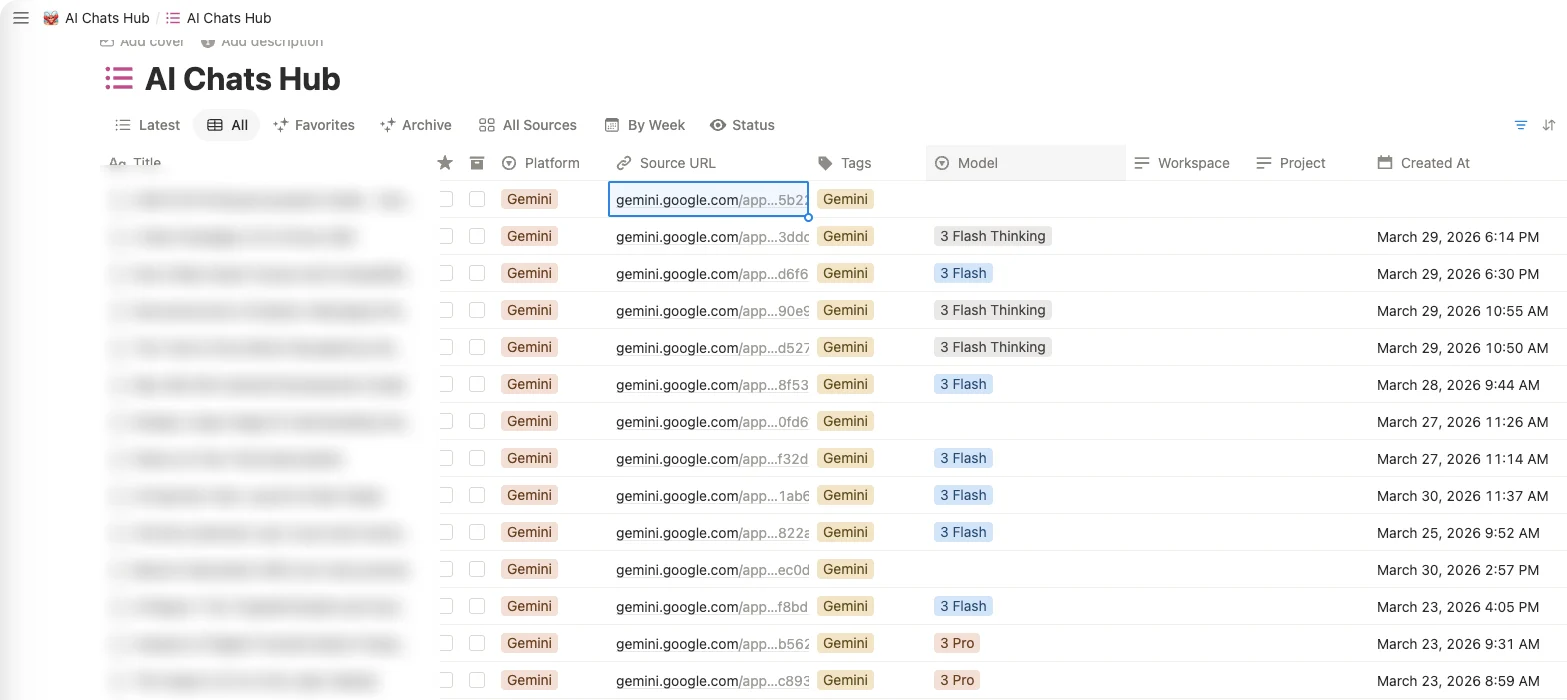
| Export Gemini Chats to Notion | Current chat, selected conversations, full history, a specific Gem, Spark | Notion only | Connect and pick a database, no token |
| Gemini Exporter (Backrun) | Current chat, with per-message selection | PDF, Word, Google Docs, Notion | Connect; the target database needs a title field |
| XWX AI Chat Exporter | Current chat and history across platforms | PDF, Word, Markdown, TXT, JSON | Connect |
| Export ChatGPT, Gemini & Claude | Current chat, multi-platform | Google Docs, Notion, Obsidian | Connect |
| Pactify | Conversations synced across six platforms | Markdown, PDF, Notion, Word, Google Docs | Connect |
| Gemini Chat Exporter (njajmgii) | Current chat | Markdown, Notion | Manual integration token plus page ID |
| Notion AI Bridge | Saved question-and-answer pairs | Notion only | Connect |
Where a listing does not state a capability, the table says check listing rather than guessing. That is deliberate — a comparison that invents cells is worse than one that admits a gap.
The seven extensions
1. Export Gemini Chats to Notion
Built specifically for moving Gemini conversations into Notion at scale, rather than as one more export target bolted onto a multi-platform tool.
Best for: anyone who wants their whole Gemini history — plus Gems and Spark output — inside one searchable Notion database.
What it does well
- Exports the current conversation, a hand-picked selection, your entire history, a specific Gem, or Spark output. Most tools on this list do one of those.
- Splits long conversations into sub-pages, so a two-hundred-message thread does not become a single unreadable page.
- On a re-export you choose whether to skip existing pages, overwrite them, or create a new copy — and you can tag pages with custom labels so the database stays filterable.
Limitations
- Notion only. If you need PDF or Markdown, this is not the tool for that — though the same team ships Gemini to Obsidian for local Markdown and Gemini to PDF for fixed documents. If you would rather have one extension covering several destinations, AI Exporter Hub is the combined product. Still a limitation: you cannot get Word or Google Docs out of this one.
- The free tier caps bulk export at five conversations. It is a trial, not a free tier: enough to judge the output quality, not enough to migrate a year of history. The paid tiers exist for that reason, and we would rather say so plainly than dress it up as generous.
2. Gemini Exporter (Backrun)
The most format-agnostic option on the list: the same conversation can leave as a PDF, a Word file, a Google Doc or a Notion page.
Best for: people who need Word or Google Docs as well as Notion, or who want to choose exactly which messages get exported.
What it does well
- Four output formats from one tool, which is more than anything else here.
- Per-message selection, so you can drop the false starts and keep the answer that worked.
- Font and styling options for the exported document.
Limitations
- Its own documentation contradicts itself on the free tier. The help centre states that Notion export is included in paid plans, while the pricing page describes the free tier as covering all export formats. We are not going to resolve that contradiction on the developer’s behalf — check the current listing before you plan around the free tier for Notion.
- The target Notion database needs a title field. It is a small setup requirement, and it is the one people hit after the export appears to fail.
3. XWX AI Chat Exporter
A generalist exporter that handles Gemini alongside other platforms, recently updated.
Best for: people who already export from ChatGPT, Claude or Perplexity and want one tool rather than one per platform.
What it does well
- Five output formats including JSON, which matters if you want to process the data rather than read it.
- Multi-platform by design, so the workflow is the same everywhere.
- Actively maintained — version 3.2.3 shipped on October 28, 2026, two days before this comparison.
Limitations
- The Notion free quota is not pinned to a number on the listing. Check it before you plan a large migration.
- Gemini-specific features are not described. As a generalist tool it covers the common case; Gems and Deep Research are not mentioned.
4. Export ChatGPT, Gemini & Claude to Docs, Notion & Obsidian (Daniel Li)
Currently free in full, which is unusual enough to be worth stating plainly.
Best for: anyone with no budget at all, especially if they work across more than one AI platform.
What it does well
- Covers ChatGPT, Gemini and Claude in one extension.
- Three destinations: Google Docs, Notion and Obsidian.
- Handles mathematical formulas and code, which many free tools flatten.
Limitations
- The “Get Pro” button collects interest rather than selling anything today. That is fine while the tool is free, but it also means there is no paid support tier behind it.
- It is a small independent project. Do not expect a support SLA or a roadmap commitment; judge it on whether it works for you now.
5. Pactify
A sync hub rather than a one-shot exporter: it keeps pulling conversations from six platforms into your chosen destination.
Best for: people who want a continuously updated archive across ChatGPT, Claude, Gemini and others.
What it does well
- Six platforms under one roof, which is the widest coverage on this list.
- The free tier is unusually specific: 30 newly synced conversations per month, unlimited Markdown and PDF, and 100 Notion, Word or Google Docs exports per month.
- Starter pricing at an early-bird $4.90 per month.
Limitations
- The sync model is not the same as exporting a specific old conversation on demand. If your need is “get this one chat out now”, a direct exporter is simpler.
- Small install base. Fewer public reports means fewer people have already hit the edge cases for you.
6. Gemini Chat Exporter (njajmgii)
Minimal and Markdown-first, with Notion handled through your own integration.
Best for: people who are comfortable creating a Notion integration, copying a token and pasting a page ID.
What it does well
- Clean Markdown output, which is the most portable format there is.
- Notion pages are created as sub-pages, keeping a workspace tidy.
- Very small surface area — few features, therefore few things to break.
Limitations
- The highest setup effort here. You create the Notion integration yourself and supply both a token and a page ID. It is a legitimate approach, but it is also where most non-technical users stop.
- Pricing is not stated on the listing. Check before you build a workflow on it.
7. Notion AI Bridge
Saves answers into Notion and lets you call saved prompts back from inside Notion.
Best for: people who treat Notion as a prompt library rather than as an archive.
What it does well
- Two-way: it saves answers, and it lets you reuse prompts from Notion.
- Focused on one job instead of trying to be a universal exporter.
Limitations
- It is not a bulk exporter. If your goal is migrating a history, this is the wrong tool and the listing does not pretend otherwise.
- Narrow scope means limited value once the novelty passes — you need to actually reuse prompts for it to earn its place.
Also considered
OmniScriber (206 users) covers multiple platforms with a free tier of 20 conversations per month on a single platform. The free exports carry a watermark, which makes it closer to a trial than a free tier. Pro is $5.9 per month or $49 per year.
Gemini to Notion Exporter (bgfahkmd, 141 users) exports to Notion and Markdown. Version 1.5 was published on January 3, 2026 and has not been updated since. For a tool that depends on Gemini’s page layout, ten months without an update is worth knowing about before you install it.
Which one should you choose?
| If you want… | Use |
|---|---|
| Your entire history, Gems and Spark output in one database | Export Gemini Chats to Notion |
| Word or Google Docs from the same conversation | Gemini Exporter (Backrun) |
| To spend nothing | Export ChatGPT, Gemini & Claude (Daniel Li) |
| One archive across several AI platforms | Pactify, or XWX if you also want JSON |
| Notion as a prompt library | Notion AI Bridge |
| Full control, and you are happy wiring up a Notion integration | Gemini Chat Exporter (njajmgii) |
| A quick one-off export of a single conversation | Any of them; pick the one with the least setup |
What a good Gemini → Notion export should keep
A saved conversation is only useful if it survives the trip. This is the checklist worth running against any tool before you commit your history to it:
- The title — a page called “Gemini conversation” is unfindable three months later.
- Message order — including which parts were your prompts and which were the model’s replies.
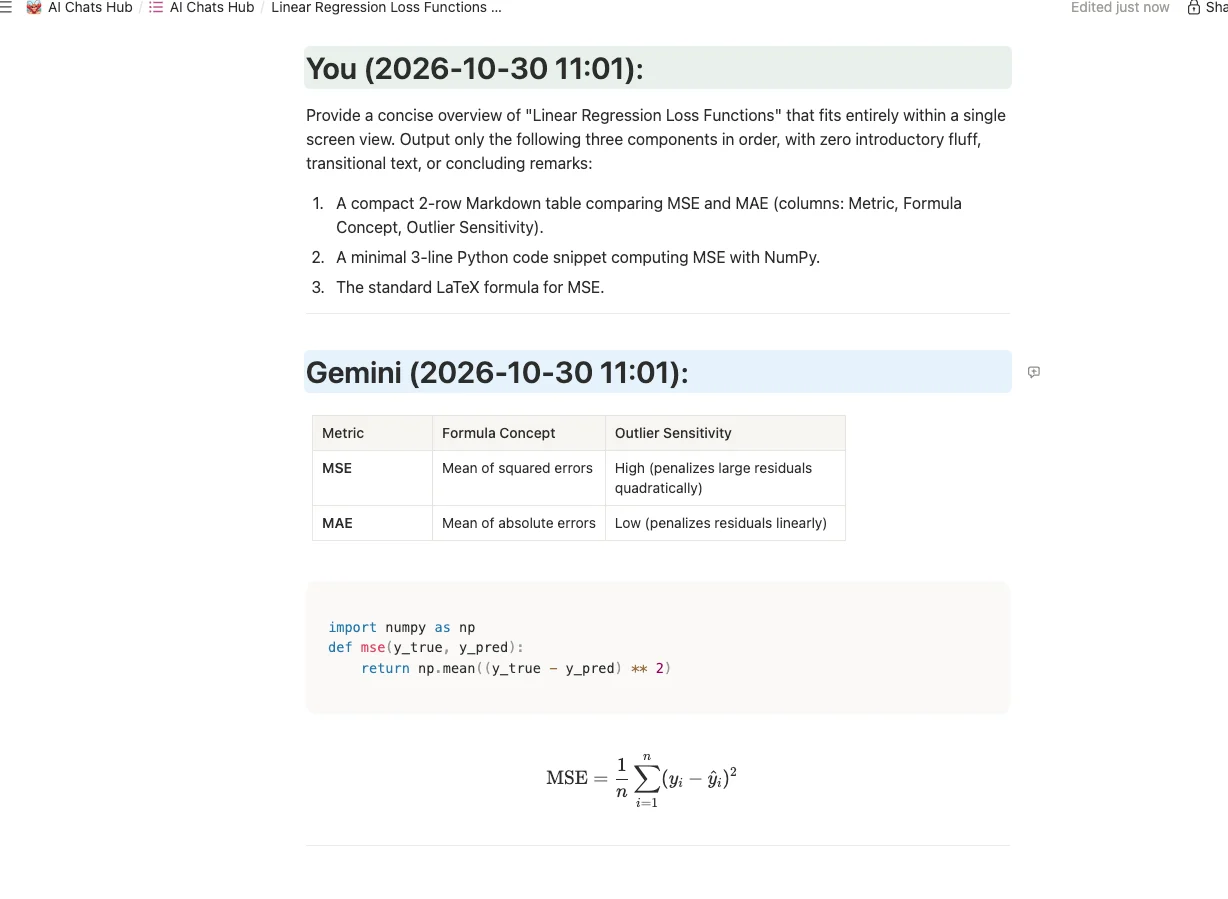
- Tables — as real Notion tables or at least readable rows, not one run-on line.
- Code blocks with their language — syntax highlighting is a bonus; preserved indentation is not optional.
- LaTeX — the most commonly lost element. Formulas frequently arrive as raw
$$...$$text or as nothing. - Images — either embedded or linked. Broken image placeholders are worse than no images.
- Source links — if the answer cited something, the citation has to survive.
- Long-thread splitting — one page per conversation stops working past a few hundred messages.
- Metadata — date, model, and for Gemini specifically, which Gem was in use.
Gems, Deep Research and long chats
This is where most Gemini export guides stop, and it is where the differences between tools actually show up.
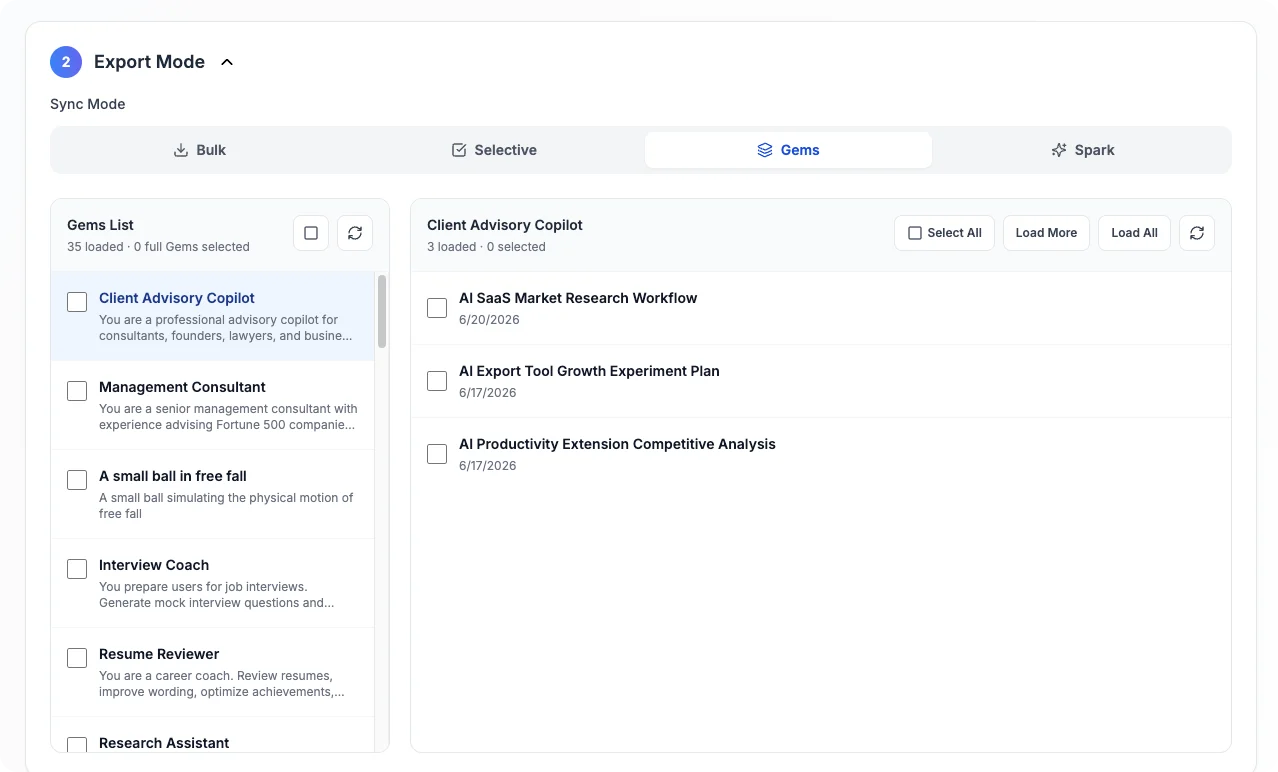
Gems. A Gem is a Gemini with its own instructions and files. When you export the conversation alone, the transcript does not tell you which Gem produced it — the instructions that shaped every answer are gone. Only some tools record the Gem name as metadata, and fewer can export a specific Gem’s conversations as a set. If you rely on several Gems, check this before choosing: a database of untagged transcripts from five different Gems is not an archive, it is a pile.
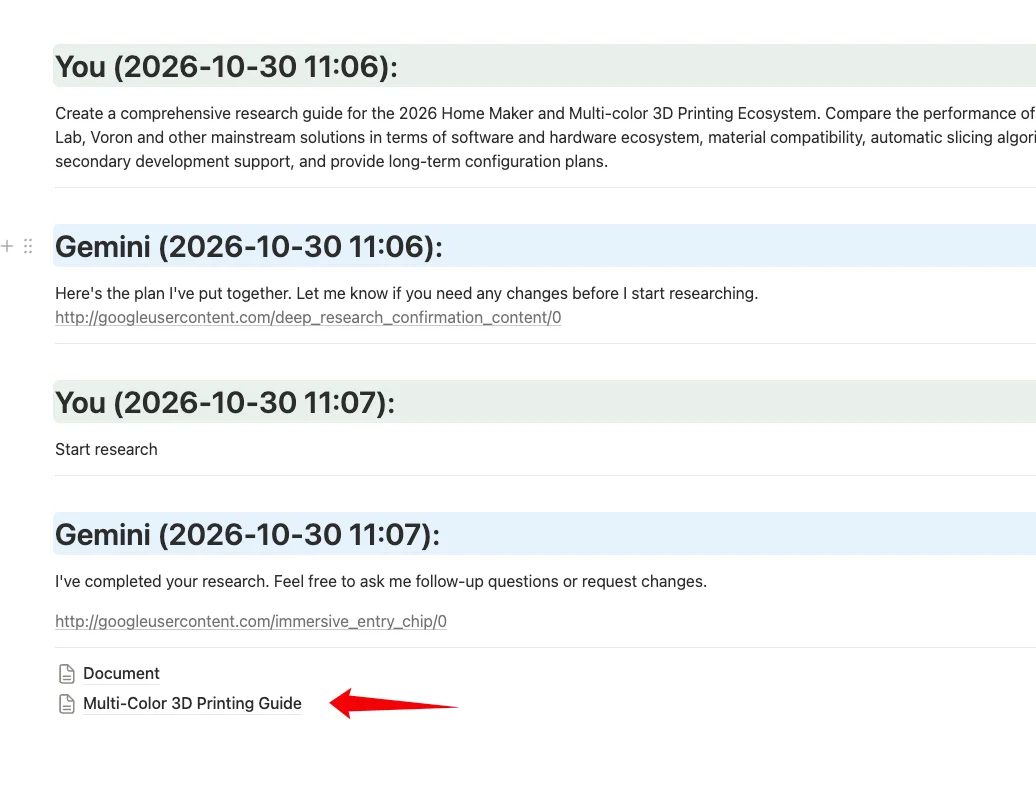
Deep Research. The output is a long report with citations, often several thousand words. Saved as a single page it is unusable; saved as a sub-page under the question that produced it, it stays attached to its context. Ask specifically whether Deep Research output becomes a sub-page, because it is not the same code path as a normal chat export.
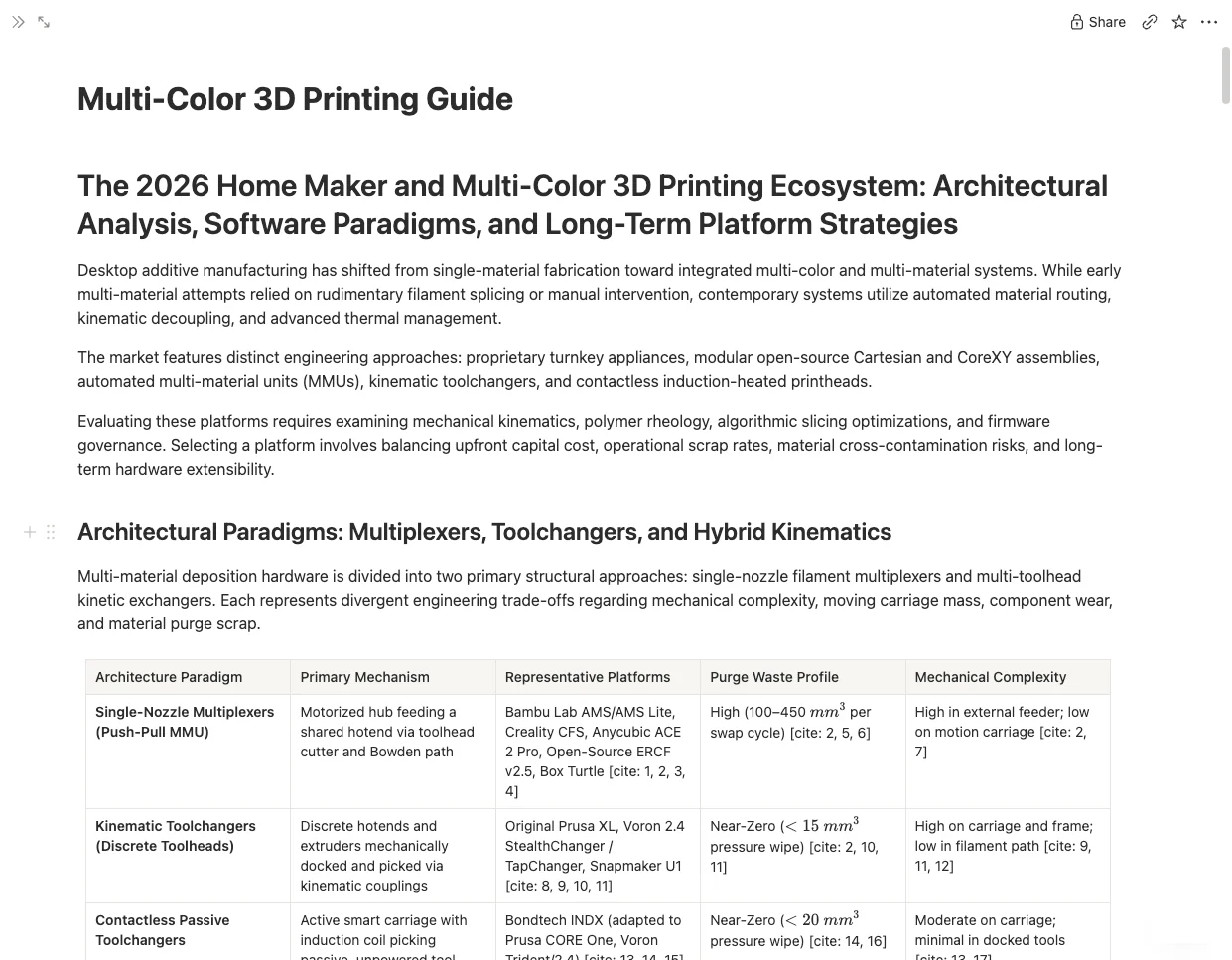
Long chats. Gemini threads routinely run to hundreds of messages. A tool that puts everything on one page produces something you will never scroll through, which defeats the point of saving it. Sub-page splitting is the difference between an archive you search and one you abandon.
FAQ
Is there a free Gemini to Notion extension?
Yes. Export ChatGPT, Gemini & Claude to Docs, Notion & Obsidian (by Daniel Li) is currently free in full. Export Gemini Chats to Notion, Gemini Exporter and Pactify all have free tiers, but each caps how much you can export per month or per bulk run.
Can I export all my Gemini history to Notion at once?
Only if the extension supports bulk history export. Export Gemini Chats to Notion does; several tools on this list are single-conversation only. Before running a full migration, export two or three non-sensitive conversations into a test Notion database and check the result.
Can I export Gemini Gems or Deep Research to Notion?
Gems support is rare. Export Gemini Chats to Notion can export a specific Gem and records which Gem produced a conversation. Deep Research reports are long, so saving them as sub-pages under the original conversation keeps them usable. Most other listings do not mention either feature.
Does Gemini have a built-in Notion export?
No. Gemini does not have a native button that sends a conversation to Notion. Every option in this comparison is a browser extension or a manual workaround.
Will tables, code and LaTeX survive the export?
That depends entirely on the tool. Tables and fenced code blocks are the most commonly supported; LaTeX is often flattened into plain text. Check a sample export before trusting a tool with anything you need to keep.
Is it safe to use these extensions?
They run inside your Gemini session, so they can read what you can read. Check the permissions each extension requests and read its privacy statement. Prefer tools that export directly to your own Notion workspace over ones that route content through a third-party server.
OAuth or an integration token — which is easier?
An OAuth-style connect flow is easier: you authorise Notion once and pick a database. An integration token requires you to create a Notion integration, copy a secret, and paste a page ID yourself. It works, but it is the step where most people give up.
What is the difference between exporting to Notion and to PDF or Markdown?
Notion gives you a structured, searchable, shareable workspace. PDF gives you a fixed document you can send to someone. Markdown gives you local files that stay readable without a browser. The trade-offs are covered in our comparison of PDF, Markdown and Notion.
Methodology note and update log
Data checked: October 30, 2026. Every user count, rating, free-tier limit and price in this article was read from the Chrome Web Store listing or the developer’s own pricing page on that date.
Not verified: output quality for competing extensions. We did not install them and run a controlled export test for this version, so we make no claims about which tool renders tables, code or LaTeX best. Where a listing does not state a feature, the table says check listing.
How the data was read: every listing was opened on the date above. Where a listing contradicted itself, we say so rather than pick the version that suits us. Anything not backed by a listing or a pricing page is labelled as an observation and is worth verifying before you rely on it.
Update log
- 2026-10-30 — First published. Seven extensions compared, two more listed as also considered.
- Hands-on output tests for the competing tools will be added here when we have them.
If you are a developer listed here and something is wrong, tell us and we will verify and correct it within 48 hours, with the change noted above.
Gemini, Claude and Notion are trademarks of their respective owners. This site is not affiliated with Google, Anthropic or Notion.
Try it on your own history
If bulk history and Gems are what you need, Export Gemini Chats to Notion lets you export your first five conversations free — enough to judge the output before you pay for anything. The bulk export guide covers the database setup, and the Notion schema guide explains the fields each page gets.
Related reading
- How to export Gemini chats to Notion, Obsidian or PDF
- Claude to Notion export: 4 methods and 5 extensions compared — the same comparison for Claude, including Projects and Artifacts
- Exporting long Gemini conversations without losing messages
- Saving Gemini Gems to Obsidian
- PDF, Markdown or Notion: which export format to choose
- The best AI chat exporter tools
- Export Gemini chats to Obsidian and to PDF if you want a different destination
- Pricing