
Claude to Obsidian
Export, sync, and backup your Claude conversations to Obsidian. The ultimate Chrome Extension to bulk export your entire Claude chat history—including artifacts and code—as clean Markdown files.

People Love Claude to Obsidian because it's fast, private, and keeps your AI conversations organized locally.
Key Features
Bulk Export & Backup
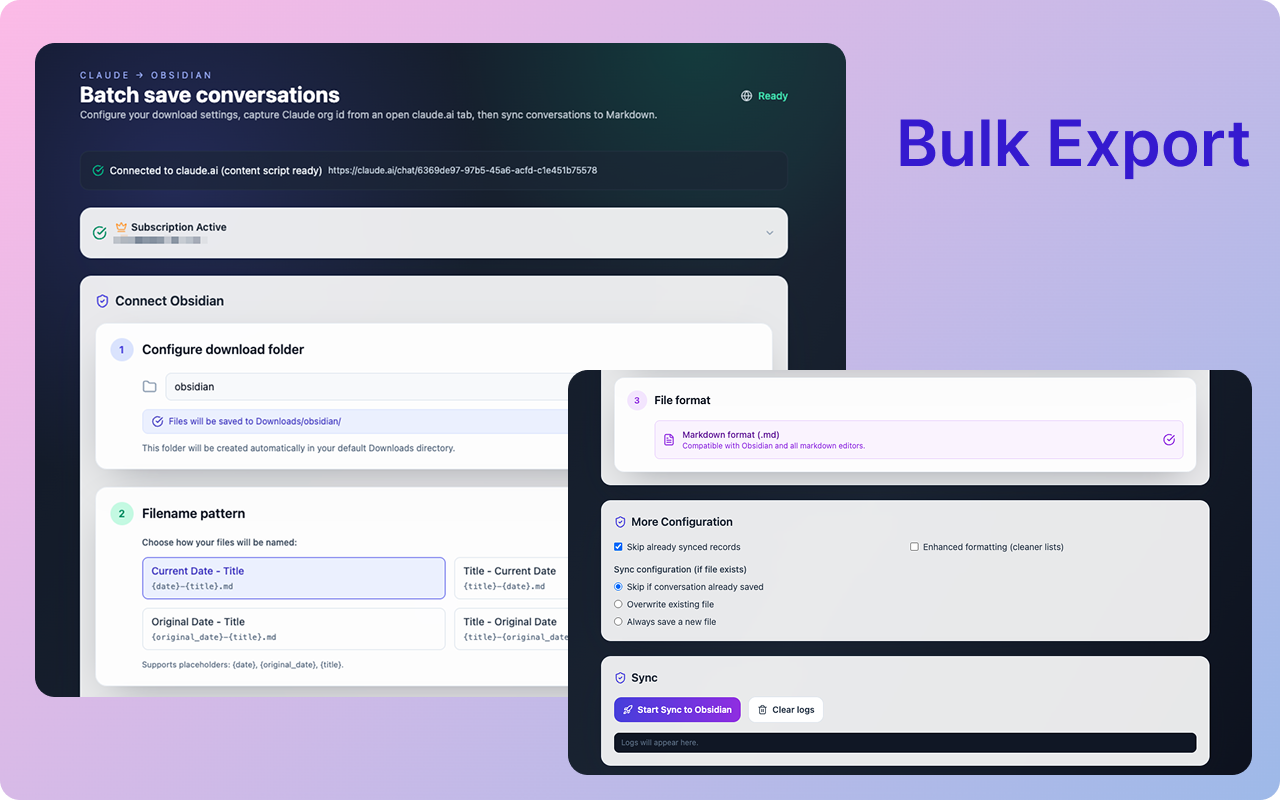
Stop exporting chats one by one. Bulk export your entire Claude conversation history in one go. Build a complete local archive of your AI interactions, perfect for Obsidian import.
Full Artifact History
Capture every artifact and code version from your Claude sessions. All artifact content is preserved with complete version history, making it easy to track iterations and changes.
Local-First & Private
Your data stays yours. Files are saved directly to your Downloads folder as clean Markdown. No cloud servers, no middleman—just direct export to your local Obsidian vault.
Key Features of Claude to Obsidian
Everything you need to organize your Claude AI conversations quickly and efficiently.
Smart Formatting
Preserves Markdown, Code Blocks, Images, Lists, and Tables exactly as they appear in Claude.
Artifact History
Export all artifact content including every version created during your conversation session.
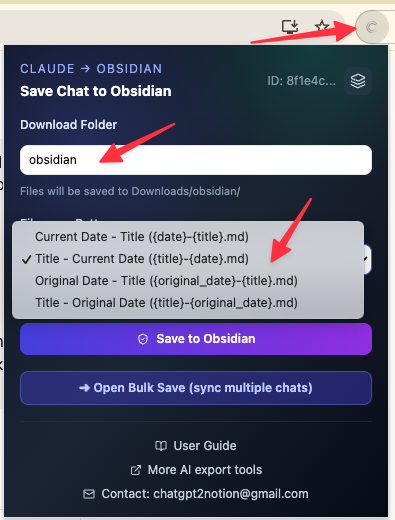
Flexible Filenames
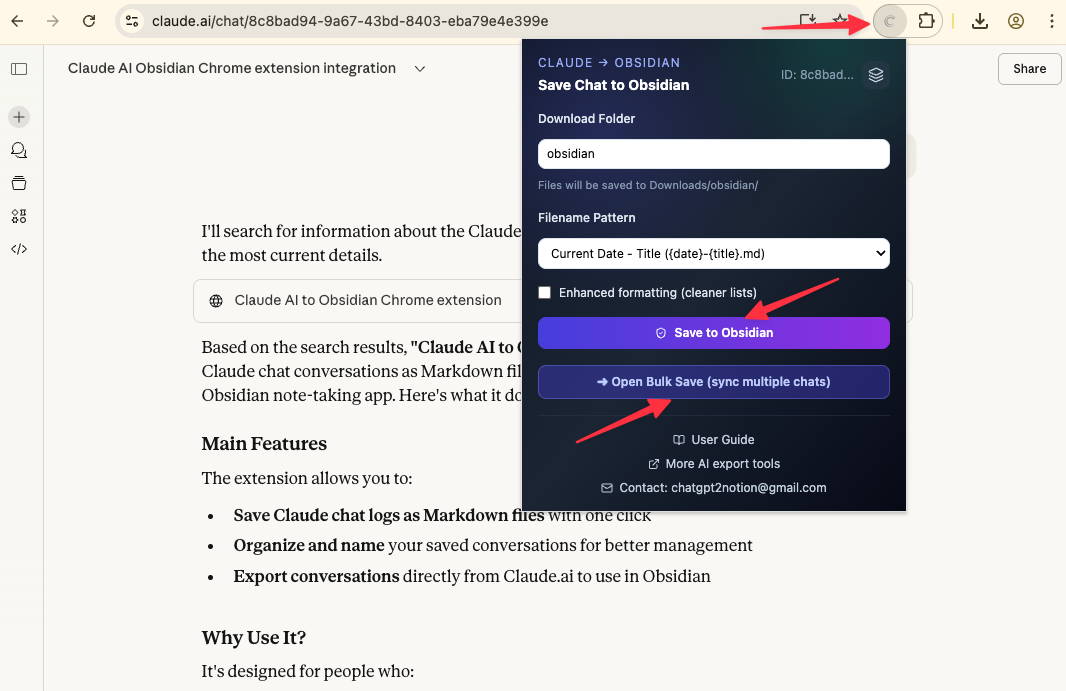
Choose from multiple filename patterns: title-based, date-based, or custom formats for easy organization.
Conflict Handling
Choose to skip or overwrite existing files when exporting. Full control over your backup strategy.
One-Click Export
Save the current conversation instantly with a single click from the extension popup.
Batch Export
Export multiple conversations at once from the options page. Build your archive in minutes.
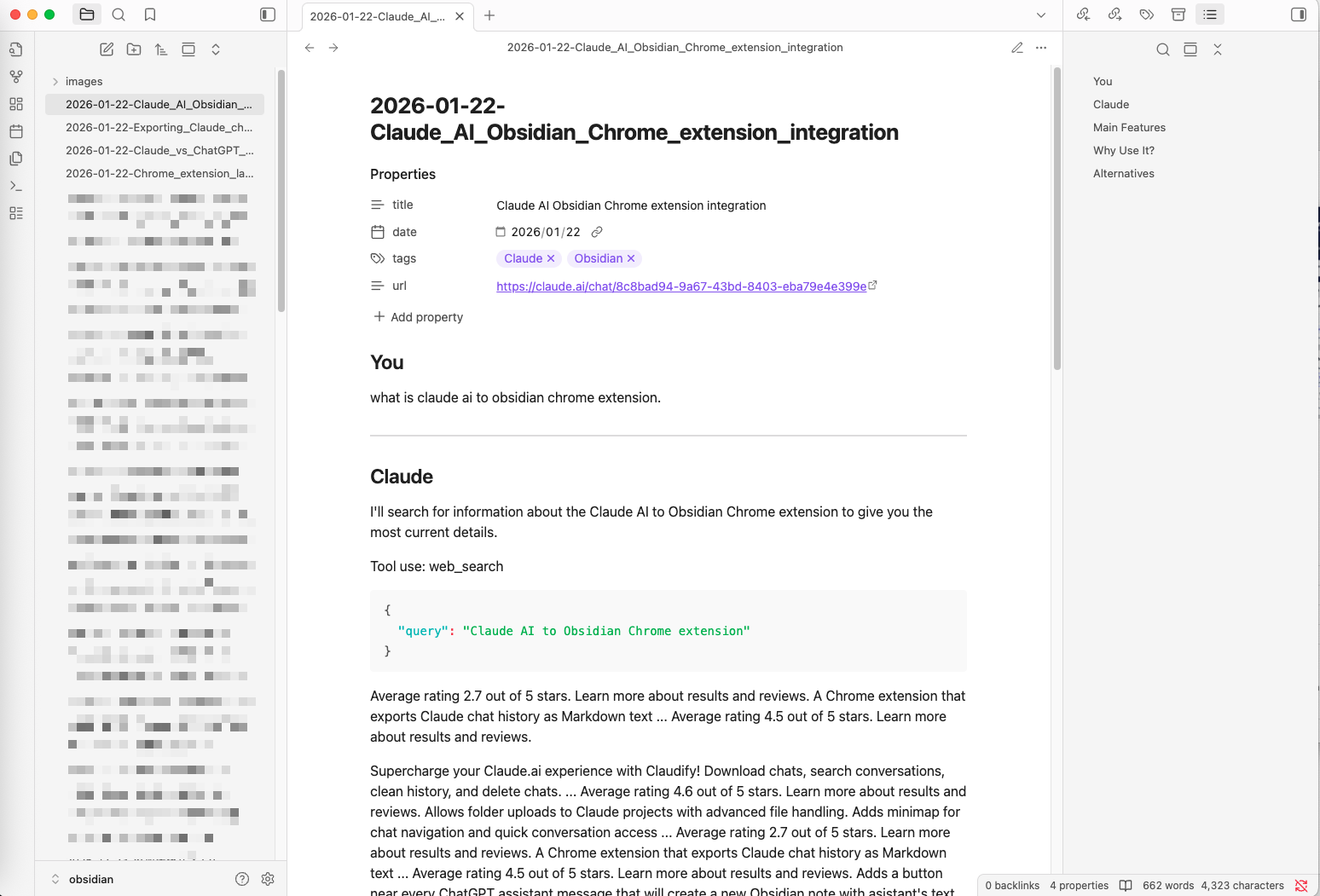
Obsidian-Ready
Files are formatted as clean Markdown with frontmatter metadata, ready to import into Obsidian.
No Cloud Dependency
Everything happens locally in your browser. No API keys, no cloud storage, no privacy concerns.
How it Works

What Users Say About Claude to Obsidian
Real workflows, backed up to Obsidian.
"Perfect for building a local knowledge base. All my Claude research sessions are now searchable in Obsidian."
"Artifact history export is a game-changer. I can track every code iteration Claude generated during debugging sessions."
"Local-first approach gives me peace of mind. My creative writing sessions with Claude are backed up and private."
"Bulk export saved me hours. Exported my entire semester of Claude study sessions to Obsidian in one go."
"Clean Markdown format integrates perfectly with my Obsidian workflow. No formatting cleanup needed."
"The filename patterns make organization effortless. Date-based naming keeps my Claude archive perfectly sorted."
What's New
🚀 NEW: Bulk export feature for Claude conversations. Export multiple chats at once.
🎉 Initial release: Single conversation export with artifact support.
✨ Added customizable filename patterns and conflict handling options.
Frequently Asked Questions About Claude to Obsidian
Have another question? Contact us on Discord or by email.
How do I backup my entire Claude conversation history?
Use the Bulk Export feature in the extension options page. It allows you to export multiple conversations at once, creating a complete local backup of your Claude chat history.
Does it work with Obsidian?
Yes! Files are exported as clean Markdown with frontmatter metadata, making them ready to import directly into your Obsidian vault. Just move the files to your vault folder.
How does Claude to Obsidian work?
The extension runs entirely in your browser. When you export a conversation, it captures the content and saves it as a Markdown file to your Downloads folder. No cloud servers involved.
Does it support Claude artifacts?
Yes. The extension exports all artifact content from your conversations, including every version created during the session. This preserves your complete creative and coding history.
Can I customize the filename format?
Yes. Choose from multiple patterns: title-based (conversation title), date-based (YYYY-MM-DD format), or title with date. Configure this in the extension popup.
What happens if a file already exists?
You can choose the conflict action: 'uniquify' (adds a number suffix), 'overwrite' (replaces the file), or 'prompt' (asks you each time). Configure this in settings.
Can I export multiple conversations at once?
Yes. The Bulk Export feature in the options page allows you to select and export multiple conversations in one operation.
Is my data secure?
Absolutely. Everything happens locally in your browser. Files are saved directly to your Downloads folder. We never send your conversation data to any external servers.
Do I need an API key?
No. The extension works directly with the Claude web interface. No API keys or additional authentication required.
What's included in the free version?
Free users can export up to 5 conversations per day. This includes both single exports and bulk exports combined.
Unlock Unlimited Power
Batch export 100+ chats, Auto-Sync, and priority support with Universal Pass.
Get Universal Pass