
AI Chat Export Checklist Before Deleting Conversations
Use this AI chat export checklist to verify content, metadata, retrieval, and backups before deleting valuable conversations.
Guide summary
- Search intent
- Informational guide intent: users want a reliable checklist before deleting AI conversations after export or backup.
- Best next step
- Export ChatGPT to Notion
- Topics
- AI Chat ExportBackupArchiveData Safety
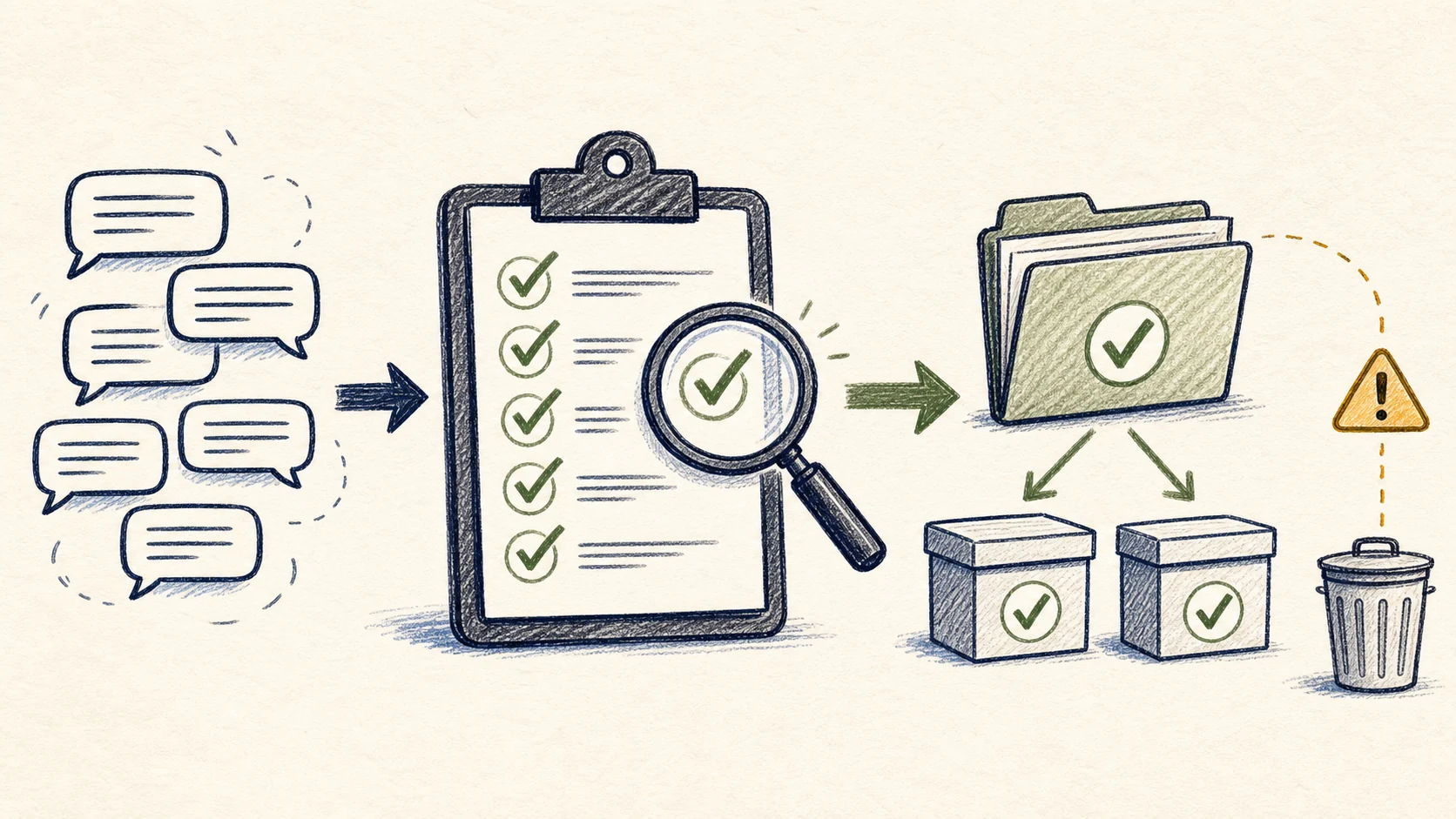
Before you delete any AI conversation, confirm five things: the right conversation was exported, the destination fits the job, the content opens correctly, the metadata is preserved, and you can still find the conversation later without reopening the source app. If any of those checks fail, do not delete the original yet. A safe AI chat archive is not just captured. It is verified.
Why users delete too early
Deletion usually happens under pressure:
- the sidebar is crowded
- a project ended
- you want a cleaner workspace
- you assume the export is already safe
- the original chat feels easy to replace
That is exactly when mistakes happen. Valuable conversations often disappear not because people never exported them, but because they exported quickly and skipped the final trust check.
The pre-deletion principle
Never delete the source just because the export file exists.
Delete only when the archive is:
- complete enough for the intended use
- readable in the chosen destination
- linked to a title, date, or project
- retrievable without memory alone
- backed up to the right level for its value
This principle is especially important for research, code, project planning, study records, and client-facing material.
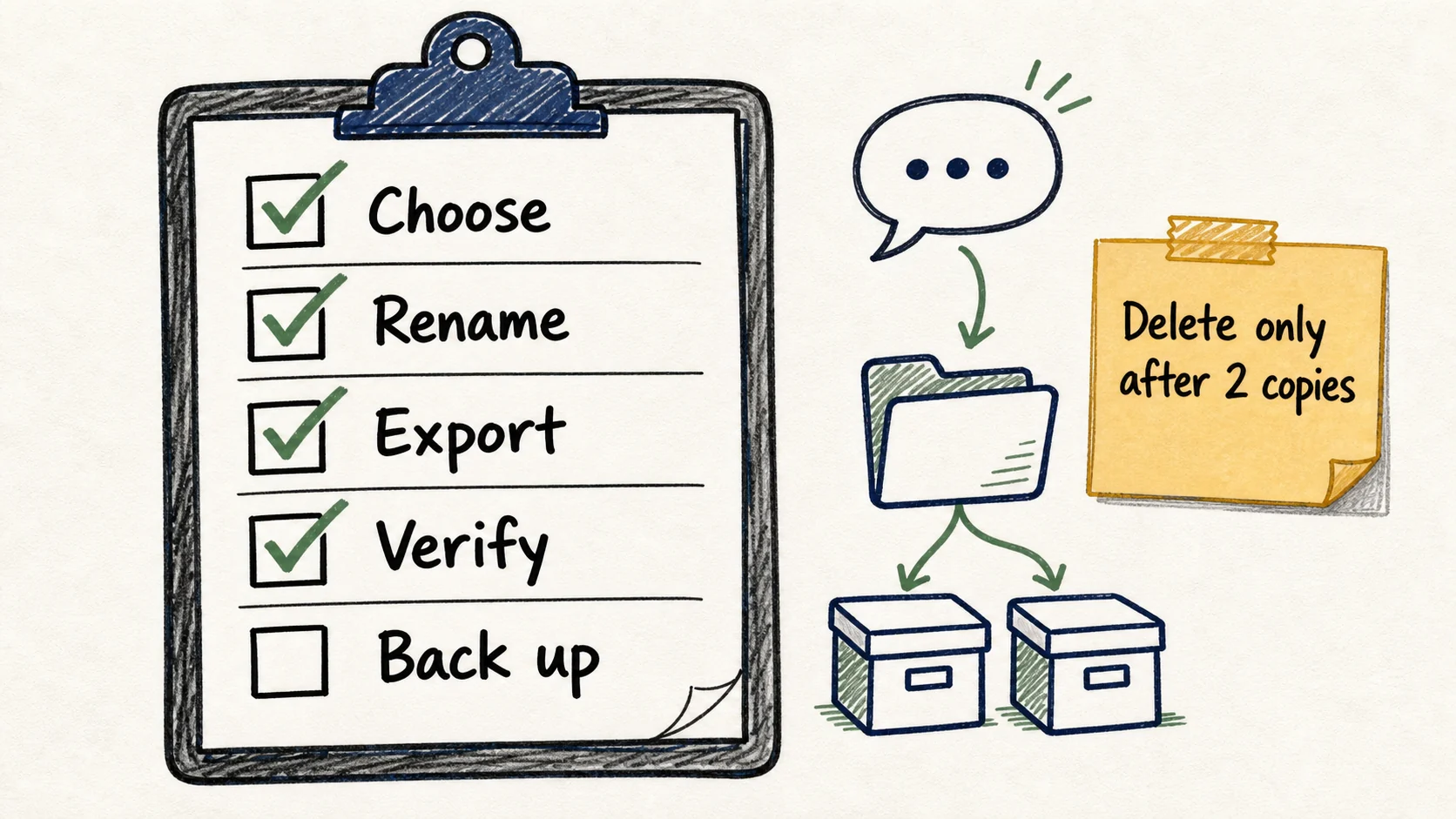
The checklist before deleting conversations
1. Did you export the right conversation?
This sounds obvious, but many users save the wrong version, a partial thread, or a renamed chat that hides the actual topic.
Check:
- correct title
- correct thread or project
- correct scope
- no missing continuation messages
2. Did you choose the right destination?
Ask what the conversation needs to become:
- searchable working knowledge -> database or note system
- local archive -> Markdown or Obsidian
- stable handoff copy -> PDF
- browser-readable snapshot -> HTML where appropriate
If you are unsure, do not delete yet. A second archive layer is often cheaper than rebuilding lost context.
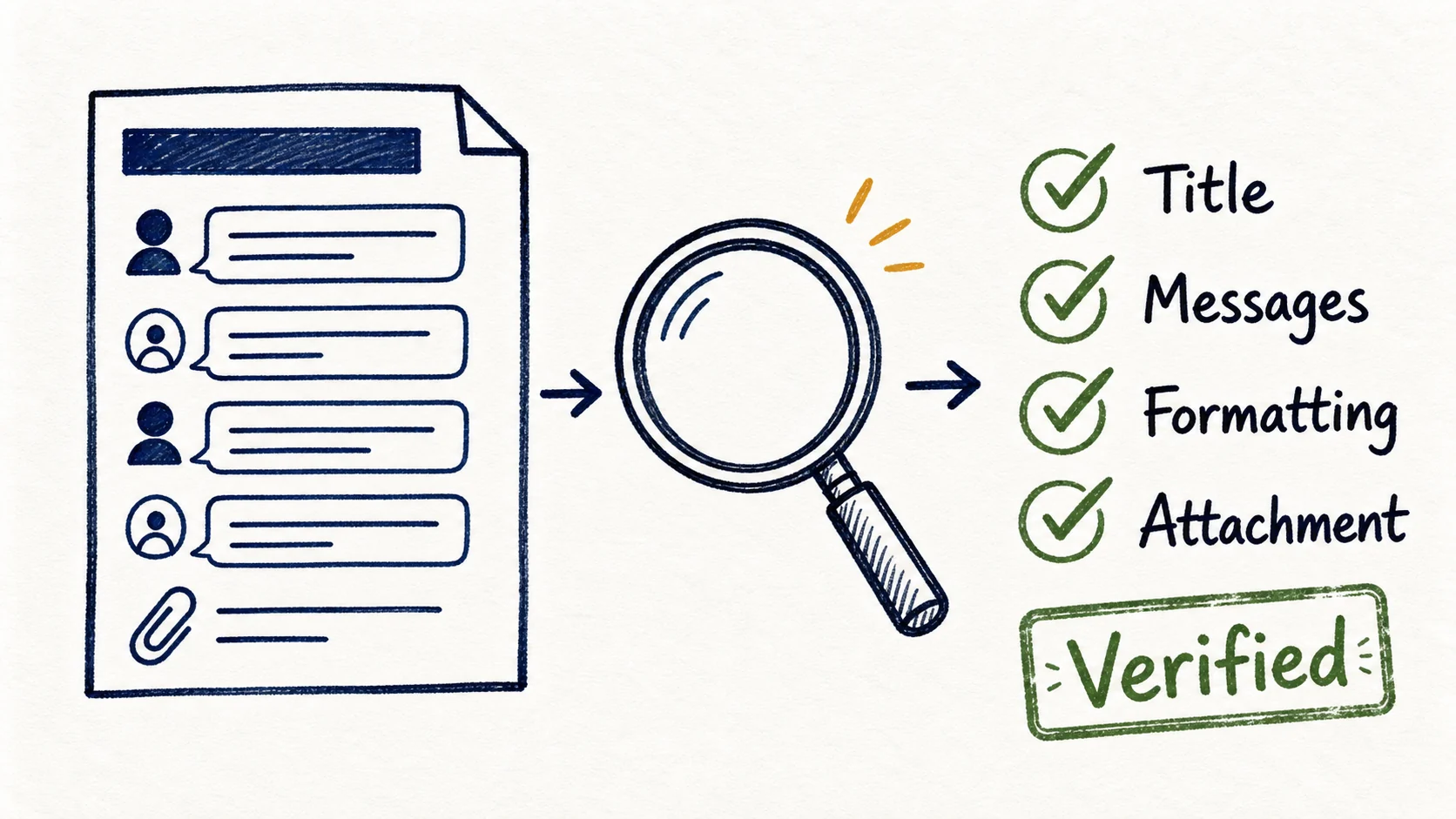
3. Does the exported file actually open and make sense?
Open the result and verify:
- headings and lists are readable
- code blocks are intact
- dates and titles exist
- source links are preserved where relevant
- images or visual references are handled correctly
4. Can you find it later without remembering the exact wording?
The archive is weak if retrieval depends on memory.
Check for:
- useful title
- project or area label
- original date or export date
- source platform
- destination folder or database location
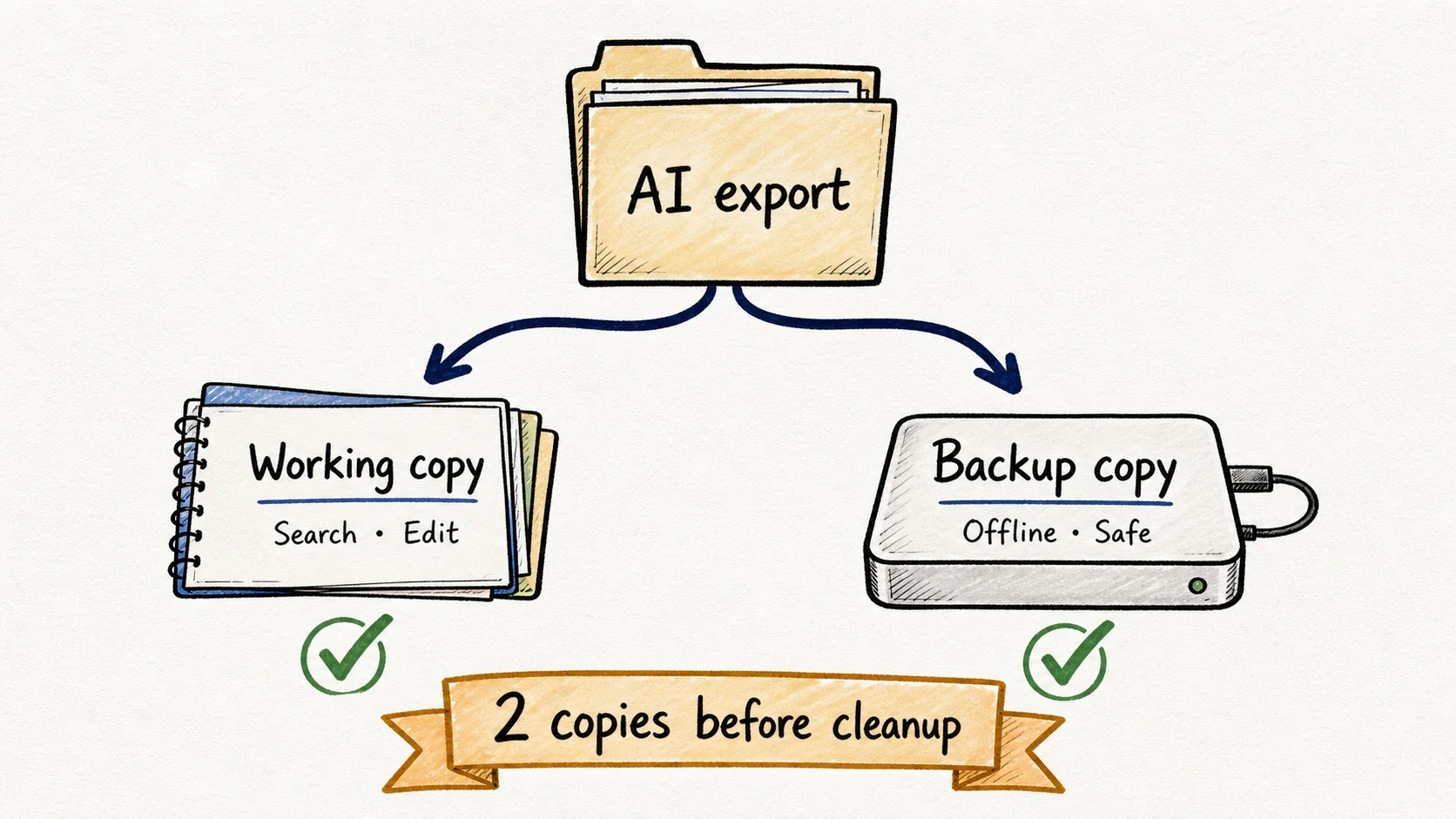
5. Is one archive copy enough?
This depends on risk. Some conversations only need one searchable copy. Others need a second layer.
Use one archive copy when:
- the conversation is low-risk
- the main value is text reuse
- a searchable workspace is enough
Use two archive layers when:
- the conversation affects a client or project decision
- the archive needs visual fidelity
- compliance, audit, or handoff matters
- the conversation would be expensive to reconstruct
The risk-based deletion model
Low-risk conversations
Examples:
- small brainstorming notes
- one-off drafting help
- temporary prompt tests
These can often live in one archive destination before deletion.
Medium-risk conversations
Examples:
- reusable research summaries
- internal planning sessions
- study notes you expect to revisit
These usually benefit from a searchable destination with clear metadata before deletion.
High-risk conversations
Examples:
- client deliverable prep
- long technical debugging sessions
- source-heavy research
- design critique with screenshots
- project decisions with historical value
These usually deserve a second archive layer before deletion.
Step by step: a safe cleanup workflow
1. Build a cleanup queue
Do not delete ad hoc. Create a simple queue with statuses:
- Keep active
- Exported, needs verification
- Archived, safe to delete
- Delete now
2. Export first, verify second, delete third
That order matters. Reversing it is the entire problem.
3. Save the minimum metadata
At minimum keep:
- title
- source tool
- original or export date
- project or topic
- destination format
For searchable archives, ChatGPT Export to Notion is a strong pattern. For fixed records, ChatGPT Export to PDF is often the safer companion.
4. Confirm backup confidence
If the archive would be expensive to rebuild, ask:
- does another copy exist
- is the output readable on its own
- would another person understand it later
- does it still have the context that made it valuable
5. Delete only after a successful spot check
Open a few archived items from the queue at random. If the archive quality looks inconsistent, stop the cleanup and fix the process before deleting more.
Best for section
This page is best for users with backlog cleanup, project turnover, or archive hygiene problems. It is especially useful if your AI sidebar is crowded and you are tempted to mass-delete after a quick export. If the content matters, introduce risk control before cleanup speed.
Common mistakes to avoid
Confusing export completion with archive safety
A file existing somewhere is not proof that the archive is usable.
Deleting after a batch export without opening the results
This is one of the highest-risk behaviors in chat cleanup workflows.
Keeping weak titles
If the archive item is hard to identify, it is effectively half-lost already.
Using one archive layer for high-risk material
Some conversations deserve a searchable copy and a stable record copy.
Skipping metadata because “I will remember”
You probably will not remember in three months.
FAQ
What should I check before deleting an AI conversation?
Check completeness, readability, metadata, retrievability, and whether the archive depth matches the risk of losing the conversation.
Is one export enough before deletion?
Sometimes, yes. For low-risk text-first material, one good searchable copy may be enough. High-risk material often deserves a second layer.
Should I keep both Notion and PDF copies?
If the conversation has decision value, visual context, or handoff importance, that is often a safer pattern.
How do I know if the archive is retrievable?
Try finding the conversation by title, project, date, or source tool without reopening the original app.
What if I already deleted chats after weak exports?
Strengthen the workflow now. Build the checklist into future cleanup so the mistake does not repeat.
Delete with confidence, not with hope
A cleaner AI workspace is useful, but only if the archive stays trustworthy after cleanup. The safest habit is simple: export, verify, label, and only then delete. AI Export Hub works best when the archive is treated as a real knowledge system, not just a dumping ground for files you assume are safe.