
ChatGPT Export to Notion
A practical guide to exporting ChatGPT conversations into Notion so research, drafts, decisions, and prompts become searchable pages in a structured workspace.
Guide summary
- Search intent
- High commercial intent: users want to move AI conversations into Notion.
- Best next step
- Try ChatGPT to Notion
- Topics
- ChatGPTNotionExportKnowledge Base
The best way to export ChatGPT to Notion is to send selected conversations into a Notion database with a clean title, original chat URL, project label, topic, and export date. Manual copy and paste works for one short answer, but it is weak for long conversations, code blocks, repeated research, and team knowledge. A dedicated export workflow turns ChatGPT into a reusable Notion knowledge base instead of a scattered chat history.
Table of contents
- Why export ChatGPT to Notion
- When Notion is the right destination
- Step-by-step workflow
- Database structure
- Troubleshooting
- FAQ
Why export ChatGPT conversations to Notion
ChatGPT is often where the useful work starts: research summaries, product ideas, customer support drafts, code explanations, interview questions, competitive analysis, and prompt templates. Notion is often where that work needs to live afterward. The gap between the two tools creates a common problem: the answer exists, but no one can find it when it is needed.
Exporting ChatGPT to Notion solves that by turning conversations into pages that can be tagged, searched, linked, reviewed, and shared. A saved conversation can become part of a client workspace, content calendar, product spec, research database, meeting prep system, or personal second brain.
The main benefit is not just storage. It is retrieval. A conversation that is exported with a project, topic, date, and source URL is much easier to reuse than a conversation buried under dozens of old ChatGPT titles.
When Notion is the right destination
Use Notion when you want a structured, searchable, collaborative archive. It is especially useful for:
- Research notes that need tags and summaries
- Client or team work that needs sharing
- Product decisions that should be linked to specs
- Prompt libraries that need examples and use cases
- Content drafts that will move into an editorial workflow
- Study notes that should connect to courses, books, or topics
Use ChatGPT to Notion when the exported conversation should become a Notion page or database entry. If you need local Markdown files instead, use ChatGPT to Obsidian. If you need a stable document for sharing, use ChatGPT to PDF.
Step-by-step workflow
1. Create a Notion destination database
Start with one database called AI Conversations or ChatGPT Archive. Do not create a separate database for every small topic. One central capture database is easier to maintain, and Notion views can show the same data by project, client, topic, or status.
Recommended properties:
- Title
- Project
- Topic
- Source tool
- Original chat URL
- Export date
- Status
- Format
- Review needed
2. Choose the conversation to export
Export conversations that have durable value. Good candidates include long research sessions, final answers, code debugging notes, product planning, client strategy, reusable prompts, and conversations inside ChatGPT Projects.
Do not export every casual chat. A clean Notion database with 50 useful entries beats a noisy database with 1,000 low-value pages.
3. Clean up the title before export
Rename the ChatGPT conversation so the Notion page title is useful. For example:
SEO - ChatGPT Export Guides Day 2Client Research - Pricing Page ObjectionsReact - Error Boundary Debugging NotesPrompt Library - YouTube Script Generator
Avoid vague names such as New chat, Ideas, or Question.
4. Export the conversation
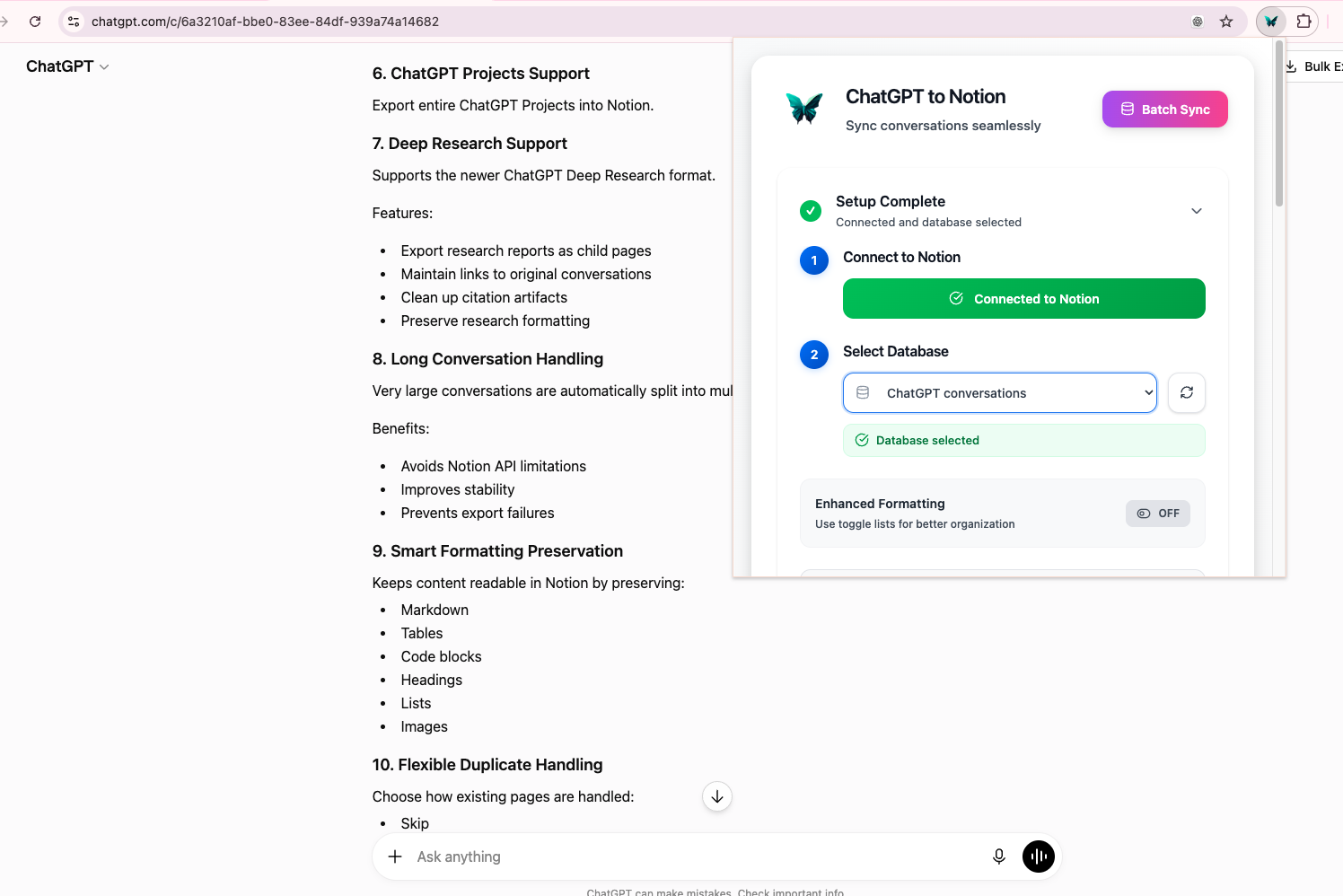
Open the conversation, use the export workflow, and choose the target Notion database. For a product workflow, ChatGPT to Notion is the most direct option because it is designed for saving ChatGPT conversations into Notion.
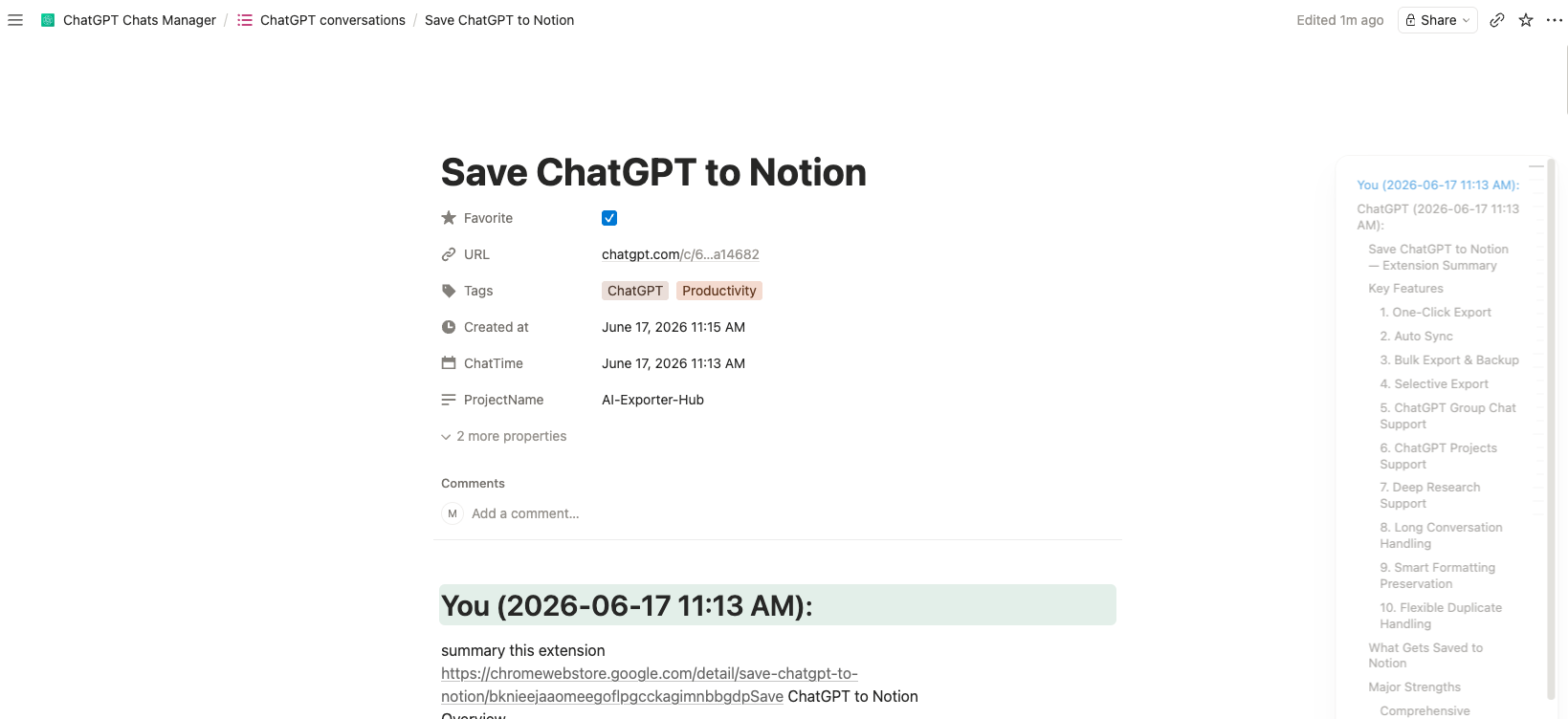
After export, open the Notion page and verify that the title, message structure, headings, lists, and code blocks are readable.
5. Add metadata while context is fresh
Immediately add a project, topic, and status. If you wait until later, the exported page becomes another unsorted note. Good status values include:
- Captured
- Needs review
- Useful
- Final
- Archived
This helps separate rough brainstorming from trusted reference material.
Recommended Notion views
A strong ChatGPT-to-Notion system usually needs a few simple views:
| View | Purpose |
|---|---|
| Recently exported | Review the latest captured chats |
| By project | Find all conversations attached to one project |
| Prompt library | Keep reusable prompt patterns |
| Research archive | Store source-heavy conversations |
| Needs cleanup | Mark exports that need summarizing or tagging |
Use views to reduce friction. If the database becomes too complex, you will stop saving conversations.
Troubleshooting
Formatting looks different in Notion
Notion and ChatGPT do not render every Markdown structure identically. After export, check headings, nested lists, tables, and code blocks. If exact visual fidelity matters, export a PDF copy as well.
Images are missing
ChatGPT to Notion is best for text, structure, code blocks, tables, metadata, Projects, Group Chats, and Deep Research-style text. It should not be treated as a universal image migration tool. If images are central to the conversation, use a PDF or local file workflow.
Duplicate pages appear
Add the original ChatGPT URL as a property. This gives you a reliable duplicate check when titles are similar.
Long chats feel hard to read
For very long conversations, create a short Notion summary at the top after export. Keep the raw transcript below it or in a linked subpage so the original context is not lost.
FAQ
Can I export ChatGPT conversations directly to Notion?
Yes. ChatGPT to Notion is designed to save ChatGPT conversations into a structured Notion workspace.
What should my Notion database include?
Use title, project, topic, source tool, original URL, export date, and status. That is enough for most personal and team systems.
Can I export ChatGPT Projects to Notion?
ChatGPT to Notion supports project-oriented workflows. For important projects, export the conversations that contain decisions, research, and final deliverables, then tag them with the project name.
Is Notion better than PDF for ChatGPT export?
Notion is better for searchable, editable knowledge. PDF is better for stable records and external sharing. Many users benefit from both.
Does exporting to Notion replace backups?
It creates a useful working backup, but for critical data you may still want local Markdown or PDF copies.
Turn ChatGPT into a Notion knowledge base
Start with one valuable conversation and export it into a Notion database with a clear project and topic. Once the workflow works, repeat it weekly for research, drafts, decisions, and reusable prompts. ChatGPT to Notion gives you the direct path from temporary chat to durable workspace.