
How to Export Gemini Chats to Notion: A Searchable Database Workflow
Export Gemini conversations to Notion with a practical database schema, review checklist, and reusable workflow for research, planning, and team knowledge.
Guide summary
- Search intent
- High commercial intent: users want to export Gemini conversations to a searchable Notion workspace.
- Best next step
- Export Gemini to Notion
- Topics
- GeminiNotionAI ExportKnowledge BaseBackup
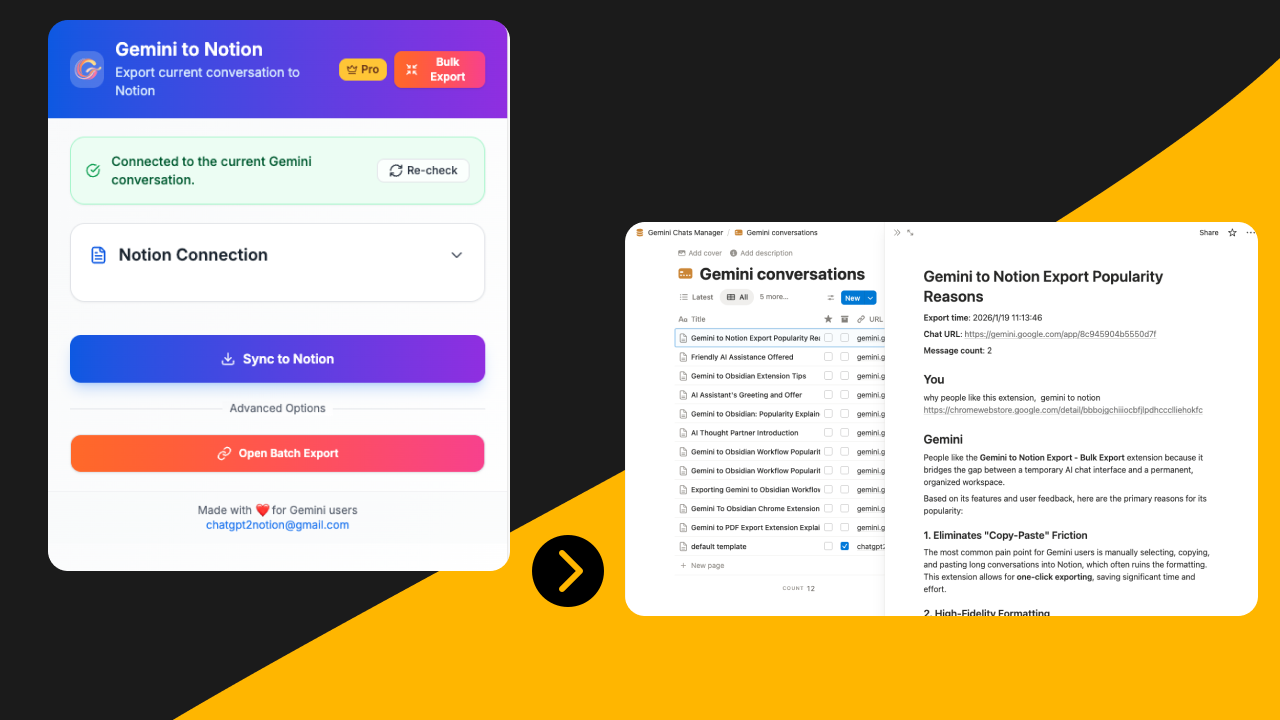
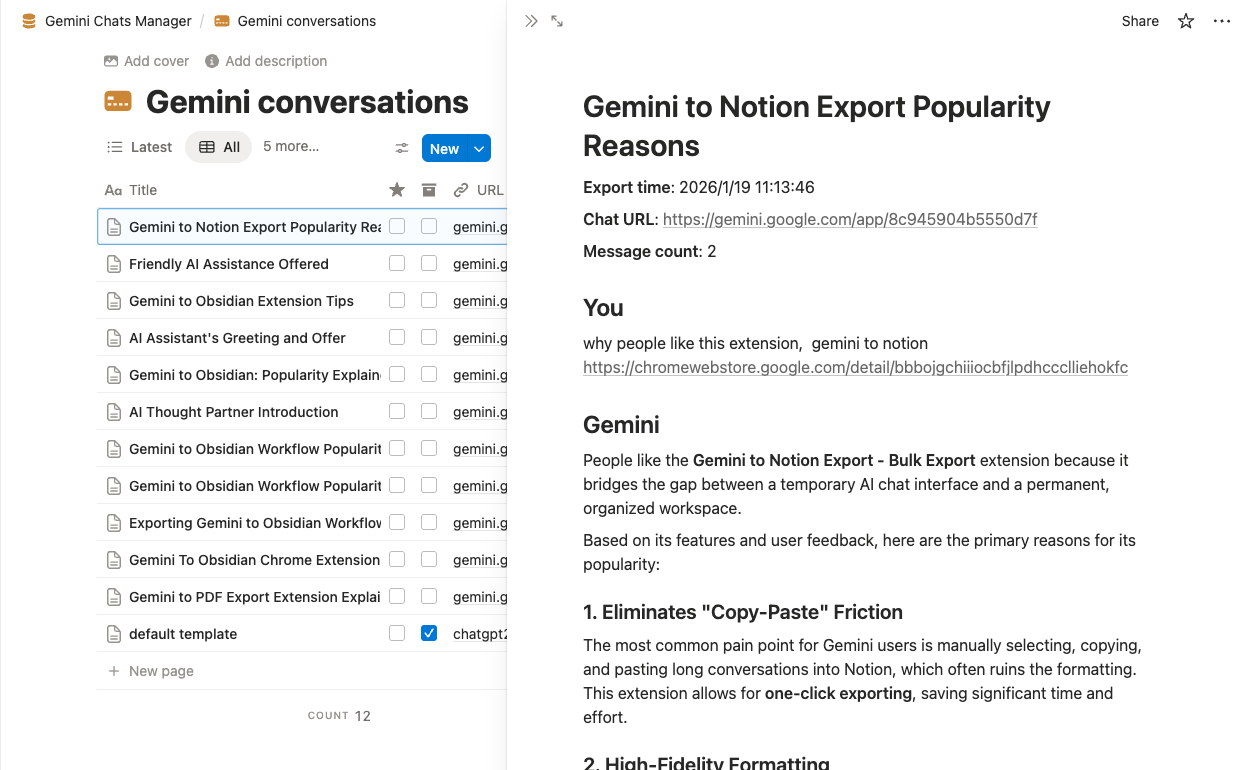
The best way to export Gemini conversations to Notion is to treat the export like knowledge capture, not file storage. Save the Gemini chat into a Notion database with clear properties such as topic, project, source, and status, then review the result immediately so it stays searchable and reusable. If you only move text without a structure, the export is technically complete but operationally weak.
Why export Gemini conversations to Notion
Gemini is often used for research summaries, outline drafts, planning sessions, comparison tables, and idea development. Those chats are useful because they capture reasoning, not just final answers. The problem is that reasoning becomes hard to recover once the thread disappears into chat history.
Notion is a strong destination for Gemini exports because it adds the layer Gemini itself does not provide well enough for long-term retrieval:
- searchable databases
- properties and filters
- project-level organization
- team sharing
- easy review workflows
If your Gemini conversations become inputs for content, operations, product decisions, or research notes, Notion is usually a better final destination than leaving them inside the chat app.
When Notion is the right destination
Use Notion when the Gemini conversation should become part of an active working system.
Notion is a strong fit when:
- the chat belongs to a client, project, or content calendar
- you want to filter conversations by topic or status
- multiple people may need to review or reuse the export
- you are building a searchable AI knowledge base
Notion is a weak fit when:
- you only need a fixed read-only copy
- the conversation should remain local-first and file-based
- you want plain Markdown without database overhead
In those cases, compare the broader Gemini export options or route the conversation to another format first.
Step-by-step: Gemini export to Notion
1. Choose the conversations worth keeping
Do not export every Gemini chat by default. Start with high-value conversations such as:
- research syntheses
- decision-making threads
- reusable writing drafts
- planning sessions with next steps
- prompt experiments you will likely reuse
This first filter reduces clutter inside Notion later.
2. Rename the Gemini thread before exporting
Weak titles become weak Notion page names. Replace generic labels with a format that shows topic and purpose:
Gemini - SEO research - export guide competitorsGemini - Q3 messaging draft - enterprise angleGemini - learning notes - model evaluation checklist
Good naming is the cheapest improvement you can make to future retrieval.
3. Send the chat to a Notion-ready export workflow
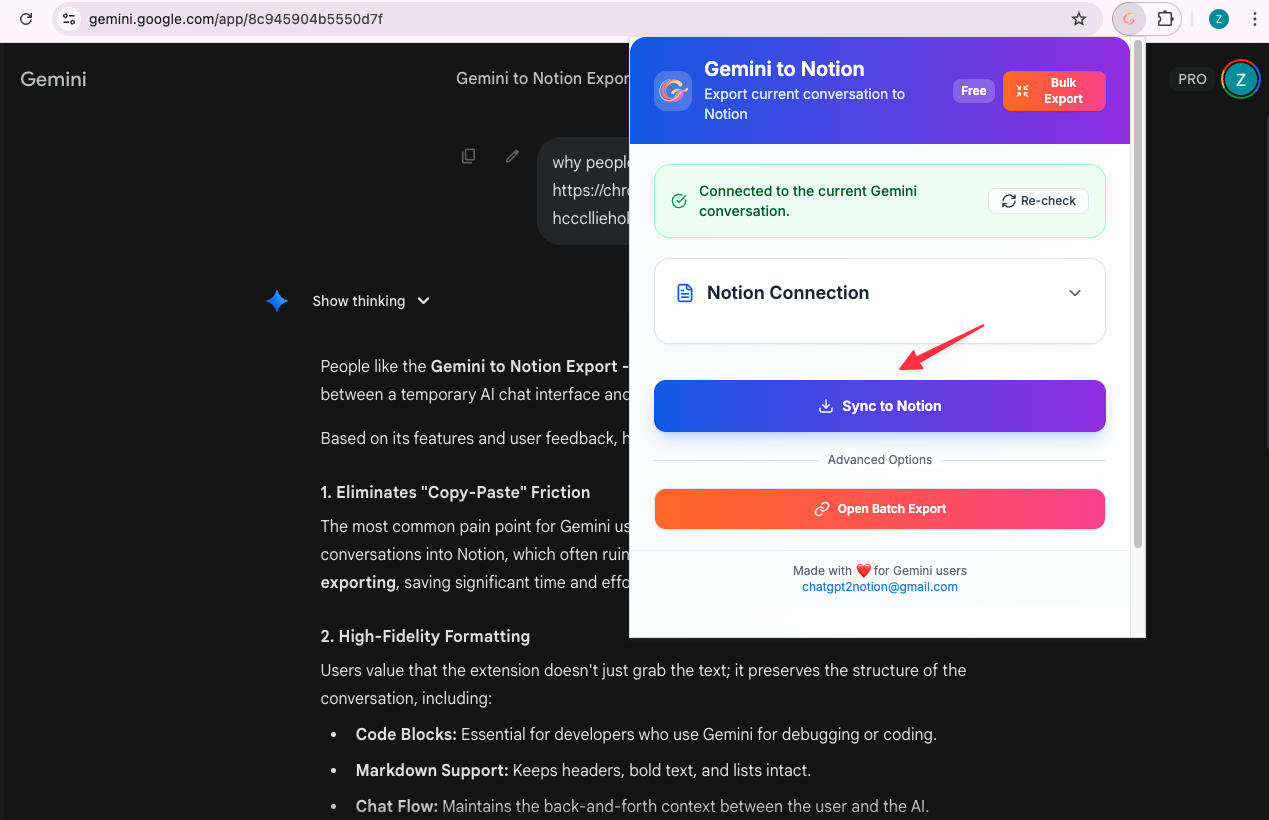
Use Export Gemini to Notion when the goal is a searchable, structured destination instead of a loose document. This is especially helpful when the Gemini chat includes sections, tables, long answers, or material that should connect to an existing workspace.
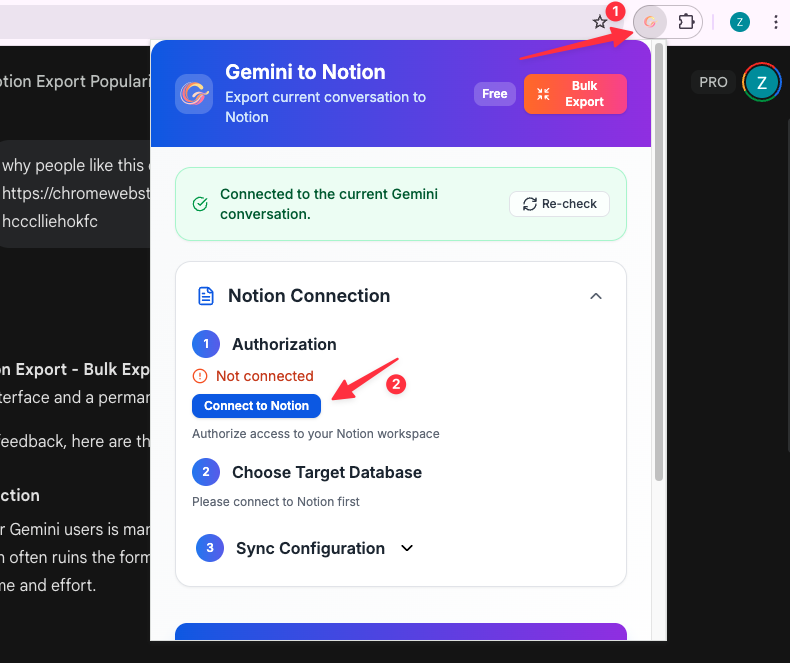
Before scaling, test a single conversation and confirm:
- headings remain readable
- lists and tables survive
- long answers are intact
- the page lands in the right database
4. Add metadata immediately after export
The export is only half done when the page lands in Notion. Add properties before moving on, otherwise the archive becomes a pile of pages with no retrieval logic.
Recommended minimum properties:
- Title
- Source tool: Gemini
- Project
- Topic
- Content type
- Export date
- Reuse status
- Importance
- Original thread URL if available
5. Review the exported page once
Open the exported Gemini page and check whether the output is still useful as a working record.
Look for:
- broken headings
- lost tables
- flattened formatting
- missing mid-thread context
- vague title or missing tags
This review pass is what separates a useful archive from a dead database.
A Notion database schema that actually works
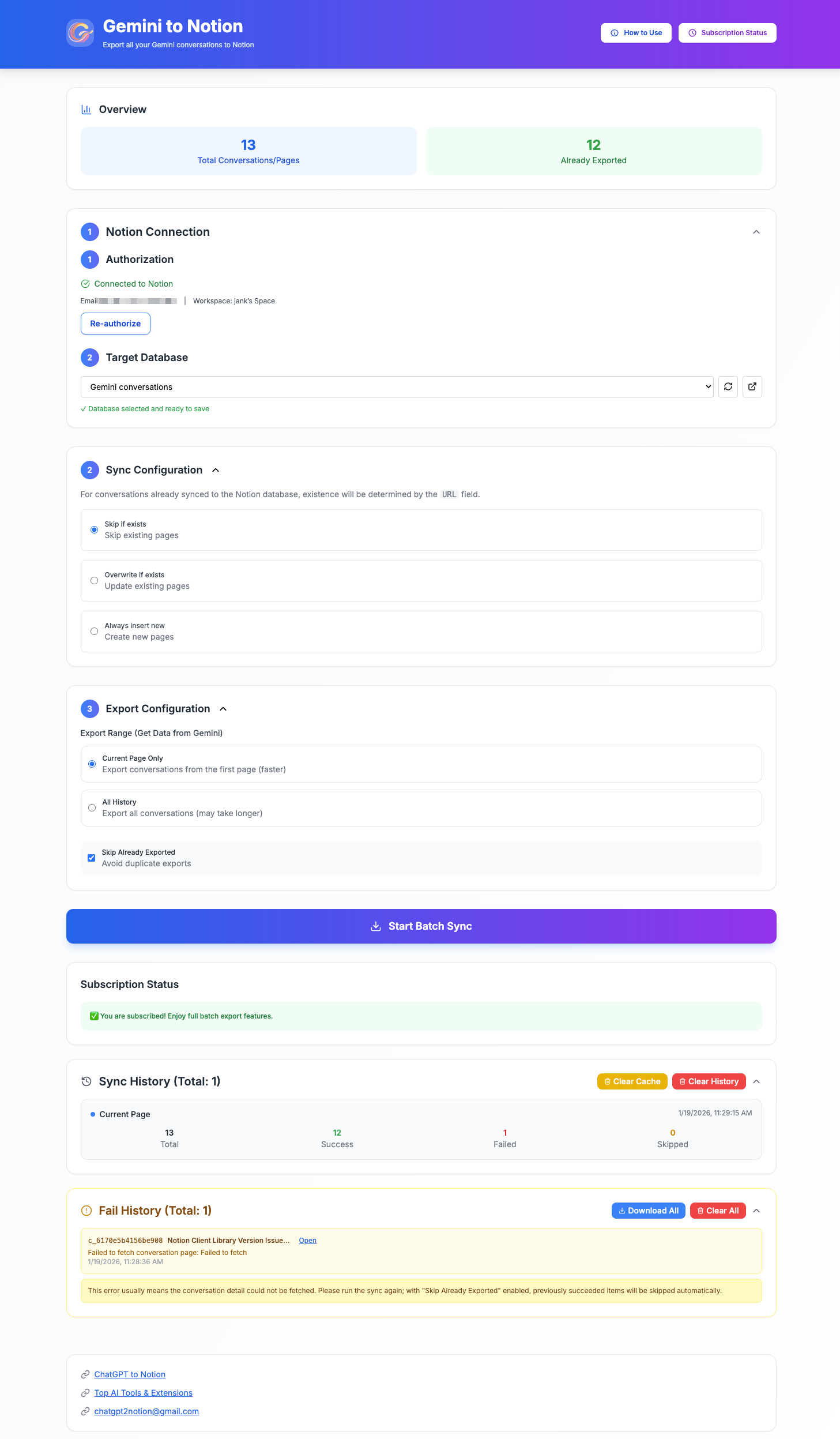
Many people export chats to Notion and stop there. The result looks organized for a week and becomes noisy after a month. A better setup uses one database as the inbox for all AI conversations and lets metadata handle retrieval.
Recommended Gemini archive database properties
| Property | Type | Why it matters |
|---|---|---|
| Title | Title | Human-readable retrieval |
| Source | Select | Distinguish Gemini from ChatGPT, Claude, or Perplexity |
| Project | Multi-select | Group by active workstream |
| Topic | Multi-select | Make subject filtering easier |
| Content Type | Select | Research, draft, prompt pack, meeting prep, etc. |
| Export Date | Date | Sort by freshness |
| Reuse Status | Select | Inbox, reviewed, reusable, archived |
| Importance | Select | Low, medium, high |
| Owner | Person or text | Useful for team workspaces |
| Link to Output | URL or relation | Connect the chat to final docs or tasks |
This schema is simple enough to maintain and strong enough to scale.
Post-export triage: the step most people skip
Once the Gemini chat lands in Notion, run a 3-minute triage workflow:
- Confirm the title is specific.
- Add project and topic tags.
- Mark the content type.
- Decide whether it is reusable, reference-only, or archive-only.
- Link it to the next artifact if one exists.
This triage step is the real source of value. Without it, Notion becomes storage. With it, Notion becomes a knowledge operating system.
Example structure for a reusable Gemini export system
You can keep one database and create filtered views instead of creating separate databases for every use case.
Useful views:
Inbox: newly exported Gemini chatsResearch: conversations tagged as research or analysisWriting: draft-oriented chatsHigh Value: important records worth preservingArchive: inactive chats kept for reference
This lets one export workflow support many use cases without fragmenting the workspace.
Common problems and how to avoid them
Problem: everything looks saved, but nothing is findable
Cause: no metadata discipline.
Fix: enforce a minimum property set and require a quick triage pass after export.
Problem: the conversation is too long to be useful in one page
Cause: long Gemini research or brainstorming sessions can carry too many branches.
Fix: keep the raw export intact, then create a short Notion summary block at the top with:
- what the chat is about
- what decision it supports
- what to do next
Problem: Notion turns into a dumping ground
Cause: exporting every chat without filtering.
Fix: only export conversations you would genuinely revisit, reuse, or need to defend later.
Problem: tables or formatting need a manual check
Cause: long structured answers deserve verification.
Fix: always review the first few exports and use the related guide on exporting long Gemini conversations without missing messages.
Gemini to Notion vs other destinations
Notion is not the best answer for every job.
- Choose Notion when the chat should join a searchable project system.
- Choose Obsidian when you want local ownership and Markdown files.
- Choose PDF when the output should become a stable handoff copy.
If you need a broader comparison, start with How to Export Gemini to Notion, Obsidian, or PDF.
FAQ
Can I use Notion as a backup for Gemini conversations?
Yes, but it is better to think of Notion as a working archive rather than a cold backup. It is strongest when exported chats need tags, filters, and reuse.
What should I store as properties in Notion?
At minimum store source, project, topic, export date, and reuse status. Those fields cover most retrieval needs without adding heavy maintenance.
Is Notion better than PDF for Gemini exports?
Notion is better for search, organization, and reuse. PDF is better when you need a stable document for review, approval, or sharing.
Should I export every Gemini conversation to Notion?
No. Export the conversations that contain reusable reasoning, decisions, outlines, or research. Low-value one-off chats usually do not deserve permanent workspace space.
How do I keep the Notion archive from becoming messy?
Use one database, require a fast triage step after export, and keep views such as Inbox, Research, Writing, and Archive so the system stays readable.
Scope note: This guide focuses on the Notion database and review layer after export. It is intentionally different from a general format comparison: the goal is to make each saved Gemini conversation findable and reusable.\n\nIf Gemini is already helping you produce ideas, research, or drafts that matter, move those conversations into a structure you can actually search and reuse. Start with Export Gemini to Notion for the workspace layer, use the broader Gemini export hub when comparing destinations, and review each exported chat once so it becomes durable knowledge instead of forgotten text.