
Bulk Exporter for Sora
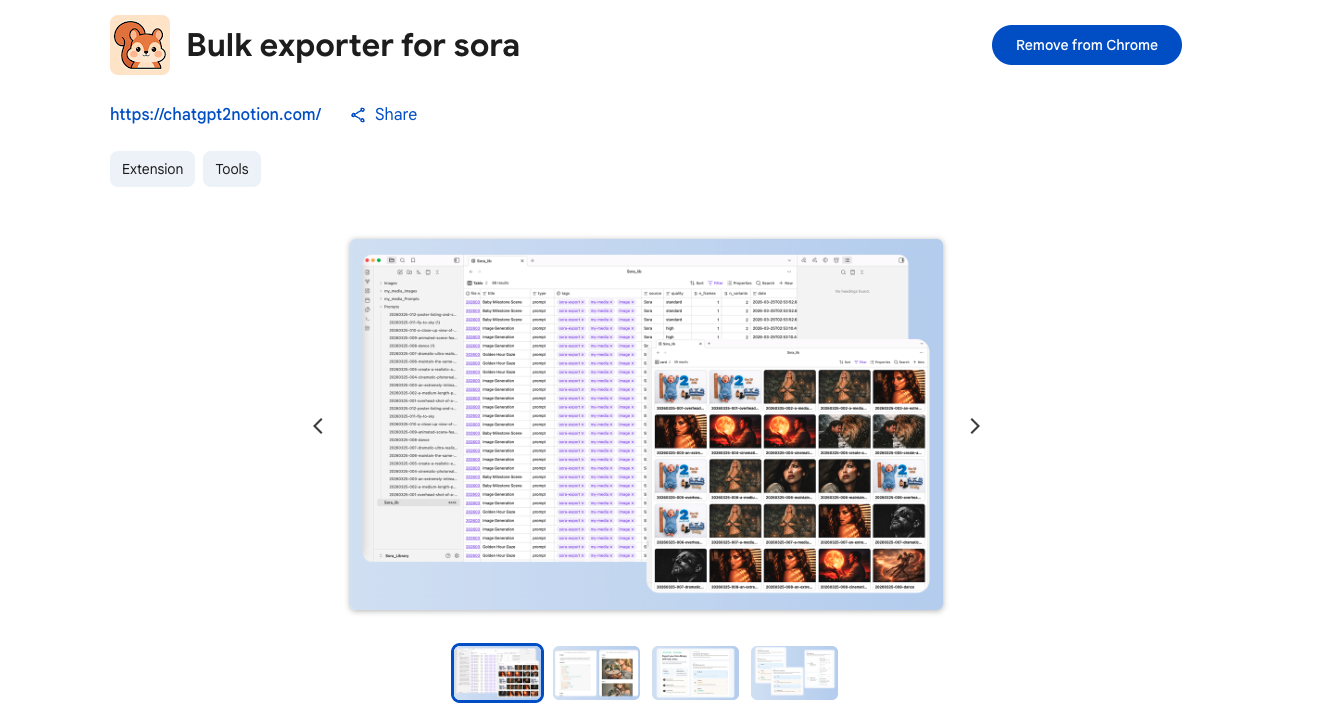
Bulk export, backup, and download your Sora prompts, images, and videos. The ultimate Chrome Extension to batch export your entire Sora library—organized, archived, and ready to reuse.
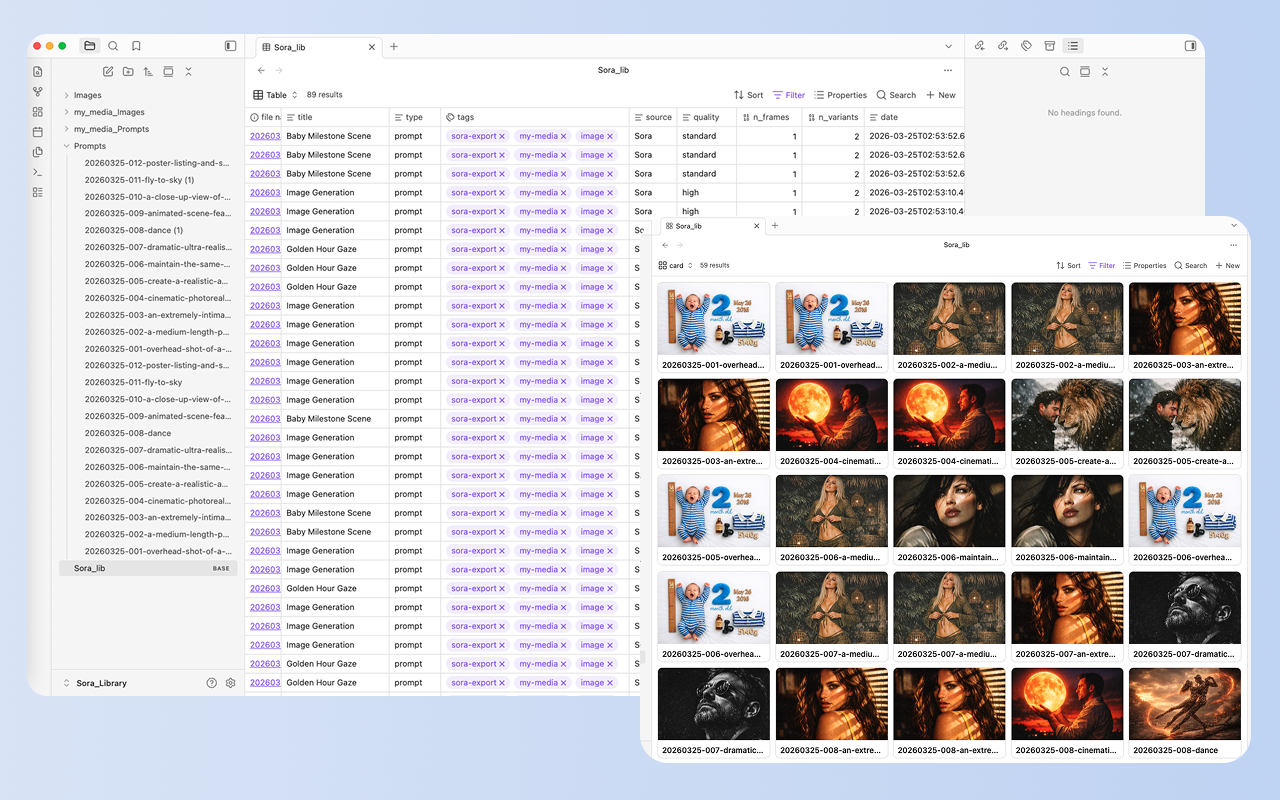
People Love Bulk Exporter for Sora because it's fast, reliable, and keeps your creations organized.
Key Features
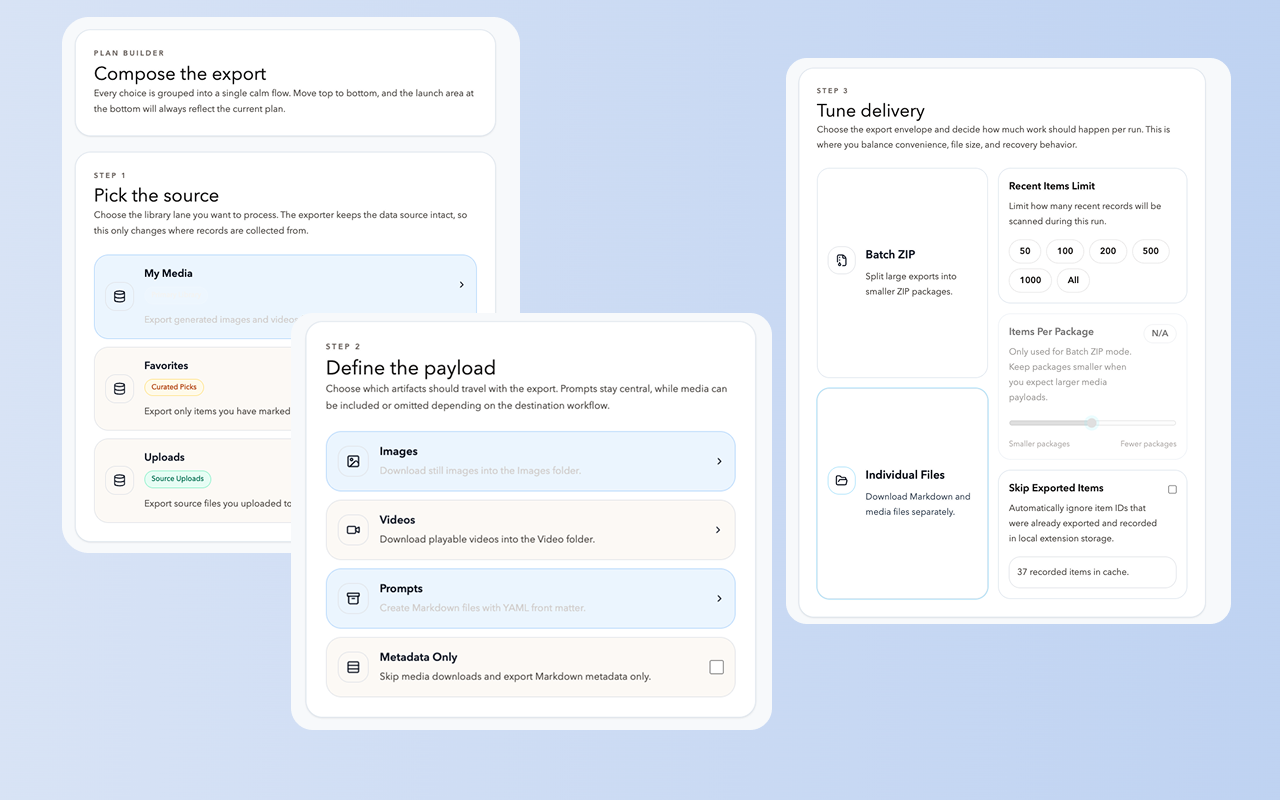
Batch ZIP Export
Package multiple Sora creations into organized ZIP files. Perfect for backing up entire projects or sharing collections with your team. Export hundreds of items in minutes, not hours.
Individual File Export
Save each prompt, image, and video into a clean folder structure. Direct access to your files without unpacking. Ideal for organizing your Sora library by project or theme.
Metadata-Only Mode
Export prompt data without downloading media files. Perfect for cataloging your work, analyzing prompts, or creating a searchable text archive of your Sora creations.
Key Features of Bulk Exporter for Sora
Everything you need to organize your Sora conversations quickly and efficiently.
Smart Skip Logic
Avoid duplicate work by skipping already-exported items. Export history is stored locally for efficient repeat runs.
Live Progress Tracking
See real-time export status, item counts, and completion feedback. Know exactly what's happening at every step.
Cancellation Support
Stop an export safely while keeping partial batch results. Resume later without losing progress.
Multiple Export Modes
Choose ZIP packages for easy sharing, individual files for direct access, or metadata-only for cataloging.
Local Storage Backup
Export records are saved on your device. No cloud dependency. Your data stays private and accessible.
Modern UI
A focused, low-noise interface designed for managing large exports without confusion or clutter.
Flexible Content Selection
Export prompts only, images only, videos only, or any combination. Full control over what you save.
Organized File Structure
Exported files follow a clean naming convention and folder hierarchy for easy navigation and archiving.
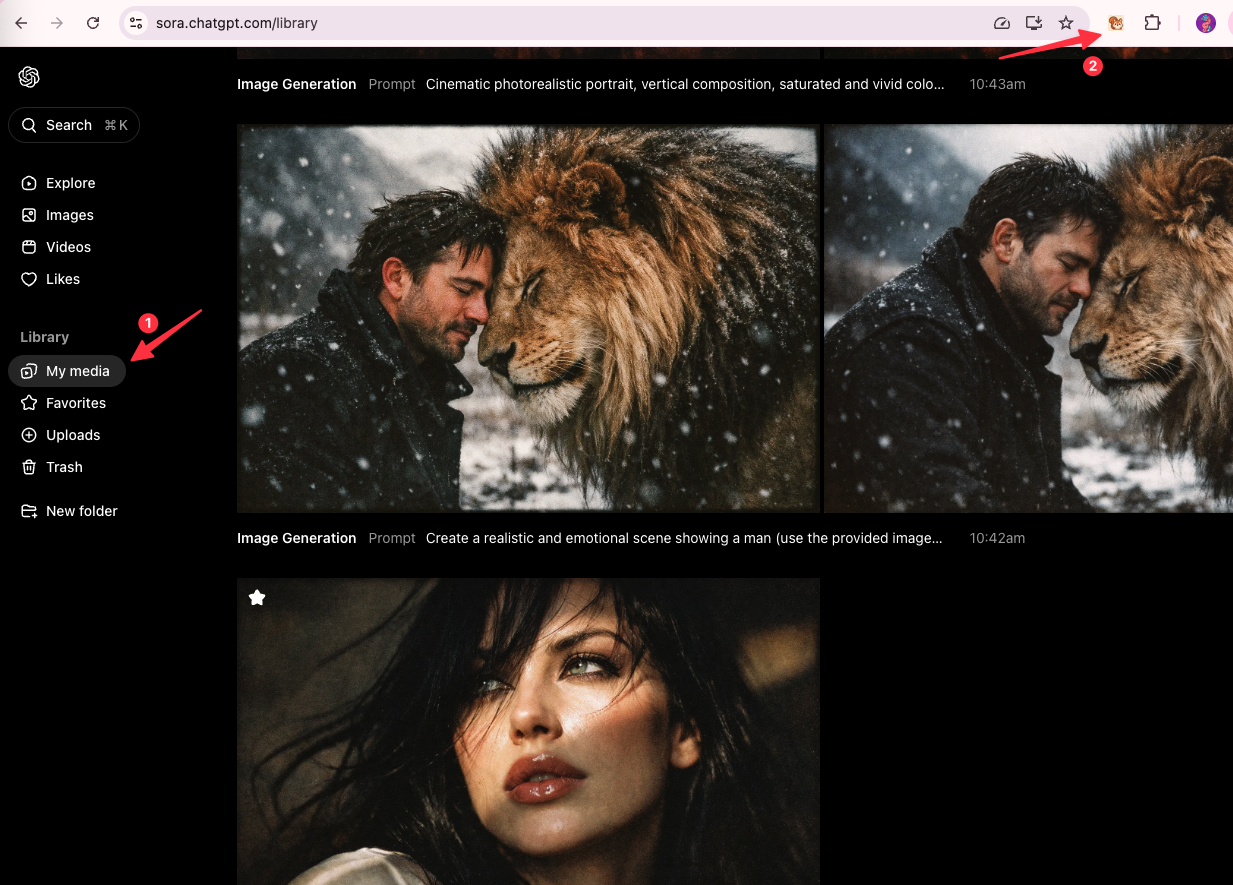
How it Works
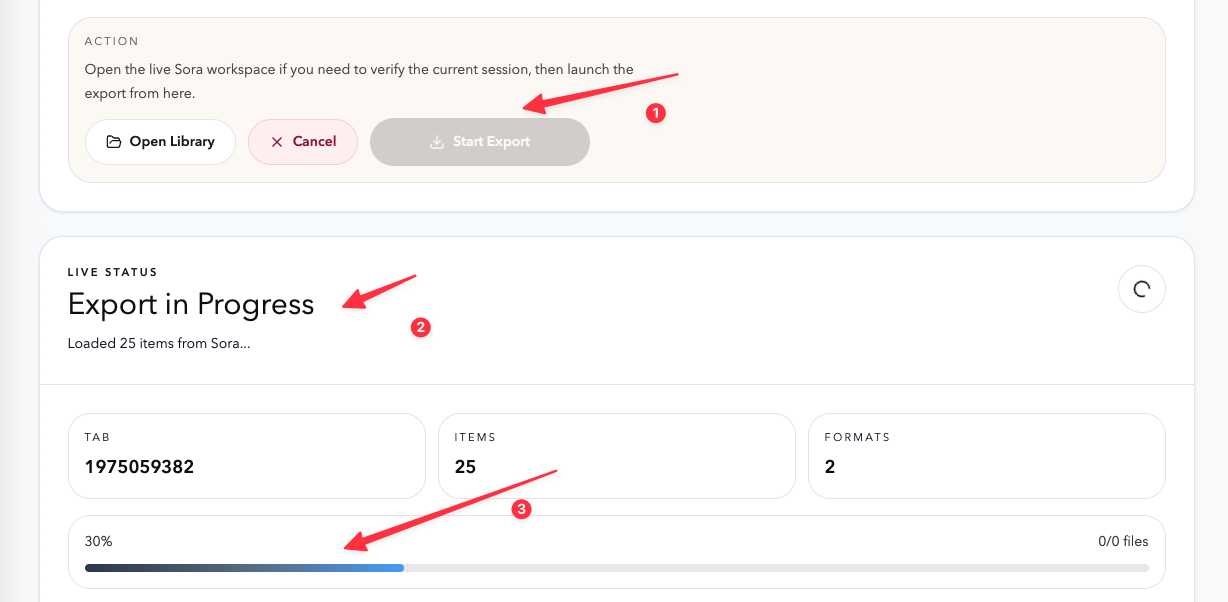
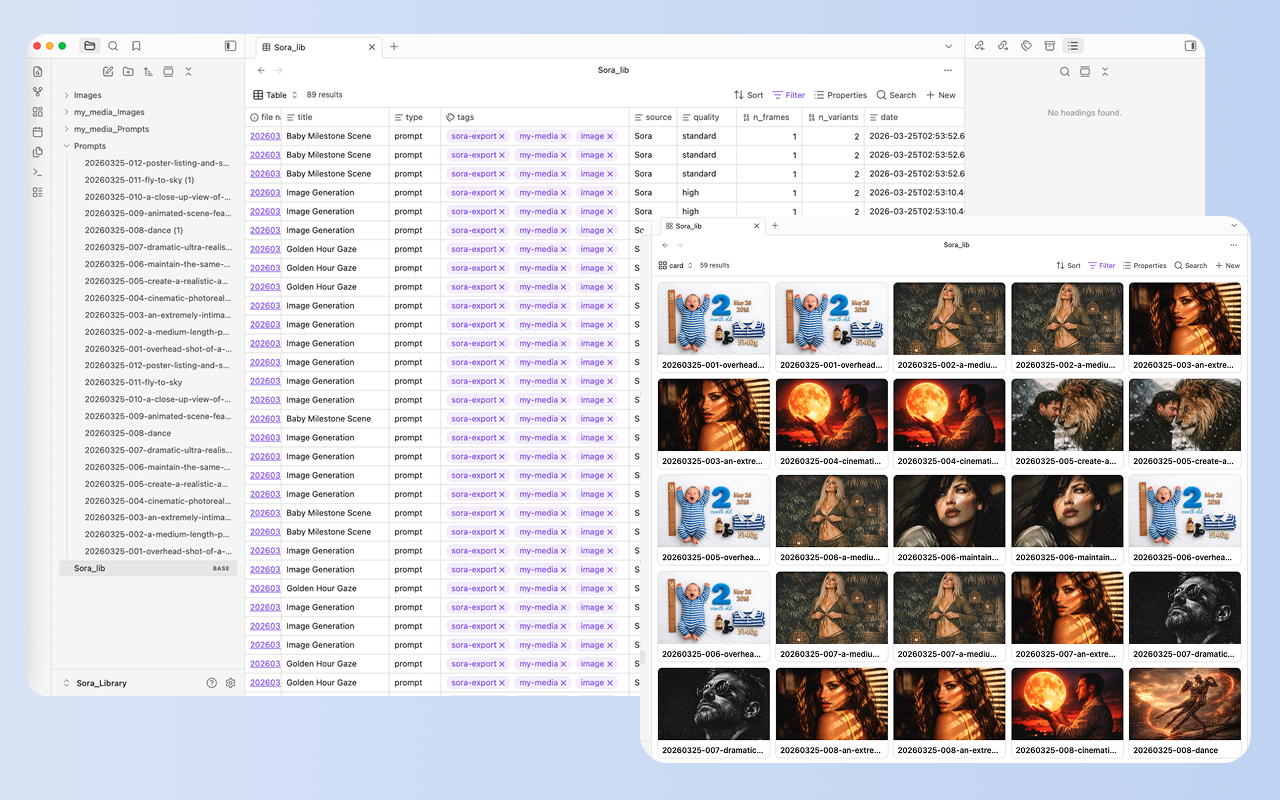
What Users Say About Bulk Exporter for Sora
Real workflows, backed up to Obsidian.
"Batch ZIP export is a lifesaver. I can back up entire projects in minutes and share them with clients as organized packages."
"The metadata-only mode helps me catalog my prompts without filling up storage. Perfect for analyzing what works."
"Individual file export gives me direct access to my Sora library. No unpacking, no hassle. Just organized files."
"Skip logic saves so much time. I can run exports daily and only get new items. No duplicates, no wasted bandwidth."
"Live progress tracking is great for large exports. I know exactly what's happening and can cancel if needed."
"The clean folder structure makes it easy to organize my Sora work by project. Everything has its place."
What's New
🚀 NEW: Metadata-only export mode for cataloging without downloading media.
🚀 NEW: Individual file export with organized folder structure.
🚀 Launch: Batch ZIP export with skip logic and live progress tracking.
Frequently Asked Questions About Bulk Exporter for Sora
Have another question? Contact us on Discord or by email.
How do I backup my entire Sora library?
Install the extension, open your Sora library, select 'All Items' as the source, choose your preferred export mode (ZIP or individual files), and click 'Start Export'. The extension will process your entire library automatically.
What's the difference between ZIP and individual file export?
ZIP export packages multiple items into grouped archive files for easy sharing and storage. Individual file export saves each item into a structured folder layout for direct access without unpacking.
Can I export only prompts without downloading media?
Yes. Select 'Metadata Only' mode to export prompt data as text files without downloading images or videos. This is perfect for cataloging your work or analyzing prompt patterns.
How does skip logic work?
The extension stores export history locally on your device. When you run a new export with skip enabled, it checks this history and skips items you've already exported, saving time and avoiding duplicates.
Can I cancel an export in progress?
Yes. Click the 'Cancel' button during export. Already-exported items will be saved, and you can resume later by running a new export with skip logic enabled.
Where are my exported files saved?
Exported files are saved to your browser's Downloads folder in a subfolder named 'sora-exports' (or your custom folder name). ZIP files and individual files follow an organized naming convention.
Is my data sent to external servers?
No. All export processing happens locally in your browser. The extension reads from Sora's website and saves directly to your device. No middleman servers.
Can I export specific date ranges or filters?
Currently, the extension exports based on Sora's library view. You can filter your library on Sora's website first, then run the export to capture only those items.
What file formats are supported?
Images are exported as PNG/JPG (as provided by Sora), videos as MP4, and metadata as JSON or TXT files. ZIP archives use standard .zip format.
Are there any export limits?
Free to use it.
Unlock Unlimited Power
Batch export 100+ chats, Auto-Sync, and priority support with Universal Pass.
Get Universal Pass