
How to Archive Claude Projects and Artifacts as PDF
A Claude Project is more than a folder of unrelated chats. It can hold the evolution of a research question, a software design, a client strategy, or a writing project.
That makes Project export different from saving a single conversation. The goal is not merely to create several PDFs. The goal is to preserve enough structure that the archive remains understandable after the live Claude workspace changes.
Decide what the archive is for
Before exporting, choose one of three outcomes:
| Archive type | Include |
|---|---|
| Complete backup | Every available conversation in the Project |
| Handoff package | Only conversations needed by a client or teammate |
| Decision record | Key prompts, final answers, dates, model, source links, and relevant Artifact versions |
A complete backup favors coverage. A handoff favors clarity. Mixing both goals often creates an archive that is large but difficult to use.
Export a complete or selected Claude Project
Open Claude to PDF, move into the Export Center, and choose Claude Project.
- Select the Project in the left column.
- Wait for its conversation list to load.
- Choose all conversations for a backup, or mark individual conversations for a handoff.
- Confirm the PDF theme, message style, folder, and metadata settings.
- Start the export.
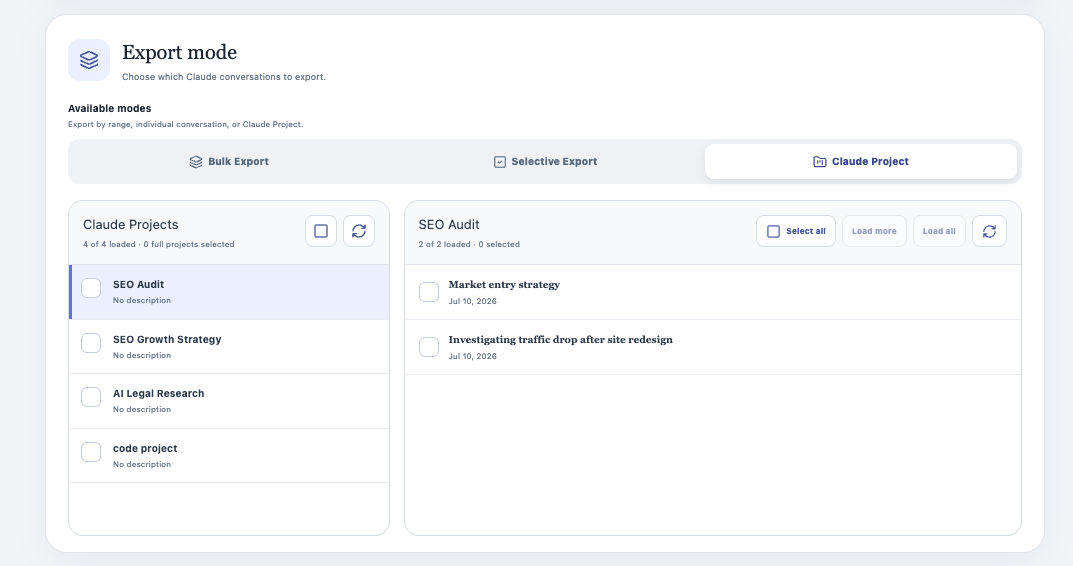
Project availability depends on the account and organization exposed by the signed-in Claude session. If the list is empty, refresh the Claude tab and confirm you are using the correct account.
Preserve context with metadata
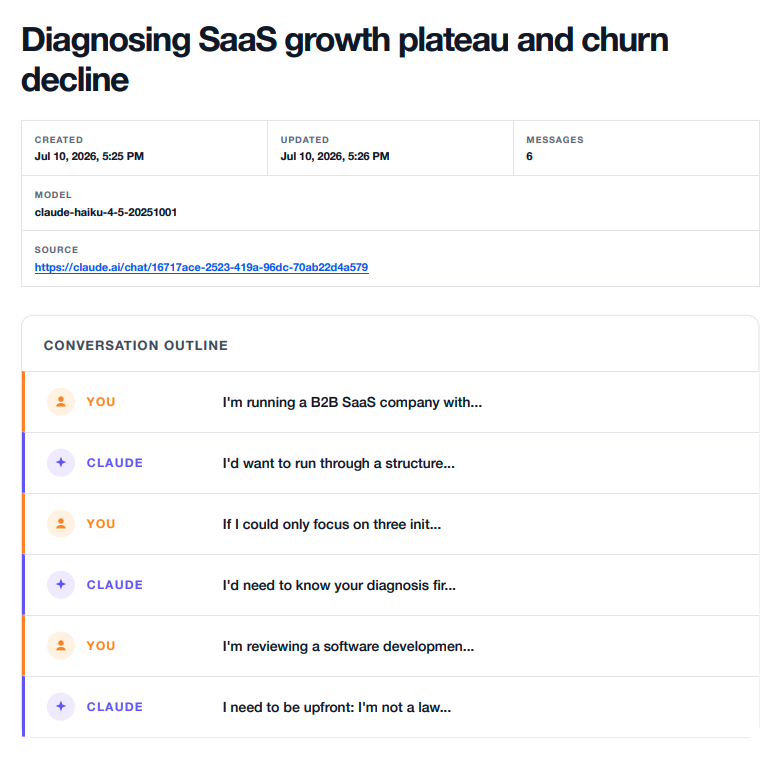
Turn on metadata for archives that will outlive the current browser session. It can include:
- Creation and update dates
- Message count
- Model
- Project name
- Source conversation URL
These fields answer basic provenance questions later: Where did this document come from? Which Project did it belong to? Which conversation should be reopened for more context?
Understand Artifact preservation
Claude Artifacts can change across a conversation. A later message may patch or replace an earlier version rather than repeat the complete content.
The exporter reconstructs and includes Artifact versions when the underlying conversation data exposes the required Artifact events. That is more useful than a screenshot, but it still has an important boundary: an exporter cannot recreate an Artifact version that Claude does not expose to the signed-in session.
For an Artifact-heavy conversation:
- Open the source chat.
- Wait for it to finish loading.
- Use Custom Preview to confirm the relevant message is present.
- Export and inspect the Artifact section in the PDF.
Check images and attachments separately
Images and files are not identical to text. They may be available as embedded content, downloadable assets, or attachment references.
After exporting, confirm:
- Important images render in the PDF
- Attachment names are recognizable
- Saved assets appear under the configured download folder when available
- Links still point to useful sources
If an image is missing, refresh the Claude conversation, wait for it to appear on the page, and retry.
Curate a cleaner handoff with Custom Preview
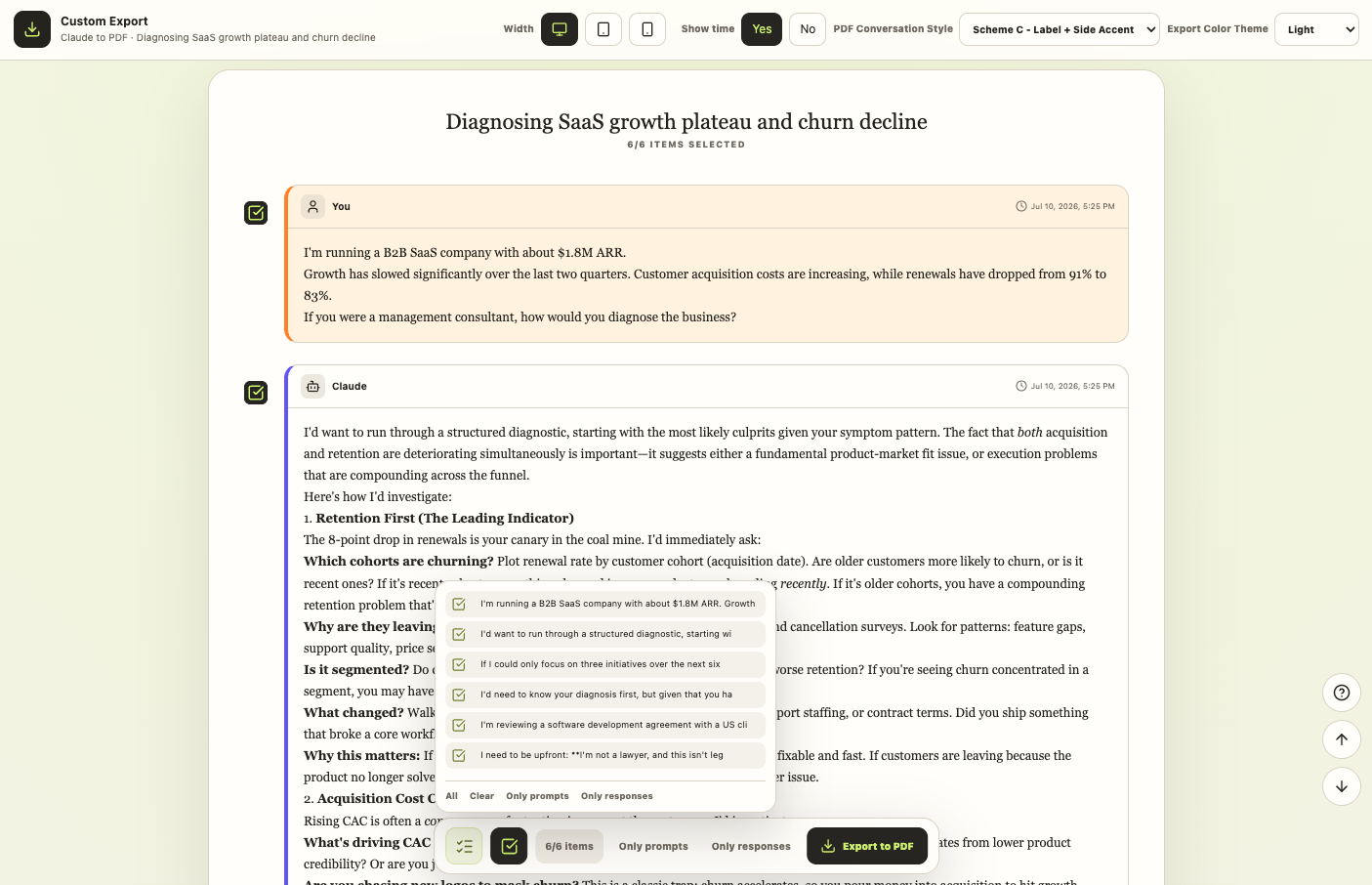
Project export chooses conversations. Custom Preview chooses messages inside one conversation.
Use both when a handoff needs only the final reasoning:
- Identify the few Project conversations that matter.
- Export complete copies for your private backup.
- Open the most important conversation and launch Custom Preview.
- Remove setup, retries, and private details.
- Export the curated version for sharing.
Make the archive navigable
Long conversations are difficult to revisit if the PDF is one uninterrupted wall of text. Claude to PDF can add a linked conversation outline, then render messages with labels, accent lines, or both.
The outline is especially useful for Projects because readers can move from the opening brief to later revisions without searching through every page.
Avoid duplicate archives
Keep Skip Already Exported enabled for routine backups. The extension records conversation IDs locally and can skip items saved during an earlier run.
When a conversation changes and you need a new snapshot, treat it as a versioned archive in your own folder structure. Include an export date in the enclosing folder or handoff name so the newer package does not become confused with the earlier one.
A practical Project archive checklist
Before calling the archive complete, verify:
- The expected Project conversations were included
- The first and final messages are present
- Metadata identifies the Project and source
- Code and tables remain readable
- Important images and attachment references appear
- Artifact versions are present when available
- Outline links work
- The folder name makes the archive date clear
For step-by-step setup, read Batch, Selective & Project Export. For missing Projects, media, or Artifacts, use Troubleshooting & FAQ.