
Batch, Selective & Project Export
Back up Claude history with Bulk Export, choose specific chats with Selective Export, or archive complete Claude Projects.
The Export Center is designed for repeatable archives. It keeps configuration, conversation selection, progress, duplicate handling, and recent results in one workspace.
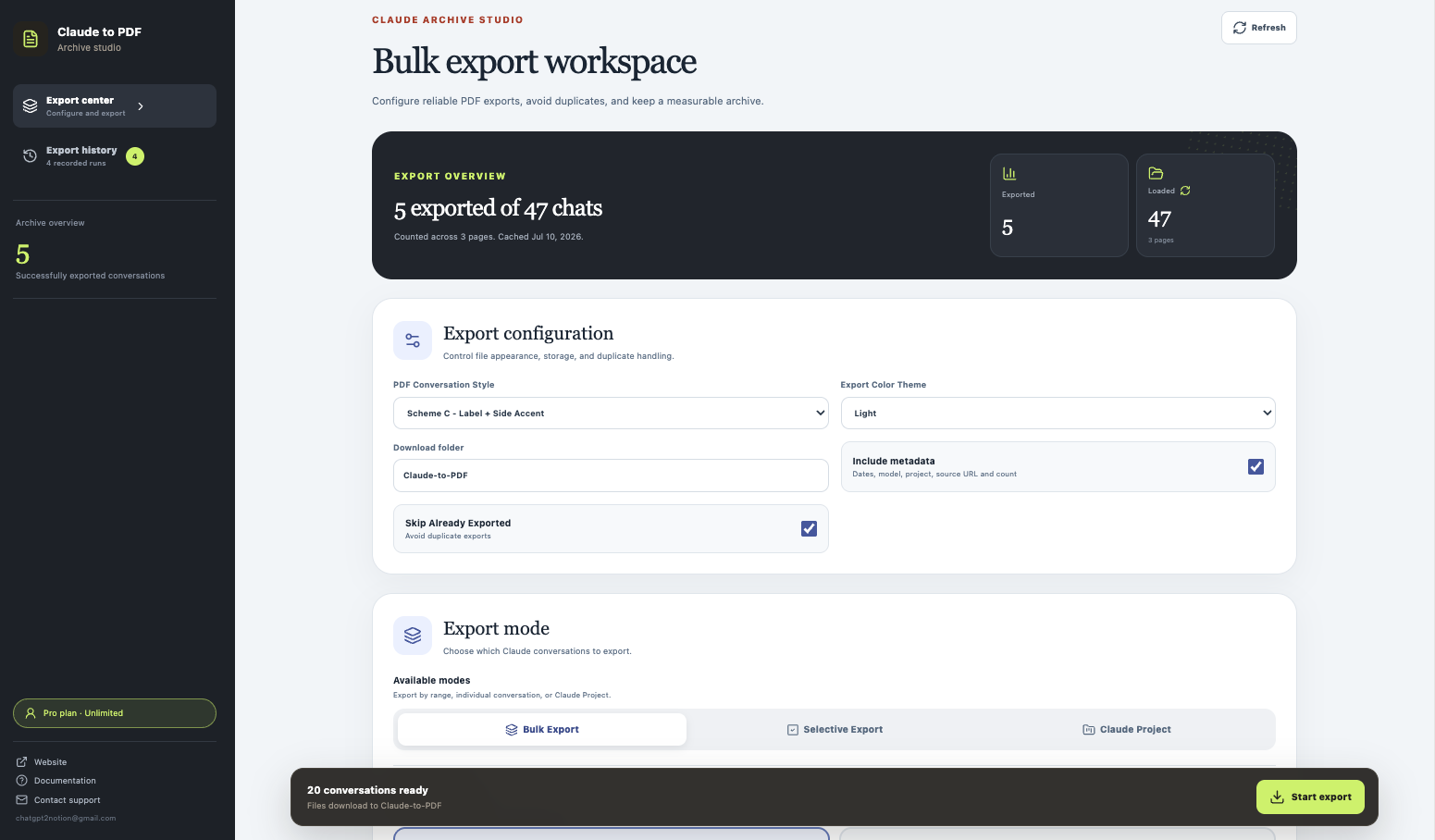
Configure the run first
Before selecting conversations, review:
- PDF conversation style
- Light, Dark, or Eye-care color theme
- Download folder
- Optional metadata
- Skip Already Exported
The default folder is Claude-to-PDF.
Mode 1: Bulk Export
Bulk Export has two ranges:
- Current Page Only exports conversations from the first loaded history page and is faster.
- All History progressively loads the complete conversation list and can take longer.
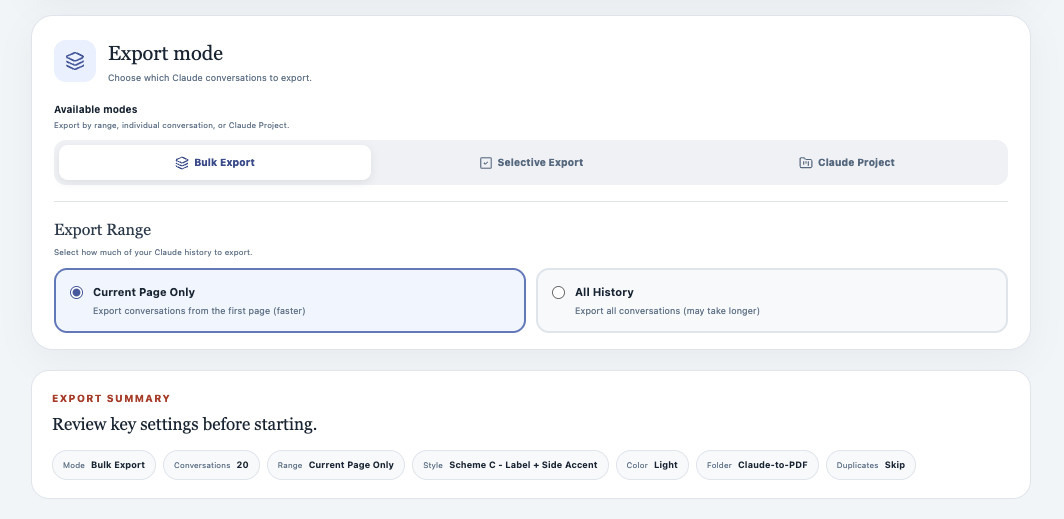
Use Bulk Export for a first archive or recurring account backup. Keep Skip Already Exported on so later runs do not recreate PDFs for conversations already recorded locally.
Mode 2: Selective Export
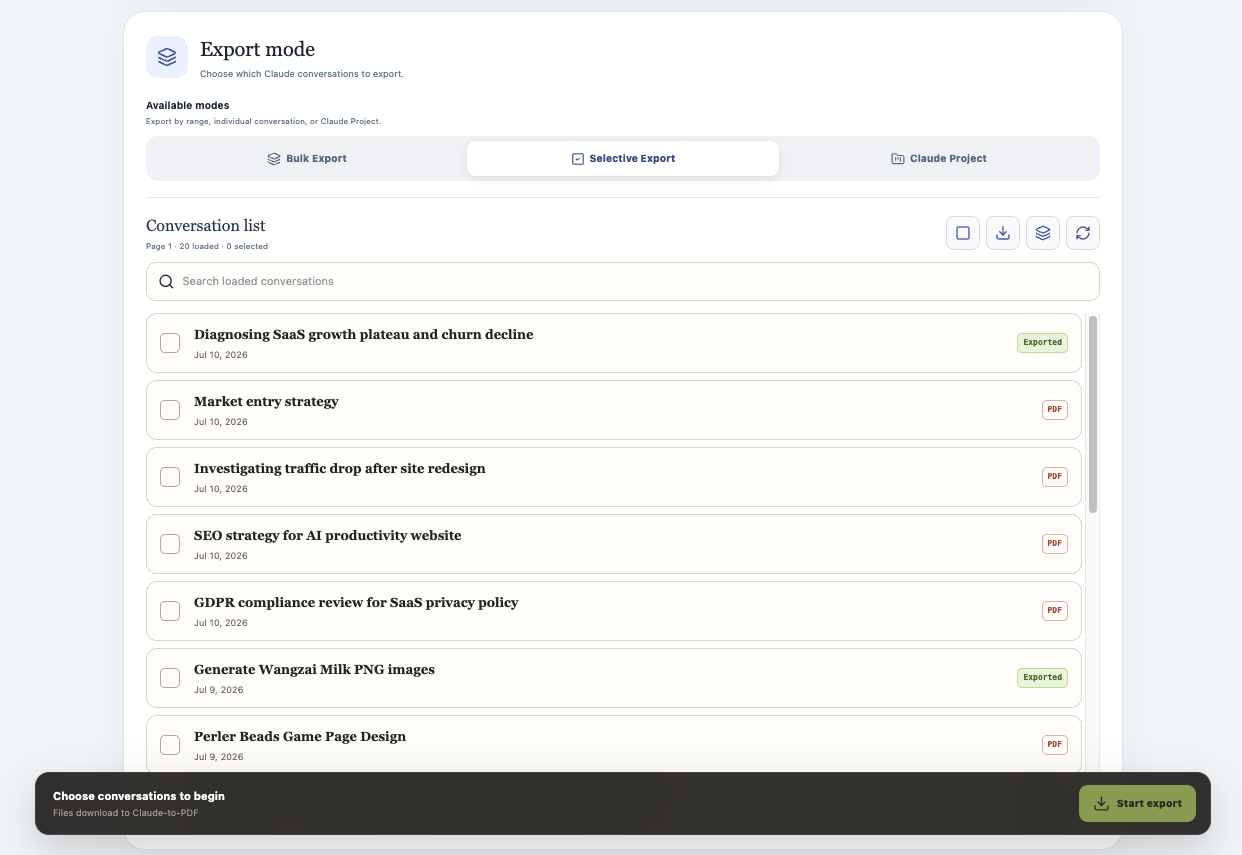
Selective Export loads conversation summaries into a searchable list.
- Load or refresh the list.
- Search by conversation title.
- Select only the chats you want.
- Start the export from the sticky action bar.
Previously saved conversations are marked Exported, which makes recurring cleanup easier.
Mode 3: Claude Project
The Project view has two columns:
- Choose a Claude Project on the left.
- Load its conversation list on the right.
- Select the complete project or individual conversations.
- Start the export.
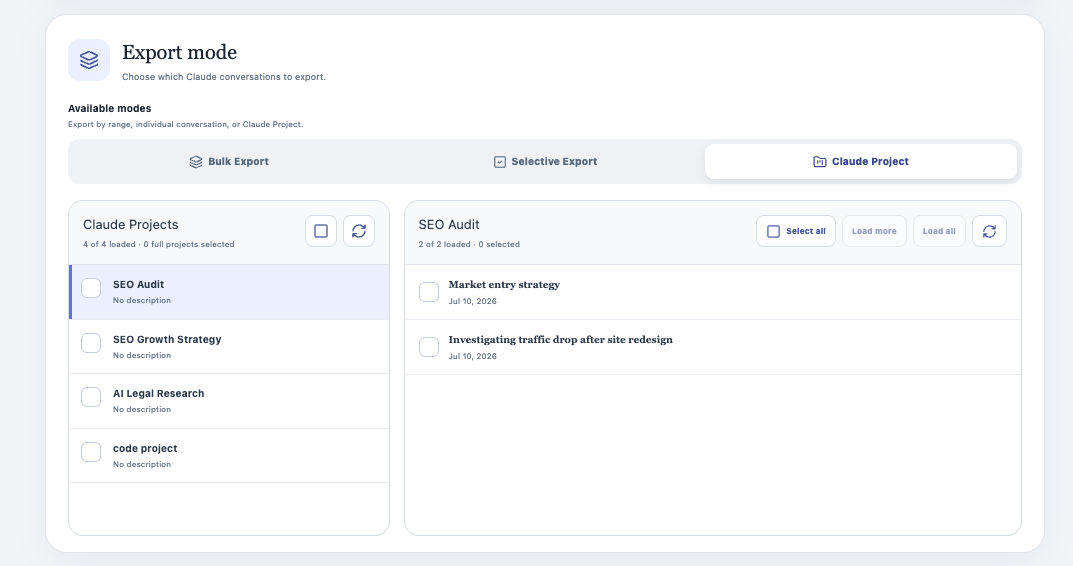
Project availability depends on the signed-in Claude account and the conversations contained in that Project.
During and after a run
The Export Center tracks completed, failed, skipped, and total items. Recent export history records the run source, time, totals, and failure details.
If a large run stops:
- Open Export History.
- Review failed items.
- Refresh the Claude tab.
- Use Selective Export for the missing conversations.
- Leave Skip Already Exported enabled.
Free-plan behavior
The free plan allows up to five successful conversation exports per local day. Each successful conversation inside a batch counts separately. Skipped and failed items do not become successful exports.
Recommended patterns
Routine history backup
Use All History with Skip Already Exported enabled.
A small set from a large account
Use Selective Export and search by title.
Client or research deliverable
Use Claude Project, then select only conversations that belong in the handoff.
For errors and incomplete media, continue with Troubleshooting & FAQ.
Ready to try Claude To Pdf?
Open the product page for feature details, screenshots, pricing, and the Chrome Web Store install link.