
Text is the easiest part of an AI conversation to export.
The harder part is everything attached to it: a ChatGPT-generated Markdown report, a Claude SVG visualization, a Gemini image, a Perplexity research document, an uploaded PDF, or a code file referenced by a temporary download URL.
A durable export must preserve the asset itself or provide a useful readable fallback. A filename without bytes is not a backup.
AIExportHub enables image and file handling by default for Notion, Markdown, and PDF.
Why AI chat assets go missing
AI platforms can expose files as:
- Ordinary attachments
- Temporary signed URLs
- Session-protected generated downloads
- Message links such as sandbox files
- Rich Artifact or canvas records
- Repeated asset metadata in several API structures
- Inline readable content without a simple binary download
An exporter that only scans visible HTML may find the filename but miss the real file request.
An exporter that downloads from the popup or background page may also fail because that request does not share the source platform session.
The connected-tab download model
AIExportHub retrieves supported protected assets through the connected source tab that loaded the conversation.
That matters because the tab already has the correct account, cookies, authorization state, referrer, and platform context. The extension does not add a separate page script or broad permission simply to imitate that session.
Keep the source tab open until conversation processing and attachment delivery both finish.
ChatGPT generated and uploaded files
ChatGPT conversations can include uploaded attachments, generated documents, images, Markdown files, and sandbox links.
Generated sandbox files require two steps:
- Resolve the interpreter download from the original signed-in ChatGPT tab.
- Retrieve the resulting signed file before it expires.
The ChatGPT Library downloader is a separate workflow for bulk image and file archives. It can filter items, load additional pages, skip previous downloads, organize folders, and create a summary or offline HTML index.
Claude files, Artifacts, and SVG content
Claude may return the same attachment through more than one internal field. AIExportHub deduplicates supported attachment records before delivery.
Readable Artifacts, generated files, images, and SVG visualizations can be preserved with the conversation. In Notion, a readable generated asset can become a child page positioned near the source message.
This avoids two bad outcomes:
- Losing the generated content
- Showing the same child page twice through duplicate page links
Gemini media
Supported Gemini images and media flow through the same target-aware pipeline:
- Upload to Notion
- Download beside Markdown
- Embed in PDF
Gemini PDF output can combine those images with light, dark, or eye-care themes and readable message cards.
Perplexity generated images and research assets
Perplexity may expose the same generated image through assets, plan results, media blocks, inline media, canvas data, or a unified asset response.
AIExportHub scans the supported structures, prefers usable download URLs, and deduplicates repeated asset paths.
Depending on the thread, an export can include:
- Generated images
- Uploaded images
- Uploaded files
- Generated research documents
- Code assets
- Document files
- Downloadable binary files
- Sources and citations
What happens in Markdown and Obsidian
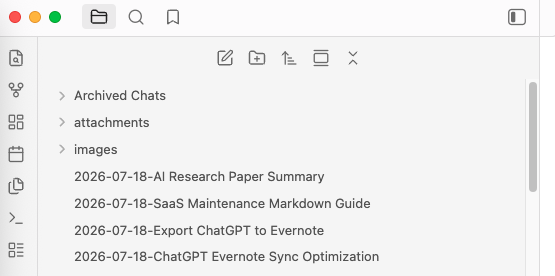
Markdown keeps the note portable and saves binary assets beside it.
Research Archive/
  market-analysis.md
  images/
    market-map.png
  attachments/
    source-notes.md
    competitor-data.csv
Available links in the note are rewritten to the local asset paths. The archive remains useful after a temporary source URL expires.
Use Markdown or Obsidian when you want local ownership, version control, code-friendly text, backlinks, or a long-term private archive.
What happens in PDF
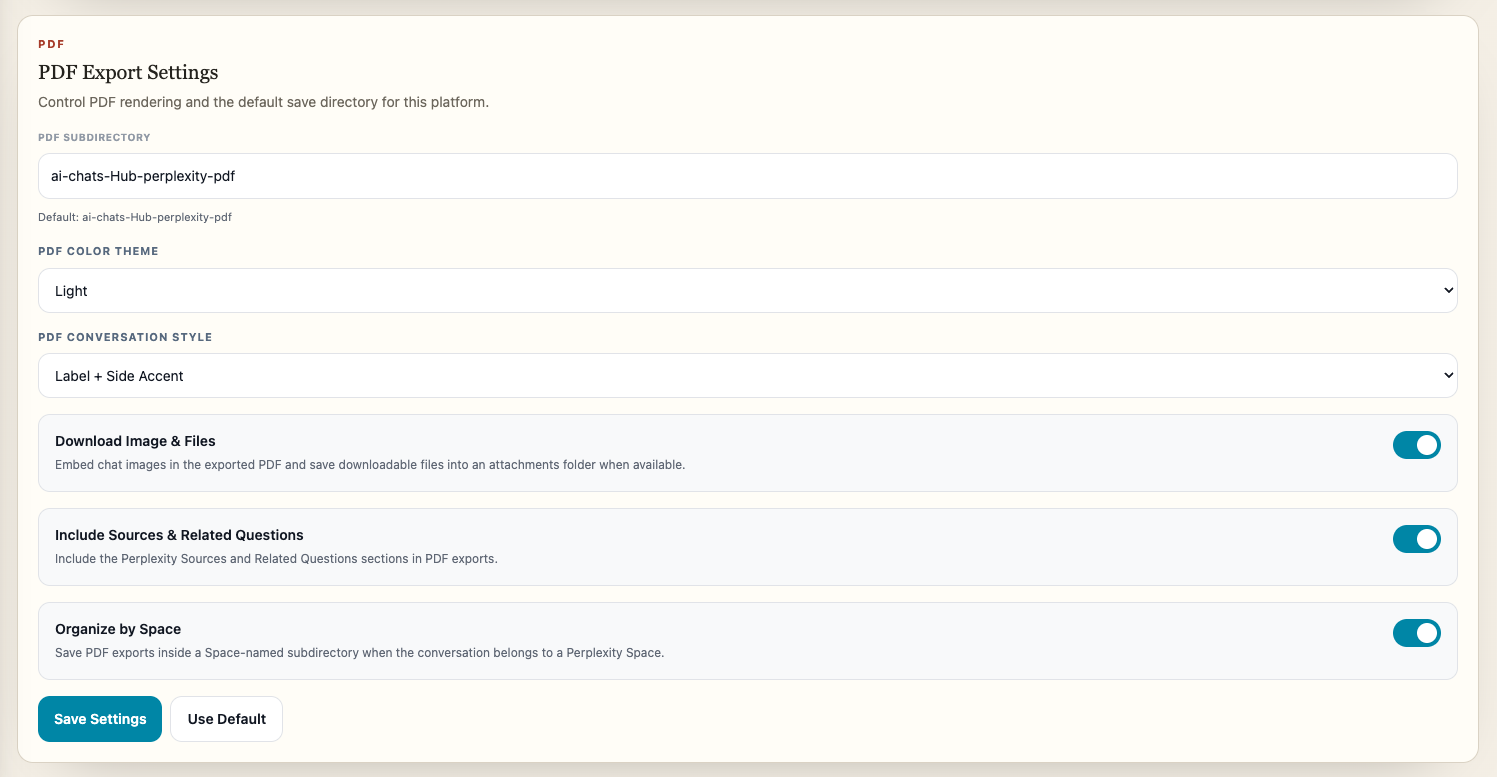
PDF separates visual and non-visual assets:
- Supported images are embedded into the conversation document.
- Supported non-image files are downloaded alongside the PDF.
This keeps the document readable while preserving files that do not belong inside the PDF page stream.
After export, test the result offline. A PDF that depends on an expiring image URL is not a durable archive.
What happens in Notion
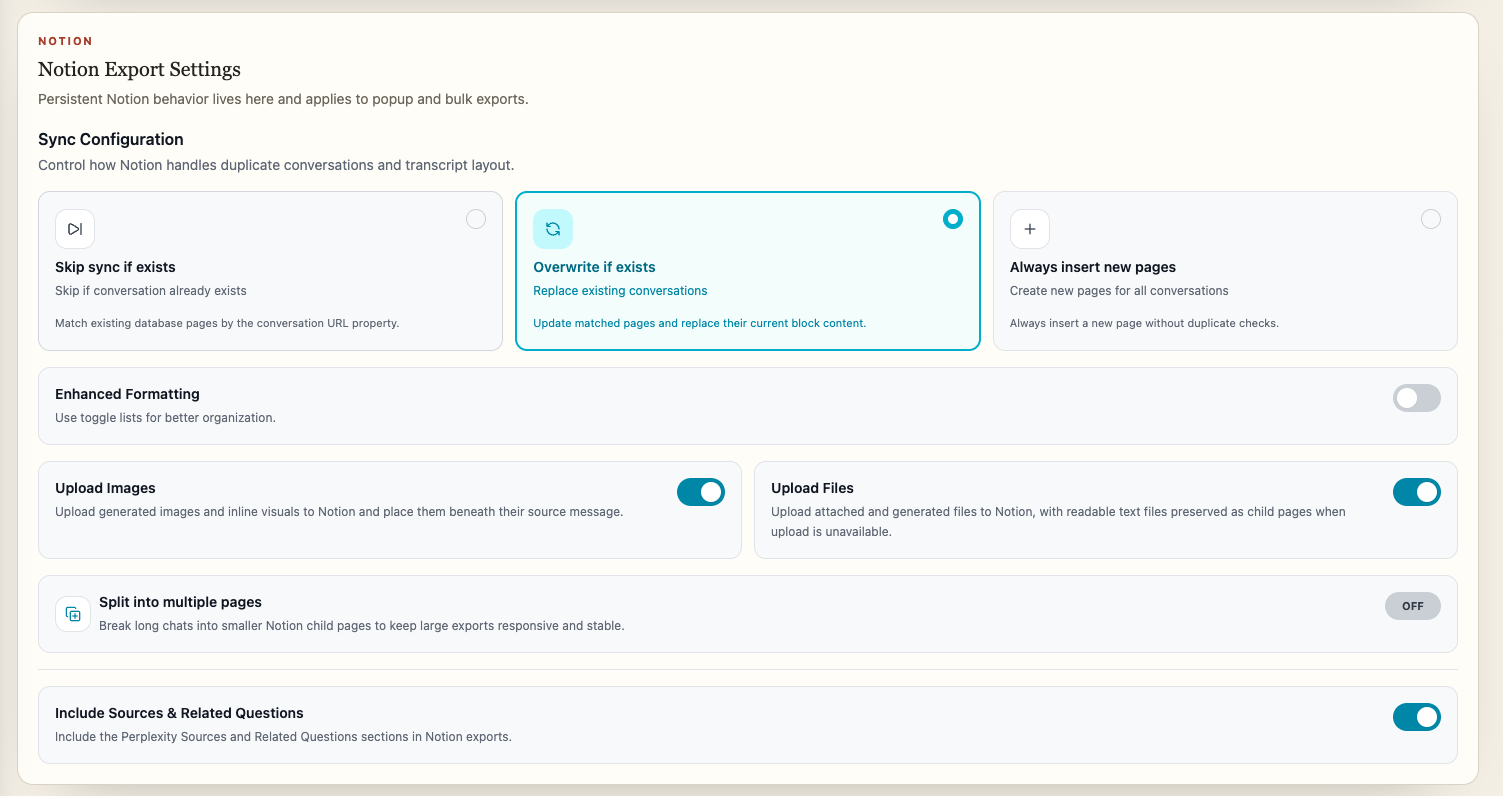
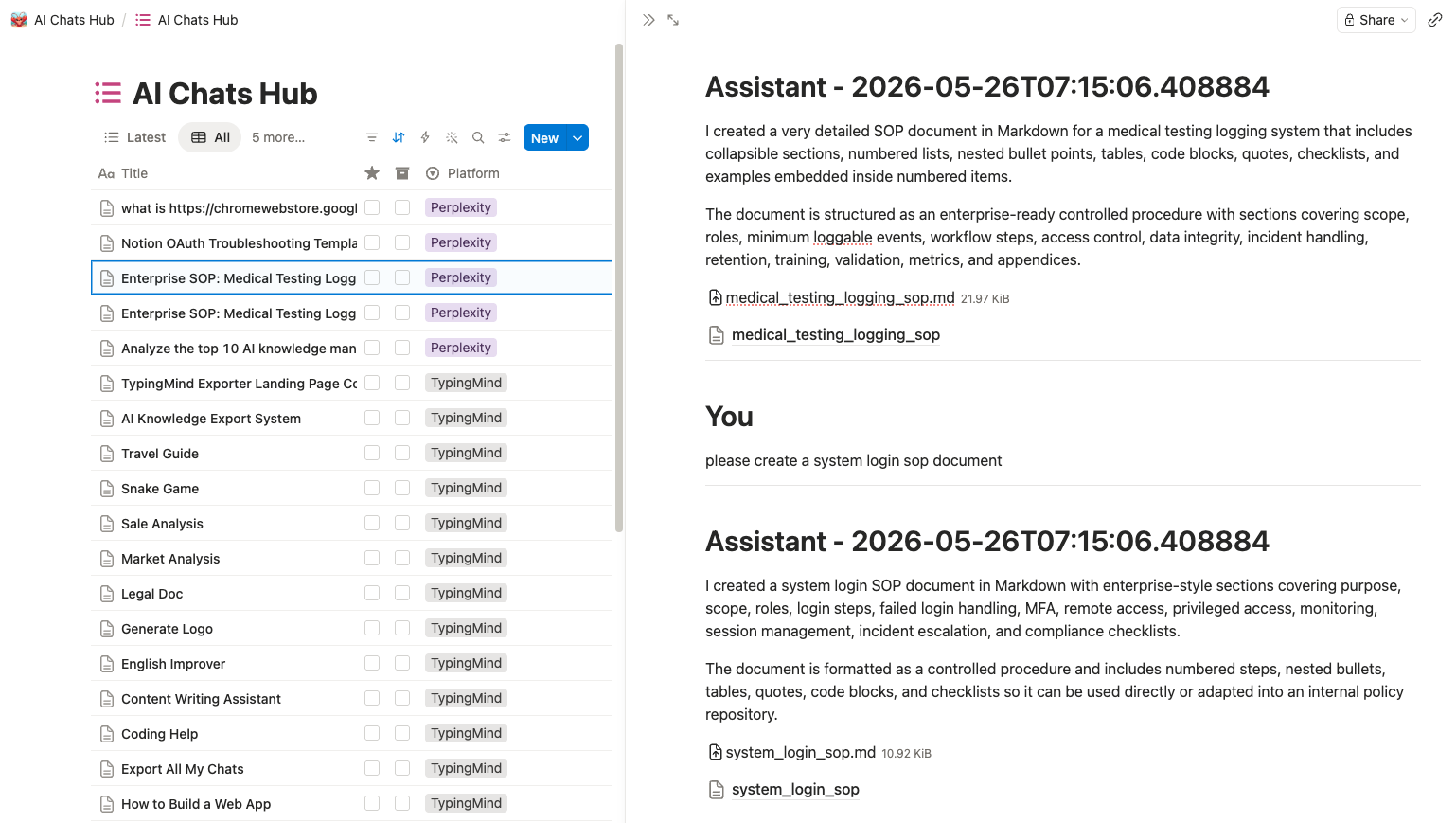
Notion can receive supported image and file uploads after you authorize your workspace and select a database.
Readable Markdown, plain text, JSON, HTML, code, and SVG assets can become child pages when that is more useful than an opaque download.
The result can combine:
- Structured conversation metadata
- Transcript blocks
- Uploaded images
- Uploaded documents
- Readable generated child pages
- Source links back to the original conversation
Use Open database in AIExportHub to verify the selected destination before a large run.
When a file still cannot be exported
No exporter can recreate bytes the source platform no longer provides.
Common causes include:
- Closed or signed-out source tab
- Expired temporary URL
- Deleted conversation or asset
- Account switch
- Interrupted request
- Destination upload rejection
- Source-platform rate limit
Open the original conversation and confirm the asset still works before retrying.
Verification checklist
Check more than the transcript:
- Open important images offline.
- Open every required attachment.
- Confirm local Markdown links use sibling folders.
- Confirm PDF images are embedded.
- Confirm non-image PDF attachments exist beside the document.
- Confirm Notion uploads or child pages appear once.
- Review attachment warnings in the job summary.
For exact platform and target behavior, read Images, Files, and Generated Assets or install AIExportHub.