
Batch Export
Export the latest Midjourney page or follow available history pagination into Notion with duplicate controls, progress, cancellation, and error history.
The batch workspace is for moving more than one Midjourney creation into the selected Notion database.
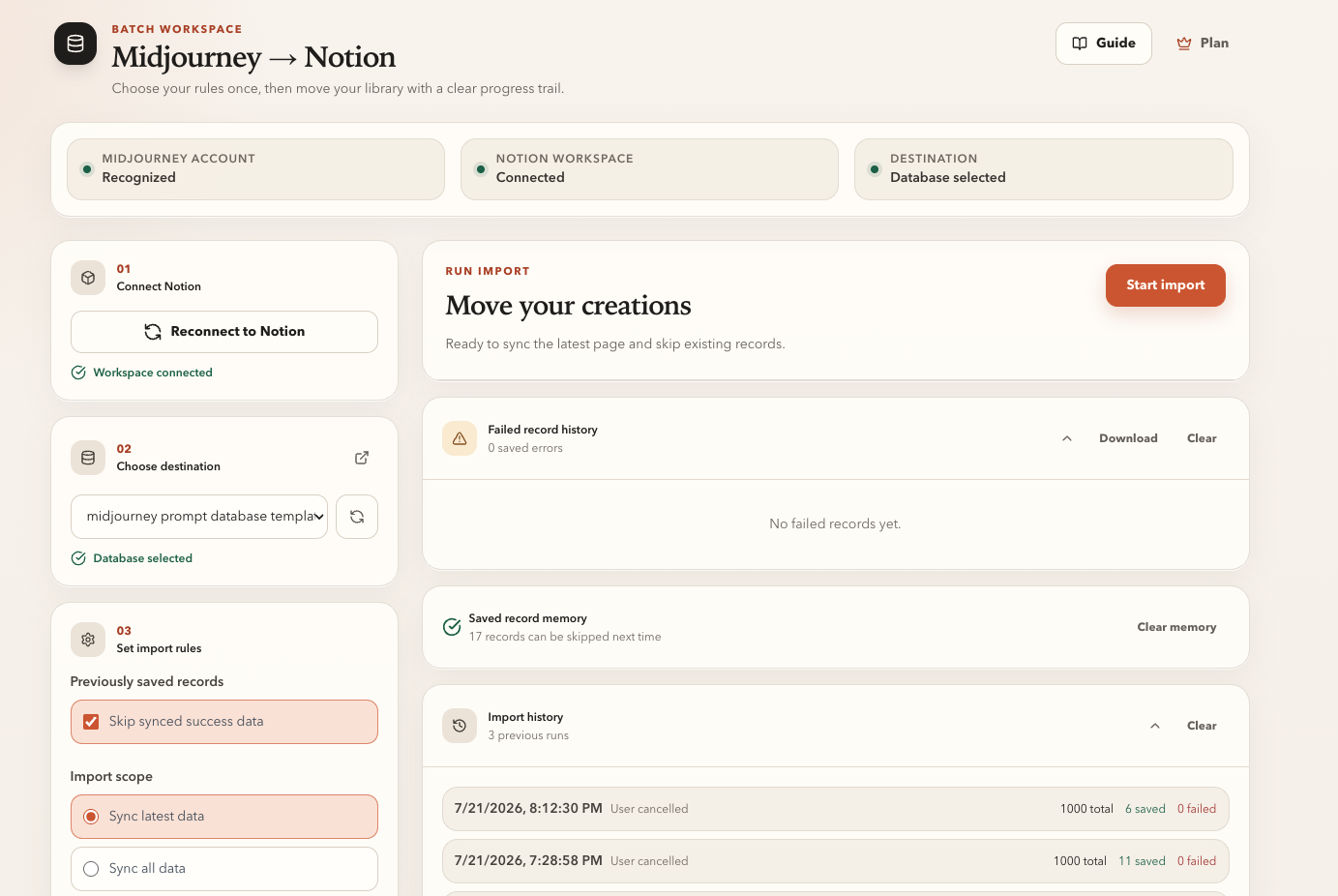
Before starting
Confirm all three readiness checks:
- Midjourney account recognized
- Notion workspace connected
- Destination database selected
Then choose:
- Whether to skip locally successful IDs
- Latest data for the latest available page
- All data to follow available pagination
- Skip, Overwrite, or Always insert for existing Notion records
Run and monitor the export
- Click Start import.
- Keep a signed-in Midjourney tab open.
- Watch the current item, processed count, success count, and failure count.
- Use Cancel if you need to stop a long run.
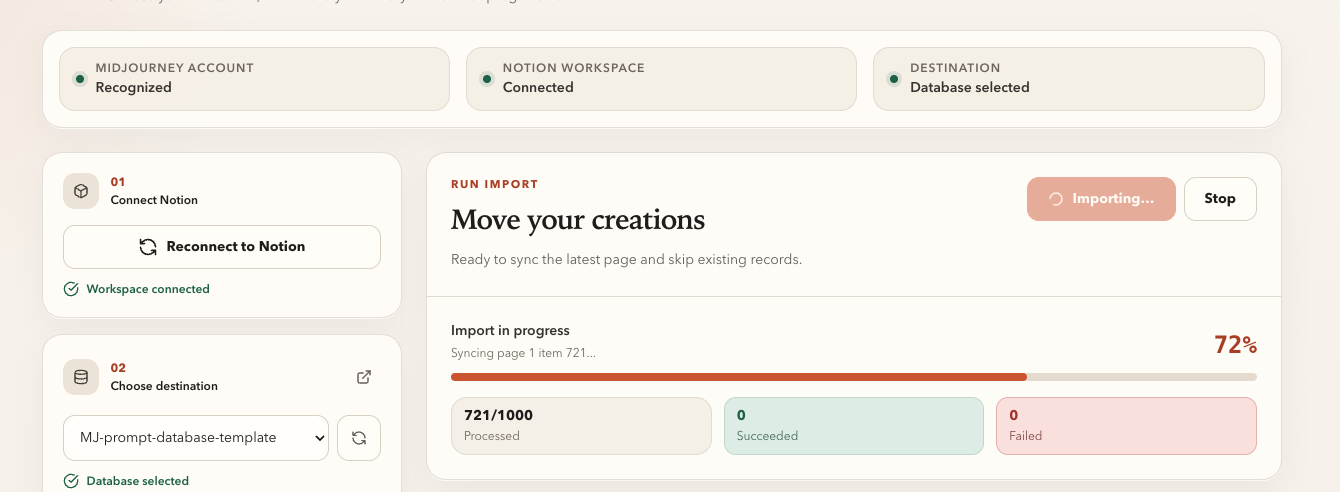
Pages already created before cancellation remain in Notion. For a retry, enable local-success skipping and choose Skip if exists.
Free and paid limits
The current free batch workflow stops after 10 processed creations. Single-save actions remain available for selected work.
The shared MidjourneyExporter pricing page offers:
- $4.90 per month
- $49 per year
- $69 lifetime
Review failures
The workspace keeps failed-record details and run history. Use these records to distinguish:
- A source page or login problem
- A Notion authorization problem
- A database/property problem
- An image upload failure
Test the latest scope again after correcting the issue before resuming a complete archive.
Ready to try Midjourney To Notion?
Open the product page for feature details, screenshots, pricing, and the Chrome Web Store install link.