
How to Export Claude to Notion: Database Schema for Projects and Artifacts
Export Claude conversations to Notion with a project-ready database schema, Artifact review fields, and a practical workflow for reusable knowledge.
Guide summary
- Search intent
- High commercial intent: users want to export Claude conversations, Projects, or Artifacts into a structured Notion workspace.
- Best next step
- Export Claude to Notion
- Topics
- ClaudeNotionArtifactsProjectsAI Export

The best way to export Claude to Notion is to treat each conversation like a knowledge asset, not just a chat transcript. Export the Claude thread into a Notion database with fields for project, source URL, export date, artifact type, and review status so the conversation can be found and reused later. If you only paste text into a random page, the export becomes hard to search, hard to maintain, and easy to forget.
Why Notion is a strong destination for Claude
Claude is often used for work that keeps evolving across days or weeks: research synthesis, product planning, client drafts, code reasoning, prompt iteration, and artifact-heavy writing. That kind of output is rarely useful as a loose text file alone. It needs labels, status, and a home inside a larger project system.
Notion works well for Claude exports because it gives you:
- Search across many conversations
- Properties for project, owner, or content type
- Easy linking to related notes, tasks, and docs
- A clean workspace for team review
- A way to separate raw exports from refined knowledge
If the conversation is likely to affect future work, Notion is usually a better destination than a one-off document.
When to export Claude to Notion
Claude-to-Notion workflows are strongest when the output needs structure after export.
Good examples include:
- Research conversations you want to tag by topic
- Strategy or planning threads you may revisit later
- Artifact-based writing sessions tied to a client or project
- Prompt experiments worth saving as reusable internal knowledge
- Team discussions where one person worked in Claude but others need the result
If your goal is private local ownership first, Markdown or Obsidian may be better. If your goal is a frozen handoff copy, PDF is better later. But if the output should become a searchable workspace asset, Notion is the strongest first stop.
Step-by-step: how to export Claude to Notion
1. Clean up the conversation before export
Rename the Claude thread while the context is fresh. Use a title that answers what the chat is, who it belongs to, and why it matters.
Examples:
Pricing page rewrite - SaaS landing pageLiterature review - AI memory systemsClient proposal outline - healthcare analytics
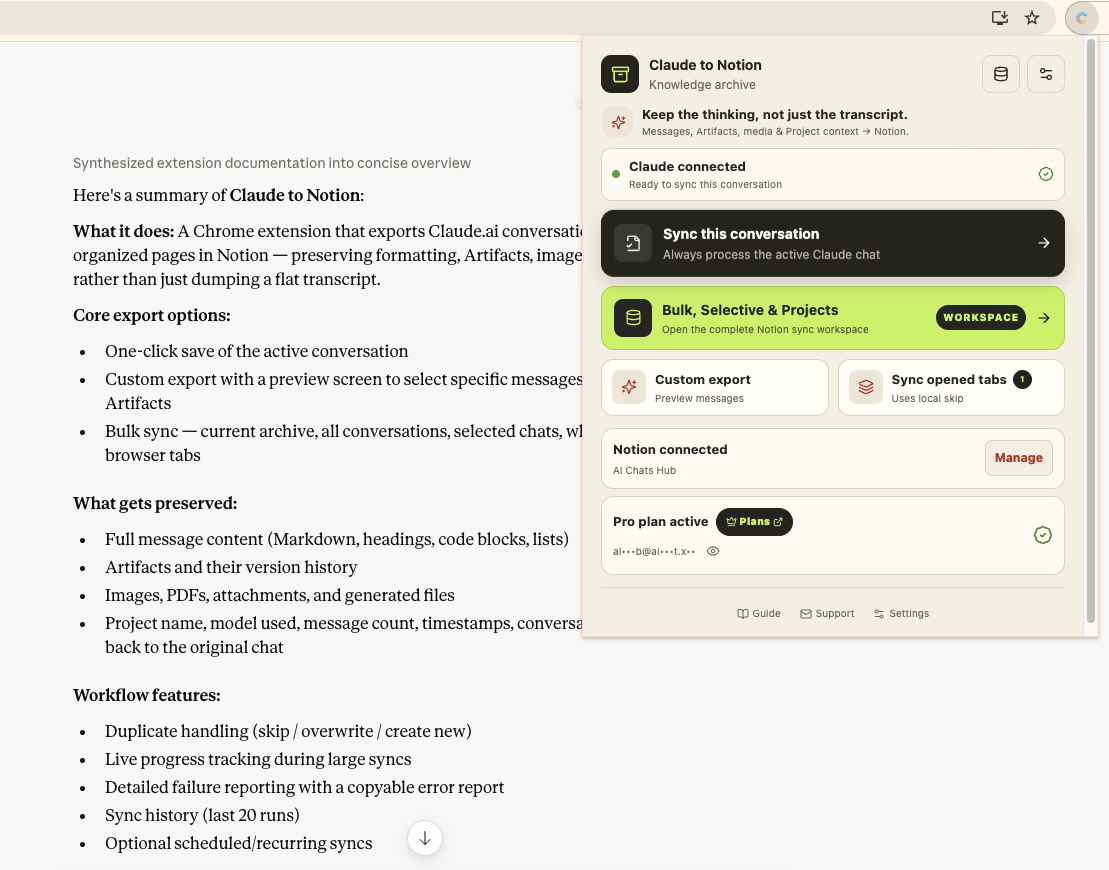
This simple step improves retrieval more than most users expect.
2. Decide whether the whole thread or only the valuable section should be exported
Do not assume every Claude conversation deserves a full dump. Export the entire thread when the reasoning path matters. Export a focused section when only the final synthesis, artifact, or decision is worth keeping.
Use full-thread export for:
- Research logs
- Strategy debates
- Coding investigations
- Artifact iteration history
Use selective export for:
- One finished brief inside a long experimental thread
- Repetitive prompt tests
- Temporary brainstorming with a single reusable output
3. Export into a dedicated Notion database
Use Claude to Notion when you want the conversation to land in a structured database instead of an untracked notes page.
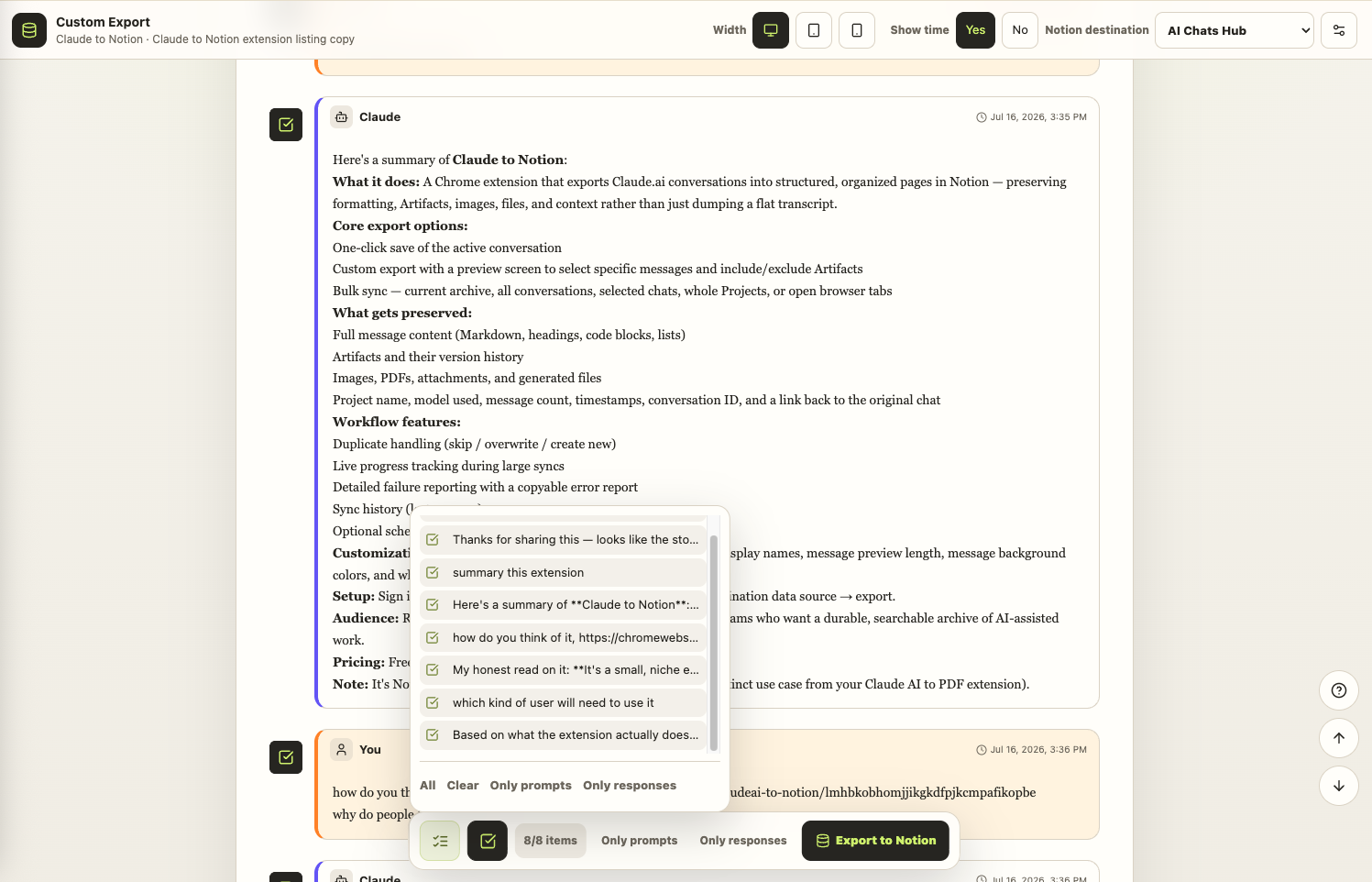
The practical goal is not just to move text. The goal is to create a record that can be filtered, reviewed, and linked to adjacent work.
4. Apply a database schema that supports real reuse
This is where most exports succeed or fail. A strong Claude export database should include at least these properties:
| Property | Type | Why it matters |
|---|---|---|
| Title | Text | Human-readable retrieval |
| Source URL | URL | Lets you jump back to the original Claude thread |
| Project | Select | Keeps chats attached to real work |
| Topic | Multi-select | Supports search and clustering |
| Export Date | Date | Useful for freshness and review |
| Content Type | Select | Research, draft, artifact, code, strategy, prompt pack |
| Artifact Included | Checkbox | Helps identify chats with richer outputs |
| Review Status | Select | Raw export, reviewed, distilled, archived |
| Owner | Person or text | Useful for teams |
| Reuse Value | Select | High, medium, low |
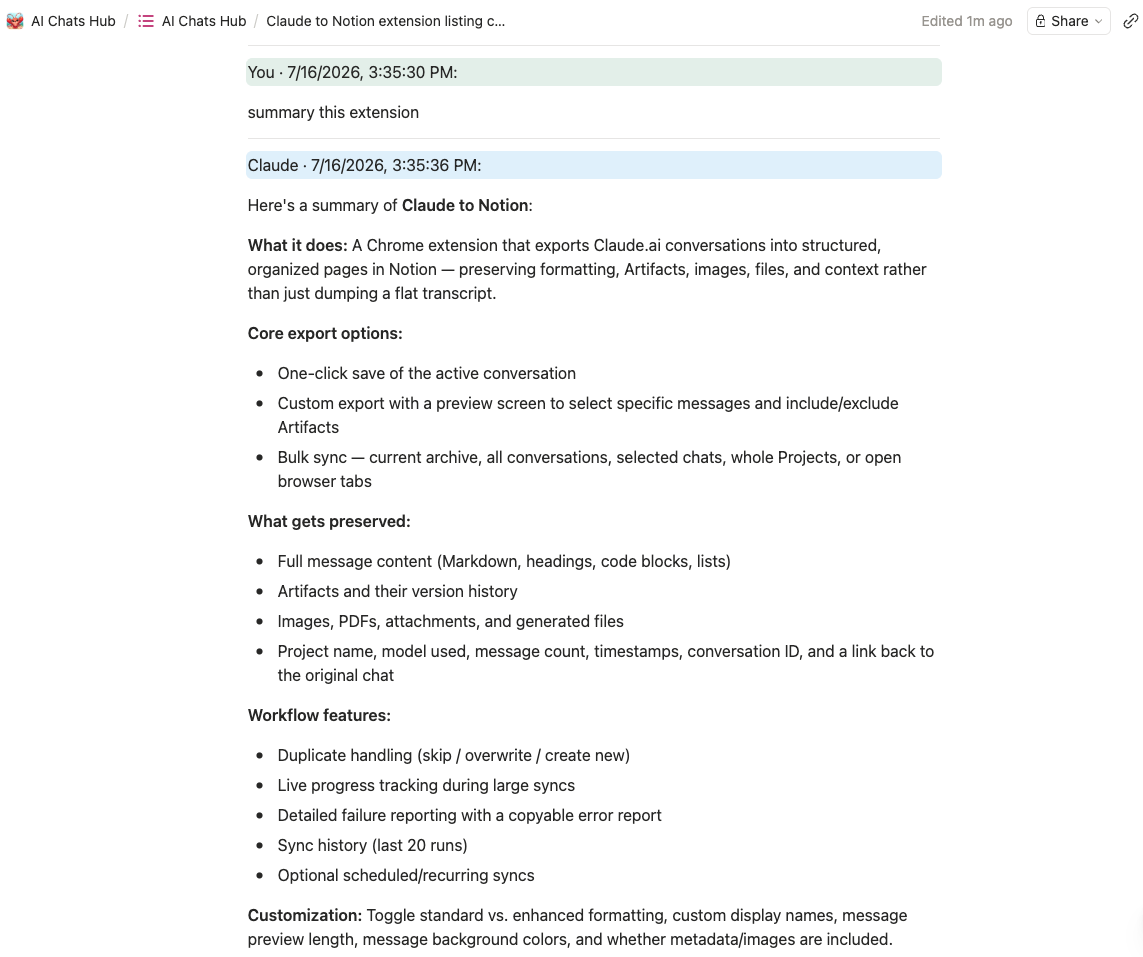
This schema is what turns a chat export into a maintainable knowledge base.
A practical Notion operating model for Claude exports
Do not mix raw exports and polished notes in the same mental bucket. Use a simple three-state workflow:
Raw exportReviewedDistilled
Raw export means the conversation has landed safely. Reviewed means someone checked titles, formatting, and whether the artifact rendered correctly. Distilled means the strongest ideas have been turned into cleaner notes, SOPs, summaries, or project docs.
That separation matters because most teams want both the original AI context and a cleaner human-usable summary.
Suggested Notion views
Inbox: all recent Claude exports not yet reviewedBy project: grouped by active workstreamArtifacts: only exports with artifact-heavy contentEvergreen: only high-reuse conversationsArchive: old exports kept for reference
How to handle Claude artifacts in Notion
Claude conversations often include artifacts, structured drafts, and longer formatted outputs. That makes verification important.
After export, check:
- Whether headings still read clearly
- Whether code blocks are separated correctly
- Whether tables remain understandable
- Whether the artifact output belongs in the same record or a linked child page
- Whether the conversation includes dead-end experimentation you should trim
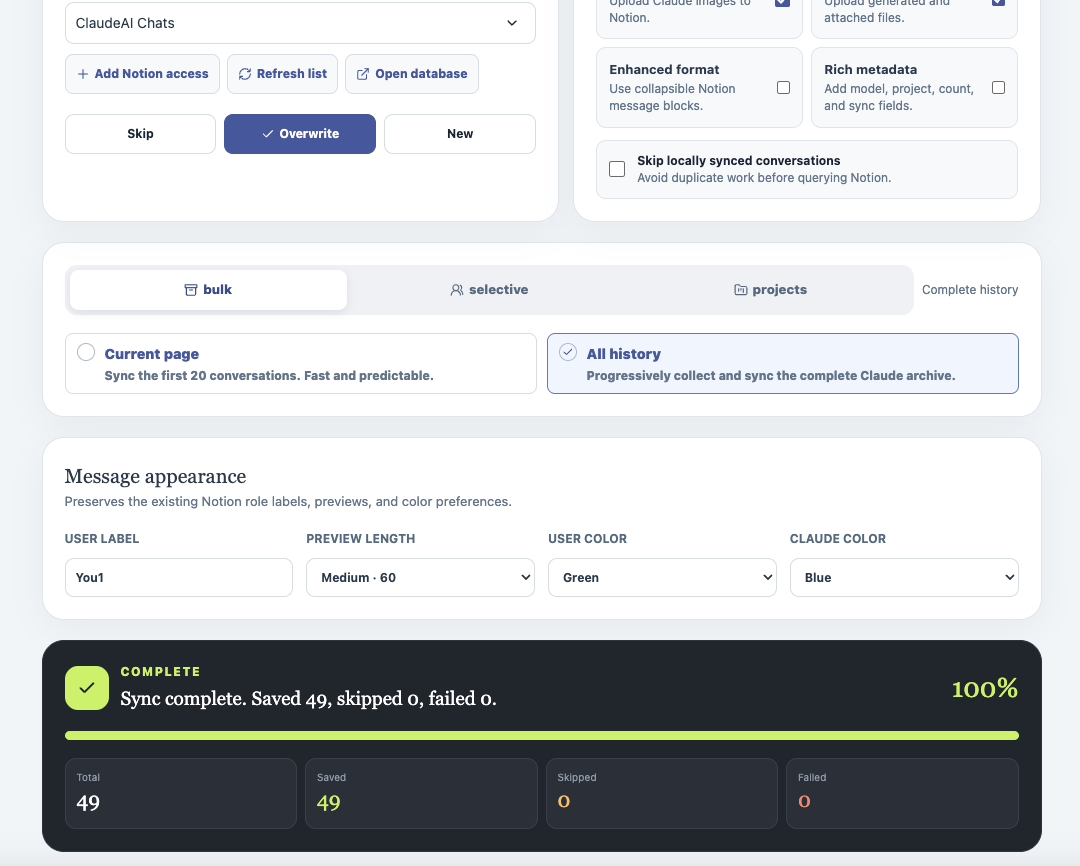
If the artifact is substantial, add a short summary field in Notion such as:
What is inside this export?
Then write one or two lines describing the value:
- Final proposal outline with pricing options
- Literature matrix plus synthesis notes
- Debugging log that explains root cause and fix
This keeps future retrieval fast.
Common mistakes when exporting Claude to Notion
Dumping everything into one page
That creates clutter, not knowledge. Database records are usually easier to search and maintain than endless page sections.
Skipping metadata
If you do not label project, topic, or review status, your future self will spend too much time reopening exports just to figure out what they are.
Treating Notion like cold storage only
Notion is best when it stays active. Add comments, summaries, related docs, and project links instead of leaving exports untouched forever.
Ignoring artifacts and formatting checks
Claude conversations often contain structured material that deserves a quick verification pass. Do not assume every export is ready to use without review.
Claude to Notion vs Markdown vs PDF
| Destination | Best for | Strength | Limitation |
|---|---|---|---|
| Notion | Searchable project knowledge | Metadata, views, team use | Needs light review and organization |
| Markdown | Local ownership and plain text portability | Simple, private, durable | Less structured for team workflows |
| Frozen handoff copy | Stable and shareable | Hard to tag, search, and remix at scale |
The right pattern for many users is:
- Export to Notion first for workspace use
- Keep Markdown locally if you need ownership
- Make a PDF only when a final handoff copy is necessary
FAQ
Can I export Claude chats to Notion without manual copy and paste?
Yes. A dedicated workflow such as Claude to Notion is the practical option when you want structured export into a Notion workspace.
Should every Claude conversation go into Notion?
No. Export the conversations with lasting value: decisions, research, artifacts, drafts, and reusable prompts. Low-value experiments usually do not need permanent storage.
What should I save besides the chat content itself?
At minimum, save the title, source URL, export date, project, and a short status or topic label. That metadata is what makes the export usable later.
Is Notion better than Obsidian for Claude exports?
Notion is better for structured workspace management and collaboration. Obsidian is better for local-first ownership and Markdown-centric systems. The best choice depends on how you work after export.
What if the Claude conversation contains a large artifact?
Export it, then verify whether the artifact is readable and whether it deserves its own linked page or a short summary inside the main Notion record.
Final takeaway
Claude export to Notion works best when you think beyond the export click. The independent value of this guide is the post-export operating model: it shows how to separate raw chat context, Artifact-heavy work, and distilled project knowledge instead of treating every saved page as finished documentation. Give each conversation a clear name, send it into a real database, add metadata, and review the result while the context is still fresh. That turns Claude from a temporary interface into a searchable decision and knowledge system.
If Claude conversations are becoming part of your ongoing research, writing, product, or client workflow, start with Claude to Notion and use a simple review process so the exported chats stay useful instead of becoming another messy archive.