
How to Build an AI Chat Backup System
Build a reliable AI chat backup system with live, local, and fixed-record layers, plus a practical verification and restore-testing schedule.
Guide summary
- Search intent
- Task intent: users want a repeatable system for backing up valuable conversations across multiple AI platforms and verifying that the archive can be recovered.
- Best next step
- Browse AI Export Tools
- Topics
- AI Chat BackupKnowledge ManagementNotionObsidianMarkdownPDF
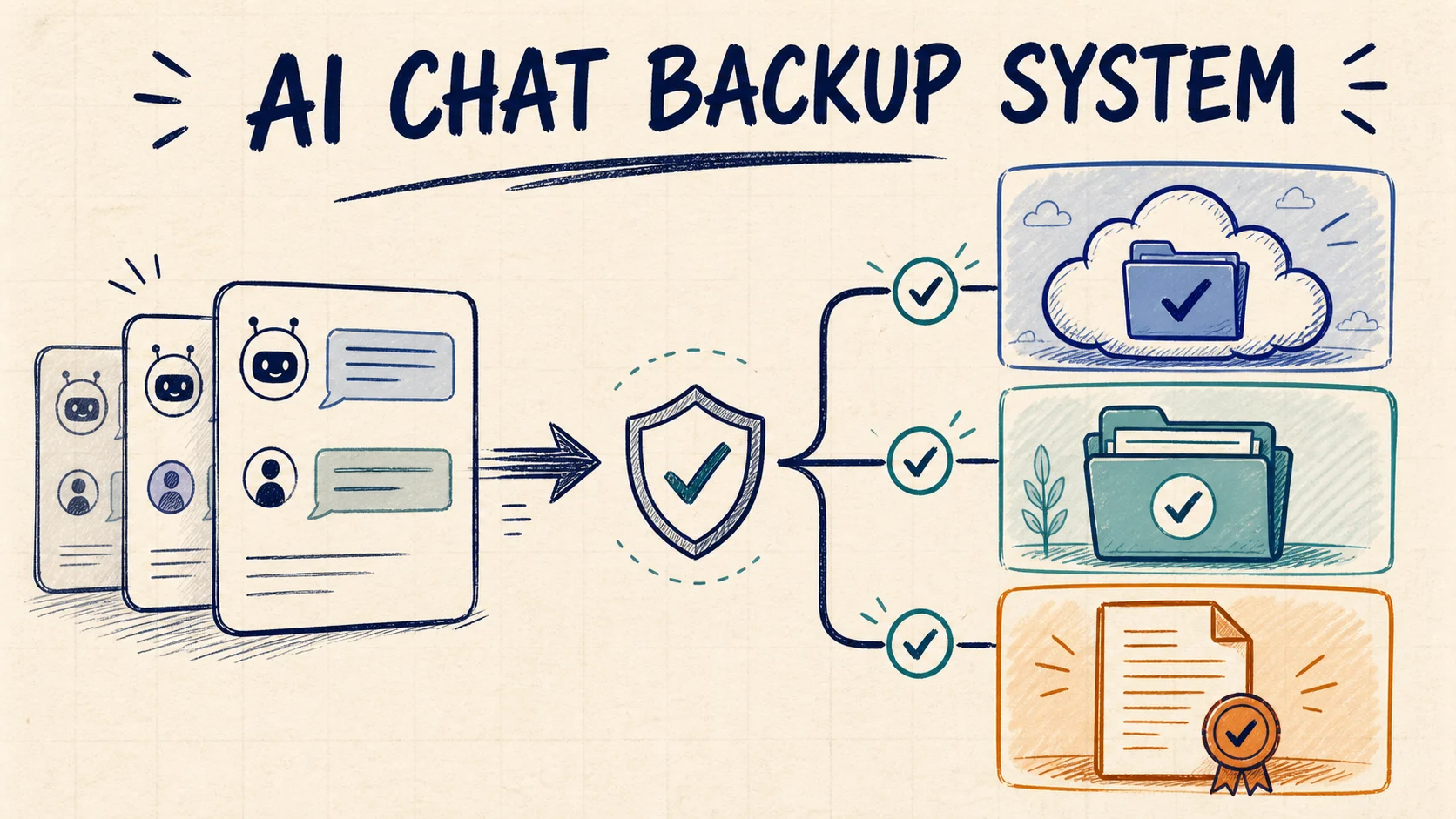
The best AI chat backup system has three layers: a live workspace for active retrieval, a local archive for ownership and portability, and fixed records for the few conversations that need a stable handoff copy. Export one representative chat first, verify the result in its destination, and only then run a larger batch. A file that was created but never opened is not a trusted backup. A reliable system also records what was saved, when it was saved, and whether someone has tested that the archive can be restored.
An export is not automatically a backup
Exporting is the action that moves content out of ChatGPT, Claude, Gemini, Perplexity, Grok, or another AI service. A backup is the system that keeps a recoverable copy after that action.
Sending a chat to one cloud workspace gives you a useful second location, but it may still depend on one account or provider. Local files are also weak protection if they remain in an unorganized Downloads folder on one laptop. Synchronization is not the same as backup: a bad overwrite or incomplete export can be synchronized as efficiently as a correct file.
A trustworthy workflow answers five questions:
- Which conversations are valuable enough to retain?
- Which destination fits the way each conversation will be used?
- Where is the independent second copy?
- How will failed, partial, and duplicate exports be identified?
- When was recovery last tested?
If you cannot answer those questions, you have saved files, not a dependable backup system.
Use a three-layer backup architecture
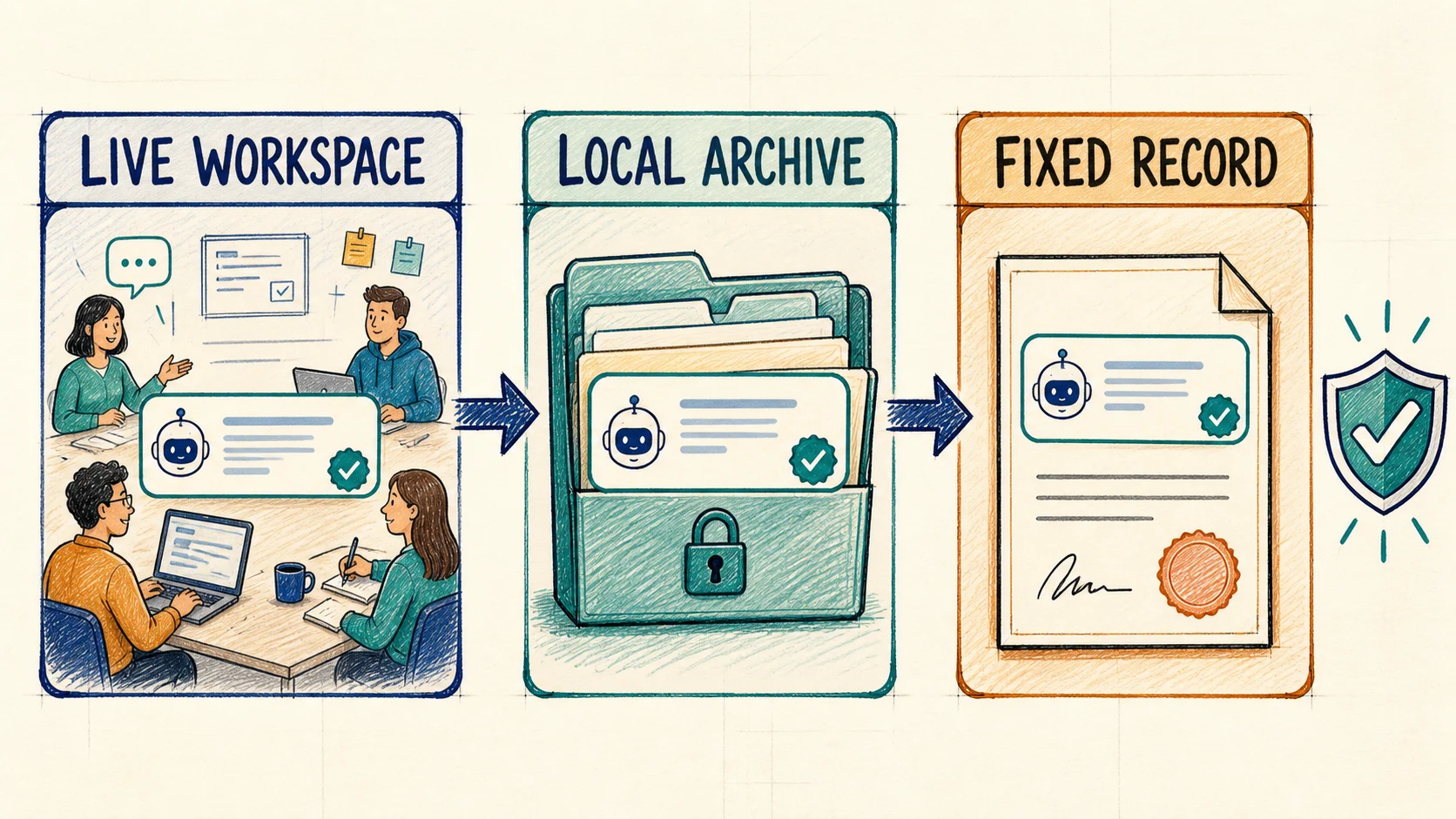
Each layer has a different job. Not every conversation needs all three, but important work should not depend on only one.
Layer 1: Live workspace
The live workspace is where exported conversations remain searchable and connected to active work. Notion is a strong example because a chat can become a database record with a project, owner, topic, status, and review date.
Use this layer for active research, client work, decision logs, writing projects, and material a team needs to find.
Layer 2: Local archive
The local archive is the ownership layer. Markdown, Obsidian-ready files, HTML, and downloaded assets can remain readable outside the original AI platform and cloud workspace.
Use this layer for durable research, code explanations, reusable prompts, and completed projects. Include the folder in your normal device or encrypted storage backup. One folder on one laptop does not protect against device failure.
Layer 3: Fixed record
The fixed-record layer preserves a stable presentation for approval, delivery, or audit-like review. PDF is often appropriate here.
Do not turn every chat into a PDF. Create fixed copies for signed-off recommendations, final research packets, client deliverables, or records whose visual layout matters.
Decide what is backup-worthy
Backing up everything without a retention rule produces a larger version of the same messy sidebar. Prioritize conversations that contain:
- a decision and the reasoning behind it
- source-backed research or citations
- code, tables, prompts, or structured outputs worth reusing
- project context that another person may need
- a draft that would be expensive to recreate
- generated images or attachments that are part of the meaning
Short lookups, abandoned tests, and disposable brainstorming can remain temporary. If deletion feels risky, place the conversation in an inbox and decide during weekly review.
Create a minimum backup record
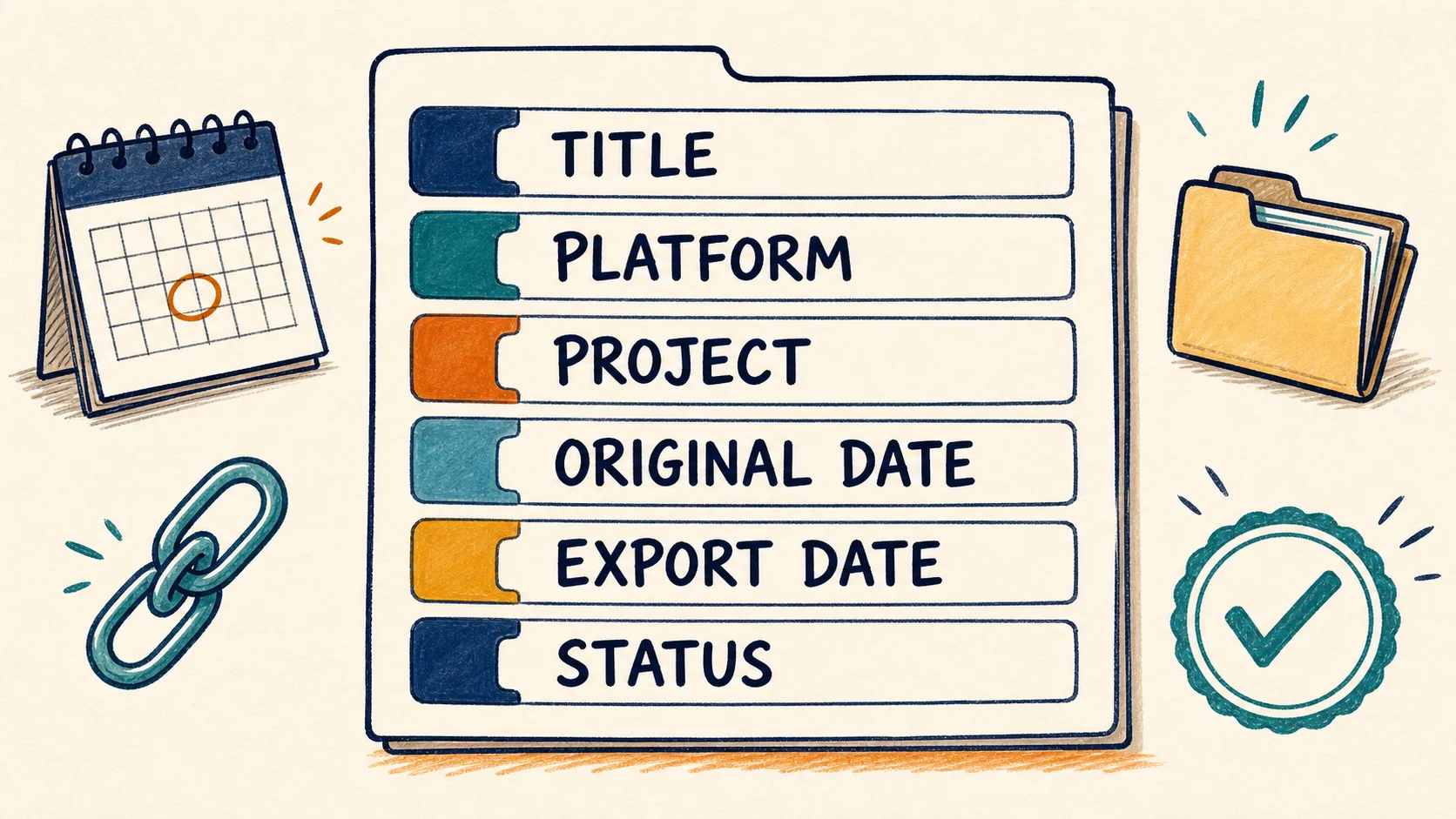
Every retained conversation should carry enough context to stand on its own. Use these minimum fields in a Notion database or Markdown frontmatter:
| Field | Why it matters |
|---|---|
| Title | Identifies the real topic instead of preserving New chat |
| Platform | Shows whether the source was ChatGPT, Claude, Gemini, Perplexity, or Grok |
| Project | Connects the conversation to the work that created it |
| Original date | Preserves when the conversation occurred when the source exposes that value |
| Export date | Records when the backup copy was created |
| Source URL | Provides a path back while the original is available |
| Status | Marks Inbox, Verified, Active, Archived, or Failed |
| Last restore test | Shows when someone last proved the copy was usable |
Keep original date and export date separate. If the source platform does not expose a trustworthy original timestamp, leave it unknown rather than silently substituting the export date.
A compact Markdown record can use:
source_platform: claude
project: pricing-research
original_date: 2026-08-07
exported_at: 2026-08-10
source_url: https://claude.ai/chat/...
backup_status: verified
last_restore_test: 2026-08-10
Build the system step by step
1. Choose one representative conversation
Test with a chat that resembles your real work. Include a long response, links, code or a table, and an image or attachment if those elements matter. A two-message test proves very little about a research archive.
2. Select the primary destination
Choose the destination based on the next job:
- Use Notion when the conversation needs properties, filters, status, or team access.
- Use Obsidian or Markdown when local ownership and editable files matter.
- Use HTML when you want a browser-readable local snapshot.
- Use PDF when a stable review or handoff copy is the priority.
The AI chat exporter comparison maps the current platform-specific product paths. Use only a route that matches the source platform and destination you need.
3. Export and inspect the destination
Open the result without relying on the original conversation beside it. Check:
- the opening prompt and final response are present
- message order is correct
- headings, lists, code, and tables remain understandable
- important links open
- images and attachments required by the record are available
- title, dates, project context, and source URL are identifiable
Record a failure instead of hiding it. A failed-items list is part of the backup system because it tells you what still depends on the original platform.
4. Add an independent copy
For high-value conversations, create a second copy with a different failure profile. Notion plus local Markdown is more resilient than two pages in the same workspace. A local archive plus encrypted cloud or external-drive storage is better than two folders on one disk.
The practical rule is simple: backup effort should match the cost of losing the conversation.
5. Scale in small batches
After the representative export passes, batch by project, platform, or recent date. Smaller batches make incomplete exports and duplicate handling easier to diagnose. Keep a simple run log with the batch name, item count, destination, failures, and verification status.
6. Separate active and cold material
Use a small lifecycle such as Inbox, Verified, Active, Archived, and Final Record. Move completed projects out of the active workspace while retaining the local archive. This keeps search results useful without deleting material that still has retention value.
Use a daily, weekly, and monthly cadence
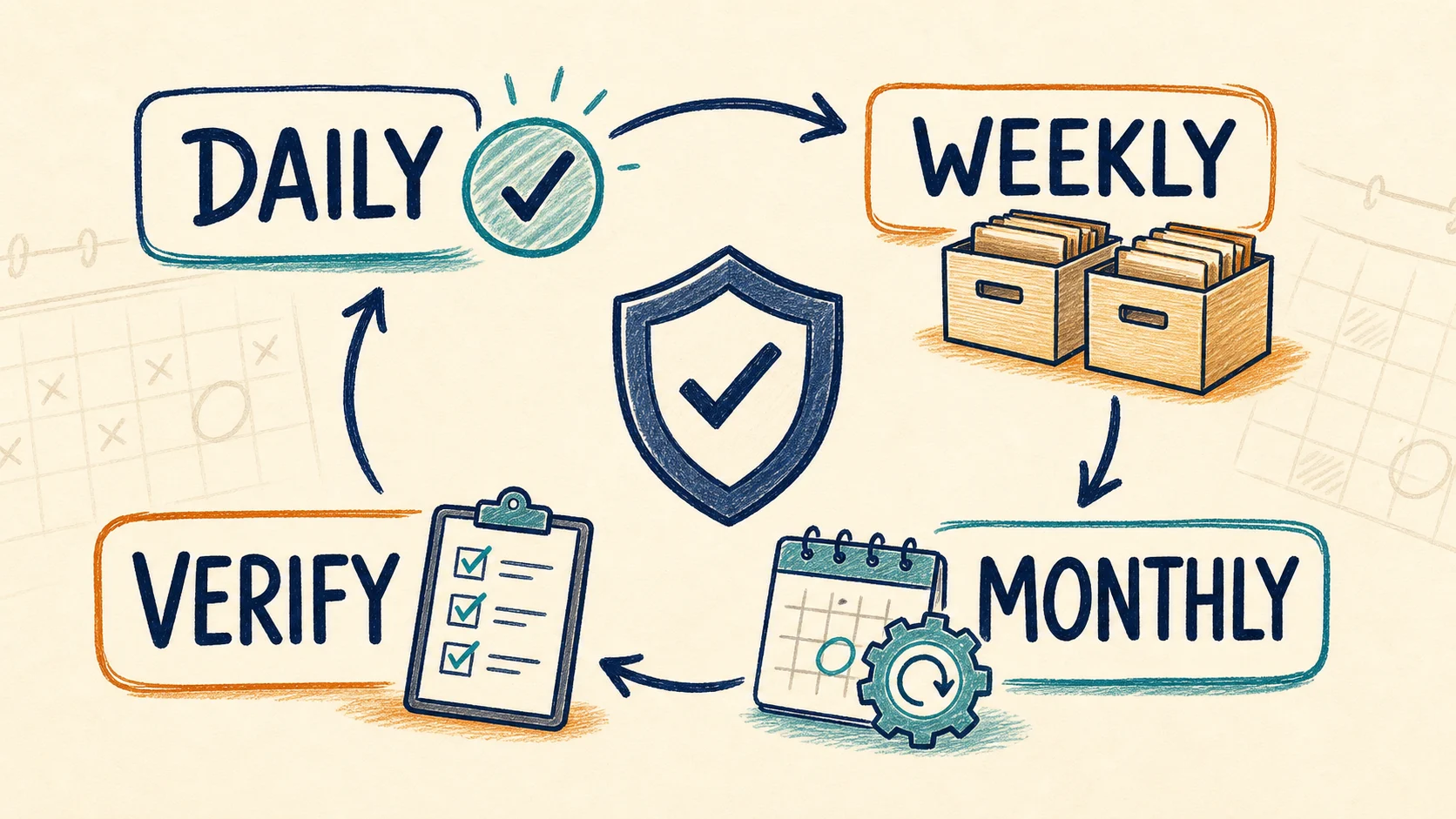
Daily: protect active work
Export milestone conversations from current client work, research, product decisions, or code investigations. Open at least one recent result and confirm its title, destination, and completeness.
Weekly: process the queue
Run a targeted batch for the past week, retry failures, remove obvious duplicates, and move verified items out of the inbox. Confirm that the most valuable work exists in both its live workspace and local layer.
Monthly: test recovery
Choose several older records without opening the source AI platform. Find them by project, open the local file, follow a source link, inspect an attachment, and confirm another person could understand the record.
The monthly restore test is what turns confidence into evidence. A green completion message from export day is not enough.
Before deleting an original conversation
Use the stricter AI chat export checklist before deleting conversations. At minimum, do not delete until:
- the destination copy has been opened and reviewed
- critical links, images, files, code, and tables have been checked
- the source URL and relevant dates are recorded
- high-value content has an independent second copy
- failures and missing elements are documented
- you can retrieve the archive without using the original sidebar
Deletion is optional. Verification is not.
Common backup mistakes
Treating synchronization as version history
Sync can keep destinations current, but it may also propagate an unwanted overwrite. Keep an independent copy or versioned storage for important material.
Running a full-history batch first
One flawed sample is cheap to repair. Hundreds of flawed exports create cleanup debt and false confidence.
Using one date for everything
Original date, export date, and review date answer different questions. Combining them makes chronology less trustworthy.
Keeping local files on one device only
Local ownership is valuable, but one disk is still one failure point. Include the archive in a separate device or encrypted storage backup when loss would matter.
Never testing recovery
If nobody can find and open an older record, the archive is only a collection of assumptions.
FAQ
What is the best format for AI chat backups?
There is no universal format. Notion is strong for active retrieval, Markdown or HTML for local ownership, and PDF for fixed records. Important conversations may use more than one layer.
How often should I back up AI conversations?
Use milestone or daily exports for active high-value work, a weekly batch and review for routine retention, and a monthly restore test for the archive.
Is exporting to Notion enough?
It may be enough for low-risk working notes. For work that would be expensive to lose, add an independent local or versioned copy rather than depending on one workspace.
Should I back up every AI chat?
No. Retain decisions, reusable outputs, source-backed research, project context, and expensive-to-recreate drafts. Let disposable chats expire or process them through a temporary inbox.
How do I know whether a backup worked?
Open the destination, verify representative content and assets, then periodically retrieve an older record without relying on the source platform. Successful recovery is stronger evidence than an export completion message.
Start with one verified conversation
Do not begin by building a perfect archive taxonomy. Choose one conversation you cannot afford to recreate, route it to the right destination, add the minimum metadata, create an independent copy when justified, and test retrieval. Once that works, repeat it weekly.
Browse the AI Export Hub product catalog for the current platform and destination paths, or review Universal Pass pricing if your backup routine spans several AI platforms. The tool should make capture easier, but the reliability comes from your verification and restore process.