
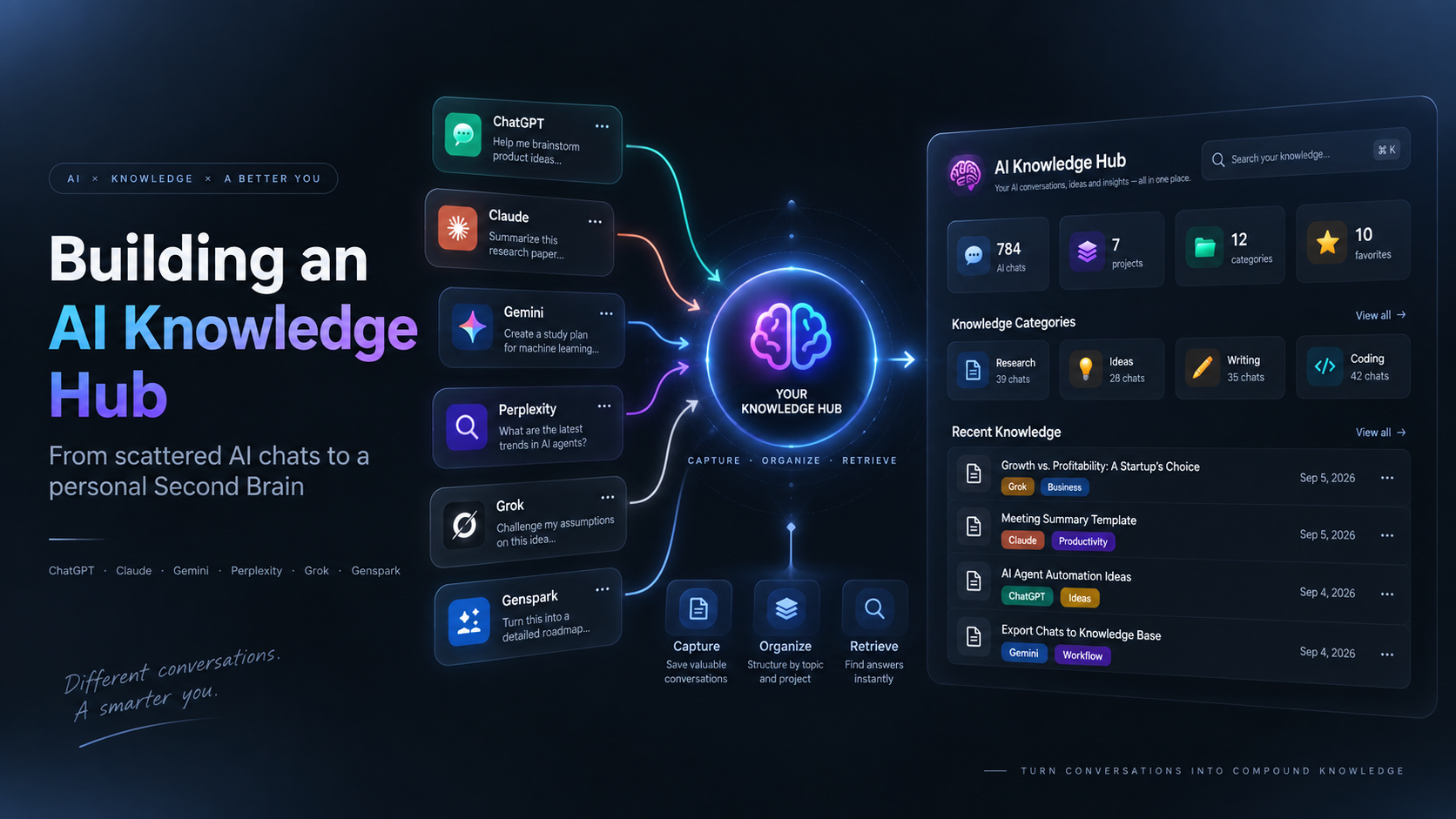
I Put My AI Conversations Into Notion. Then I Realized Exporting Was the Easy Part.
A growing amount of my thinking no longer lives in documents.
It lives inside AI conversations.
Research happens in Perplexity. Long-form thinking happens in Claude. Quick questions and brainstorming happen in ChatGPT. Some experiments happen in Gemini. Other ideas are scattered across Grok, Genspark, and whichever AI product was open when a question arrived.
One conversation at a time, none of this feels like a problem. You ask, get an answer, and move on.
After hundreds of conversations, the problem becomes harder to ignore. I was creating more useful knowledge than I could realistically remember, let alone find again.
Recently, I imported 784 conversations — only part of my AI history — from six different platforms into one Notion workspace: ChatGPT, Claude, Gemini, Perplexity, Grok, and Genspark. I thought the hard part would be getting the data out of all those separate chat histories.
It was not.
The harder question appeared after the export was complete: how do you turn years of AI conversations into something you can actually think with?
AI Chat History Is Becoming a Personal Knowledge Base
Traditional knowledge management assumes that useful information ends up somewhere intentional: a note, a document, a bookmark, or a database.
AI quietly changed that behavior. Now a surprising amount of useful work is created inside conversations:
- Business and product ideas
- Code explanations and debugging decisions
- Research and source discovery
- Writing drafts and editorial feedback
- Market analysis
- Meeting preparation
- Learning notes
- Personal observations
The trouble is that every platform becomes another silo. ChatGPT has one history. Claude has another. Gemini, Perplexity, Grok, and Genspark each keep their own.
The more models you use, the more fragmented your working memory becomes.
That led me to a simple experiment: instead of treating these as six chat histories, what if I treated them as one knowledge database?
How I Organize ChatGPT, Claude, Gemini, Perplexity, Grok and Genspark in Notion
My first attempt was a Notion dashboard. I began importing part of my AI conversation history into a single workspace and gave every conversation a consistent set of fields:
| Field | What it helps me do |
|---|---|
| Platform | Separate ChatGPT, Claude, Gemini, Perplexity, Grok, and Genspark work |
| Knowledge Category | Browse research, ideas, writing, coding, business, or resources |
| Project | Connect a conversation to the work it belongs to |
| Favorites | Keep the conversations worth revisiting close by |
| Exported At | See when a record entered the knowledge base |
| Original URL | Return to the source conversation when the platform still supports it |
| Title and Tags | Search and scan the archive without opening every page |
This is not meant to be a perfect taxonomy. It is a useful starting structure that makes a multi-platform AI archive behave more like one database.
This is the real dashboard I built.
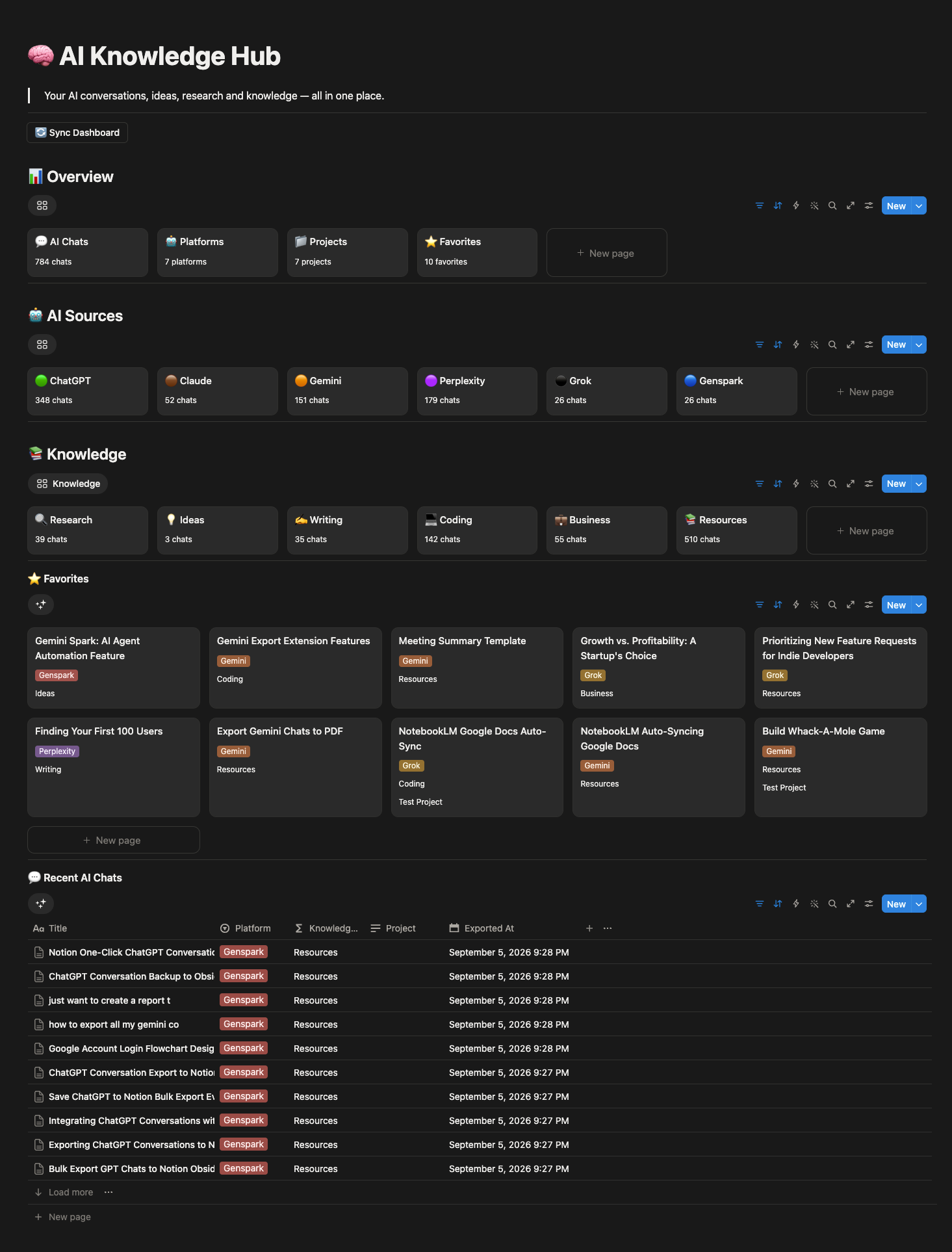
The dashboard currently contains 784 imported conversations from six AI platforms — only a portion of my full AI history. It separates research from writing, coding, business, ideas, and resources. It also keeps projects and favorite conversations close enough to revisit.
The Overview card reports seven connected platforms overall. This article focuses on the six named sources visible in the source section, which are the platforms represented by the 784 conversations discussed here.
From a data perspective, it works.
I can see where conversations came from. I can browse by category. I can find favorites and recently imported chats. I can connect an old discussion to a current project.
But the moment the data came together, exporting stopped feeling like the main problem.
A Database Is Not a Second Brain
My Notion setup is useful, but it still feels like what it is: a collection of database views.
That distinction bothered me.
I did not want only an archive or an export destination. I wanted an interface that made the knowledge feel alive, something closer to this concept.
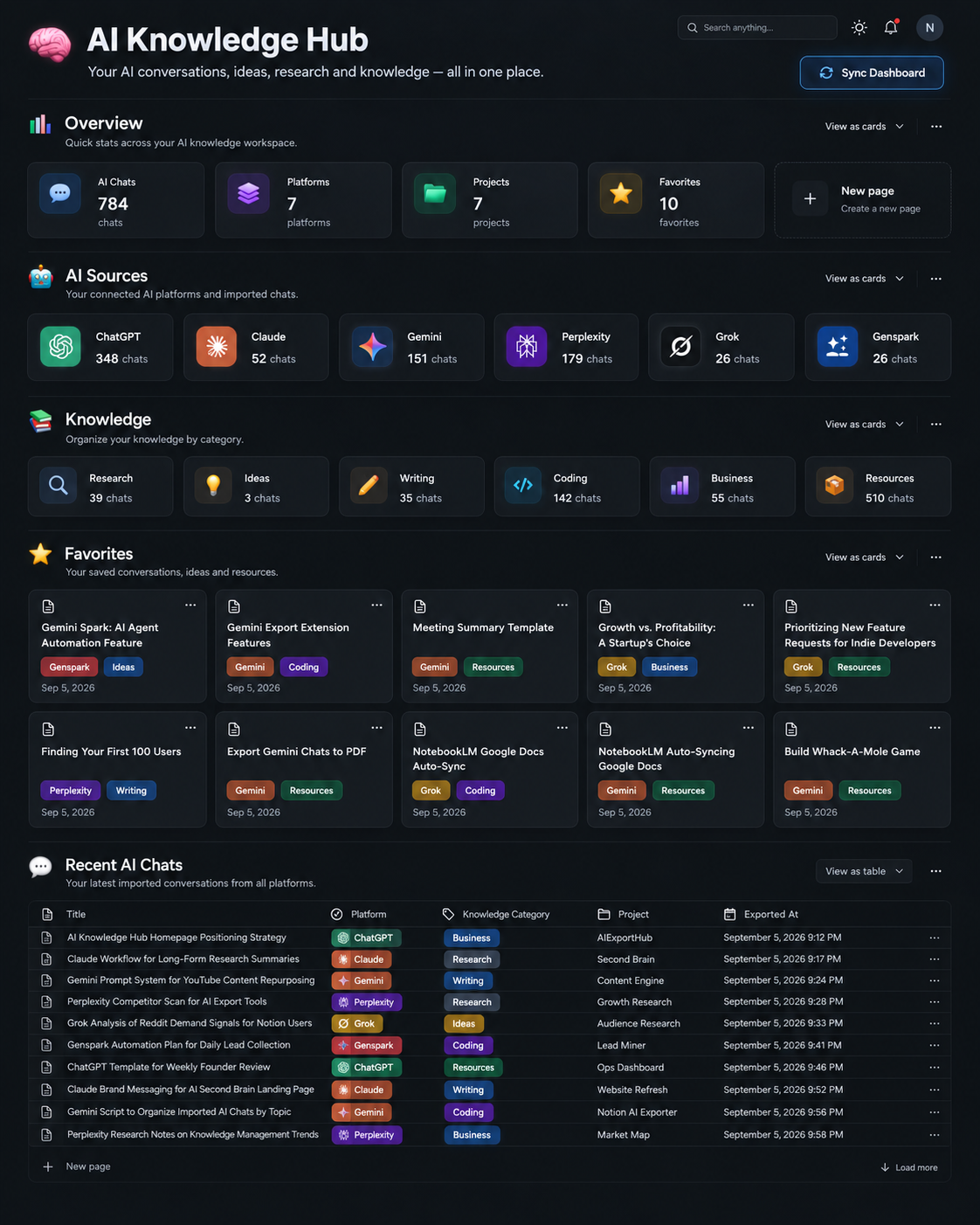
The information in the concept is almost identical to the real Notion dashboard. The experience is not.
In the concept, the system feels like a personal knowledge product. In Notion, it feels like I am browsing the machinery underneath it.
That does not make Notion the wrong choice. Notion is excellent at storing structured knowledge. The data is visible, editable, and portable. Users own the workspace. Views, filters, relations, and custom organization are already there.
The question is whether the storage layer and the thinking interface need to be the same thing.
What Should an AI Knowledge Hub Actually Show?
Once I stopped thinking about the system as an archive, the design questions changed.
An archive answers, “Where did I save that conversation?”
A useful AI knowledge hub should answer better questions:
- What have I been researching recently?
- Which topics do I keep returning to?
- Which conversations contain ideas worth revisiting?
- What knowledge belongs to a particular project?
- What did I learn from Claude compared with ChatGPT or Perplexity?
- Which valuable conversations have I completely forgotten?
Those are not export questions. They are memory questions.
And that is where an AI chat archive starts to become an AI second brain.
Capture Is Only the First Layer
I now think about this system in four layers:
Capture → Organize → Retrieve → Rediscover
From archived conversations to usable personal memory.
Capture
Get conversations out of separate AI platforms and preserve them before they are buried, deleted, or made inaccessible by a product change.
Capture should retain more than plain text. Useful context may include titles, message order, code blocks, tables, citations, source links, images, attached files, and platform-specific objects such as Claude Artifacts.
Organize
Add enough structure to make the archive navigable: platform, project, category, favorite status, tags, dates, and source URLs.
The trap here is over-organization. If every imported chat needs five minutes of manual tagging, the system will eventually stop being used. A durable workflow should make sensible defaults and allow structure to improve over time.
Retrieve
Find a previous conversation at the moment it becomes useful.
Keyword search is part of this, but it is not enough. The exact words used six months ago may not match the words used today. Project views, filters, full-text search, and eventually semantic search all help turn stored conversations into usable references.
Rediscover
This may become the most valuable layer.
Imagine opening your knowledge hub and seeing:
You researched this topic six months ago.
Or:
These three Claude conversations are related to the ChatGPT conversation you are working on today.
Or even:
You generated 27 ideas for this project, but never revisited five of them.
Retrieval gives you something you remembered to look for. Rediscovery gives you something you had forgotten existed.
That is the moment an archive starts behaving more like memory.
Notion Can Be the Database Without Being the Entire Interface
The real and concept dashboards suggest two directions. One is to accept Notion’s native design language. That keeps the system flexible, inspectable, and easy to customize. A beautiful interface is not worth much if the underlying knowledge becomes difficult to edit or move.
The other is to use Notion as the knowledge database and place a dedicated AI knowledge interface above it. That interface could emphasize recent themes, forgotten conversations, project memory, related discussions, and weekly reviews without hiding the source data.
The current Notion version is real and useful. The concept version shows what feels missing. The gap between them is now more interesting to me than the original export problem.
The Bigger Opportunity Starts After the Import
Once AI-generated knowledge exists in one structured place, the dashboard is only the visible layer. The bigger opportunity is automatic categorization, conversation summaries, topic clustering, semantic search, related-conversation suggestions, project memory, and periodic resurfacing of forgotten work.
Eventually, the simplest interface may be a question:
What have I already learned about this?
The answer should not come from one model’s current context window. It should come from years of work across ChatGPT, Claude, Gemini, Perplexity, Grok, Genspark, and whatever comes next.
At that point, the system is no longer an archive of AI conversations. It is a personal memory layer built from interactions with many models.
We May Need a New Kind of Second Brain
The original second-brain idea grew around notes, books, highlights, and documents. Those objects are usually edited into a relatively stable form.
AI conversations are different. They are iterative, messy, context-heavy, and often full of abandoned paths. Their value may live in a single answer, the sequence that produced it, or the contrast between several attempts.
Treating them as ordinary documents loses some of that shape. Treating them as disposable chat history loses almost everything.
The next generation of personal knowledge systems may need to treat AI conversations as first-class knowledge objects, not items we occasionally export but material we continuously build on.
That is the idea behind my current experiment.
The importing part works. The knowledge-management part is still evolving. I originally built browser tools to solve the capture problem, and that work gradually led to this AI Knowledge Hub.
Frequently Asked Questions
Can I export ChatGPT conversations to Notion?
Yes. ChatGPT to Notion can turn conversations into structured Notion pages. For a broader workflow, the multi-platform AI chat export guide covers ChatGPT, Claude, Gemini, Perplexity, and other sources.
Can I combine ChatGPT, Claude, Gemini, and Perplexity in one Notion database?
Yes, as long as the records share a consistent structure. Platform, category, project, favorite status, exported date, original URL, title, and tags are enough to create useful views without forcing every source into exactly the same conversation format.
Can Notion work as an AI Second Brain?
Yes for storage and organization. Advanced rediscovery, semantic relationships, forgotten-knowledge reminders, and AI memory may benefit from another intelligence or interface layer on top of the database.
What is the difference between an AI chat archive and an AI Knowledge Hub?
An archive preserves conversations. A Knowledge Hub adds organization, retrieval, and rediscovery so those conversations can become reusable personal memory.
Your AI history is already a knowledge base.
Bring conversations from ChatGPT, Claude, Gemini, Perplexity, Grok, Genspark, and more into one place.
Powered by AIExportHub.
Export to Notion, Markdown / Obsidian, and PDF.
Exporting is the beginning.
The real goal is to build a system that lets you think with what you have already learned.