
Batch Export
Download the latest 1,000 Midjourney creations or follow complete history pagination with local image attachments, success-ID skipping, progress, and cancellation.
Choose a data range
- Latest page reads up to the latest 1,000 creations.
- Complete archive follows every available Midjourney cursor until no more data remains or you cancel.
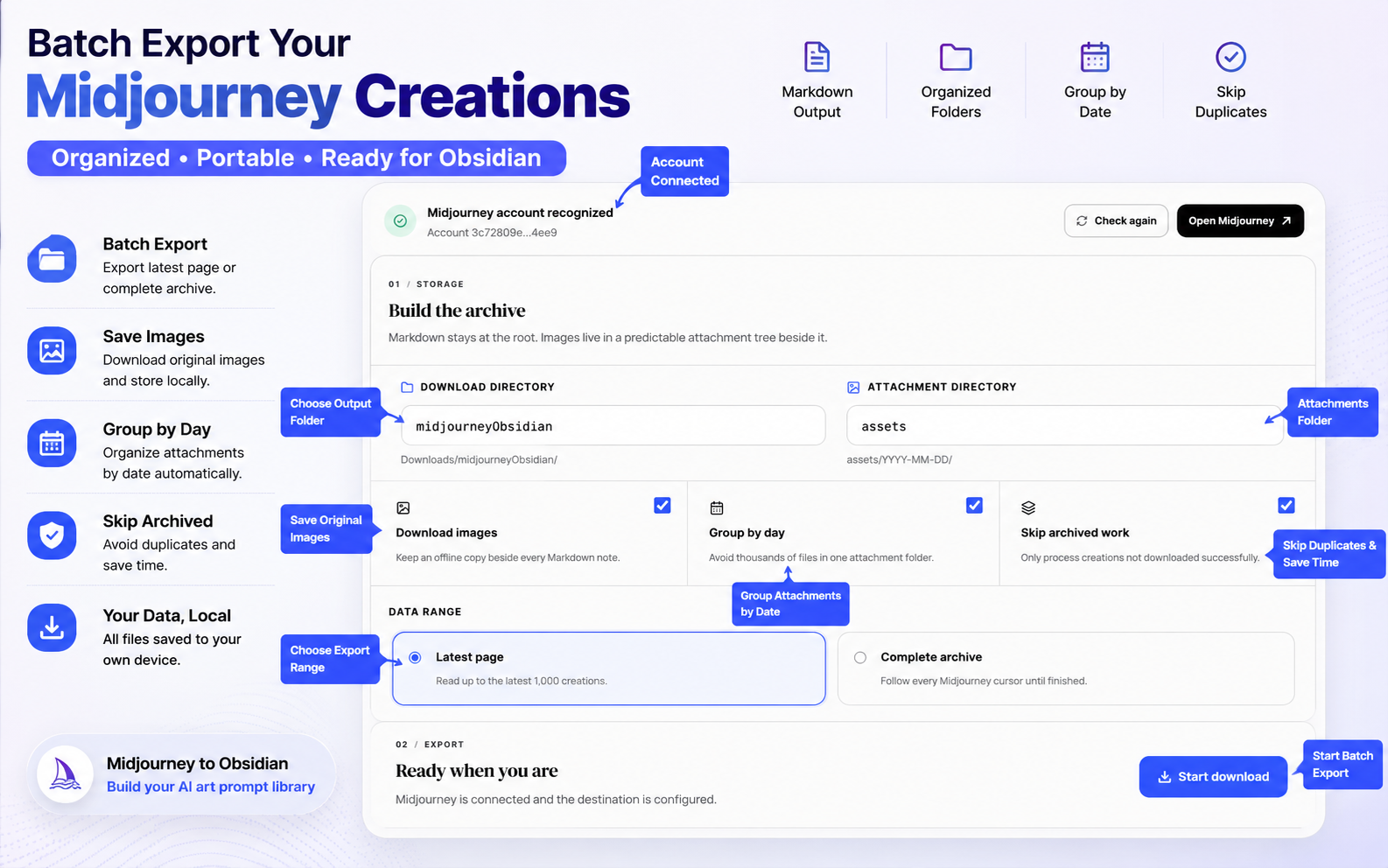
For a first run, export one creation and then use Latest page. Start a complete archive only after the Markdown and attachment paths look correct.
Avoid duplicates
Enable Skip archived work to filter IDs already recorded as successful. The current controller only stores true successes, so a failed creation is not silently treated as complete.
Filename conflicts use the configured Chrome behavior:
- Uniquify keeps both files with different names.
- Overwrite replaces a matching path.
Run and monitor
- Keep a signed-in Midjourney tab open.
- Click Start download.
- Watch progress, success, failure, and skipped counters.
- Leave the workspace open until completion.
If you cancel, the run is marked cancelled instead of completed. Files already downloaded remain on the device.
Free limit and upgrade
Free batch processing is limited to 30 creations. The shared MidjourneyExporter pricing page offers monthly, annual, and lifetime access.
Recovery
If a run fails:
- Review the failure history.
- Confirm the Midjourney tab is signed in.
- Retry with Skip archived work enabled.
- Keep the remote URL fallback when an individual image cannot be downloaded.
Ready to try Midjourney To Obsidian?
Open the product page for feature details, screenshots, pricing, and the Chrome Web Store install link.