
Markdown & Local Images
Configure the Markdown download folder, dated attachment paths, image fallback behavior, frontmatter, and video handling for an Obsidian-ready archive.
Configure the archive folders
Open the batch workspace and set:
- Download directory: the folder under Chrome’s Downloads root
- Attachment directory: the folder used for image files
- Download images: enable or disable local image copies
- Group by day: add a
YYYY-MM-DDfolder below the attachment directory
The defaults create:
Downloads/midjourneyObsidian/
Downloads/midjourneyObsidian/assets/YYYY-MM-DD/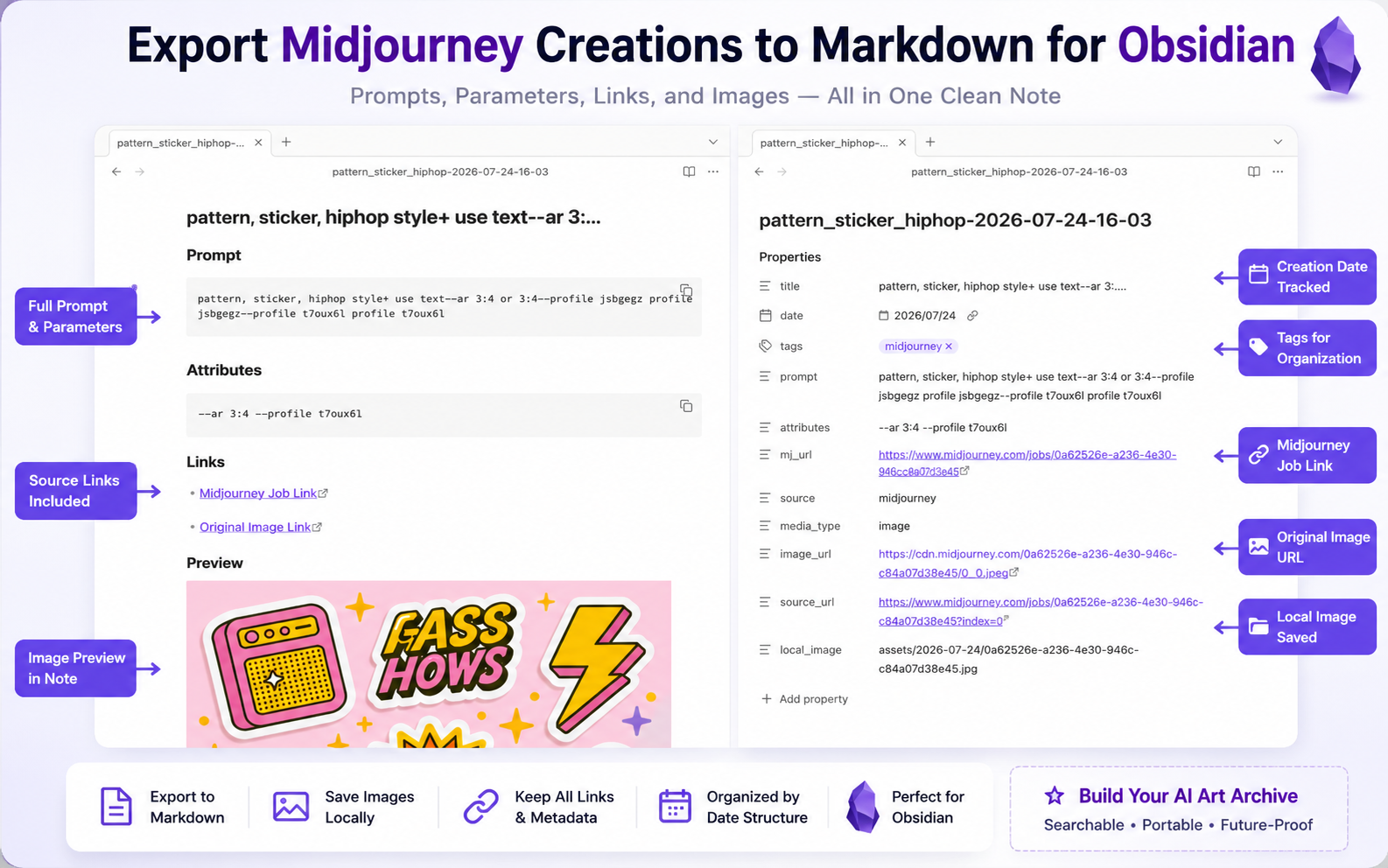
Image behavior
When local image download succeeds:
- The image is written to the attachment folder.
- Frontmatter includes
local_image. - The Markdown preview uses the relative local path.
- The original remote URL is still stored.
When image download fails:
- The Markdown note still downloads.
- The preview uses the remote image URL.
- The run records a warning for that creation.
Video creations
The current exporter:
- Stores
media_type: video - Records the remote
video_url - Downloads the available preview image when image downloads are enabled
- Does not download the full video file
Add the archive to Obsidian
Chrome extensions write under the browser’s download workflow, not directly to an arbitrary vault path. After export, either:
- Move the whole download folder into your vault, or
- Sync that folder into your vault with your normal file workflow.
Keep the Markdown files and attachment folder together so relative image paths continue to resolve.
Ready to try Midjourney To Obsidian?
Open the product page for feature details, screenshots, pricing, and the Chrome Web Store install link.