
Notion Output and Attached Documents
Understand the v3.2 Notion properties, YOU and Perplexity sections, Sources, Related Questions, and document child pages
Database Properties
Each new export can write:
| Property | Value |
|---|---|
title | A normalized version of the Perplexity title |
URL | Original /search/ or /computer/tasks/ URL |
Chat Time | Latest available thread timestamp |
Space Name | Perplexity collection title, when available |
Tags | Task for computer-task exports |
The exported title is cleaned for unsupported punctuation and limited to 30 characters.
Conversation Body
For normal threads, every available turn is grouped as:
# YOU

The user's prompt

# Perplexity

The formatted answer
When enabled, each turn can also include:
## Sources
1. Source title

## Related Questions
- Suggested follow-up question
Sources are de-duplicated by URL. Disable Include Sources & Related Questions to omit both sections while keeping the main conversation.
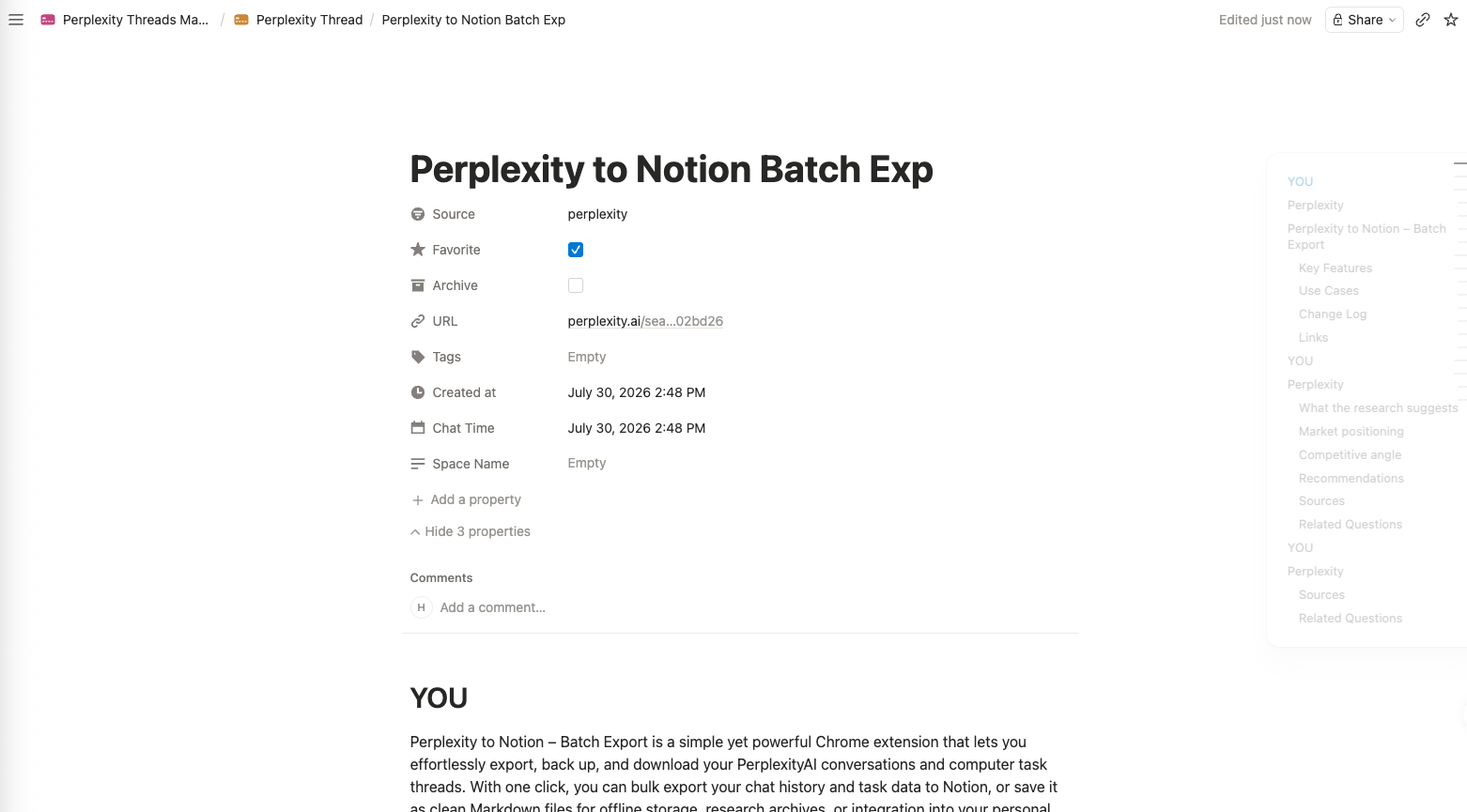
The exported page includes source properties and begins the structured YOU and Perplexity transcript.
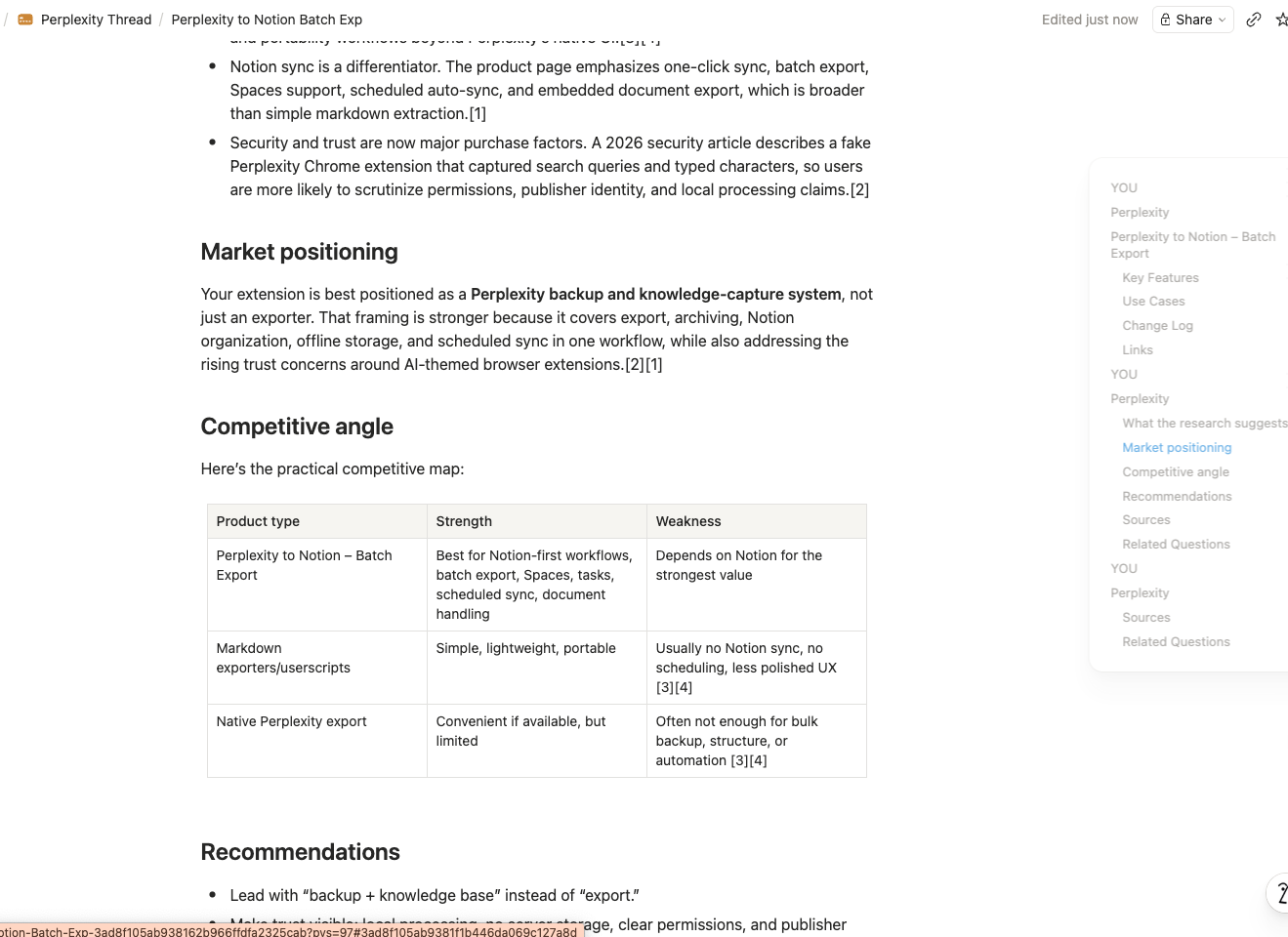
Long-form answers keep headings, paragraphs, lists, and tables as editable Notion content.
Computer Task Output
Computer tasks use the first available task prompt as YOU and append available task answers/workflow text under Perplexity. Sources can be included, and the database row receives the Task tag.
The available result depends on what Perplexity exposes in the task’s thread-detail blocks.
Embedded Documents
v3.2 scans supported response blocks for DOC_FILE assets:
- Unified assets
- Assets mode
- Inline asset previews
- Canvas assets
- Plan-step assets
An asset is exported only when it provides readable source content. Supported content is interpreted as Markdown, HTML, plain text, JSON, or a compatible text fallback.
For each supported document, the extension:
- Creates a child page under the exported conversation page.
- Converts the document content into Notion blocks.
- Inserts an attached-document reference at the document’s matching position in the transcript.
- Keeps a stable source link only when it is not a temporary signed URL.
Repeat Export Behavior
The URL property controls Notion duplicate matching:
- Skip if exists returns the existing page without changing it.
- Overwrite if exists moves all matching pages to trash before creating the new page.
- Always insert new creates another page.
The local Skip exported records option can stop an item before this Notion check.
Current UI Scope
The current v3.2 popup and Batch Export page use the Markdown conversion pipeline to create Notion blocks, but they do not expose a local .md download action.
Ready to try Perplexity To Notion?
Open the product page for feature details, screenshots, pricing, and the Chrome Web Store install link.