
Perplexity Research Export Workflow
Build a repeatable Perplexity research export workflow that preserves sources, routes projects to Notion or Markdown, and keeps the archive reusable.
Guide summary
- Search intent
- Task intent: users want a repeatable way to export Perplexity research, sources, Spaces, and project context into a searchable archive.
- Best next step
- Perplexity to Notion
- Topics
- PerplexityResearch WorkflowNotionObsidianMarkdownKnowledge Management
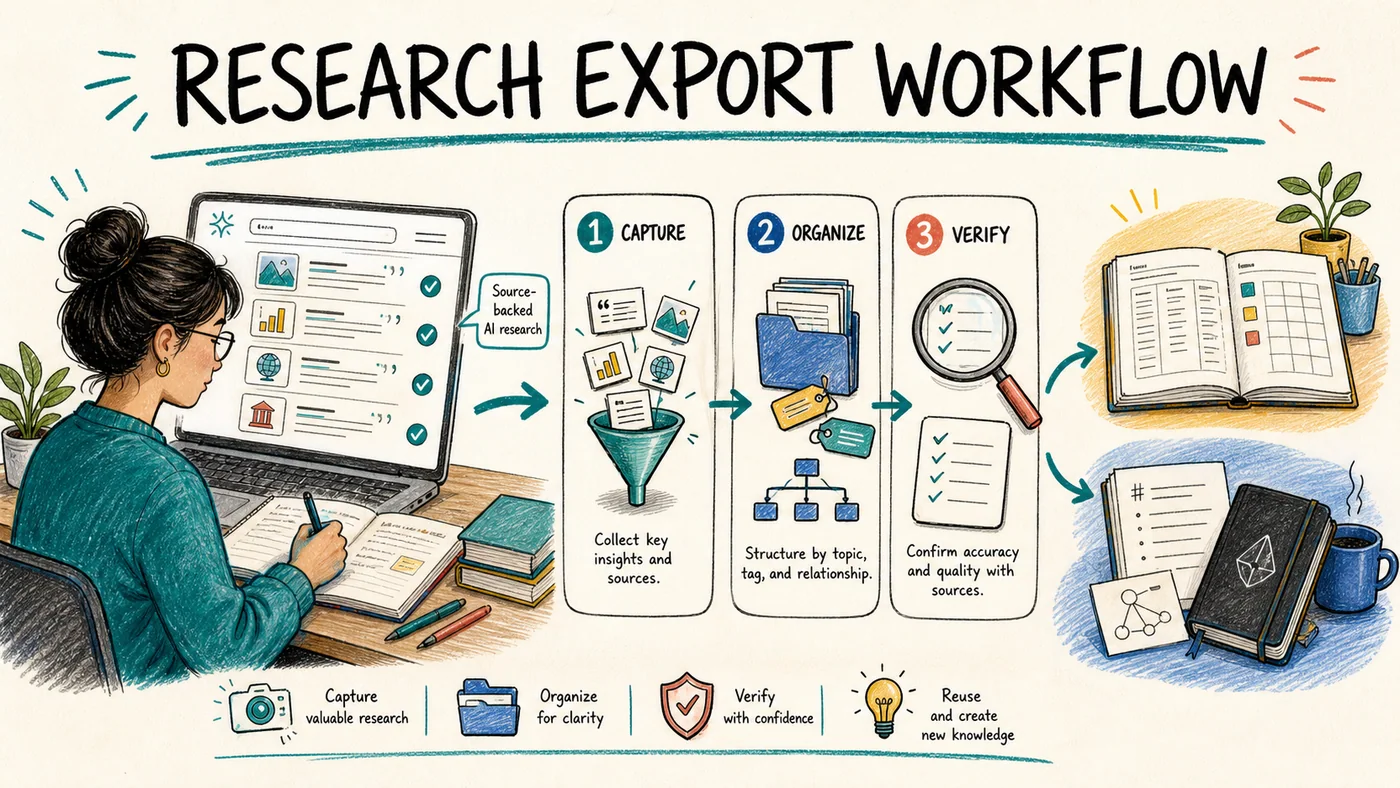
The best Perplexity research export workflow separates three jobs: capture valuable threads before they disappear into history, archive reusable research with its sources and project context, and package only the strongest findings for review or sharing. Use Notion when the research needs properties, team access, and workflow status. Use Obsidian or Markdown when you want local files, attachments, and long-term ownership. Test one source-heavy thread first, verify the result, and only then run a batch export.
Why Perplexity needs a research-specific export workflow
Perplexity conversations are not ordinary chat transcripts. A useful thread may contain an answer, cited sources, follow-up questions, uploaded documents, generated images, and several rounds of narrowing the research question. Spaces and Computer Tasks can add another project layer.
That changes the definition of a successful export. Saving the answer text is not enough if the evidence trail or project context disappears. A research archive should preserve enough information to answer four questions later:
- What question was being investigated?
- Which sources supported the answer?
- Which project or Space did the thread belong to?
- What should happen to the research next?
The workflow below handles those questions without forcing every thread into the same destination.
Start with three archive jobs
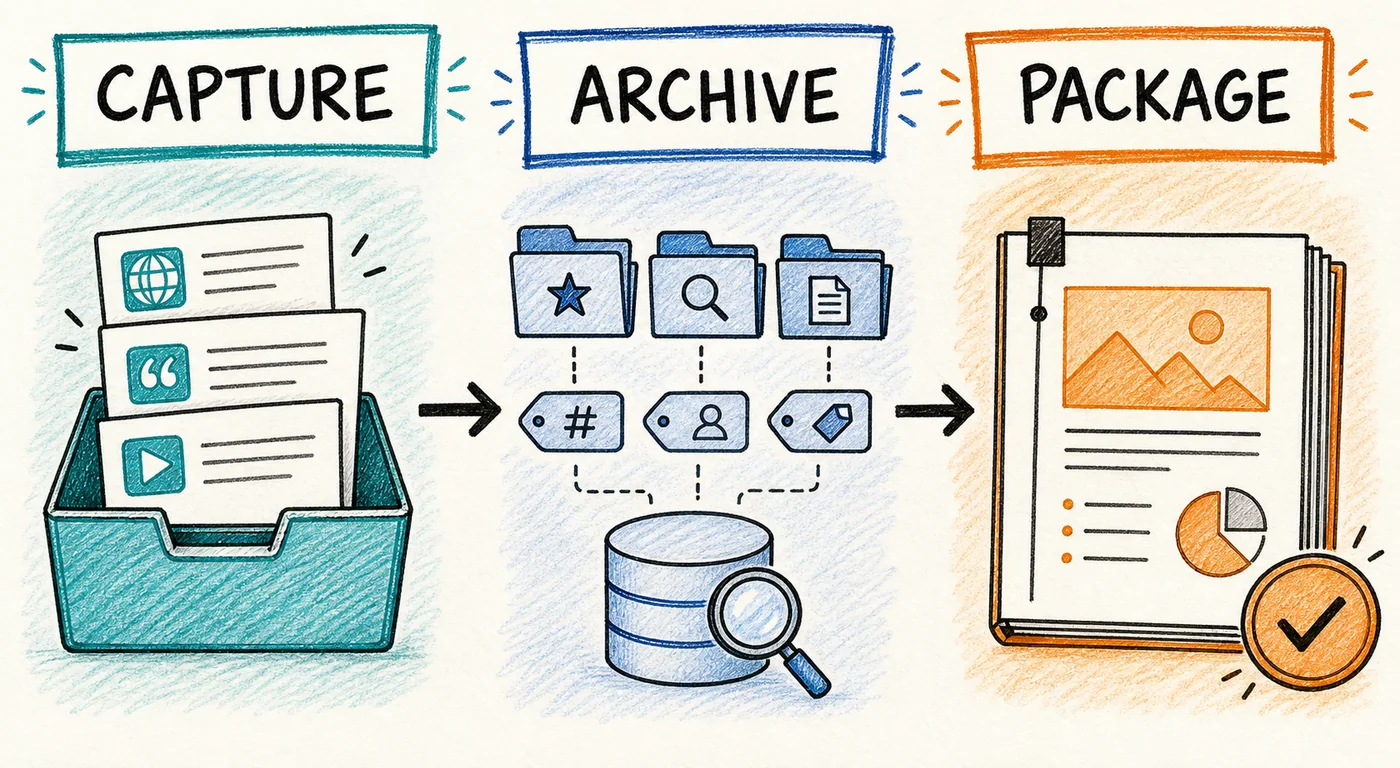
Capture
Capture is for promising research that has not been evaluated yet. The goal is speed, not perfect organization. Save the current search or task while the context is fresh, keep the original URL, and place it in an inbox for later review.
Examples include a quick vendor scan, an exploratory literature search, or a thread with several sources you may need next week.
Archive
Archive is for research with durable value. It deserves a stable title, project label, source information, export date, and review status. This is where Notion databases and organized Markdown folders become useful.
Examples include competitor research, source-backed market notes, technical investigations, and recurring client topics.
Package
Package is for research that is ready to inform a decision or be handed to another person. Clean the working notes, write a short human summary, and create a final document only after the underlying archive has been verified. PDF can be useful here, but it should not automatically become the only copy of the research.
Route research to the right destination
Choose Notion for structured review and collaboration
Perplexity to Notion fits research that needs a shared registry, database properties, review status, or recurring project organization. The current product supports saving the page you are viewing and batch export from All Threads, Computer Tasks, and one or more Spaces. It also supports date filtering, source and related-question preservation, and URL-based handling for repeat exports.
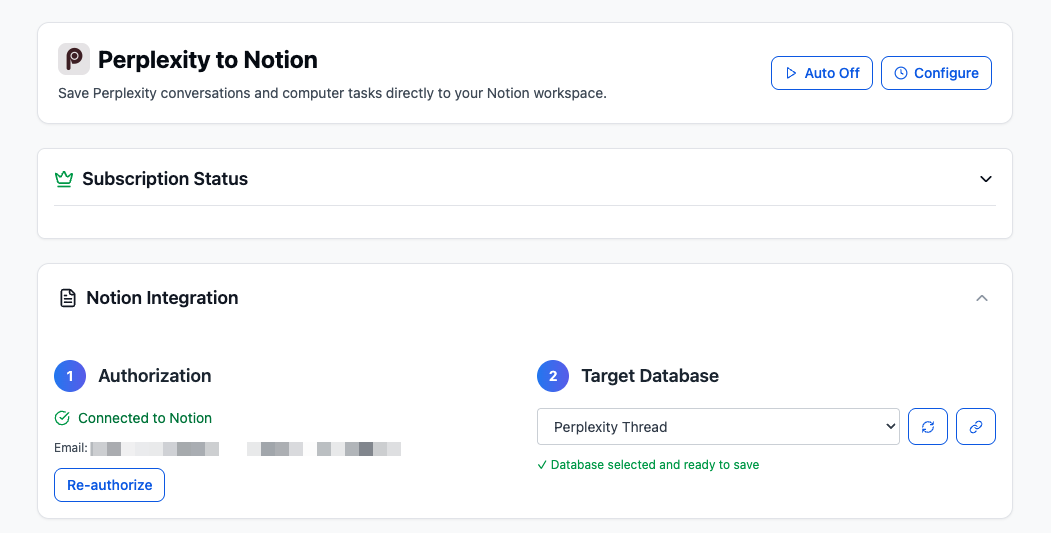
A practical research database can start with these fields:
| Property | Purpose |
|---|---|
| Title | A specific research question or finding |
| Space / Project | The workstream that owns the research |
| Research Type | Market, competitor, technical, literature, or client |
| Original URL | A path back to the Perplexity thread |
| Export Date | When the archive copy was created |
| Review Status | Inbox, Reviewed, Promoted, or Archived |
| Evidence Status | Sources checked, partially checked, or not checked |
| Human Summary | One or two sentences explaining why the thread matters |
Not every field must be populated during capture. Title, Original URL, Export Date, and Review Status are enough for the inbox. Add the rest when the research is promoted into the active archive.
Choose Obsidian or Markdown for local ownership
Perplexity to Obsidian fits research that should remain file-based, searchable locally, or usable outside one workspace. The current product can export Perplexity threads as Markdown, organize batch exports by Space, preserve supported sources and formatting, and download supported images and attachments with the research.
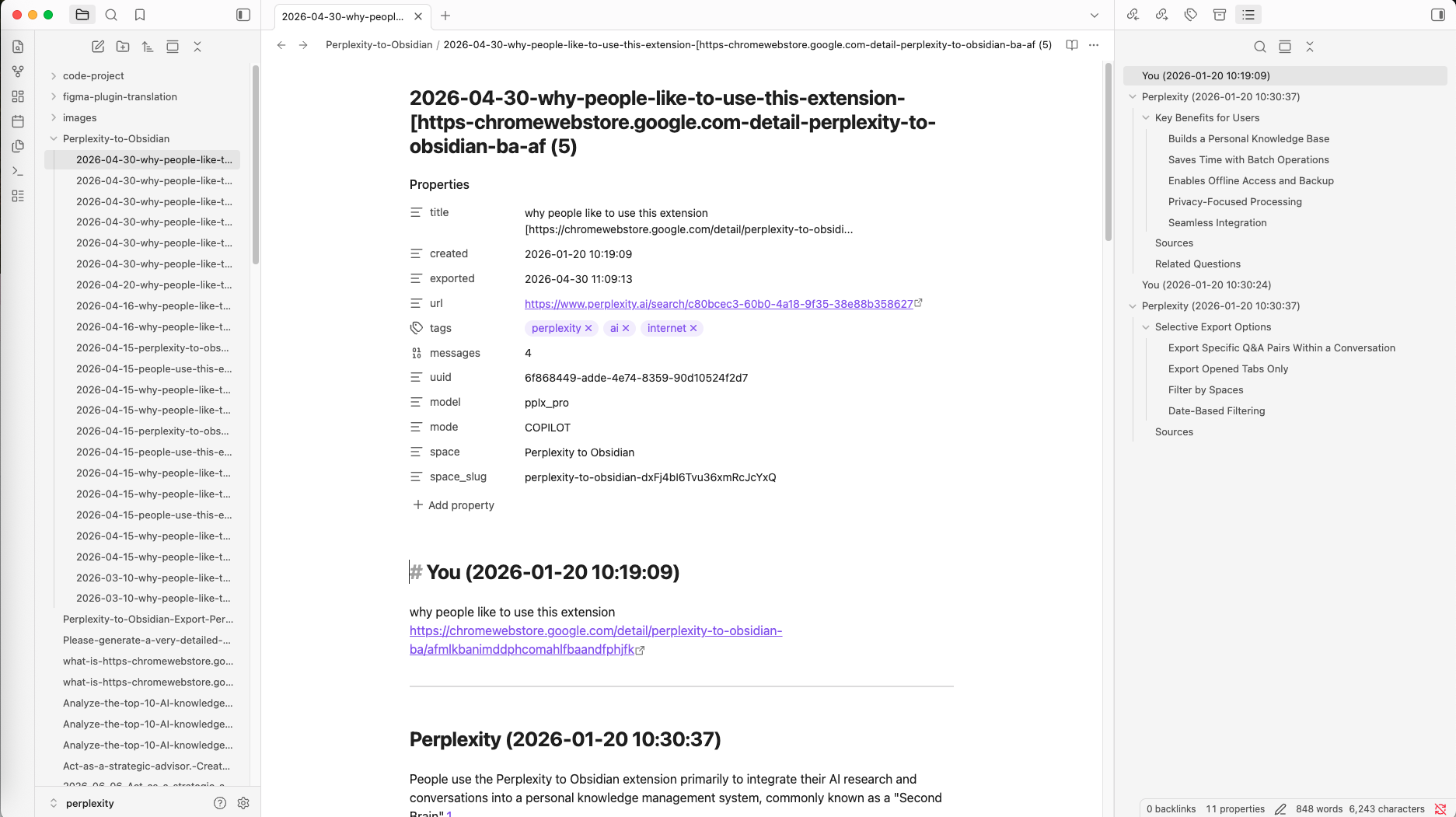
Use a small folder structure before running a large batch:
Perplexity-Research/
  00-Inbox/
  10-Active-Projects/
  20-Reference/
  90-Cold-Archive/
  _assets/
Keep filenames predictable, for example:
2026-08-04-europe-market-entry-competitors.mdIf you normalize frontmatter after export, keep it compact:
source_platform: perplexity
space: market-entry
original_url: https://www.perplexity.ai/search/...
exported_at: 2026-08-04
review_status: inbox
tags: [competitors, europe]
Do not spend time perfecting metadata for every captured thread. The inbox exists so capture remains fast.
Step-by-step Perplexity research export workflow
1. Select a representative test thread
Do not begin with a two-paragraph answer. Choose a thread that resembles your real work and includes several sources, follow-up questions, structured formatting, and an image or attachment if those matter to you.
This test reveals preservation problems before they affect a full Space or history batch.
2. Classify it before exporting
Mark the thread as Capture, Archive, or Package. This determines the destination and the amount of cleanup it deserves.
Capturegoes to the inbox with minimal metadata.Archivegoes to a project database or organized folder.Packagestarts from a verified archive copy and receives a human-written summary.
3. Export the current thread and verify it
Save the test thread to Notion or Markdown. Open the result in the destination rather than trusting the completion message. Confirm the title, message order, sources, links, tables, code, images, and attachments that matter to the project.
If the result is incomplete, adjust the export settings or destination before scaling.
4. Batch by Space or recent date
Once the sample passes, choose the smallest useful batch. Export one Space when it represents a project, or use a recent date window for a weekly archive run. A targeted batch is easier to verify than repeatedly exporting the complete history.
For recurring Notion exports, decide how repeat URLs should be handled before starting. For local exports, decide where the Space folder and downloaded assets should live.
5. Add a short human summary
AI output becomes easier to retrieve when a person adds one sentence explaining its value. Good summaries answer questions such as:
- Which decision could this research influence?
- Which claim still needs verification?
- What should the next researcher read first?
This is the step that turns a saved thread into an operational research record.
6. Promote or archive the record
Move current work from Inbox to Active Projects. Promote durable material into Reference. Move completed or low-frequency research into Cold Archive. Package only material that has passed source and context checks.
A weekly operating rhythm
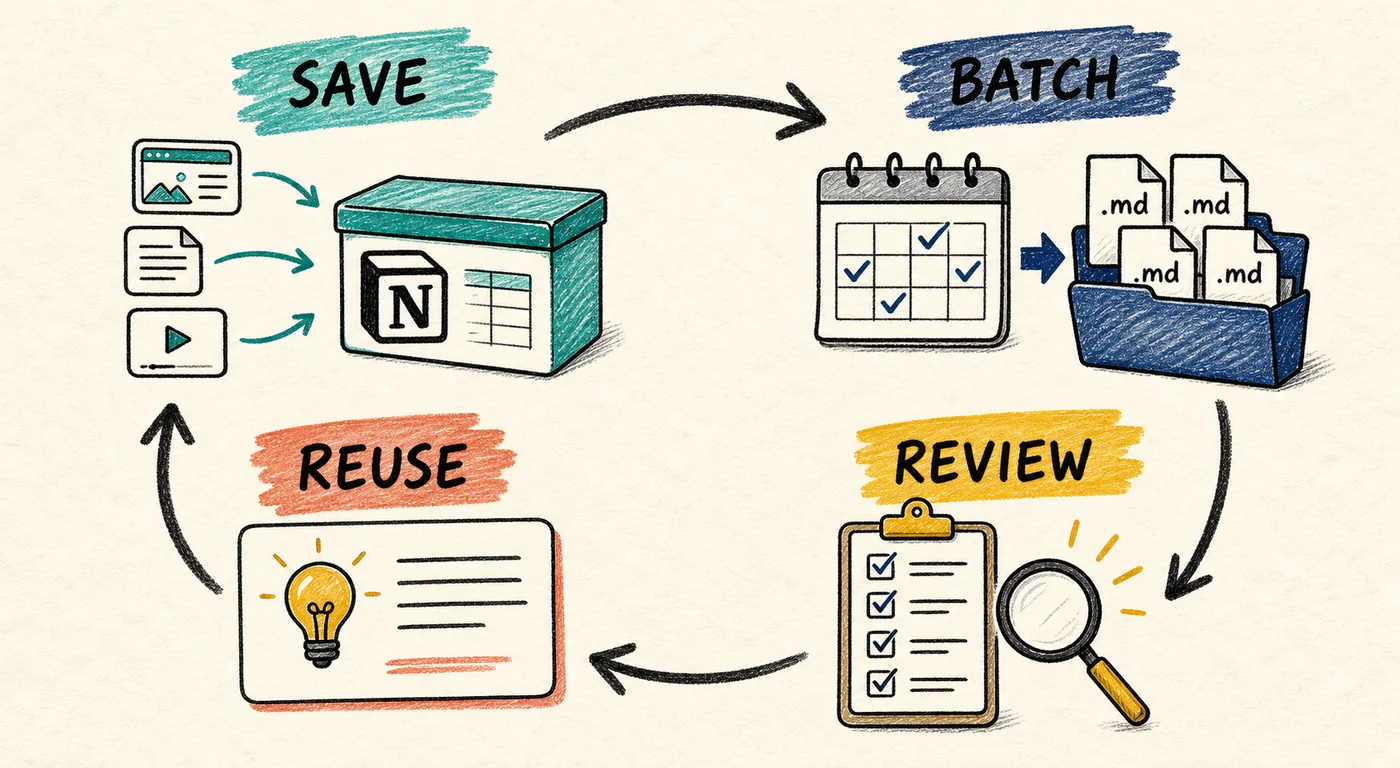
A lightweight weekly routine prevents the archive from becoming another crowded sidebar:
- Save high-value threads when you encounter them.
- Run a date-filtered or Space-based batch at the end of the week.
- Review failures, duplicates, sources, and destination placement.
- Add summaries to the few records worth promoting.
- Reuse promoted research in a decision, brief, note, or project page.
The routine should be boring and repeatable. If review takes hours, reduce the batch size or promote fewer records.
Verification checklist before deleting or sharing
Check the destination without keeping Perplexity open beside it. The archive should remain understandable on its own.
- The title identifies the real research question.
- Prompts and answers appear in the correct order.
- Important source links are present and open correctly.
- Space, task, or project context is still identifiable.
- Tables, code blocks, and headings remain readable.
- Required images and attachments are present or deliberately stored elsewhere.
- Repeat exports follow the intended skip, update, or new-copy behavior.
- The record can be found by project, topic, or filename.
For any destructive cleanup, use the broader AI chat export checklist before removing the source conversation.
Common mistakes
Exporting the complete history before testing one thread
A large batch multiplies formatting, source, and duplicate problems. Test the difficult case first.
Treating source preservation as optional
For source-backed research, losing citations can remove the evidence needed to evaluate the answer. Confirm the links, not only the answer text.
Using one destination for every archive job
Notion is strong for workflow context and collaboration. Markdown is strong for local ownership and flexible processing. A final document is useful for handoff. These jobs can coexist.
Collecting without reviewing
An archive full of unreviewed exports is only a larger history list. A small review status and one-sentence summary create more value than a complicated taxonomy.
FAQ
What is the best format for exporting Perplexity research?
Use Notion when you need database properties, team review, and project workflow. Use Markdown when you need local files, Obsidian search, attachments, or long-term portability. Keep a final PDF only when a fixed handoff copy is useful.
Should I export every Perplexity search?
No. Capture threads with durable evidence, reusable analysis, or clear project relevance. Leave disposable lookups out of the archive.
Can I export Perplexity Spaces in a batch?
The current Perplexity exporters support Space-based batch workflows. Test one Space or a recent date range first, then review the results before processing a larger archive.
How do I keep Perplexity sources with the export?
Enable the supported source options in the exporter, then open several source links in the destination. For a deeper explanation, see how to export Perplexity sources to Notion or Obsidian.
Is a Notion copy enough as a backup?
It is a useful second location, but important research may also deserve a local Markdown or other independent copy. Choose the level of redundancy based on the cost of losing the work.
How often should I export active research?
Export immediately when a thread contains critical work. For normal research, a weekly date-filtered or Space-based batch is a practical starting point.
Build the archive around the next job
A reliable Perplexity workflow does not start with “export everything.” It starts by deciding whether the thread should be captured, archived, or packaged, then routes it to the destination that supports its next job.
Use Perplexity to Notion for a structured research registry, use Perplexity to Obsidian for an owned Markdown archive, and compare the wider destination choices in Best AI Chat Exporter Tools. Start with one difficult thread, verify it, and scale only when the archive remains searchable and trustworthy.