
 v5.0 · Single save + batch archive Chrome Extension
 Midjourney to Notion — Export Prompts, Images & History
Save one Midjourney creation from the web app or Discord, or batch export your available history to a structured Notion database with prompts, parameters, images, videos, source links, and metadata.
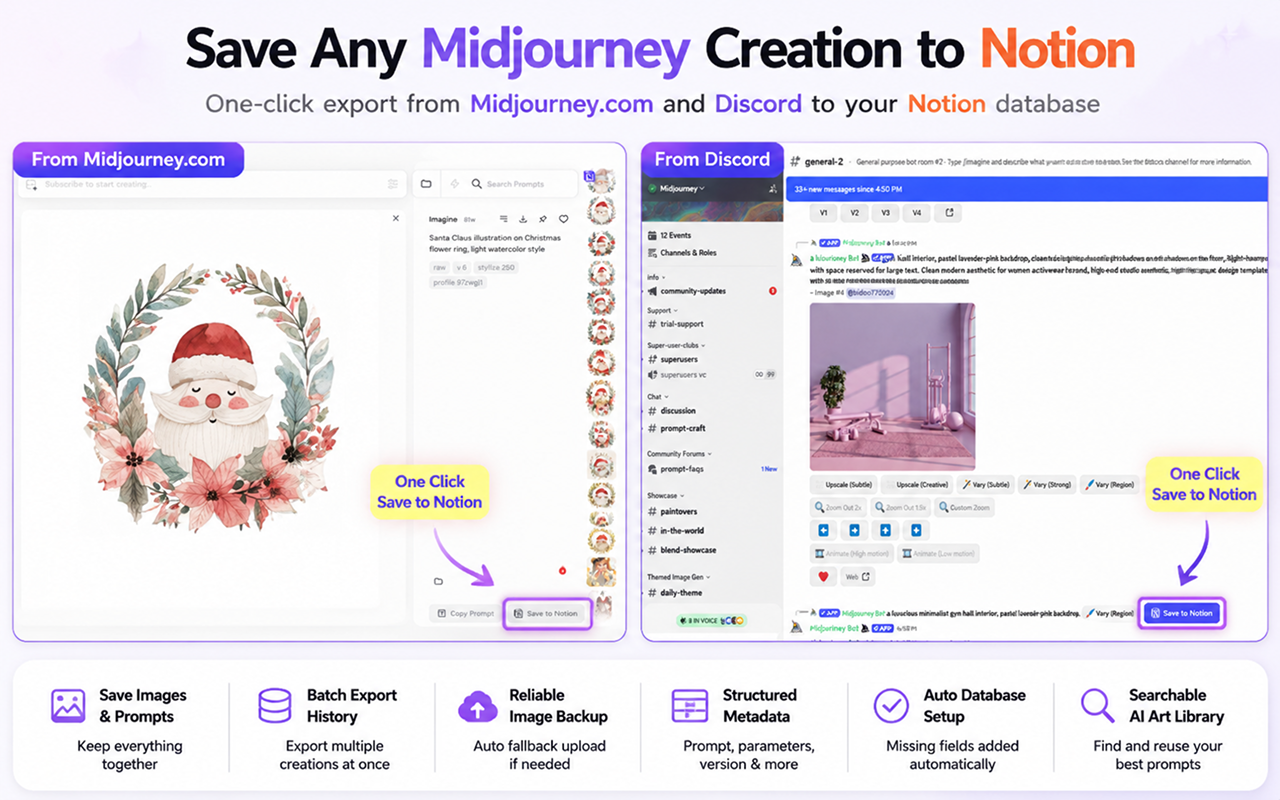
Midjourney to Notion keeps the visual result and the instructions that produced it in the same searchable workspace.
Compatibility matrix
What Midjourney to Notion — Export Prompts, Images & History can export
A practical support table for real content types and destination behavior.
| Content type | Support | Export result | Notes |
|---|---|---|---|
| Prompt text and parameters | Supported | Structured Notion properties and copy-friendly page content | Parameters and version details are parsed from the available Midjourney command. |
| Midjourney images | Supported | Notion image/cover plus the original source URL | Native Notion upload is attempted first, with an R2 fallback when needed. |
| Video creations | Supported | Video URL and available preview metadata | The exporter keeps the video reference with the related prompt record. |
| Midjourney Web single save | Supported | One Notion page for the active creation | Works on supported Midjourney Jobs and creation layouts. |
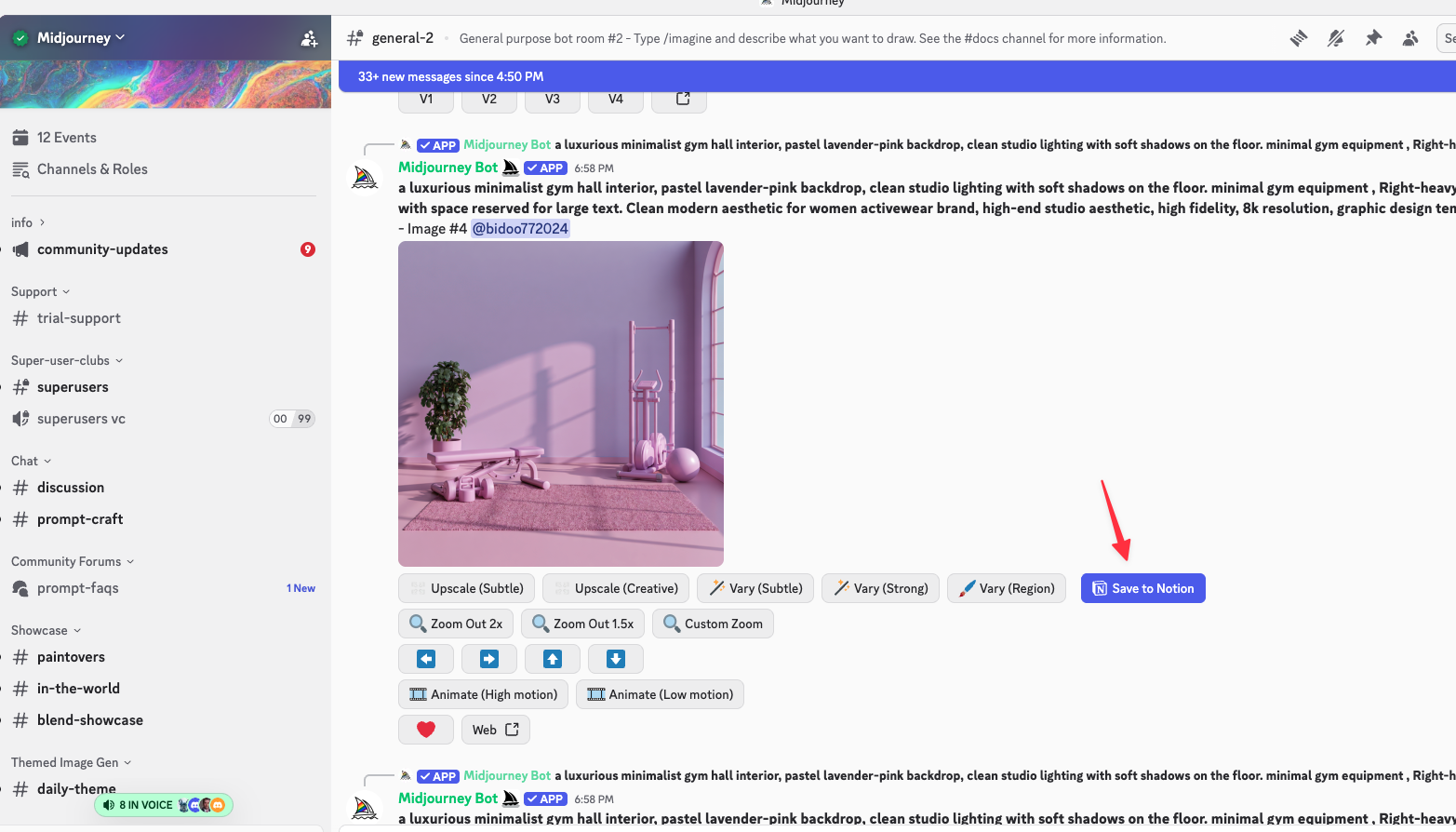
| Discord single save | Supported | One Notion page from a supported Midjourney Discord message | Discord layouts can change; refresh the channel if the action does not appear. |
| Batch history | Supported | Multiple Notion database pages | Use the latest-page scope for a test, then run the available paginated history. |
Output proof
Real export examples
Use these examples to verify what exported files, folders, or destination pages look like before installing.
Notion gallery archive
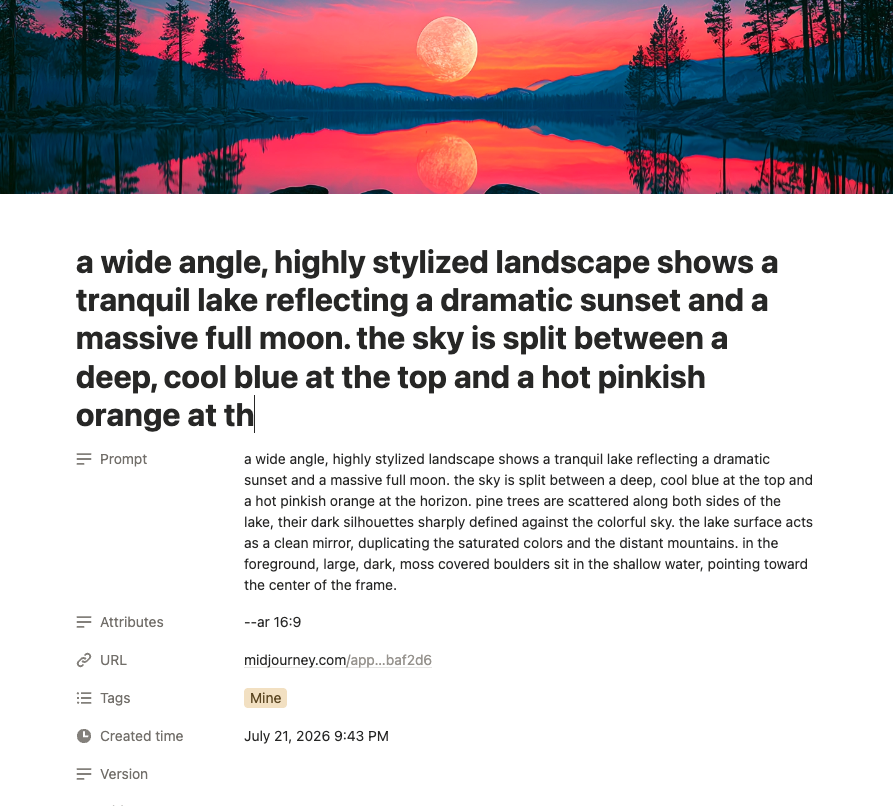
A visual gallery of exported creations with searchable prompts and properties.
Batch export workspace
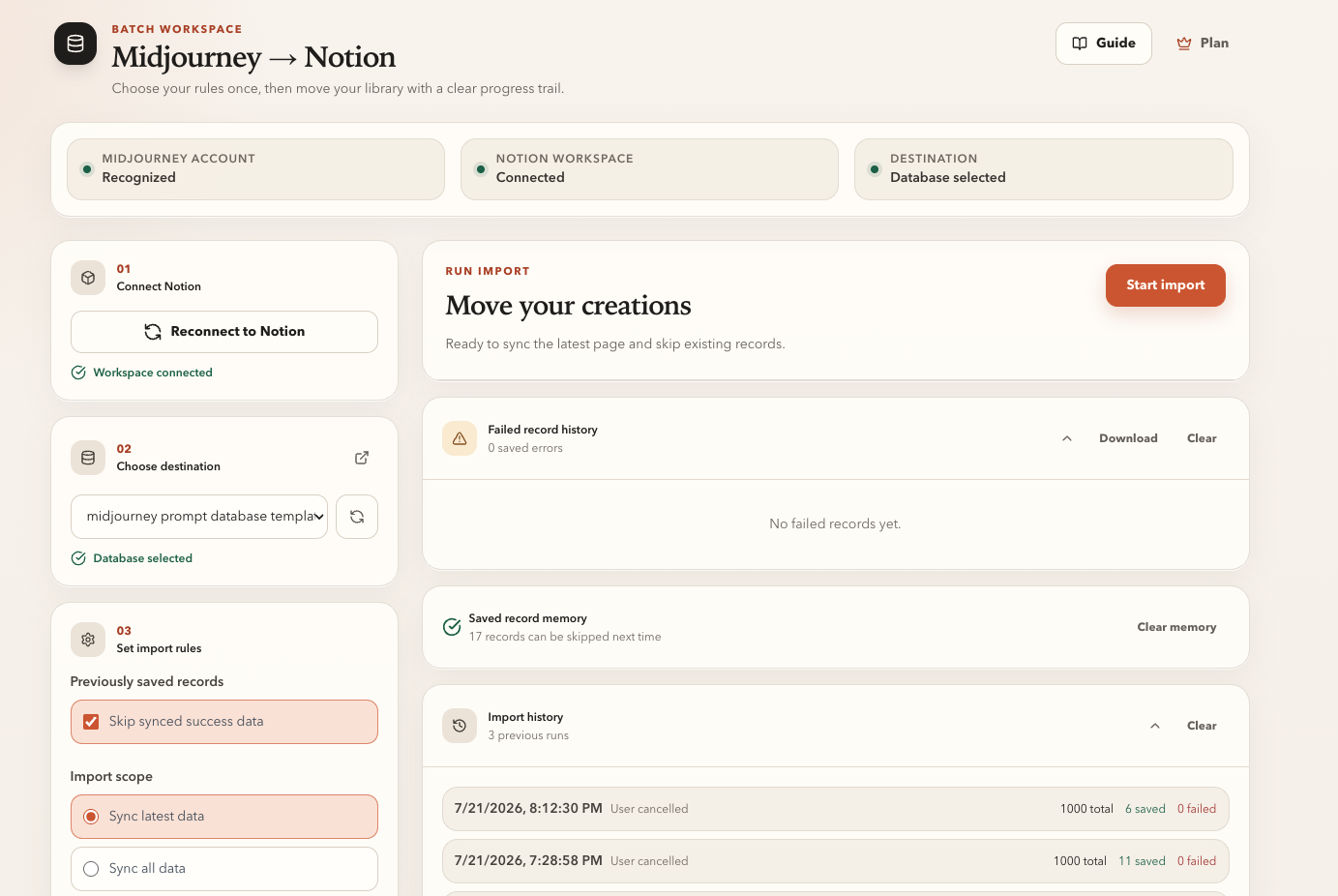
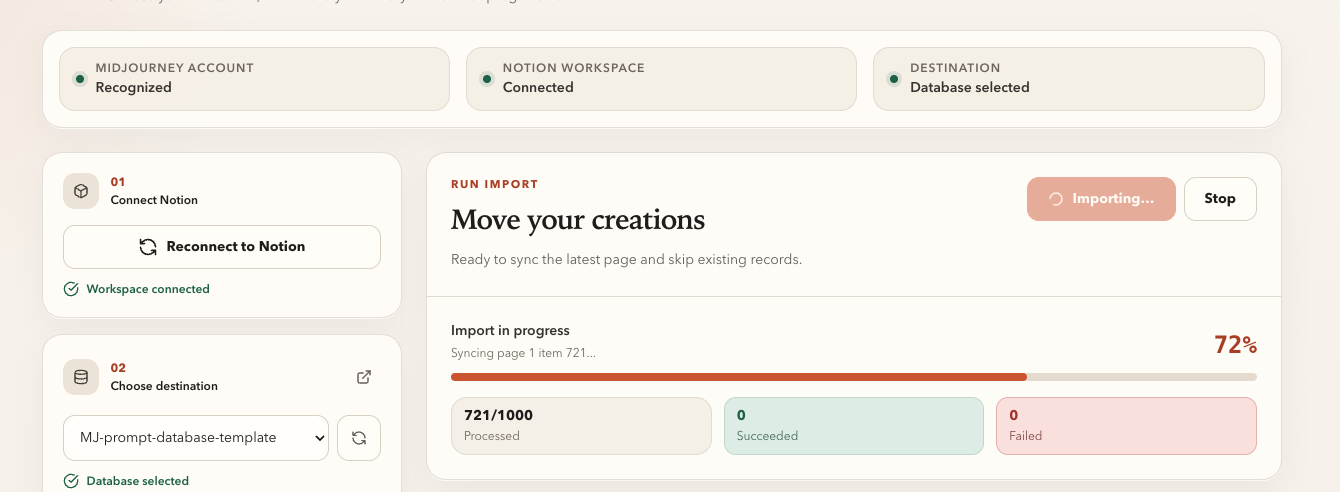
The latest/all scope, duplicate controls, progress, and history in one workspace.
Key Features
Save the creation in front of you
Use the injected Save to Notion action on supported Midjourney Jobs and Discord messages. The exporter captures the prompt, parameters, media, source link, and creation details without a manual copy-and-paste pass.
Move the latest page or your available history
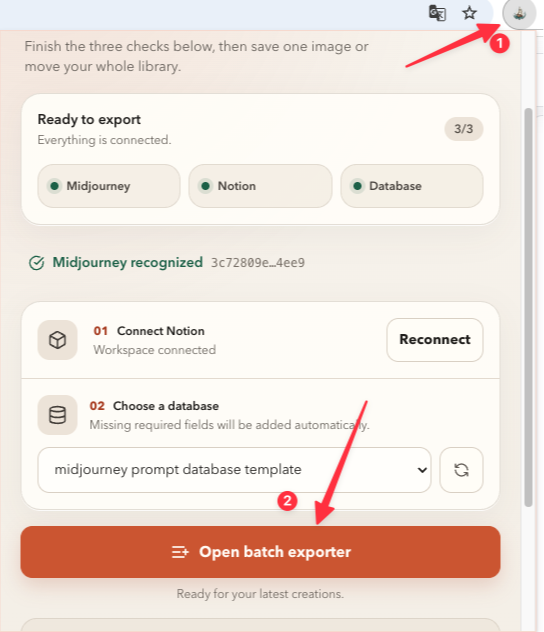
Open the batch workspace, choose the latest page for a quick recurring sync or follow pagination for a larger archive, then monitor success, failure, and cancellation status.
Browse a real visual prompt library in Notion
Each creation becomes a structured database page that works with Notion gallery and table views, filters, tags, and team sharing.
Key Features of Midjourney to Notion — Export Prompts, Images & History
Keep prompts, parameters, source links, images, and creation metadata together in Notion.
Midjourney Web and Discord
Single-save actions work on supported Midjourney web layouts and Midjourney messages in Discord channels.
Automatic database preparation
The exporter checks the selected Notion database and adds missing fields required for prompt, source, version, attributes, media, and creation metadata.
Native image upload with fallback
Images first use Notion's native file upload. If that path fails, the exporter can fall back to an external R2-hosted image so the page can still be created.
Video-aware records
Video creations keep the available video URL and preview information with the rest of the prompt record.
Duplicate controls
Skip an existing record, replace it, or always insert a new page based on how you manage revisions.
Local success tracking
Skip creation IDs already recorded as successful before a repeat batch starts.
Live progress and cancellation
Follow the current page, processed count, successes, and failures, and stop a long import without hiding the result.
Failure history
Review failed records, copy error details, and keep a run history for troubleshooting.
Known limits
Export boundaries and fixes
Clear limits build trust. These are the cases to check before running large exports.
A Notion database must be shared during authorization
The extension can only list and update databases included in the Notion connection.
Reconnect Notion and include the intended database, then refresh the database list.
Troubleshooting guideFree batch runs stop after 10 creations
The current v5 batch workflow limits free users to 10 processed records.
Use single save for individual creations or choose a paid plan for larger batch archives.
Troubleshooting guideSupported page layouts can change
Midjourney and Discord are dynamic web apps. A major interface change can temporarily hide a single-save action.
Refresh the source page first. If the action remains unavailable, use the batch workspace or contact support.
How it Works
Related resources Midjourney to Notion — Export Prompts, Images & History
Use these guides and docs to solve common export, backup, and troubleshooting workflows.
What's New
Version 5.0.0 refreshed the popup and batch workspace, improved Midjourney account detection, and strengthened batch export reliability.
Improved extraction for image and video creations, including video cover handling.
Improved batch export compatibility and Midjourney user identification.
Frequently Asked Questions About Midjourney to Notion — Export Prompts, Images & History
Have another question? Contact us on Discord or by email.
Can I export my full Midjourney history to Notion?
Yes. Open the batch workspace and choose the all-data scope to follow the available Midjourney pagination. Test the latest page first so you can confirm the destination fields and image behavior.
Can I save one creation instead of running a batch?
Yes. Use the Save to Notion action on supported Midjourney Web creations or Midjourney messages in Discord.
Are images uploaded to Notion or only linked?
The exporter first attempts Notion's native file upload. If that fails, it can use an R2-hosted fallback so the record still has a usable image.
How are duplicate creations handled?
Choose Skip if exists, Overwrite if exists, or Always insert. You can also skip IDs already stored in the extension's local success history.
Which information is saved?
Available records include the prompt, parsed attributes, Midjourney version, source URL, original and saved image URLs, creation details, and video URL when present.
What are the paid plan prices?
The shared MidjourneyExporter pricing page currently offers $4.90 monthly, $49 annually, or $69 lifetime access.
Unlock unlimited Midjourney exports
Choose monthly access for $4.90, annual access for $49, or lifetime access for $69. One pricing page covers the Midjourney exporter family.
View MidjourneyExporter Plans