
 New Chrome Extension
 NotionAI Exporter
Turn Notion AI conversations into a searchable Notion archive with one-click capture, selective review, project backups, rich formatting, and media-aware sync.
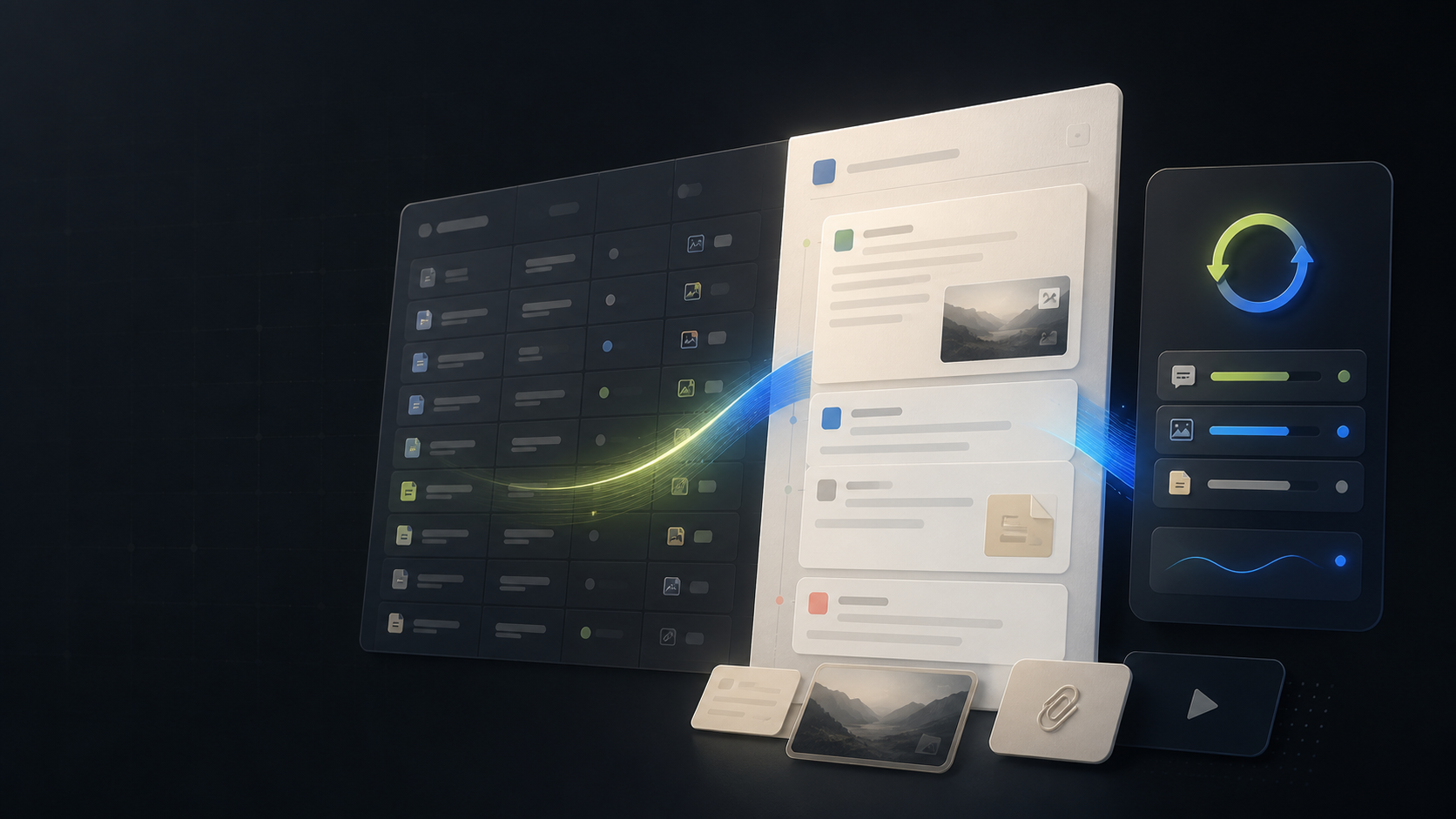
A focused archive workflow for turning Notion AI conversations into durable, searchable Notion knowledge.
Compatibility matrix
What NotionAI Exporter can export
A practical support table for real content types and destination behavior.
| Content type | Support | Export result | Notes |
|---|---|---|---|
| Notion AI | Supported | Export current chats, selected conversations, and bulk conversation history from the signed-in Notion AI workspace. | The source tab must stay signed in and available while the extension reads the conversation records. |
| Notion sync | Protected workflow | Create structured pages in a database that you explicitly authorize and select. | The OAuth callback is handled at /products/notionai-export/notion-redirct. |
Key Features
One-click current conversation sync
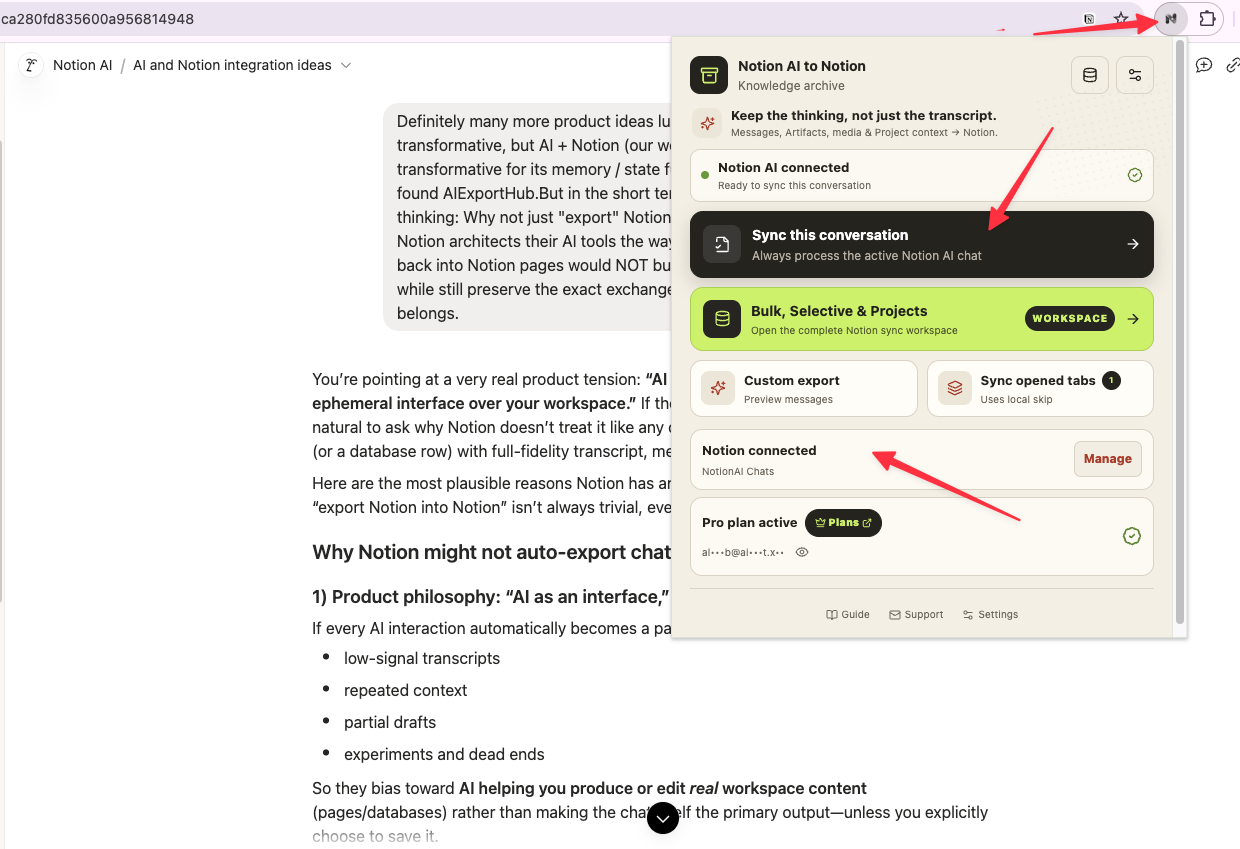
The browser popup detects the active Notion AI chat and lets you send it to the connected Notion data source without opening the full workspace.
Choose the destination and content policy
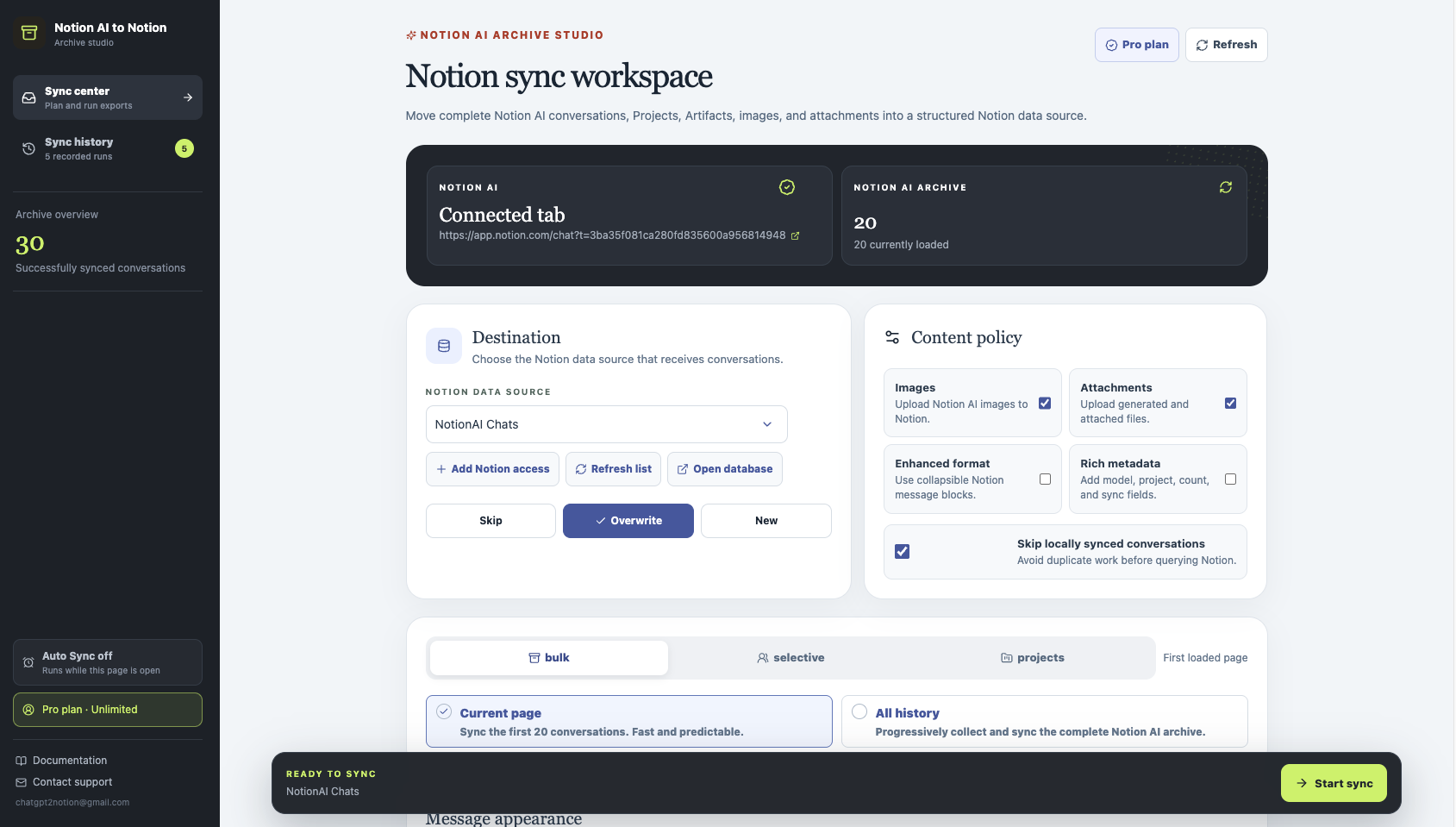
The Sync Center combines Notion data-source selection, OAuth access, conflict behavior, media toggles, enhanced formatting, metadata, and duplicate protection.
Bulk, selective, and Projects workflows
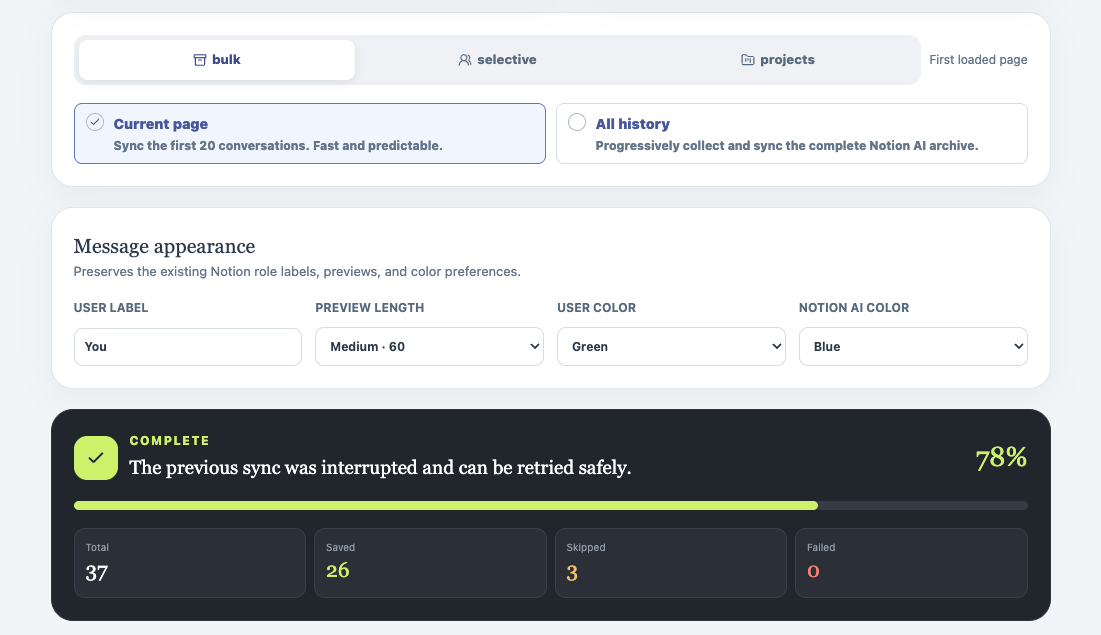
Switch between the first loaded page, complete history, selective search, and Project-level selection before starting a run.
A searchable Notion database
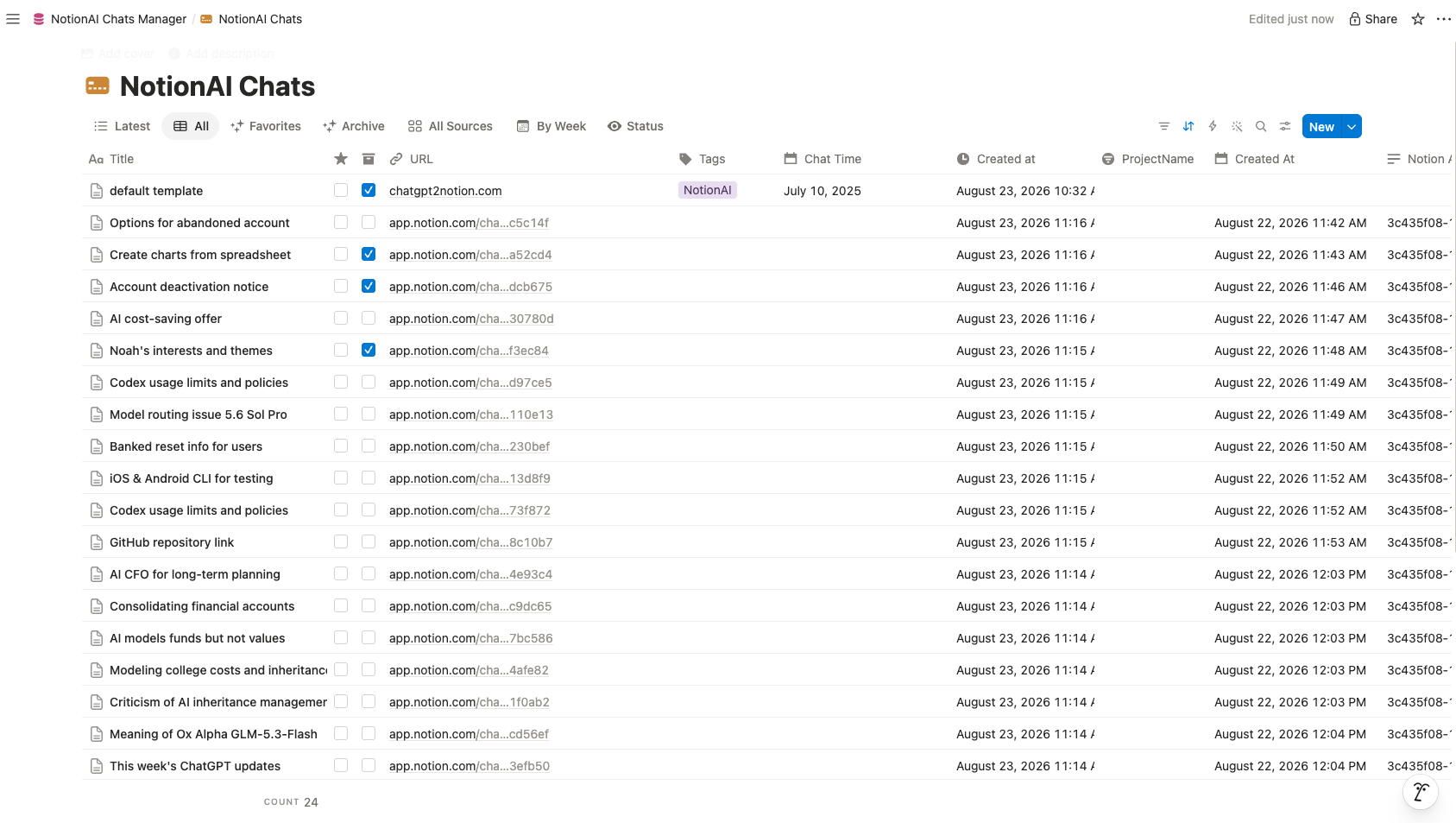
Every conversation becomes a database page with source URL, timestamps, title, and optional project and sync metadata.
Readable exported conversation pages
The page keeps the original exchange order, role labels, previews, source links, and message context in a durable Notion page.
Key Features of NotionAI Exporter
Everything you need to organize your Notion AI conversations quickly and efficiently.
Five workflow modes
Use current chat, opened tabs, bulk (current page or all history), selective search, or Projects when planning a backup.
Project-aware backups
Load Notion AI Projects, select a whole project or its conversations, and keep project context on the exported pages.
Rich Conversation Formatting
Keep user and Notion AI role labels, previews, timestamps, headings, lists, code, and optional collapsible message blocks readable after sync.
Artifacts as child pages
Preserve Notion AI Artifacts and other tool-generated documents as linked child pages below the source message.
Images and attachments
Upload supported images and files to Notion, link public images when possible, and keep readable fallback child pages if an upload fails.
Duplicate-safe sync
Skip locally synchronized conversations or choose skip, overwrite, or new-page behavior before a run starts.
Metadata you can control
Add model, project, message count, last-synced time, and sync-source properties only when rich metadata is enabled.
Run history and plan visibility
Review saved, skipped, failed, and cancelled runs, and see the five-save free allowance before upgrading.
Known limits
Export boundaries and fixes
Clear limits build trust. These are the cases to check before running large exports.
A signed-in Notion tab is required
Conversation records are read from the active Notion AI session in Chrome.
Keep Notion AI open, refresh after an account switch, and retry from the same signed-in tab.
Notion permissions control the destination
The selected database must be shared with the authorized Notion integration.
Use Open database from the extension and verify that the integration can edit the destination.
Free-plan save limits may stop a run
Notion account limits can prevent additional lifetime saves.
Open Account & subscription from the warning panel or continue with a smaller permitted batch.
How it Works
Related resources NotionAI Exporter
Use these guides and docs to solve common export, backup, and troubleshooting workflows.
Frequently Asked Questions About NotionAI Exporter
Have another question? Contact us on Discord or by email.
Does NotionAI Exporter upload my conversations to another server?
The extension reads the signed-in Notion AI session in your browser and writes to the Notion destination you authorize. It does not require a separate transcript storage service.
Can I export only selected Notion AI conversations?
Yes. Use the selective workspace to search the loaded list, select visible items, or load the complete list before syncing.
What happens when the free save limit is reached?
The sync panel changes to an amber limit warning and provides a View Account & subscription action that reveals the account section.
Which Notion database should I select?
Use the NotionAI Chats Manager template or another database that your authorized integration can access. The extension creates the required metadata properties when needed.
Can I export Notion AI Projects?
Yes. Open the Sync Center, switch to Projects, select one or more Projects or their loaded conversations, and start the sync. Project names are preserved when Notion AI returns them.
What are the five export modes?
The five workflow families are current chat, opened tabs, bulk (current page or all history), selective search, and Projects. The popup covers the first two; the Sync Center exposes all five.
What happens to Artifacts, images, and files?
Artifacts are written as linked child pages. Images and attachments are uploaded when enabled; public images can stay linked, and failed uploads fall back to a readable child page or warning.
Unlock Unlimited Power
Batch export 100+ chats, Auto-Sync, and priority support with Universal Pass.
Get Universal Pass