
Sync History and Limits
Read progress and history, cancel safely, and understand the free-plan save allowance.
Progress and cancellation
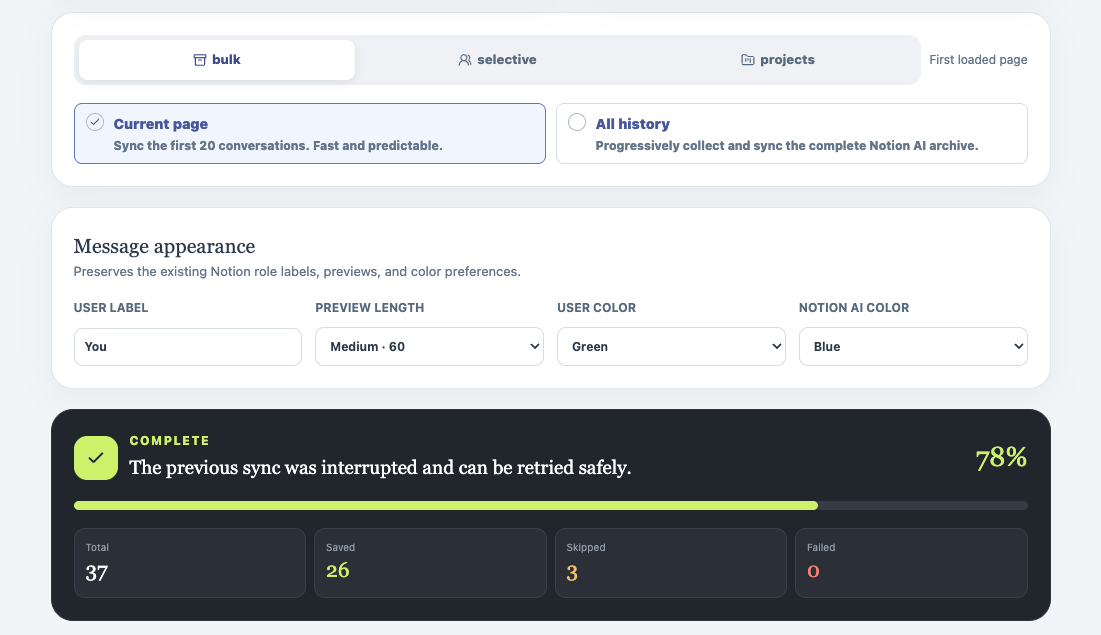
The progress panel reports the current stage, percentage, total conversations, saved pages, skipped pages, and failures. During a run it also shows whether the extension is loading conversation content, preparing media, creating Artifact child pages, or saving content.
Use Cancel to stop a run safely. Completed pages remain in Notion, and the run history records the cancellation and any failures that occurred before the stop.
Sync history
Open Sync history in the left sidebar to review recorded runs. Each record includes its mode, source, start and completion times, saved/skipped/failed counts, cancellation state, and failure details. The local synced-conversation cache is separate from history and can be reset when you want a fresh duplicate check.
Free allowance and Pro
The free plan includes five lifetime successful saves. Skipped and failed conversations do not consume a successful-save allowance. When a run reaches the allowance, the progress panel changes to a limit warning and offers View Account & subscription.
Enter the subscription email in the account panel to activate Pro. Pro removes the save limit; the source Notion AI tab, destination permissions, and Notion API constraints still apply.
Ready to try Notionai Export?
Open the product page for feature details, screenshots, pricing, and the Chrome Web Store install link.