
Export Settings
Configure Notion sync, local file targets, filename patterns, folder-aware exports, and duplicate handling for TypingMind exports.
Export settings control where TypingMind conversations go and how files or Notion pages are organized.
Notion settings
Use Notion settings when the export target is Notion.
Configure:
- Notion connection.
- Target database.
- Duplicate handling.
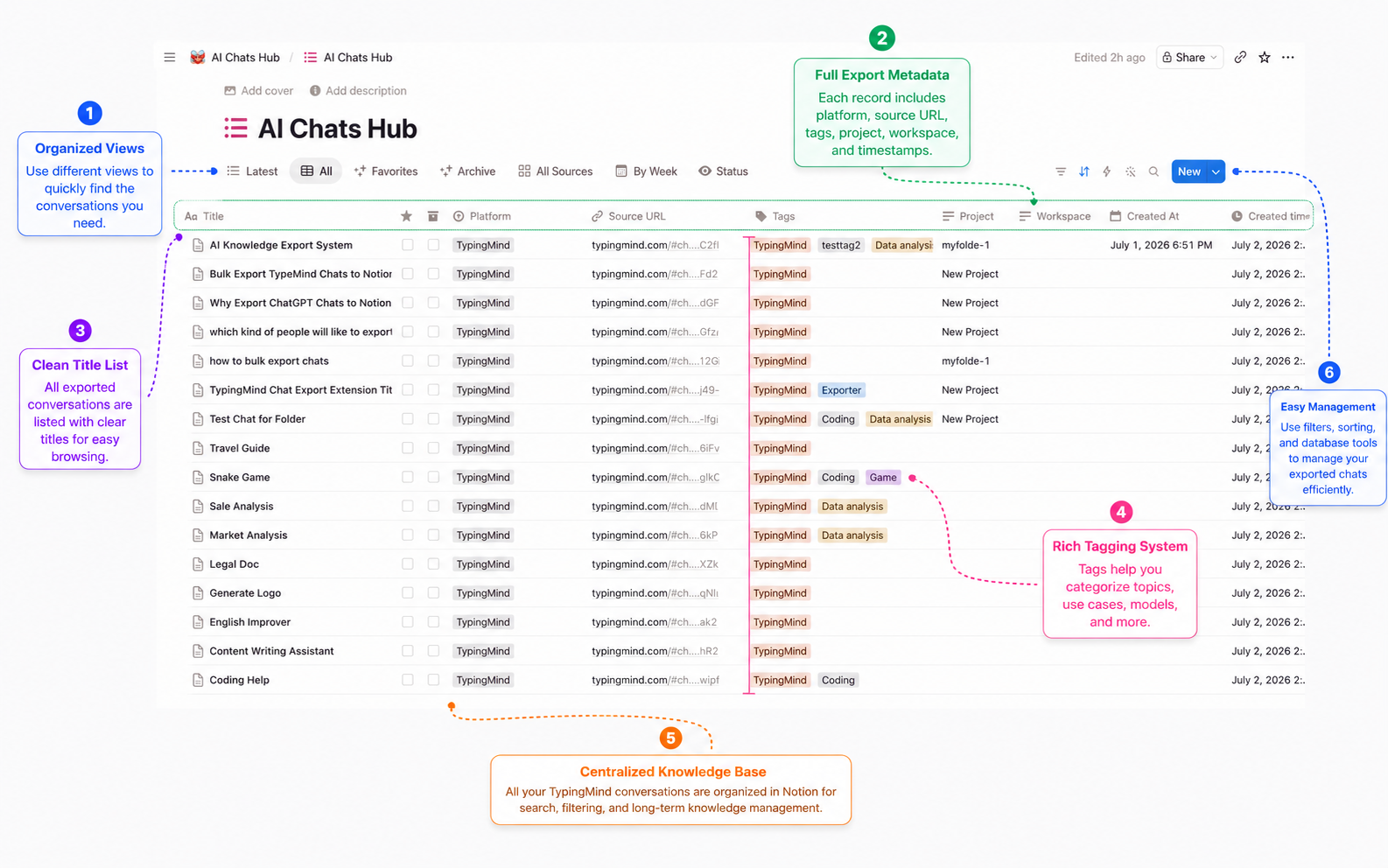
- Database fields for platform, source URL, timestamps, tags, folder context, and message count.
Markdown settings
Use Markdown settings for local .md exports and Obsidian workflows.
Recommended settings:
- Keep YAML frontmatter enabled for metadata.
- Use readable filename patterns.
- Keep code blocks and tables in Markdown format.
- Enable folder-aware subdirectories when TypingMind folder names are available.
Obsidian settings
Obsidian uses Markdown files, but the organization choices matter.
Recommended setup:
- Choose your Obsidian vault or a staging download folder.
- Use folder names from TypingMind when available.
- Keep tags in frontmatter or body metadata.
- Move finished exports into the vault after confirming formatting.
PDF settings
PDF export is best for stable records.
Use it for:
- Client delivery.
- Internal review.
- Documentation.
- Compliance records.
- Offline reading.
After exporting, open the PDF and check that long prompts, code, and response line breaks are readable.
Filename and folder behavior
AIExportHub can use conversation metadata to build stable filenames. A good filename usually includes a date and a cleaned title.
When TypingMind folder context is available, Markdown and PDF exports can be saved into a folder-named subdirectory so the local archive mirrors your TypingMind organization.
Duplicate handling
Use duplicate skip when running recurring backups. AIExportHub can skip records that already exported successfully for the selected target, reducing repeated files or duplicate Notion pages.
Privacy reminder
Markdown and PDF exports are local browser-generated downloads. Notion exports only happen after you connect Notion and choose it as the export target.
Ready to try Typingmind Export?
Open the product page for feature details, screenshots, pricing, and the Chrome Web Store install link.