
Import History
Use NotebookLM Hero import history to review source, destination, status, and timestamp records for previous imports.
Import history gives you a local record of NotebookLM Hero import activity. Use it to confirm what was sent into NotebookLM and where it was sent.
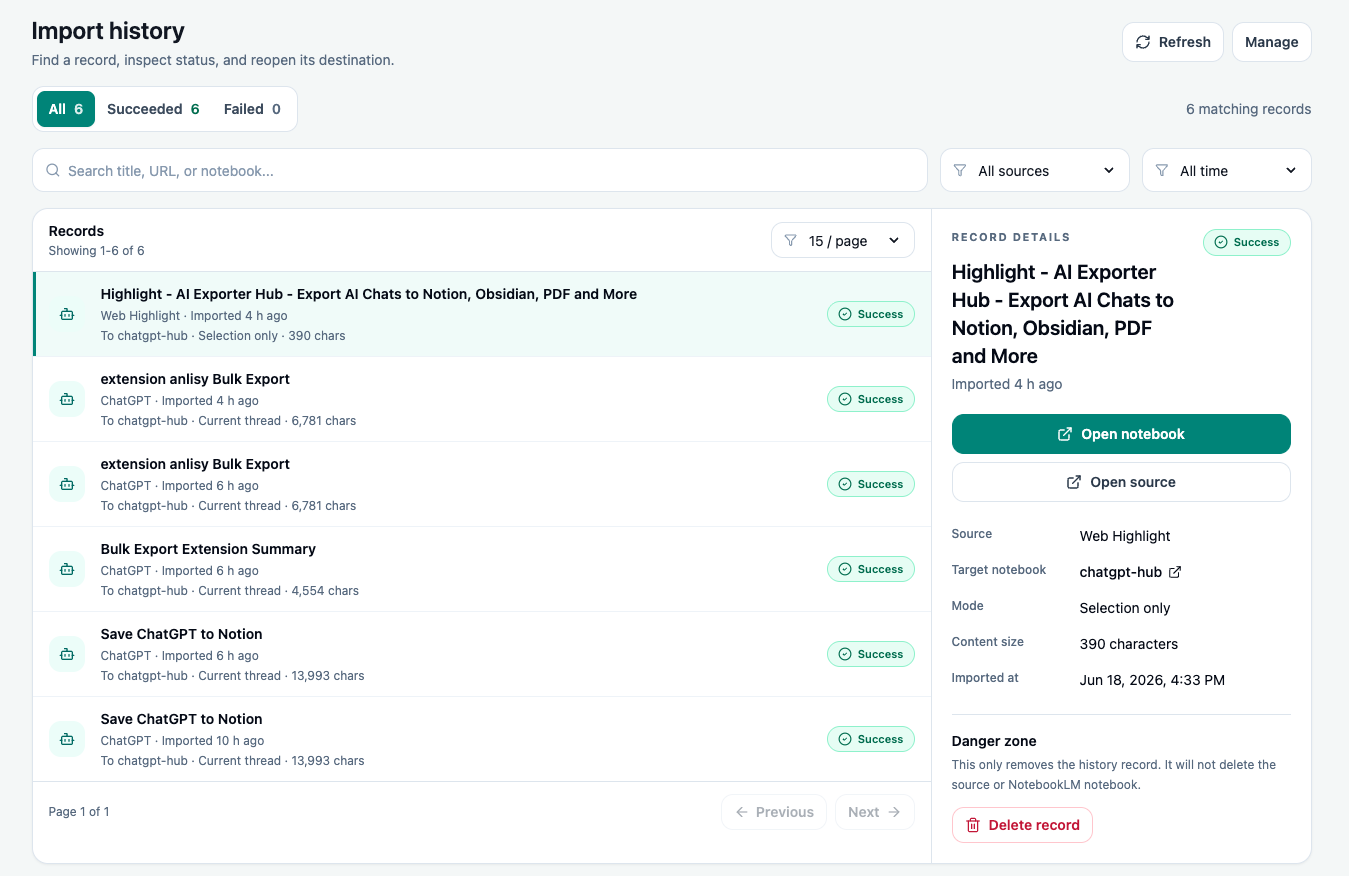
What history tracks
Import history can show workflow details such as:
- Source page or content type.
- Destination NotebookLM notebook.
- Import status.
- Timestamp.
- Recent activity records.
The history is designed for workflow convenience. It helps you avoid importing the same source repeatedly and gives you a quick way to audit recent research collection.
View history
- Open the extension.
- Go to the import history screen.
- Review recent records.
- Open or inspect any record you need to verify.
Clean up history
You can remove individual records or clear history when it is no longer useful.
Use cleanup when:
- A project is complete.
- You imported test content during setup.
- You want a shorter local activity list.
Privacy note
Import history is stored locally for convenience. It is not meant to be a shared project database. If your team needs a durable project audit trail, keep a separate index in your own workspace.
Ready to try NotebookLM Hero?
Open the product page for feature details, screenshots, pricing, and the Chrome Web Store install link.