
NotebookLM Hero
Export, import, archive, and organize your NotebookLM workspace. Save NotebookLM conversations and Studio Notes as clean local files, then import AI chats, webpages, articles, and highlights back into NotebookLM without repetitive copy-paste.
NotebookLM Hero is built for people who use NotebookLM as a serious research workspace.
Compatibility matrix
What NotebookLM Hero can export
A practical support table for real content types and destination behavior.
| Content type | Support | Export result | Notes |
|---|---|---|---|
| NotebookLM conversations | Supported | Exported as user and NotebookLM response content with notebook metadata. | Use popup export for current notebook exports or bulk export for multiple notebooks. |
| NotebookLM Studio Notes | Supported | Saved as local document files for backup, reuse, or review. | Available from supported NotebookLM notebook pages. |
| AI chat imports | Supported | Supported ChatGPT, Claude, Gemini, and Perplexity content can be sent into NotebookLM. | The source page must be open in Chrome and accessible to the extension. |
| Webpages and highlighted text | Supported | Selected text or readable page content can be imported into a chosen NotebookLM notebook. | Highlight import is designed for focused passages, quotes, and research snippets. |
| PDF generation | Protected workflow | Generated through Chrome's local print-to-PDF flow in a temporary render tab. | This is why the extension requests debugger permission for PDF export. |
Output proof
Real export examples
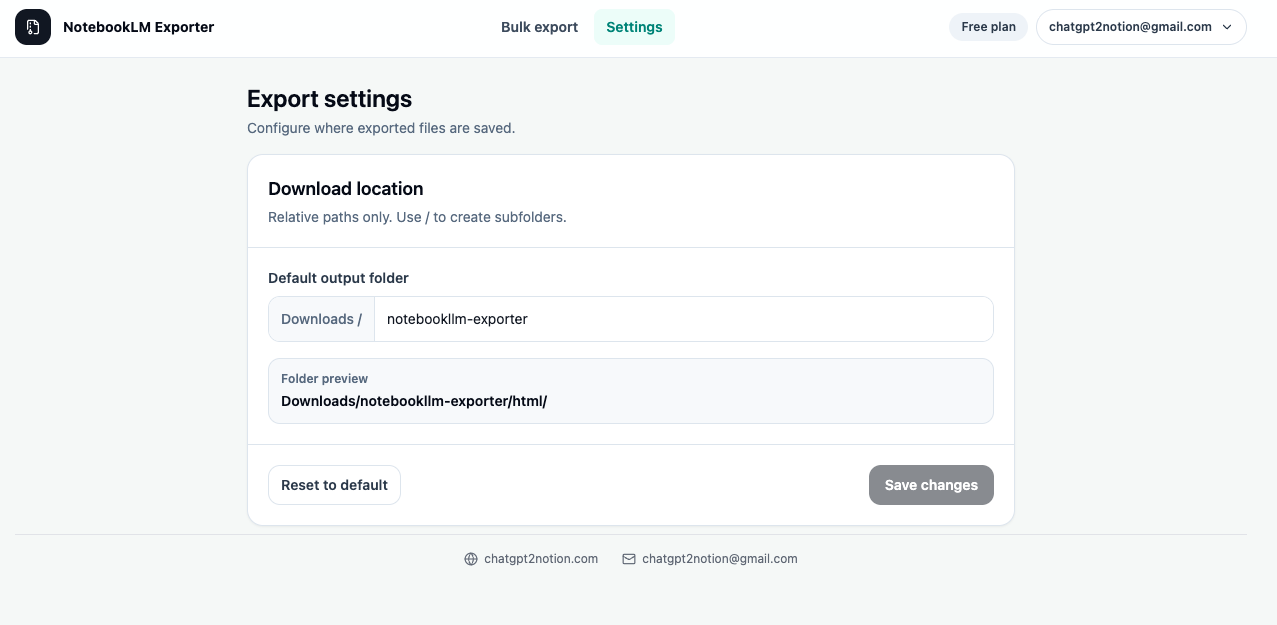
Use these examples to verify what exported files, folders, or destination pages look like before installing.
Markdown Notebook Archive
Editable local files for Obsidian, VS Code, Git repositories, and long-term knowledge bases.
PDF Research Record
Document-style exports for stable sharing, reading, and offline research records.
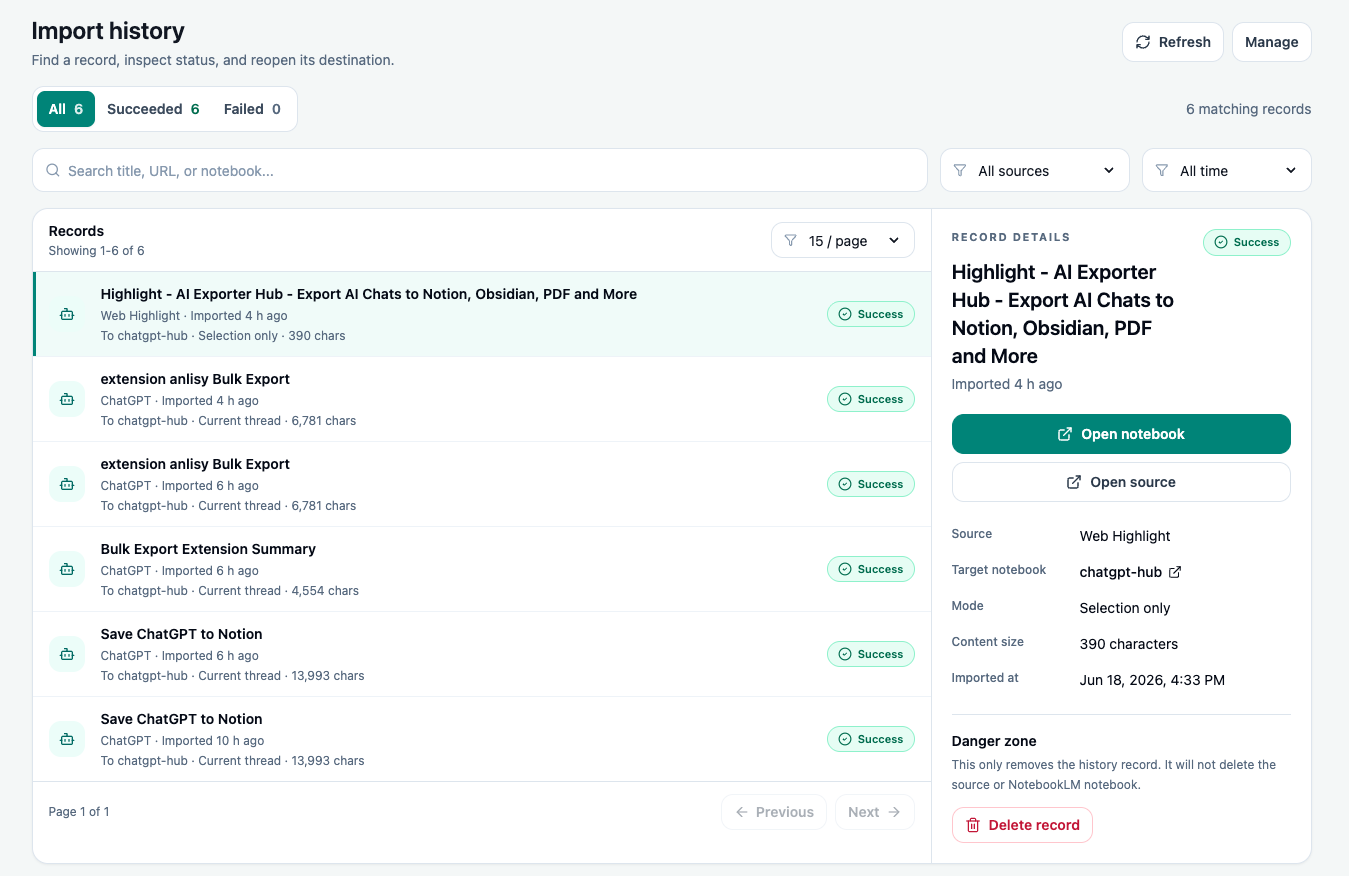
Import Activity Log
A local record of imported webpages, chats, highlights, destinations, statuses, and timestamps.
Key Features
NotebookLM Export
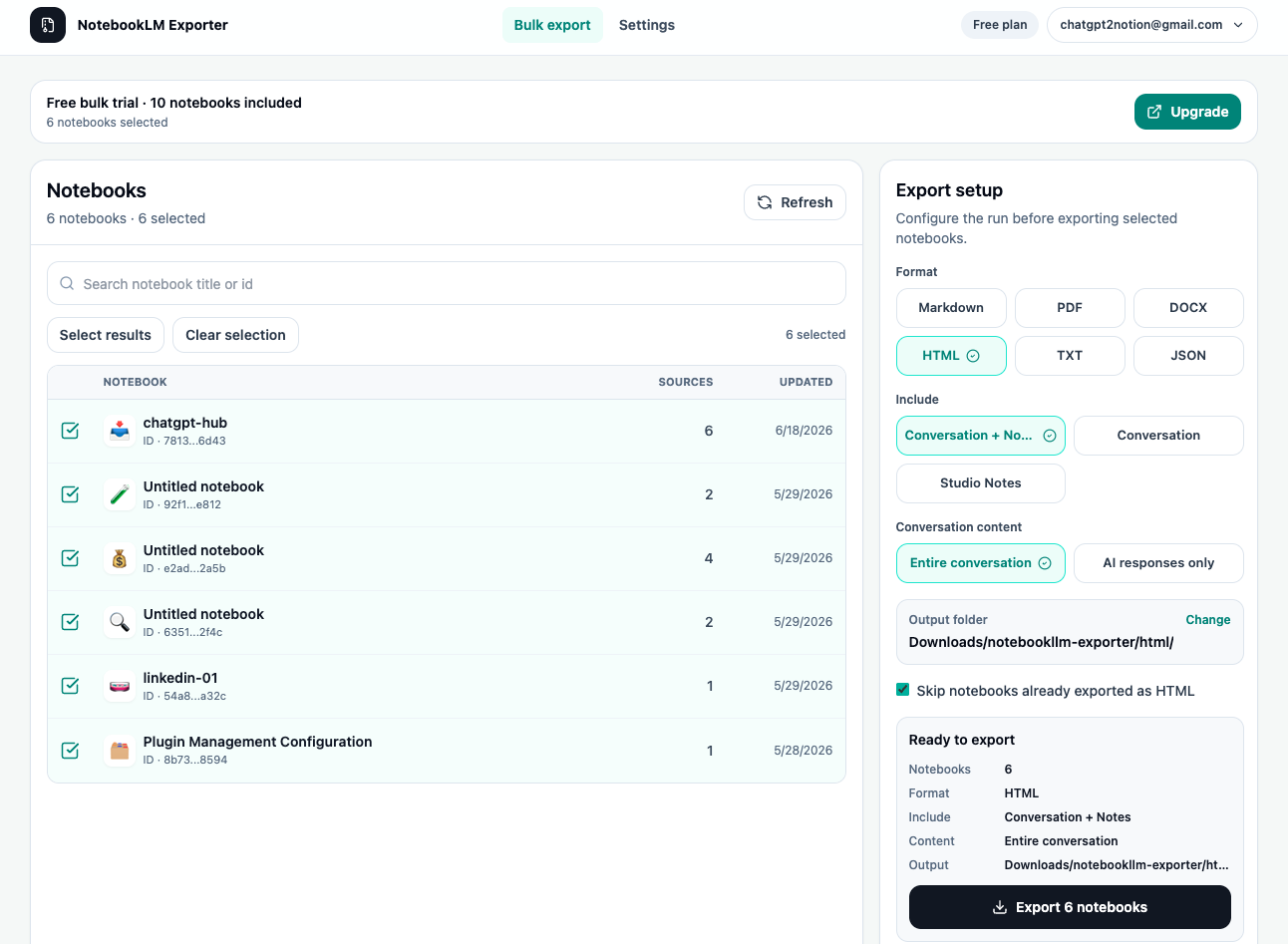
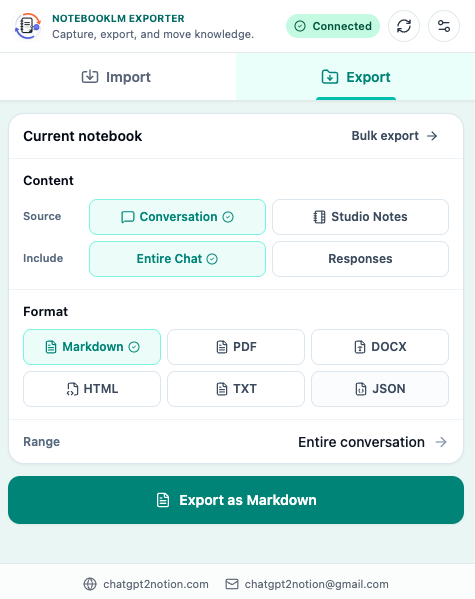
Export NotebookLM conversations and Studio Notes as Markdown, PDF, HTML, DOCX, JSON, or plain text. Save individual items or run bulk notebook exports for long-term research archives.
NotebookLM Import
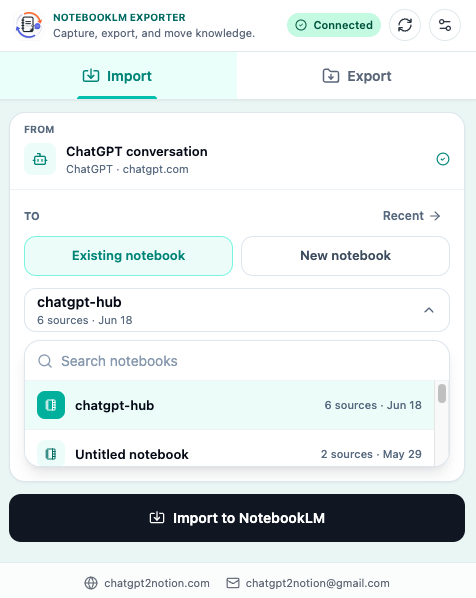
Send useful sources into NotebookLM from supported AI chats, webpages, articles, and highlighted text. Choose a destination notebook before importing so research lands in the right workspace.
Highlight Save
Use browser selection workflows to capture only the passage that matters. Send selected text into NotebookLM without copying, switching tabs, and rebuilding context by hand.
Key Features of NotebookLM Hero
Everything you need to organize your NotebookLM conversations quickly and efficiently.
Conversation and Studio Notes Export
Save chats, notes, summaries, and AI-generated responses from NotebookLM notebooks as durable local files.
Bulk Notebook Export
Queue multiple notebooks and export selected NotebookLM content in one workflow instead of repeating manual saves.
Multiple File Formats
Download NotebookLM content as Markdown, PDF, HTML, DOCX, JSON, or TXT depending on whether you need editable notes, stable records, or structured backups.
Custom Preview Selection
Preview NotebookLM content before export and select the messages or notes that should be included in the final file.
AI Chat Import
Move useful conversations from ChatGPT, Claude, Gemini, and Perplexity into NotebookLM as research sources.
Webpage and Article Import
Capture webpages, articles, and other browser content directly into the NotebookLM notebook where you are collecting sources.
Notebook Management
Browse, search, and select available NotebookLM notebooks. Create a new notebook during import when the destination does not exist yet.
Import History
Review previous import actions with source, destination, status, and timestamp records stored locally for workflow tracking.
Known limits
Export boundaries and fixes
Clear limits build trust. These are the cases to check before running large exports.
NotebookLM page access is required
Exports require an open NotebookLM page where your browser can access the notebook content.
Sign in to NotebookLM, open the target notebook, refresh the page, and retry the export.
Large bulk exports can take time
Bulk runs depend on NotebookLM response speed, notebook count, and selected output formats.
Keep the bulk export page open until the run completes and retry failed items from the workflow.
Imports depend on source page availability
AI chat and webpage import quality depends on what the browser can read from the active source page.
Use highlight import for precise passages when a full page contains navigation, comments, or unrelated content.
How it Works
Related resources NotebookLM Hero
Use these guides and docs to solve common export, backup, and troubleshooting workflows.
What's New
Expanded from a NotebookLM export tool into a complete import and export workspace with webpage import, highlight import, import history, notebook management, and bulk export support.
Frequently Asked Questions About NotebookLM Hero
Have another question? Contact us on Discord or by email.
What does NotebookLM Hero do?
NotebookLM Hero helps you export NotebookLM conversations and Studio Notes as local files, and import useful sources such as AI chats, webpages, articles, and highlighted text into NotebookLM notebooks.
Which export formats are supported?
The extension supports Markdown, PDF, HTML, DOCX, JSON, and plain text exports for NotebookLM content.
Can I bulk export multiple NotebookLM notebooks?
Yes. Use the bulk export workflow to queue notebooks and export selected NotebookLM conversations or Studio Notes in one run.
Can I import ChatGPT or Claude conversations into NotebookLM?
Yes. The extension includes supported import workflows for AI chats such as ChatGPT, Claude, Gemini, and Perplexity, so useful conversations can become NotebookLM sources.
Is my NotebookLM content sent to your server?
NotebookLM export files are generated in your browser and saved with Chrome downloads. The extension does not require a separate account for export and does not send NotebookLM content to an external export server.
Why does the extension request debugger permission?
Debugger permission is used only for PDF export. Chrome extensions need this permission to call Chrome's print-to-PDF flow from a temporary render tab.
Unlock the Complete NotebookLM Workspace
Run larger NotebookLM exports, manage import workflows, and keep research moving across notebooks.
Get NotebookLM Hero