
Auto-Clone the Notion Template
Recommended setup: authorize ChatGPT to Notion and let Notion automatically duplicate the template into your workspace
The recommended setup is to let Notion automatically duplicate the template during authorization. This is the fastest way to create a compatible Notion database for ChatGPT to Notion.
Use this method if you are setting up ChatGPT to Notion for the first time. If automatic template duplication fails, or if you already have your own Notion template, use the manual cloned template setup instead.
Start Notion Authorization
- Open the ChatGPT to Notion extension.
- In Connect to Notion, click the Notion authorization button. If the extension already says Connected to Notion, click the connected button again to update your authorization.
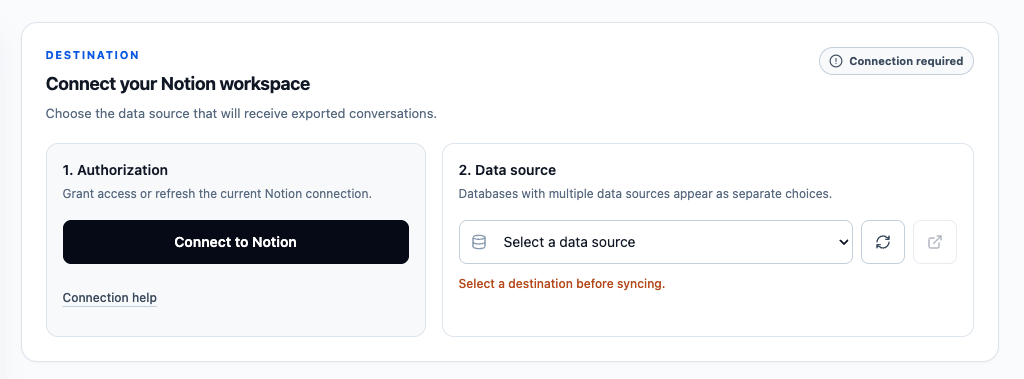
Continue in Notion
- Notion will open an authorization page for ChatGPT to Notion.
- Review the permissions, including file uploads if you want supported ChatGPT images and files to be uploaded directly to Notion.
- Click Next.
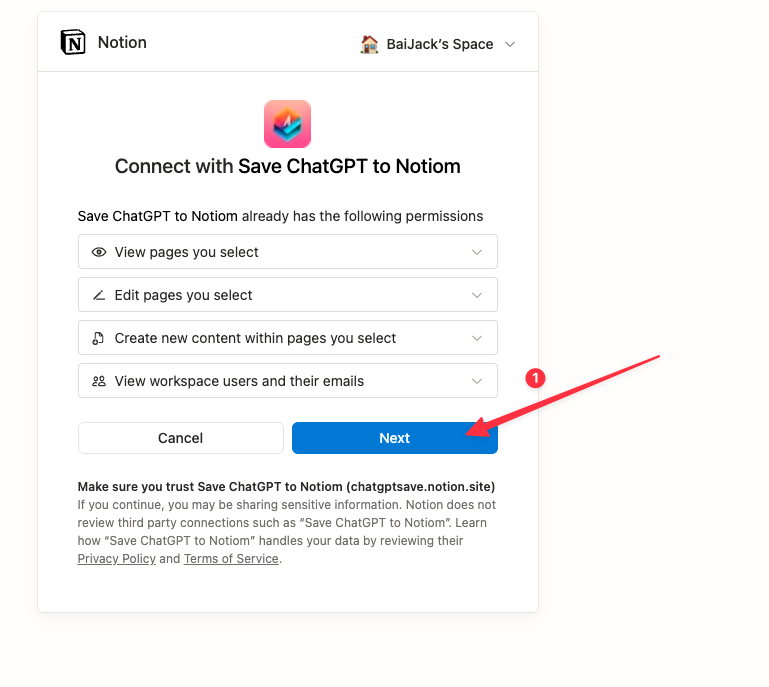
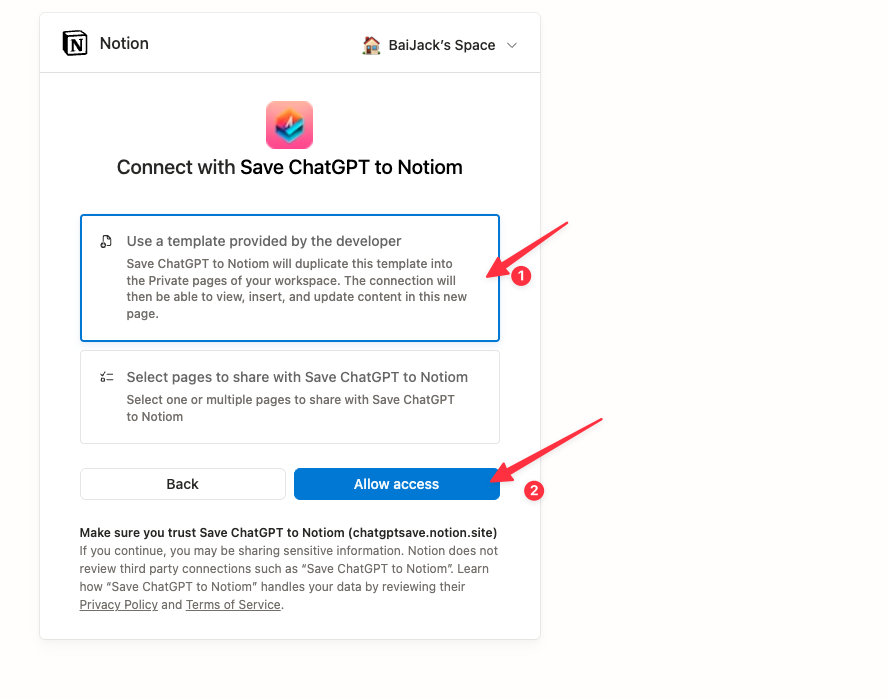
Choose Automatic Template Duplication
- Select the first option: Use a template provided by the developer.
- This tells Notion to duplicate the ChatGPT to Notion template into the private pages of your workspace.
- Click Allow access.
Finish on the Callback Page
After authorization, Notion redirects you to the callback page.
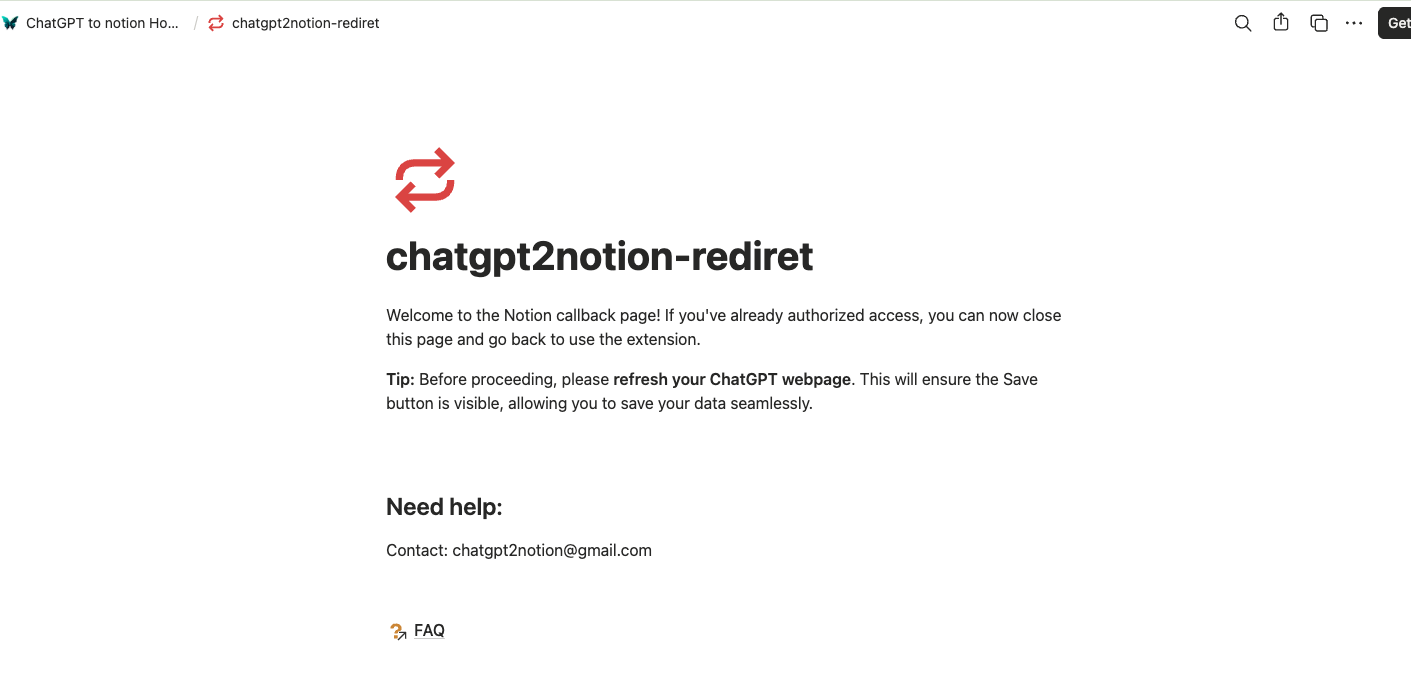
If authorization succeeds, a success prompt will appear. Close the callback page, return to the extension, refresh the destination list, and select the duplicated destination. Refresh the ChatGPT page if it was already open before authorization or the latest extension update.
If authorization fails, the issue may be caused by a temporary Notion API problem. You can contact the developer at [email protected], or use the manual cloned template setup to duplicate and authorize the template yourself.
When to Use Manual Template Selection
Use the manual cloned template setup when:
- The automatic template duplication option fails.
- You already duplicated one of the templates before.
- You already have your own Notion database template and only need to authorize it.
- You want to choose between multiple cloned template databases.
Ready to try Chatgpt To Notion?
Open the product page for feature details, screenshots, pricing, and the Chrome Web Store install link.